https://github.com/heyitsgilbert/pesterexplorer
A TUI to explore Pester results.
https://github.com/heyitsgilbert/pesterexplorer
pester powershell powershell-module spectre-console tdd
Last synced: about 1 year ago
JSON representation
A TUI to explore Pester results.
- Host: GitHub
- URL: https://github.com/heyitsgilbert/pesterexplorer
- Owner: HeyItsGilbert
- License: mit
- Created: 2025-05-24T17:45:28.000Z (about 1 year ago)
- Default Branch: main
- Last Pushed: 2025-05-31T19:52:57.000Z (about 1 year ago)
- Last Synced: 2025-06-01T02:37:34.742Z (about 1 year ago)
- Topics: pester, powershell, powershell-module, spectre-console, tdd
- Language: PowerShell
- Homepage: https://heyitsgilbert.github.io/PesterExplorer/
- Size: 2.25 MB
- Stars: 15
- Watchers: 0
- Forks: 1
- Open Issues: 1
-
Metadata Files:
- Readme: README.md
- Changelog: CHANGELOG.md
- License: LICENSE
Awesome Lists containing this project
README

# PesterExplorer
A TUI to explore Pester results.
[](https://www.powershellgallery.com/packages/PesterExplorer/)
[](https://www.powershellgallery.com/packages/PesterExplorer/)
[](https://www.powershellgallery.com/packages/PesterExplorer/)
[](https://www.powershellgallery.com/packages/PesterExplorer/)
## Overview
Pester does a wonderful job printing out tests results as they're running. The
difficulty can be where you're looking at a large number of results.
## Installation
> [!IMPORTANT]
> This module is for PowerShell 7. This won't work in Windows PowerShell.
```pwsh
Install-Module PesterExplorer -Scope CurrentUser
```
Installing this module will install it's dependencies which are Pester and
PwshSpectreConsole.
## Examples
To explore your result object you simply need to run `Show-PesterResult`
```pwsh
# Run Pester and make sure to PassThru the object
$pester = Invoke-Pester .\tests\ -PassThru
# Now run the TUI
Show-PesterResult $p
```
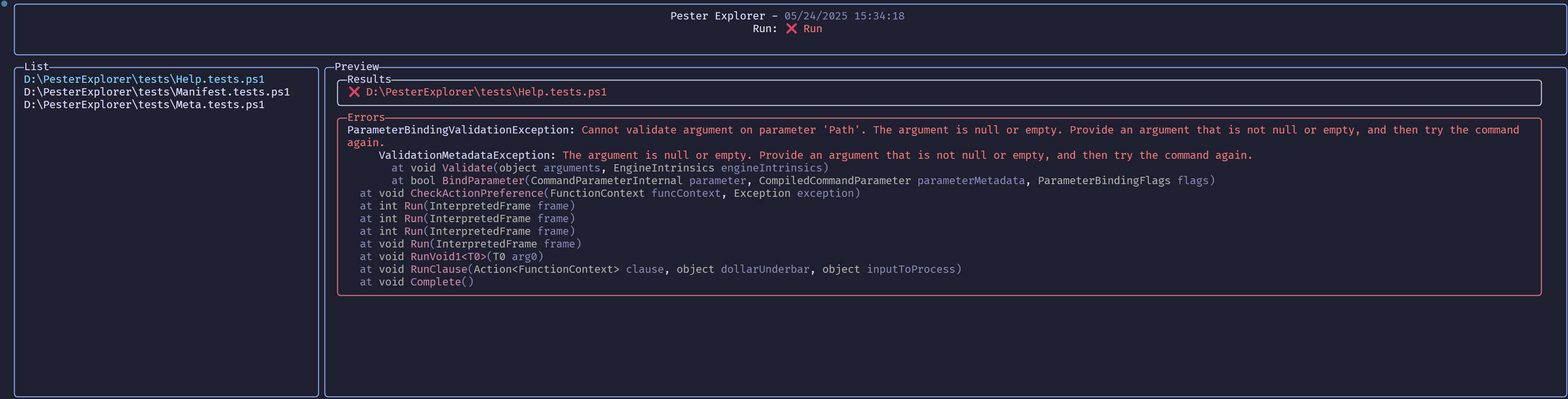
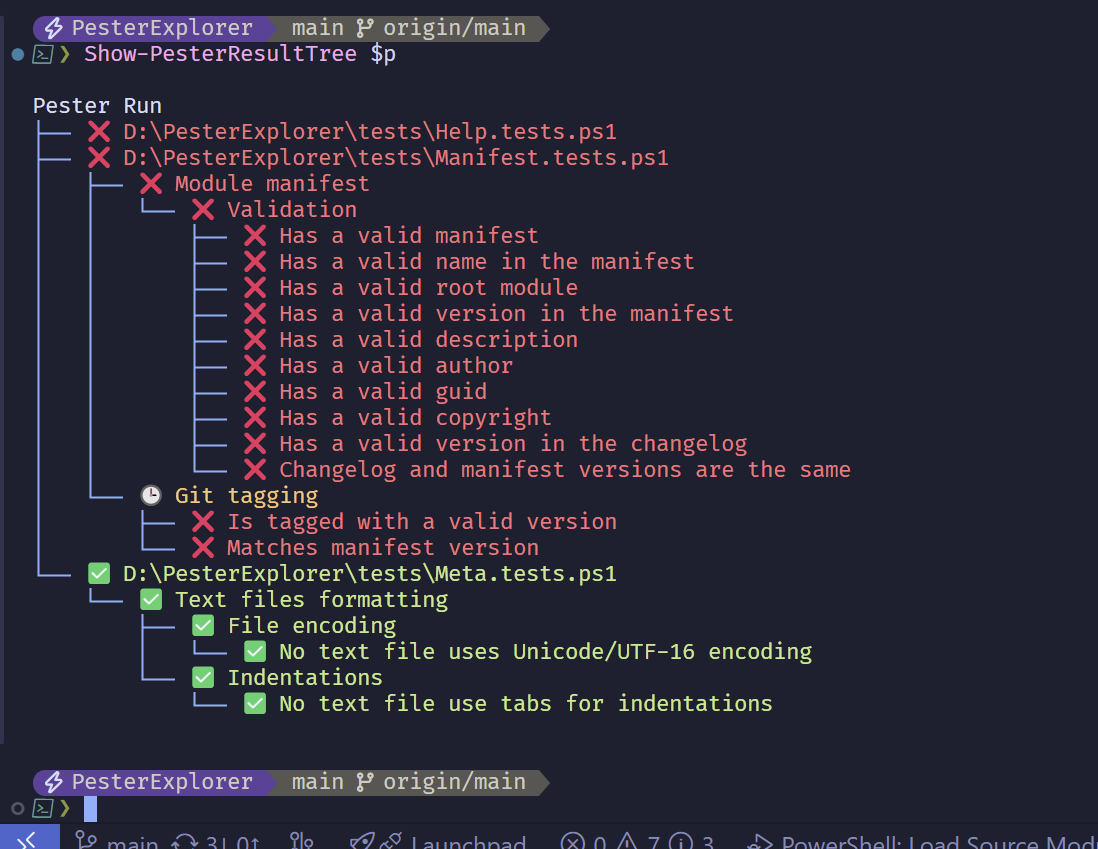
You can also get a tree view of your pester results with
`Show-PesterResultTree`.
```pwsh
# Run Pester and make sure to PassThru the object
$pester = Invoke-Pester .\tests\ -PassThru
# Now get that in a Tree view
Show-PesterResultTree $p
```
## Contributing
Please read the Contributors guidelines.
Make sure you bootstrap your environment by running the build command.
```pwsh
.\build.ps1 -Task Init -Bootstrap
```