https://github.com/hidd3n-dev/mc-script
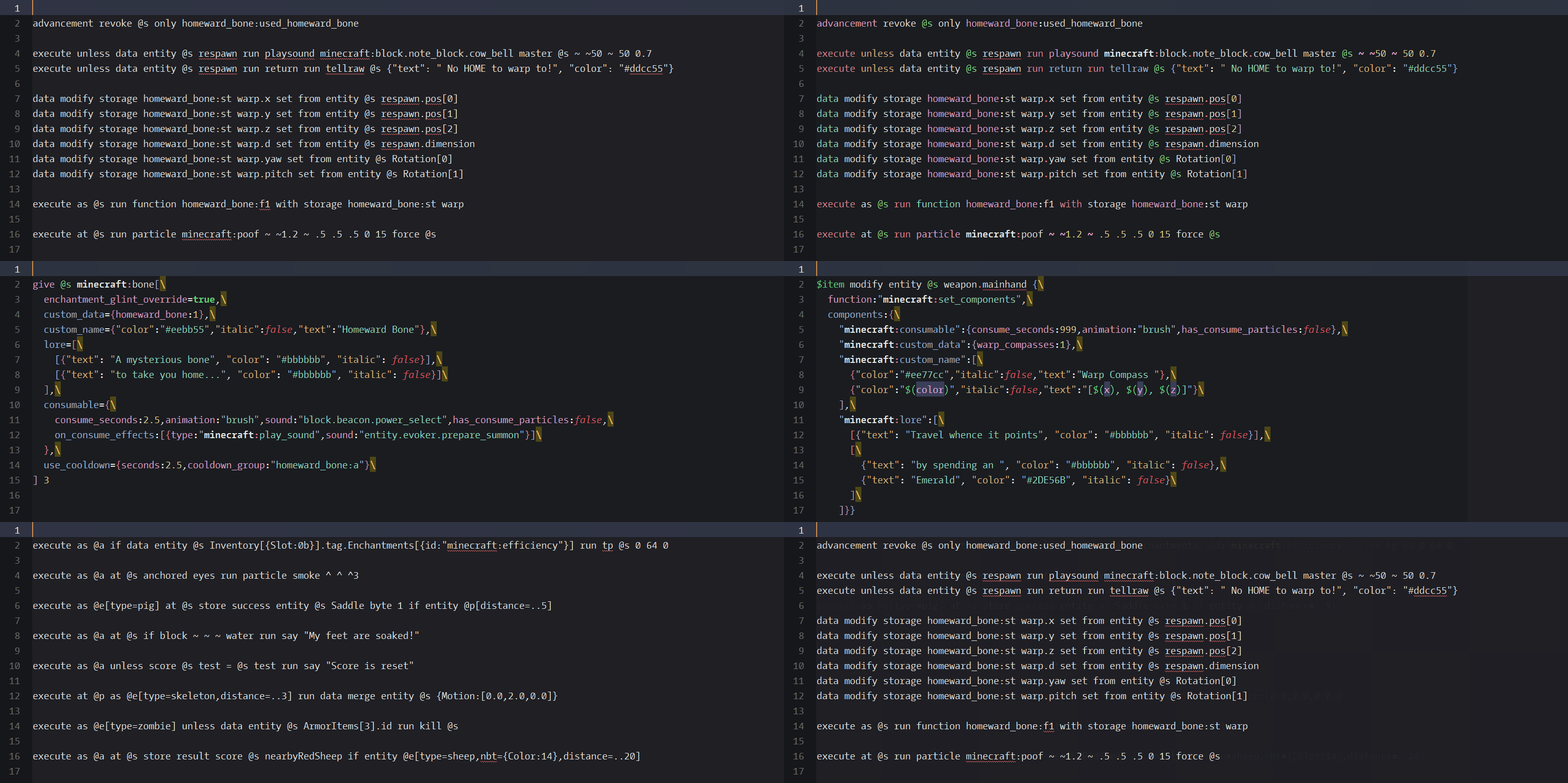
A custom Sublime Text syntax highlighter for .mcfunction files.
https://github.com/hidd3n-dev/mc-script
datapack mcfunction minecraft sublime-text syntax-highlighting
Last synced: 3 months ago
JSON representation
A custom Sublime Text syntax highlighter for .mcfunction files.
- Host: GitHub
- URL: https://github.com/hidd3n-dev/mc-script
- Owner: hidd3n-dev
- License: mit
- Created: 2026-03-12T16:33:26.000Z (4 months ago)
- Default Branch: main
- Last Pushed: 2026-03-22T16:26:35.000Z (4 months ago)
- Last Synced: 2026-03-23T00:18:14.779Z (4 months ago)
- Topics: datapack, mcfunction, minecraft, sublime-text, syntax-highlighting
- Language: mcfunction
- Homepage:
- Size: 1.56 MB
- Stars: 1
- Watchers: 0
- Forks: 0
- Open Issues: 0
-
Metadata Files:
- Readme: README.md
- License: LICENSE
Awesome Lists containing this project
README
# Minecraft Script
### Minecraft Commands Syntax Highlighter for Sublime Text
## About
A Sublime Text package providing syntax highlighting to `.mcfunction` files used in Minecraft data packs development.
Also works with `.mcs` and `.mcf` file extensions for convenience sake.
## Installation
Place the `Minecraft Script` folder found in the repo root inside your Sublime Text Packages directory.
Example path after correct installation on Windows would be:
```
%APPDATA%\Sublime Text\Packages\Minecraft Script
```
> [!WARNING]
> You might have to backup and remove any prior syntax highlighting packages affecting `.mcfunction` files before also clearing their cache entries in order to make this package work. When making such changes, proceed with caution and make sure to backup any sensitive files!
>
> Path to Sublime Text cache on Windows:
> ```
> %LOCALAPPDATA%\Sublime Text\Cache
> ```