https://github.com/hideoo/warp-theme-vitesse
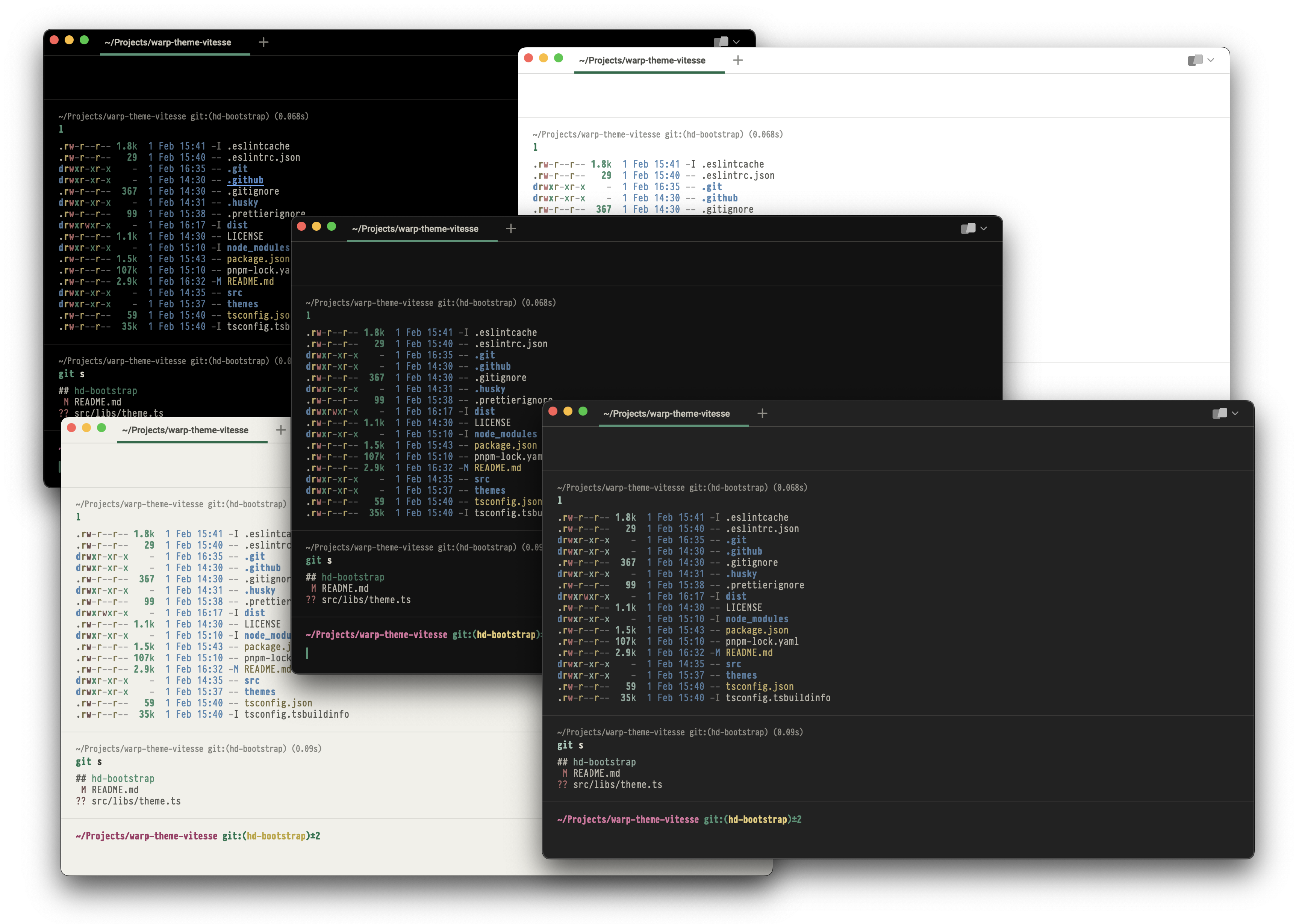
A set of Warp themes based on the Vitesse Theme for VS Code
https://github.com/hideoo/warp-theme-vitesse
terminal theme vitesse warp
Last synced: 8 months ago
JSON representation
A set of Warp themes based on the Vitesse Theme for VS Code
- Host: GitHub
- URL: https://github.com/hideoo/warp-theme-vitesse
- Owner: HiDeoo
- License: mit
- Created: 2023-02-01T13:29:55.000Z (almost 3 years ago)
- Default Branch: main
- Last Pushed: 2023-02-01T15:55:51.000Z (almost 3 years ago)
- Last Synced: 2025-02-10T04:19:31.731Z (10 months ago)
- Topics: terminal, theme, vitesse, warp
- Language: TypeScript
- Homepage:
- Size: 49.8 KB
- Stars: 2
- Watchers: 2
- Forks: 0
- Open Issues: 0
-
Metadata Files:
- Readme: README.md
- License: LICENSE
Awesome Lists containing this project
README


## Features
A set of Wrap themes based on the [Vitesse Theme for VS Code](https://github.com/antfu/vscode-theme-vitesse) created by [Anthony Fu](https://github.com/antfu) who deserves all the credits for this amazing theme.
Head to the [releases page](https://github.com/HiDeoo/warp-theme-vitesse/releases) to download either an archive containing all the themes or a single theme:
- [Vitesse Black](https://user-images.githubusercontent.com/494699/216093478-b14d6487-4ea2-46e2-8cd9-4138e36fc21c.png)
- [Vitesse Dark](https://user-images.githubusercontent.com/494699/216093571-651a4e38-517f-4cf9-bfc8-c9611250173b.png)
- [Vitesse Dark Soft](https://user-images.githubusercontent.com/494699/216093524-0fd93538-50fc-48fc-b100-24172e166645.png)
- [Vitesse Light](https://user-images.githubusercontent.com/494699/216093687-4550e30c-c951-4255-9d2c-3cda6669d402.png)
- [Vitesse Light Soft](https://user-images.githubusercontent.com/494699/216093633-60c818ec-701e-4ff1-bcf0-ae29e4a37359.png)
_You can also download other sets based on the same theme for [Alfred](https://github.com/HiDeoo/alfred-theme-vitesse), [iTerm2](https://github.com/HiDeoo/iTerm2-theme-vitesse) or [Insomnia](https://github.com/HiDeoo/insomnia-plugin-vitesse-theme)._
## Installation
1. Download one or more themes from the [releases page](https://github.com/HiDeoo/warp-theme-vitesse/releases).
1. [Copy the yaml theme(s) files](https://docs.warp.dev/appearance/custom-themes#how-do-i-use-a-custom-theme-in-warp) in the `~/.warp/themes` directory.
1. [Select a Vitesse theme](https://docs.warp.dev/appearance/themes#how-to-access-it) in the `Settings` pane of Wrap → `Appearance` → `Current theme`.
## License
Licensed under the MIT License, Copyright © HiDeoo.
See [LICENSE](https://github.com/HiDeoo/warp-theme-vitesse/blob/main/LICENSE) for more information.