https://github.com/hirotakadango/php-music
A simple, fast, and modern self-hosted music player built in PHP, with a clean UI, SQLite backend, and full PWA (Progressive Web App) features. Scan your music collection, play songs in your browser, manage favorites/playlists, upload and edit your own songs, and more—all in one lightweight app.
https://github.com/hirotakadango/php-music
music music-player music-player-application php single-file-app sqlite
Last synced: 12 days ago
JSON representation
A simple, fast, and modern self-hosted music player built in PHP, with a clean UI, SQLite backend, and full PWA (Progressive Web App) features. Scan your music collection, play songs in your browser, manage favorites/playlists, upload and edit your own songs, and more—all in one lightweight app.
- Host: GitHub
- URL: https://github.com/hirotakadango/php-music
- Owner: HirotakaDango
- License: mit
- Created: 2023-06-03T20:33:42.000Z (about 3 years ago)
- Default Branch: main
- Last Pushed: 2026-06-27T18:06:19.000Z (18 days ago)
- Last Synced: 2026-06-27T19:14:50.566Z (18 days ago)
- Topics: music, music-player, music-player-application, php, single-file-app, sqlite
- Language: PHP
- Homepage: https://hirotakadango.github.io/php-music-wiki/
- Size: 3.82 MB
- Stars: 23
- Watchers: 1
- Forks: 4
- Open Issues: 0
-
Metadata Files:
- Readme: README.md
- License: LICENSE
Awesome Lists containing this project
README
# PHP Music
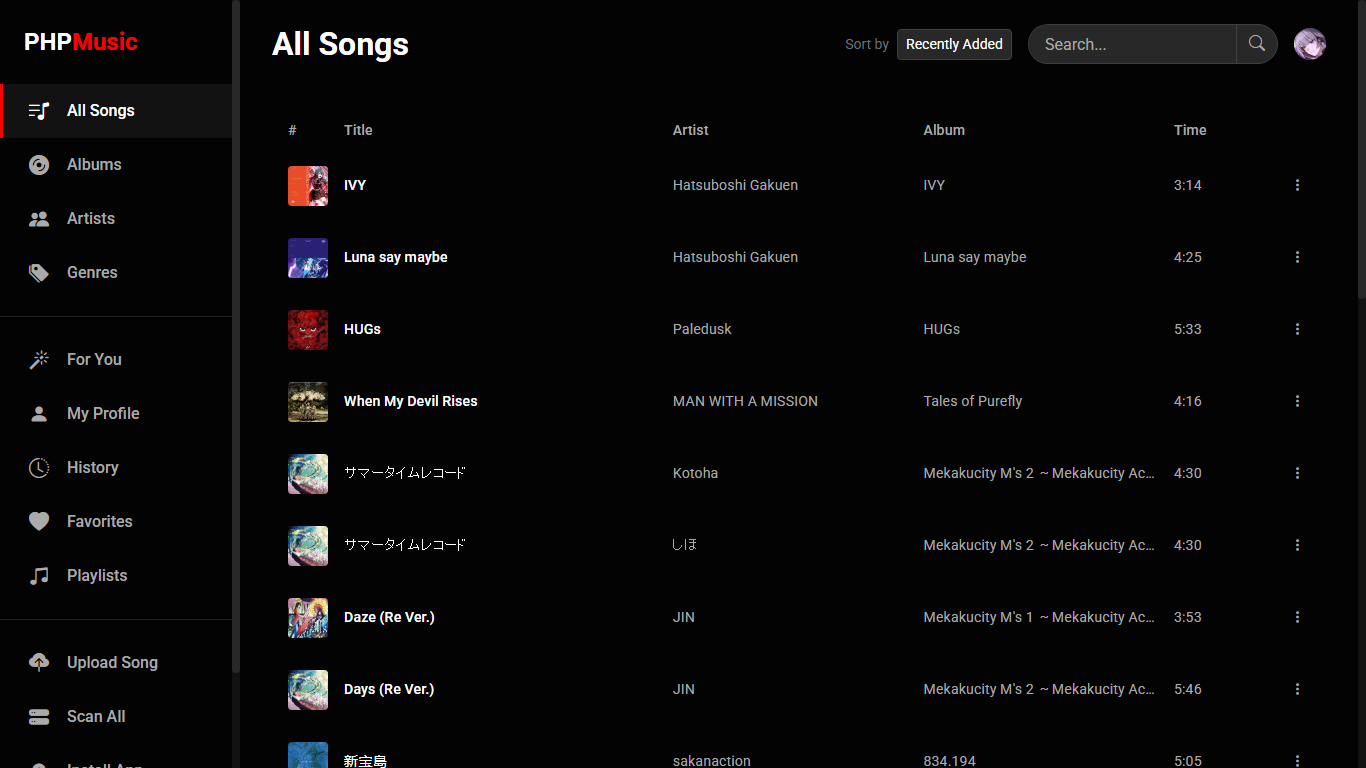
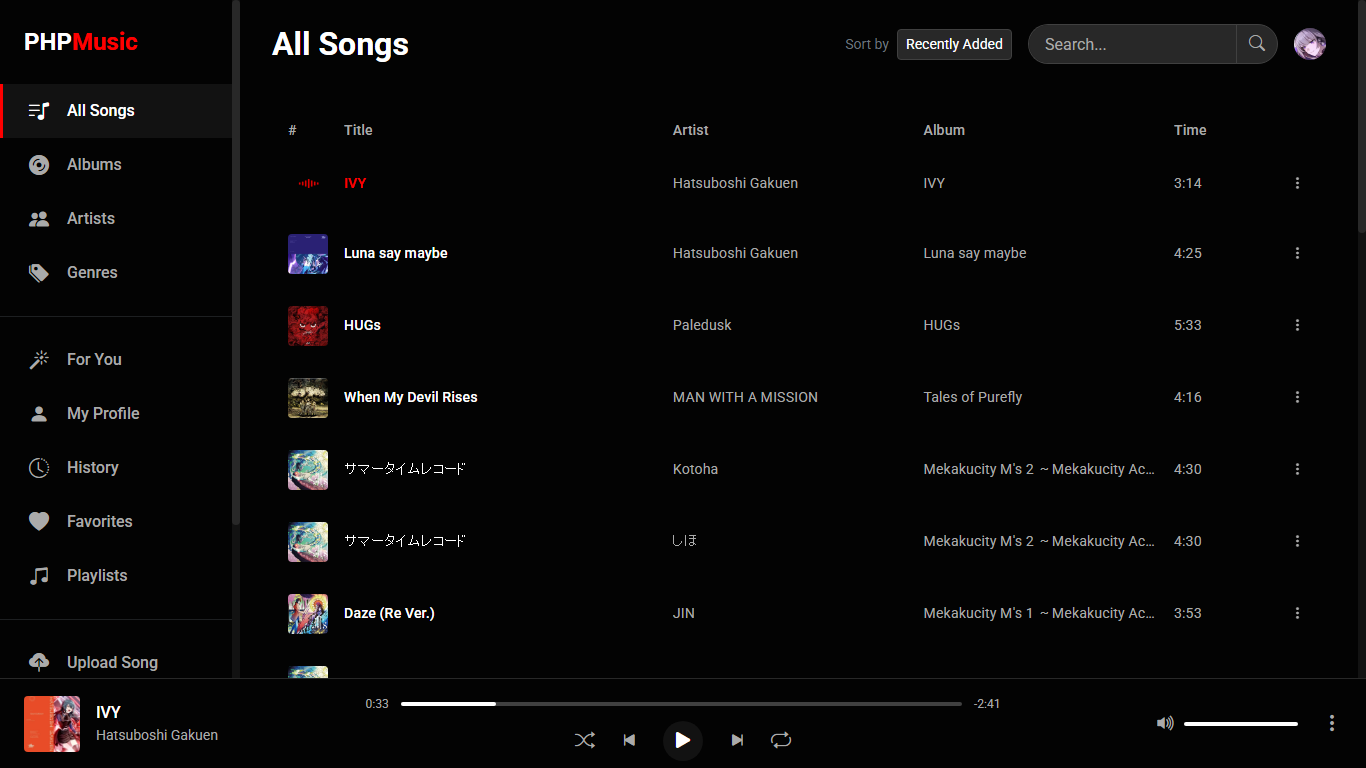
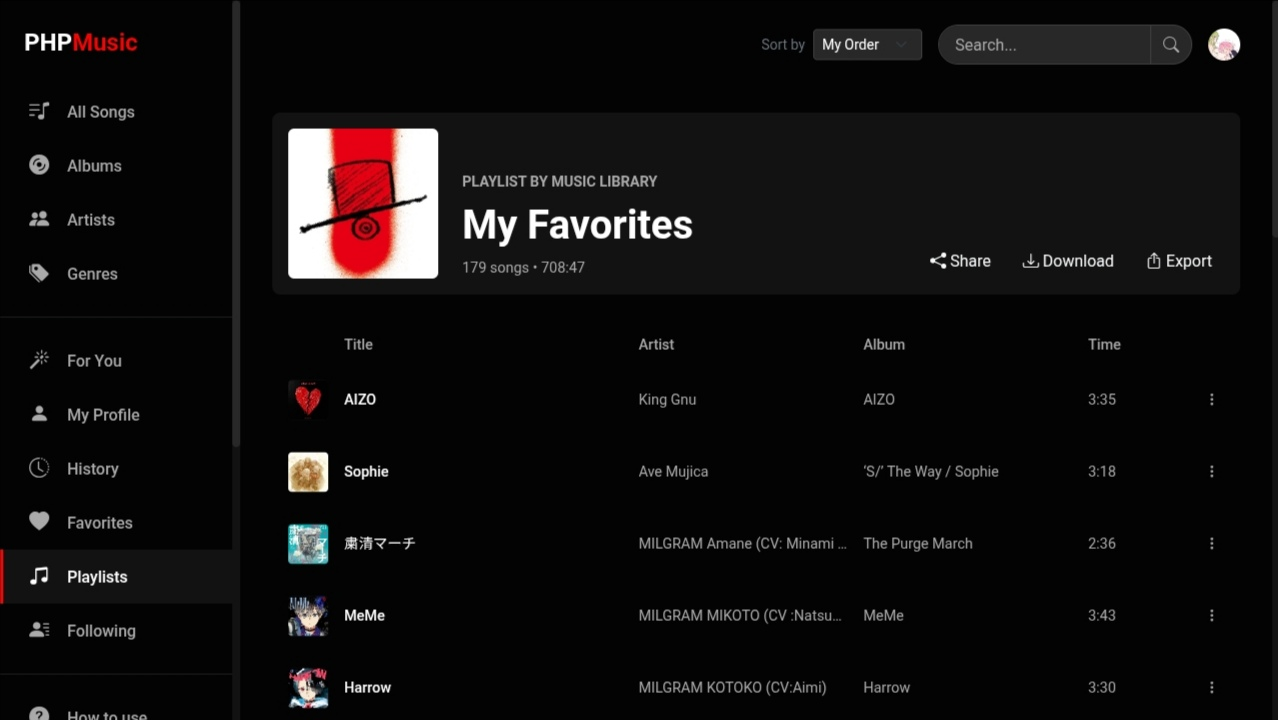
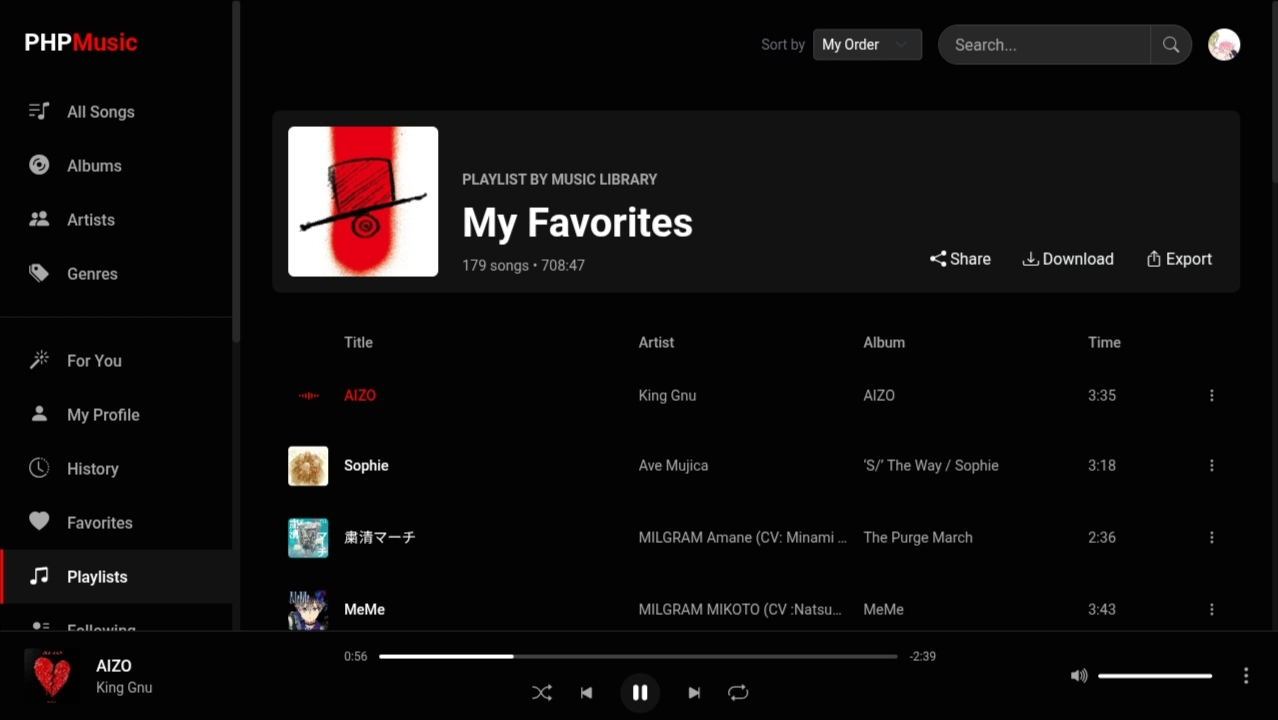
A simple, fast, and modern self-hosted music player built in PHP, with a clean UI, SQLite backend, and full PWA (Progressive Web App) features. Scan your music collection, play songs in your browser, manage favorites/playlists, download entire playlists, upload and edit your own songs, view lyrics, write and publish Markdown blogs, and more—all in one lightweight app.
[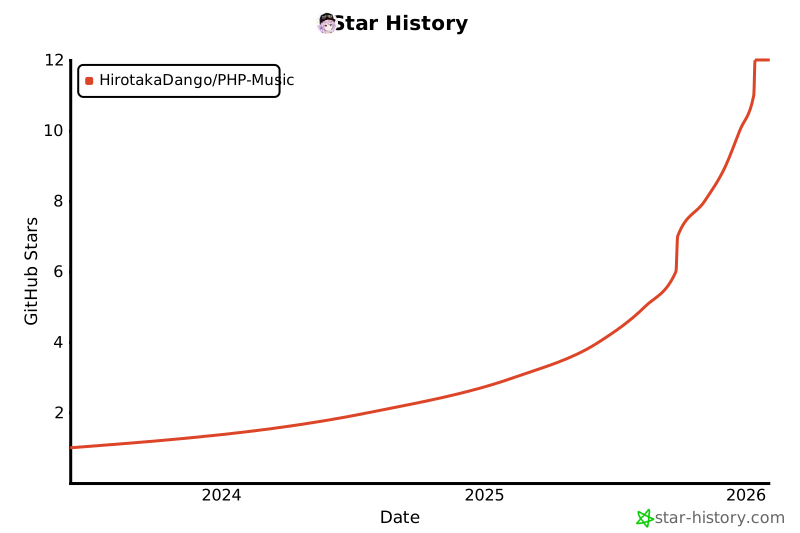](https://www.star-history.com/#HirotakaDango/PHP-Music&Date)
---
## Demo
* [Try demo 1 here on phpmusic.rf.gd](http://phpmusic.rf.gd)
* [Try demo 2 here on phpmusic--relinktrees.replit.app](https://phpmusic--relinktrees.replit.app)
---
## Complete Features Directory
### 1. Playback, Queue & Audio Engine
| Feature | Description | Technical Implementation |
| :--- | :--- | :--- |
| **Advanced Audio Routing** | Dual-HTML5 node setup with Web Audio API. Routes audio via gain nodes to biquad filters and dynamic compressors. | Seamless gapless crossfading over an adjustable 3-second period. |
| **5-Band Graphic Equalizer** | Togglable equalizer directly accessible within the settings panel. | Independent frequency bands at 60Hz, 230Hz, 910Hz, 3.6kHz, and 14kHz. |
| **Volume Normalization** | Real-time Automatic Gain Control (AGC). | Normalizes varying track volumes using a Web Audio API dynamics compressor. |
| **Dynamic Queue Management** | YouTube Music-style "Up Next" queue with "Play Next" and "Add to Queue" actions. | Mobile and desktop player modals include an "Up Next" queue tab with chunked, on-demand infinite scroll. |
| **Media Session API Integration** | Background controls and metadata mirroring. | Emits lockscreen meta and handles system prev/next/seek keys globally on Android, iOS, Windows, and macOS. |
| **Infinite Autoplay (Station)** | Appends 15 recommended tracks based on the artist and genre of the last seed song. | Triggers automatically once the active queue is exhausted. |
| **Draggable Sleep Timer** | Schedule playback to auto-pause. | Features a draggable, floating countdown bubble that locks within screen boundaries and includes a NoSleep.js stay-awake fallback. |
| **Stay-Awake Guard** | Prevents screen dimming or timeout on mobile browsers while playing. | Uses `NoSleep.js` (under-the-hood silent HTML5 video looping) to lock screen state safely. |
### 2. Library, Curation & Social Ecosystem
| Feature | Description | Technical Implementation |
| :--- | :--- | :--- |
| **Automatic Metadata Scans** | Recursively scans folders to sync physical files. | Indexes tags (Title, Artist, Album, Genre, Year, Cover Art) using getID3. |
| **Favorites with Custom Sorting** | Mark tracks as favorites with a single tap. | Pushes custom sorting arrays back to the server using SortableJS fluid drag-and-drop. |
| **Listen Later (Bookmark)** | Queue up tracks you intend to play at a later date. | Tracks bookmarks using the `listen_later` table. Displays an intuitive bookmark outline/fill toggle and supports manual drag-and-drop sorting via SortableJS. |
| **Curation Mixes ("For You")** | Generates personalized mixes, discover shelves, and artist auto-mixes. | Compiles metrics using history and play counts logged after 30 seconds of playback. |
| **Collaborative Playlists** | Invite users by username/email to co-edit. | Tracks contributions with an `added_by` column on the `playlist_songs` table and validates using a `playlist_collaborators` lookup. |
| **Social Following & Blocking** | Build your network and curate interactions. | Tracks relationships using `follows` and `blocks` tables. Blocking a user automatically severs follows and prevents messaging. |
| **Direct Messaging (Inbox)** | Real-time peer-to-peer chat system. | Operates on the `messages` table. Includes inbox user searching, image attachments, edit/delete controls, active status, and read/unread indicators. |
| **Direct Deep-Linking** | Share exact deep-links to tracks, playlists, artists, albums, and blog posts. | Emits direct sharing hooks to social platforms (Facebook, X, WhatsApp, Telegram) with direct query parameters. |
| **Playlists Portability** | Create, manage, import, export, and clone playlists. | Supports copying public playlists directly from other users, alongside JSON import/export handlers. |
| **Community Social Feed** | Micro-blogging space for sharing status updates, announcements, or thoughts. | Operates on the `community_posts` and `community_reactions` tables. Allows full CRUD capabilities for post owners, with likes/dislikes and multi-sorting (Newest, Most Liked, Following Users). |
| **Song & Blog Discussions** | Threaded comments and reaction metrics for tracks and blog posts. | Leverages dedicated comment tables (`song_comments`, `blog_comments`, reactions). Features nested reply trees, edit/delete controls, likes, dislikes, and `@` username tag highlighting. Comments are read-only for non-logged-in guests. |
| **Blogging & Markdown Platform** | Write, publish, or draft blogs with live Markdown preview, Find & Replace, and multi-format exports. | Uses `blogs` and `blog_categories` tables. Features auto-saving drafts, word/character counter, categories, status toggles (*Public* vs *Private*), multi-select bulk actions (download ZIP/delete), debounced search, and multi-format exports (PDF, HTML, MD, TXT, or ZIP). |
### 3. Personal Privacy Controls
| Feature | Description | Technical Implementation |
| :--- | :--- | :--- |
| **Personal Private Playlists** | Hides chosen playlists completely from other users. | Filtered strictly via SQL checking. Private state disables collaboration options and purges all previous collaborators. |
| **Personal Private Songs** | Restricts uploaded songs strictly to the owner. | Private songs are stripped from all public index views, search, and other users' public playlists. |
| **Personal Private Blogs** | Restricts draft blog posts strictly to the author. | Draft/private blogs are visible only in the author's editor and management view. |
| **Super Admin Global Override** | Grants master bypass privileges to the default `Music Library` user account. | Logging into the `musiclibrary@mail.com` account unlocks access to view, stream, and play all private assets system-wide. |
### 4. Cache, Offline & Download Management
| Feature | Description | Technical Implementation |
| :--- | :--- | :--- |
| **True Offline Caching** | Caches audio files, metadata, and covers directly to browser storage. | Service Worker intercepts stream requests (`?action=get_stream`) to serve range-slice data (`206 Partial Content`) offline. |
| **Cache Integrity Verification** | Incomplete caches automatically dim in the UI. | Offline Music tab validates local storage, blocks invalid playback, and shows warning indicators with a re-download cache trigger. |
| **Local File Export** | Export raw audio files directly out of browser storage. | A context menu option dynamically appears for fully cached tracks, saving mobile data. |
| **Offline Drag-and-Drop** | Reorder offline music manually. | Stores customized sort order arrays with SortableJS, supporting dedicated offline JSON import/export backups. |
| **Playlist Downloader Tool** | Sequential batch downloader for whole playlists. | Fetches entire playlists or single songs by ID, saving them directly to device storage with real-time log outputs. |
### 5. Account Security, Tag Editing & Productivity Tools
| Feature | Description | Technical Implementation |
| :--- | :--- | :--- |
| **Personal Notes notebook** | Keep private logs, song ideas, lyrics, or personal to-do lists within the app. | Stores note data inside a dedicated `personal_notes` table sandboxed to individual accounts. Allows note creation, edits, deletions, and sorting filters (Newest, Oldest, Recently Modified). |
| **Interactive Calendar** | Built-in date planner and time referencing tool. | Accessible via the sidebar. Features a live clock, dynamic month/year navigation, and a quick date-picker input. |
| **1:1 Image Cropper** | Crop profile pictures and song covers. | Integrated 1:1 aspect-ratio cropping canvas with panning/zoom to fill gaps, resizing and converting uploads to WebP/JPEG format. |
| **Upload Progress Percentage** | Displays visual upload progress. | Tracks real-time upload progress using `XMLHttpRequest` upload listeners, mapping output percentages to a loading spinner. |
| **Account Soft-Delete** | Soft-deletes user credentials while keeping upload logs, notes, tasks, and blogs intact. | Wipes personal emails and passwords and generates a physical backup key for secure restoration later. |
| **Long-Lasting Persistent Sessions** | Keep sessions logged-in persistently. | Persists sessions safely for up to 1 year using custom garbage collection and cookie lifetimes (now including 1-year cookies for the Admin panel). |
| **ID3 Metadata & Lyrics Editor** | Overwrite metadata and LRC lyrics directly. | Modifies DB records and writes tags physically back into files using getID3 write functions. Automatically mirrors artwork in dedicated `covers/songs` and `covers/albums` folders. |
| **Upload Quotas** | Multi-file uploads with quota tracking. | Restricts uploads to verified users with a daily limit of 10 songs/day (resetting at midnight). |
| **PWA Cache Cleansing** | Force PWA and Service Worker hard-resets. | Offers a manual "Clear PWA Cache" option to wipe IndexedDB version tracking and unregister the service worker. |
| **Administrative Dashboard** | Full-scale administrative manager (`?access=admin`). | Paginated user table, search filters, account verification toggles, ban managers, and complete file/account purging tools. |
| **Integrated Drive Manager** | Built-in file management backend for server assets. | Features native `.zip` archive extraction, dynamic deep-linking URLs, recursive folder property calculations, and a responsive 2-column mobile grid. |
| **SQLite Backend Zero-Setup** | Completely self-hosted, lightweight architecture. | Auto-initializes SQLite database schemas on first run, with zero complex database setup required. |
---
## Requirements
| Prerequisite | Specification | Note / Verification |
| :--- | :--- | :--- |
| **PHP Environment** | PHP 7.4+ | Requires `pdo_sqlite`, `gd`, and `mbstring` extensions activated. |
| **Tag Parser** | [getID3 Library](https://github.com/JamesHeinrich/getID3) | Extract into a `getid3/` directory inside the project root folder. |
| **Storage** | Write Permissions | The web server must have write permissions for database creations and user uploads. |
---
## How to Activate SQLite in XAMPP/LAMPP
If you are using **XAMPP** or **LAMPP** and encounter issues with SQLite, follow these instructions to enable it:
### For XAMPP (Windows/macOS)
1. Open your `php.ini` file (usually found in `xampp/php/php.ini`).
2. Ensure these lines are **not** commented (remove the leading semicolon `;` if present):
```ini
extension=pdo_sqlite
extension=sqlite3
```
3. Save and restart Apache using the XAMPP control panel.
### For LAMPP (Linux)
1. Open `/opt/lampp/etc/php.ini`.
2. Ensure:
```ini
extension=pdo_sqlite
extension=sqlite3
```
3. Save and restart Apache:
```bash
sudo /opt/lampp/lampp restart
```
### Verify SQLite is enabled
* Create a `phpinfo.php` file:
```php
```
* Open it in your browser and verify that `sqlite3` and `pdo_sqlite` are listed under active PDO drivers.
---
## Installation
1. **Clone the repository:**
```bash
git clone https://github.com/HirotakaDango/PHP-Music.git
cd PHP-Music
```
2. **Download getID3:**
* [Download latest getID3](https://github.com/JamesHeinrich/getID3/releases)
* Extract as a `getid3` folder inside the project root:
```text
PHP-Music/
index.php
getid3/
getid3.php
...
```
3. **Place music files:**
* Put your music files in the root folder or any subfolder (except `uploads/`).
* The player recursively scans for supported audio files.
4. **Set permissions (if needed):**
* PHP must be able to write to `music.db` in the project directory.
* For uploads, ensure the `uploads/` folder (auto-created) is writable by PHP.
5. **Run the server:**
* Built-in server (for testing):
```bash
php -S localhost:8000
```
* Or use Apache/Nginx as a standard PHP site.
6. **Open in browser:**
* Go to [http://localhost:8000](http://localhost:8000)
* Register a user account to unlock uploading and library scanning.
* **IMPORTANT:** After registering, an admin must verify your account before you can upload music.
---
## Usage Guide
* **Account Portability**: Change your email or reset credentials safely using the "Delete Account but Keep Data" button in Settings. You will receive a backup key to input on the "Restore Account" modal.
* **Navigation Sidebar**: The navigation hierarchy places dynamic directories like *Listen Later*, *Community*, *Personal Notes*, and *My Blogs* directly beneath the **Following** tab for quick transition.
* **Blogging Platform & Markdown Editor**: Access *My Blogs* from the sidebar to write articles and announcements.
* **Markdown Support:** Full GFM support (headings, lists, code blocks, tables, images, video embeds). Click the Markdown icon to toggle live split-preview mode.
* **Find & Replace:** Search and replace text across your draft with real-time match counters.
* **Auto-Save & Drafts:** First drafts automatically save as you type (`status = private`). Unsaved/empty drafts can be discarded cleanly.
* **Multi-Format Export:** Export individual blogs to PDF (via `html2pdf.js`), HTML, Markdown (`.md`), or Plain Text (`.txt`).
* **Multi-Select & Bulk Actions:** Long-press or right-click blog cards to enter multi-select mode (highlighted with red borders). Bulk-delete or download selected blogs as a `.zip` archive.
* **Blog Comments & Reactions:** Public blogs feature like/dislike reactions and threaded comment trees with nested replies, comment reactions, and `@username` tag highlights. Unauthenticated guests can read blogs and comments in read-only mode (comment forms and reaction buttons are hidden until logged in).
* **Listen Later Bookmarking**: Click the three vertical dots `...` on any song and tap `Listen Later` to bookmark it. In your *Listen Later* library, you can drag and drop tracks to configure a customized listening queue. Bookmark icons automatically alternate between empty and solid states.
* **Song Community & Inline CRUD**: From a song's context menu, select `View Comments & Likes` to access the discussions. You can like or dislike the track, start threaded conversations, reply directly to previous responses, or update/delete your own submissions. Adding `@username` to comments automatically formats and highlights the handle for visibility.
* **Community Social Feed**: Use the *Community* feed to post general updates. Posts support reactions (likes and dislikes) and full edit/deletion controls. Filters allow you to sort posts by *Newest*, *Most Liked*, or exclusively from *Following Users*.
* **Personal Notes Notebook**: Organize draft lyrics, artist logs, or notes in the *Personal Notes* tab. Notes are sandboxed privately to your account and can be sorted by *Newest*, *Oldest*, or *Recently Modified*.
* **Direct Messaging & Blocking**: Click the Message button on a user's profile to open a chat, or use the Inbox search to find users. You can send images, edit/delete messages, and view read receipts/active status. Use the Block button to prevent unwanted interactions.
* **Calendar & Clock**: Open the Calendar from the sidebar to check the current time, jump to specific dates via the date-picker, and reference days seamlessly while managing your music metadata.
* **Synchronized LRC Lyrics**: Right-click (or tap "..." on mobile) a song and choose "Edit Info" to modify tags and paste synchronized `.lrc` text. Ensure that each timestamp is followed by a space so the parser reads it correctly:
* ✅ **Correct:** `[00:15.30] Never gonna give you up`
- ❌ **Incorrect:** `[00:15.30]Never gonna give you up`
* **Private Items**: Toggle private mode when uploading tracks, editing playlists, or writing blogs. These items are strictly invisible to other users. Private songs added to public collaborative playlists are filtered out and remain invisible to everyone except you (and the `musiclibrary@mail.com` super admin).
* **Downloader**: Open the "Downloader" tool from the sidebar, enter a Playlist ID, and sequentially batch-download every track in that playlist directly to your local drive.
* **Offline Management**: Drag-and-drop to manually reorder offline lists. Standalone JSON import/export functions let you keep physical backups of your lists.
---
## Admin Panel
Access the administrative dashboard by appending `?access=admin` to your URL. Log in using the admin password (default: `admin`). Admin sessions are highly persistent and securely cached in the browser via a 1-year cookie.
| Admin Module | Functionality |
| :--- | :--- |
| **User Listing** | View registered users in a paginated table (20 users per page), searchable by ID, Email, or Artist name. |
| **Verification** | Approve or revoke user upload rights. Unverified users cannot upload tracks. |
| **Suspending** | Ban or unban malicious accounts. Suspended users are locked out of the application. |
| **Purging** | Permanently delete user profiles and purge all of their uploaded physical files, playlists, notes, tasks, blogs, and categories from the server database. |
| **System Library** | Files scanned directly from disk are assigned to the virtual "Music Library" administrator account. |
| **Drive Manager** | An integrated file manager for server assets (`?access=admin&page=drive`). Features include native `.zip` extraction via context menus, dynamic URL deep linking for active files, an optimized 2-column mobile grid, and recursive folder property calculations (displaying total files, subdirectories, and byte size). |
---
## How does it work?
* **index.php** is both the backend API (`?action=...`) and the single-page frontend application.
* User authentication is session-based (server-side PHP sessions) with persistent year-long session and cookie lifetimes.
* User uploads are separated—each user can only manage and edit their own uploads.
* Playback runs via an advanced dual HTML5 `` engine and Web Audio API routing `(Source -> Gain Node -> 5-Band EQ Filters -> Dynamics Compressor -> Destination)` for gapless crossfading and real-time audio enhancements, utilizing the Media Session API.
* Scanning uses getID3 for database indexing, storing everything in `music.db` (SQLite).
* Album art and profile pictures are extracted, resized, and converted to `.webp` on the fly to save space and bandwidth. Custom edited cover images are mirrored in `covers/songs` and `covers/albums` folders.
* PWA support includes a web manifest and a customized service worker (`?pwa=manifest`, `?pwa=sw`) to handle offline caching.
* **Offline Audio Handling**: The Service Worker intercepts audio stream requests (`?action=get_stream`) and seamlessly constructs `206 Partial Content` range slices from cached file buffers, enabling background media seeking even when fully offline.
* Uploads are safely stored in `/uploads/{artist_slug}/` directories.
* Complete metadata modification is supported via the `edit_metadata` action which updates the database, writes ID3 tags back into the file using getID3's writetags function, and mirrors covers in dedicated folders.
* Playlists, offline lists, and favorites support fluid drag-and-drop ordering powered by SortableJS, pushing positional arrays back to the server.
* Collaborative playlists track individual song contributions via an `added_by` column on the `playlist_songs` table, and authenticate editor permissions securely using a `playlist_collaborators` lookup.
* Play histories and view counts are continuously logged locally (after 30 seconds of playback) to generate personalized "For You" shelves and track statistics.
* Secure transactional storage models like `personal_notes`, `tasks`, `blogs`, `blog_comments`, `song_comments`, `community_posts`, `listen_later`, and `messages` are safely indexed with Foreign Key constraints referencing the user session state.
* The `follows` and `blocks` tables tightly control user-to-user social networking and privacy boundaries.
---
## Customization
* **Colors**: Edit CSS variables (`--ytm-bg`, `--ytm-accent`, etc.) in the `` block inside `index.php`.
* **Audio formats**: Adjust the regex (`/\.(mp3|m4a|flac|ogg|wav)$/i`) in `perform_full_scan()` within `index.php` to add or restrict formats.
* **Remote sources**: Would require backend refactoring.
* **Public/Internet use**: Built with public sharing in mind, but it is advised to use SSL/TLS.
---
## Security
* **Warning:** Intended for personal use on your own server or LAN, though robust enough for small community instances.
* Each user is securely sandboxed to their own uploads, favorites, playlists, notes, tasks, blogs, and profile.
* Users must be explicitly verified by an admin before they are allowed to upload music.
* File types, image processing (only accepts standard images and converts to WebP/JPEG), and tag decoding use sanitized structures to mitigate basic injection attacks.
* The Admin panel is strictly protected by a securely hashed password. Banned accounts are checked upon every login attempt.
---
## Troubleshooting
| Issue | Potential Cause | Solution |
| :--- | :--- | :--- |
| **Scan errors or empty library** | Missing getID3, wrong directory permissions, or missing `pdo_sqlite` driver. | Ensure `getid3/` folder is present, check directory write permissions, and uncomment sqlite extensions in `php.ini`. |
| **Upload errors / File too large** | Large FLAC/WAV files blocking PHP limits, or unverified account. | Verify account has been verified by the admin. Update `upload_max_filesize` and `post_max_size` in `php.ini`. |
| **Metadata or lyrics not saving** | Strict file permission constraints. | Grant write permissions to the audio files so PHP can use getID3's writetags function. |
| **Lyrics not syncing** | Timestamp formatting issues in LRC file. | Ensure timestamps are followed by a space (e.g., `[00:15.30] Lyric text` instead of `[00:15.30]Lyric text`). |
| **Invisible user playlists or songs** | SQL syntax crashes due to missing DB columns or failed tables. | Ensure the database structure is upgraded. (Fixed in latest code via independent column checks). |
---
Enjoy your self-hosted, private-ready PHP music player!