https://github.com/hmarr/vscode-cel
🎨 VS Code syntax highlighting for CEL
https://github.com/hmarr/vscode-cel
textmate-grammar vscode
Last synced: 4 months ago
JSON representation
🎨 VS Code syntax highlighting for CEL
- Host: GitHub
- URL: https://github.com/hmarr/vscode-cel
- Owner: hmarr
- License: mit
- Created: 2020-04-16T22:28:46.000Z (about 6 years ago)
- Default Branch: main
- Last Pushed: 2023-03-09T17:23:29.000Z (over 3 years ago)
- Last Synced: 2025-08-12T06:41:29.771Z (10 months ago)
- Topics: textmate-grammar, vscode
- Homepage: https://marketplace.visualstudio.com/items?itemName=hmarr.cel
- Size: 273 KB
- Stars: 10
- Watchers: 3
- Forks: 2
- Open Issues: 0
-
Metadata Files:
- Readme: README.md
- Changelog: CHANGELOG.md
- License: LICENSE
Awesome Lists containing this project
README
# vscode-cel
[](https://github.com/hmarr/vscode-cel/actions/workflows/ci.yml)

Adds syntax highlighting for [CEL (Common Expression Language)](https://opensource.google/projects/cel) to Visual Studio Code.
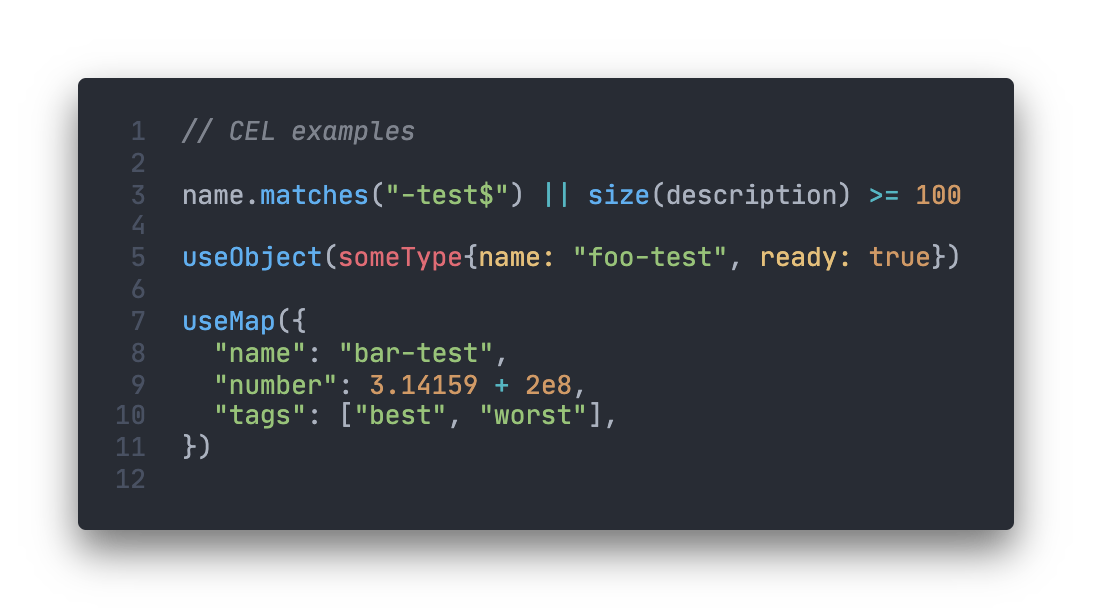
Install it from the [Visual Studio Code Marketplace](https://marketplace.visualstudio.com/items?itemName=hmarr.cel).
## Developing
Clone the project, and open up in vscode. Start a debugging session (just press F5) to launch a new window with the plugin loaded, and hack away.
You might find it helpful to copy the contents of [examples.cel](examples/examples.cel) into the editor window while you're working on the plugin to get live feedback.
The project includes a [test suite](syntaxes/tests) (using the wonderful [vscode-tmgrammar-test](https://github.com/PanAeon/vscode-tmgrammar-test)). To run the tests, it's `npm test`. If you run the "Run grammar tests" task in vscode, you'll get failure annotations in the test files if something's not working. If you're contributing any improvements or fixes, I'd be grateful if you could include a test. Fortunately vscode-tmgrammar-test makes them pretty easy to write.