https://github.com/homeboy445/auto-include
Automatically include & remove standard cpp headers accordingly.
https://github.com/homeboy445/auto-include
cpp vscode vscode-extension
Last synced: 2 months ago
JSON representation
Automatically include & remove standard cpp headers accordingly.
- Host: GitHub
- URL: https://github.com/homeboy445/auto-include
- Owner: homeboy445
- Created: 2021-10-19T14:50:25.000Z (over 4 years ago)
- Default Branch: main
- Last Pushed: 2021-11-05T16:02:46.000Z (over 4 years ago)
- Last Synced: 2025-06-03T14:45:48.143Z (about 1 year ago)
- Topics: cpp, vscode, vscode-extension
- Language: JavaScript
- Homepage:
- Size: 161 KB
- Stars: 0
- Watchers: 1
- Forks: 0
- Open Issues: 1
-
Metadata Files:
- Readme: README.md
- Changelog: CHANGELOG.md
Awesome Lists containing this project
README
# Auto Include
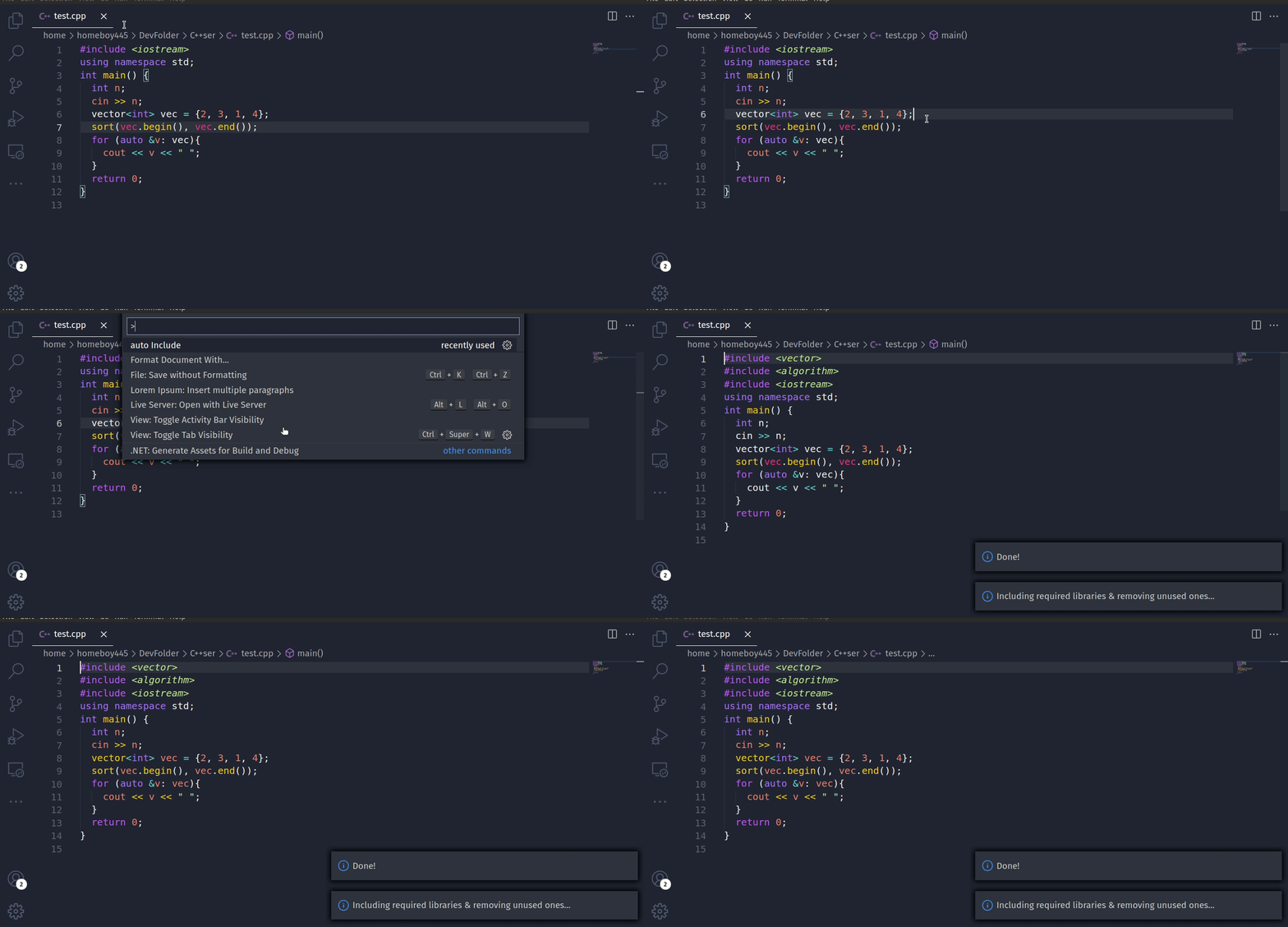
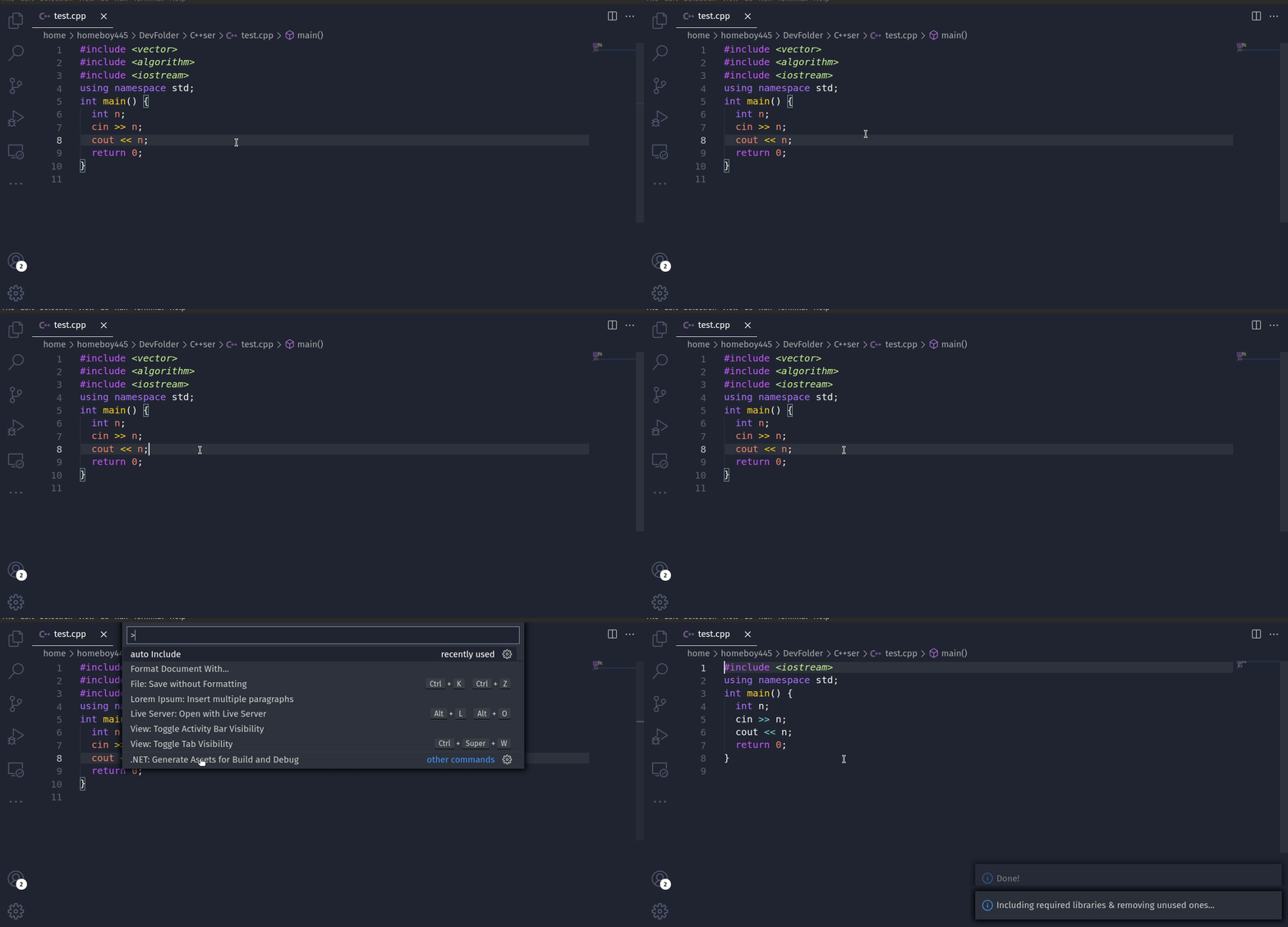
Automatically include & remove standard C++ headers accordingly to your use-case. Now, you don't have to worry about all those headers that you constantly need to include or remove, this extension will do all that for you - giving you a smooth C++ programming experience.
## Features
### Auto include any C++ standard header(s) if you're using it's functionality,
### Auto remove any C++ standard header(s) if you're not using it's functionality,
## Usage
Just do `ctrl + shift + p` and choose `Auto Include` or you can just press `F9`. (make sure the file type is cpp only).
## Requirements
#### Make sure you have a C++ compiler installed and its up and running and also it's include path settings are correctly configured.
## Extension Settings
This extension does not introduces any settings to vs code whatsoever.
## Known Issues
There are many keywords to be added to extend the usability of this extension(ticket).
## Report bug or any unexpected behavior
Please feel free to report any encountered bug or any suggestions on the source code repo: https://github.com/homeboy445/auto-Include. It would be of great help!
## **Please provide feedback and Thanks for using it!**