https://github.com/hongquan/structlog-journald
Structlog processor to send logs to journald
https://github.com/hongquan/structlog-journald
journald logging structlog
Last synced: 5 months ago
JSON representation
Structlog processor to send logs to journald
- Host: GitHub
- URL: https://github.com/hongquan/structlog-journald
- Owner: hongquan
- Created: 2025-06-21T12:06:23.000Z (about 1 year ago)
- Default Branch: main
- Last Pushed: 2025-07-03T05:32:52.000Z (12 months ago)
- Last Synced: 2025-07-03T05:37:57.663Z (12 months ago)
- Topics: journald, logging, structlog
- Language: Python
- Homepage: https://pypi.org/project/structlog-journald/
- Size: 112 KB
- Stars: 0
- Watchers: 0
- Forks: 0
- Open Issues: 0
-
Metadata Files:
- Readme: README.md
Awesome Lists containing this project
README
# structlog-journald

[](https://pypi.org/project/structlog-journald/)
[](https://structlog-journald.readthedocs.io?badge=latest)
[](https://common-changelog.org)
[Structlog] processor to send logs to [journald].
Documentation: [https://structlog-journald.readthedocs.io](https://structlog-journald.readthedocs.io)
Installation
------------
To install `structlog-journald`, run:
```sh
pip install structlog-journald
```
You also need to install one of the journald binding implementations:
- CPython-based [`systemd-python`](https://pypi.org/project/systemd-python/).
- Cython-based [`cysystemd`](https://pypi.org/project/cysystemd/).
Usage
-----
Add the `structlog_journald.JournaldProcessor` to your list of `structlog` processors.
It will do nothing if the journald socket is not available,
in other words, the app was not started by systemd.
To let the log have more useful information, you should also add these processors before `JournaldProcessor`:
- `CallsiteParameterAdder`
- `format_exc_info`
Example:
```py
import getpass
import logging
import platform
import structlog
from structlog_journald import JournaldProcessor
structlog.configure(
processors=[
structlog.contextvars.merge_contextvars,
structlog.processors.add_log_level,
structlog.processors.CallsiteParameterAdder(),
structlog.processors.format_exc_info,
structlog.dev.set_exc_info,
structlog.processors.TimeStamper(fmt='%Y-%m-%d %H:%M:%S', utc=False),
structlog.processors.EventRenamer('message'),
JournaldProcessor(),
# This processor should be added for development environment only.
structlog.dev.ConsoleRenderer(),
],
# In this example, we want to print log entries of all levels
wrapper_class=structlog.make_filtering_bound_logger(logging.NOTSET),
context_class=dict,
logger_factory=structlog.WriteLoggerFactory(),
cache_logger_on_first_use=True,
)
log = structlog.stdlib.get_logger()
user = getpass.getuser()
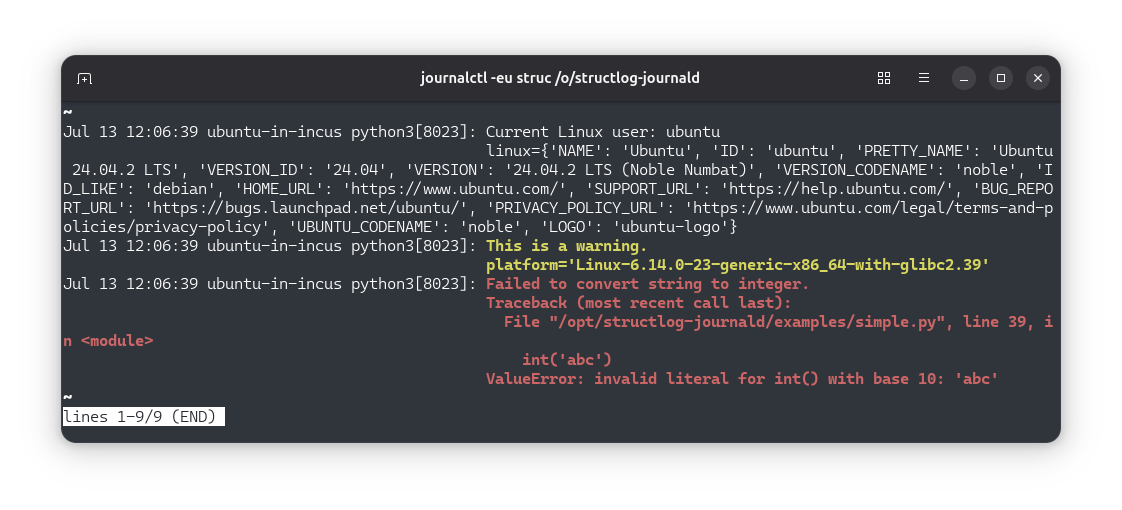
log.info('Current Linux user: %s', user, linux=platform.freedesktop_os_release())
log.warning('This is a warning.', platform=platform.platform())
try:
int('abc')
except ValueError:
log.exception('Failed to convert string to integer.')
```
[structlog]: https://www.structlog.org
[journald]: https://www.freedesktop.org/software/systemd/man/latest/journalctl.html