https://github.com/hopding/merp-controller
Desktop Controller for MERP
https://github.com/hopding/merp-controller
Last synced: about 2 months ago
JSON representation
Desktop Controller for MERP
- Host: GitHub
- URL: https://github.com/hopding/merp-controller
- Owner: Hopding
- License: mit
- Created: 2016-11-20T15:07:12.000Z (over 9 years ago)
- Default Branch: master
- Last Pushed: 2016-11-20T20:44:25.000Z (over 9 years ago)
- Last Synced: 2025-09-10T01:34:01.673Z (10 months ago)
- Language: Java
- Homepage:
- Size: 156 KB
- Stars: 0
- Watchers: 2
- Forks: 0
- Open Issues: 0
-
Metadata Files:
- Readme: README.md
- License: LICENSE.md
Awesome Lists containing this project
README
# MERP Desktop Controller
The MERP Desktop Controller is a desktop interface for remote controlling [MERP](https://github.com/Hopding/MERP) via a WiFi connection.

After entering MERP's IP and connecting via WiFi, the Desktop Controller can send various motor control signals to the Raspberry Pi on MERP, using both the speed controls and the directional controls.
### Desktop Controller On Startup/Disconnected

### Desktop Controller On Successful Connection
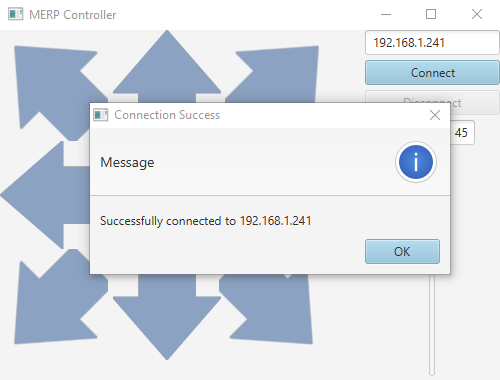
### Desktop Controller After Successful Connection
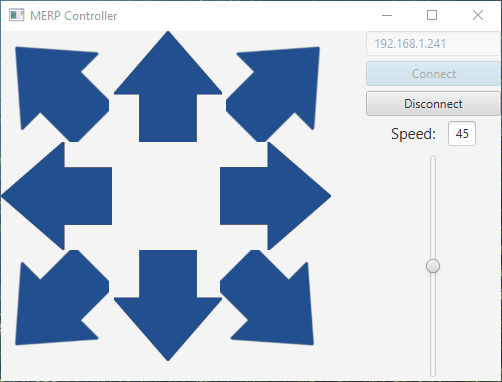
### Desktop Controller On Successful Disconnect
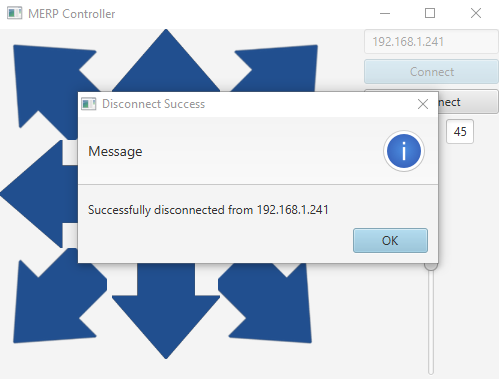
### Desktop Controller On Failed Connection
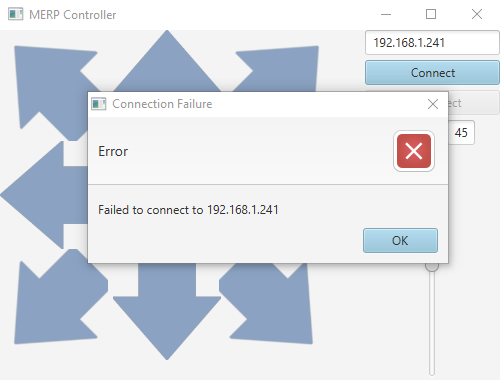
# Building the Project
The code for the Desktop Controller is structured as a Gradle project, with a task for building a runnable JAR file. To build and run the JAR (for both Windows Powershell and Linux):
**NOTE:** [Releases](https://github.com/Hopding/Merp-Controller/releases) are available with pre-built JARs, if you would prefer to skip the cloning and building steps, and get straight to running the code.
* **Clone** this repo:
```
$ git clone https://github.com/Hopding/Merp-Controller.git
```
* **CD** into the project directory:
```
$ cd Merp-Controller
```
* **Execute** the Gradle task to create the JAR (The JAR will be created in the `build/libs` directory):
```
$ ./gradlew runnableJAR
```
* **Execute** the JAR with the following command:
```
$ java -jar "build/libs/MERP Controller-1.0.jar"
```