https://github.com/hoppouai/projectgabriel-remastered
The 2026 remaster of Project Gabriel. A real-time VRChat AI powered by Gemini Live with voice, YOLO person and face tracking, OSC control, memory, and a Discord bot.
https://github.com/hoppouai/projectgabriel-remastered
ai conversational-ai gemini-api gemini-live llm osc python voice-ai vrchat vrchat-ai vrchat-api yolo
Last synced: 14 days ago
JSON representation
The 2026 remaster of Project Gabriel. A real-time VRChat AI powered by Gemini Live with voice, YOLO person and face tracking, OSC control, memory, and a Discord bot.
- Host: GitHub
- URL: https://github.com/hoppouai/projectgabriel-remastered
- Owner: HoppouAI
- License: agpl-3.0
- Created: 2026-02-08T09:28:05.000Z (4 months ago)
- Default Branch: main
- Last Pushed: 2026-05-26T18:17:48.000Z (20 days ago)
- Last Synced: 2026-05-26T18:26:17.743Z (20 days ago)
- Topics: ai, conversational-ai, gemini-api, gemini-live, llm, osc, python, voice-ai, vrchat, vrchat-ai, vrchat-api, yolo
- Language: Python
- Homepage: https://hoppou.ai
- Size: 35.9 MB
- Stars: 1
- Watchers: 0
- Forks: 0
- Open Issues: 0
-
Metadata Files:
- Readme: README.md
- License: LICENSE
- Notice: NOTICE.md
Awesome Lists containing this project
README
# Project Gabriel - Remaster
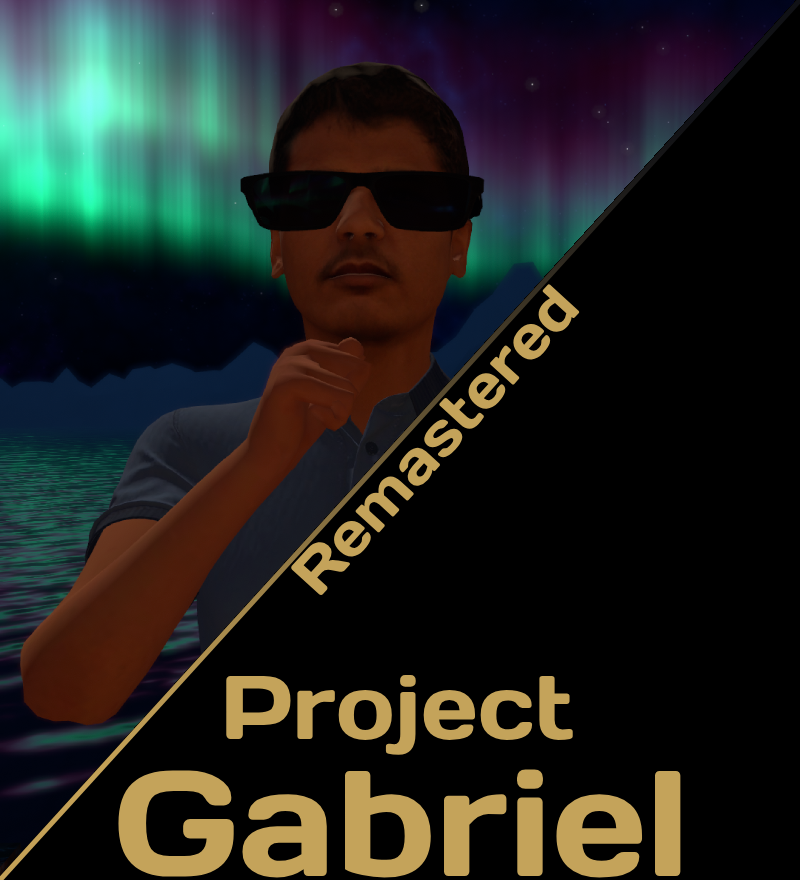
The 2026 remaster of Project Gabriel by [Hoppou.AI](https://hoppou.ai/). Gabriel is our VRChat AI, the Indian guy in the blue polo shirt. Same concept as the original but way more features, cleaner code, and a lot more stable. He walks around worlds, talks to people, remembers who they are, and has his own personality system.
**Join our Discord for support, updates, and to hang out:** [discord.gg/ZNWTYTk4Vq](https://discord.gg/ZNWTYTk4Vq)
---
## Summary
Python-based system for running a live AI in VRChat. Handles real-time audio streaming through Gemini Live, VRChat OSC integration (movement, chatbox, voice), a REST API client for VRChat, memory, vision, and a Discord bot running its own separate Gemini Live session. Everything runs through a supervisor that auto-restarts on crashes, with a web dashboard for monitoring.
- **Main Entry Point:** `supervisor.py`
- **Key Features:** Gemini Live audio streaming, YOLOv8 person tracking, YOLOv8-face face tracking, OSC control, Discord bot, WebUI dashboard, persistent memory, personality switching, multiple TTS providers
---
## Release and Stability Policy
- **Stable builds are published as GitHub Releases.**
- A release is created when both of these tags point to the same commit:
- a semantic version tag, for example `1.0.0`
- the `stable` tag
- If there is **no GitHub Release** for the current commit or branch state, treat it as **not stable**. It may include recent changes that are not fully tested for long term use.
### Experimental Branch: Fully Local Backend
There is an active WIP branch [`local-llm-backend`](https://github.com/HoppouAI/ProjectGabriel-Remastered/tree/local-llm-backend) that replaces the Gemini Live cloud round-trip with a fully local pipeline:
- **STT:** Moonshine + Silero VAD running on your GPU
- **LLM:** any OpenAI-compatible endpoint (LM Studio, Ollama with the OpenAI shim, llama.cpp server, vLLM) with streaming tool calls, vision, and reasoning-model support (`` tags stripped and surfaced as thought summaries the same way Gemini does)
- **TTS:** any of the existing providers (qwen3, hoppou, chirp3_hd, tiktok) or the new [OmniVoice](https://github.com/HoppouAI/ProjectGabriel-Plugins/tree/main/omnivoice) plugin (600+ languages, voice cloning from a local wav)
When enabled, no audio or text leaves your machine. The Discord bot still uses Gemini Live separately. Expect rough edges, breaking config changes, and partial feature parity until it lands on main.
### Download Stable Versions
Use the Releases page to download stable snapshots:
- **Releases:** https://github.com/HoppouAI/ProjectGabriel-Remastered/releases
Download either:
- Source code archive from the release page, or
- Clone and checkout a release tag, for example `1.0.0`
### Setup from a Stable Release
After downloading a release, setup is the same:
1. Extract the release archive or checkout the release tag.
2. Run `setup.bat` in the project root.
3. Complete the Configuration Wizard.
4. Start with `python supervisor.py`.
---
## What's New in the Remaster
The original was getting messy and hard to maintain. This version is a full rewrite with a cleaner architecture. Compared to the original:
- Gemini Live native audio (real-time bidirectional streaming)
- YOLOv8 person tracking and YOLOv8-face face tracking (two separate models)
- Discord selfbot with its own Gemini Live session
- FastAPI WebUI dashboard at port 8766 (console output, controls, memory manager)
- Persistent memory system backed by MongoDB Atlas or SQLite
- Switchable personalities (at runtime via tools)
- VRChat REST API client (avatar switching, friend info, world search, status updates)
- Multiple TTS providers (Gemini native, Qwen3 server, Hoppou AI cloud, Google Cloud Chirp 3 HD, TikTok TTS)
- API key rotation for handling quota limits automatically
- Autonomous wandering behavior
- Emotion and animation system via OSC
- Idle chatbox with configurable banner display
- Session resumption (2 hour session handle persistence)
- Proper context window compression for unlimited session length
---
## Raycast and Pathfinding
This branch adds a full spatial awareness + navigation stack so Gabriel can actually understand the geometry of a VRChat world instead of just bumping into things.
- **Raycast sensors** - reads distance/hit/ratio values from a sensor rig on the avatar over OSC (`/avatar/parameters/_{Hit,Distance,Ratio}`). Forward, side and downward rays are wired up.
- **Pose decoder** - decodes the avatar's world position and yaw from an encoded HUD strip (PoseExfil shader) so we know exactly where Gabriel is in the world without relying on VRChat to expose it.
- **Voxel navigation** (`src/voxel_nav.py`) - 0.25m cubic voxel grid with per-cell state (Reachable / UnReachable / Iffy / Unknown), BFS/A-star pathfinding, and per-world persistence.
- **Voxel explorer** (`src/voxel_explorer.py`) - autonomous trail mapper. Picks discovery targets, walks the avatar there over OSC, marks dead ends as UnReachable, retries Iffy cells.
- **Pathfinder + waypoints** (`src/pathfinder.py`, `src/waypoints.py`) - save named waypoints per world, path to them through the voxel graph, snap endpoints, align yaw to saved heading on arrival.
- **Mapping service** (`src/mapping_service.py`) - the orchestrator. Runs the pose reader, voxel nav, explorer, manual mapping mode, and exposes everything to the WebUI.
- **Manual mapping mode** - walk around yourself to fill the grid in. Hard locks yaw to the nearest cardinal direction and snaps your row, but lets you strafe with A/D to move between rows so you can map fast without fighting the lock.
- **Spatial map + tools** (`src/spatial_map.py`, `src/tools/mapping.py`) - exposes the world map and navigation to the model as Gemini function tools.
- **WebUI pages** - new Mapping page (live grid view, settings, manual mapping toggle, wall distance slider) and Waypoints page (list/save/goto).
- **Unity assets** (`unity_assets/`) - editor scripts to build the sensor rig and pose HUD on a VRChat avatar, plus the shaders that exfil the data.
See `unity_assets/AVATAR_SETUP.md` for the avatar side of the setup.
---
## Prerequisites
Before setting up, you need the following:
1. **Virtual Audio Cables** - Two separate virtual audio lines to route audio to and from VRChat.
- [VB-Audio Cable](https://vb-audio.com/Cable/) (Standard)
- [VB-Audio Hi-Fi Cable](https://vb-audio.com/Cable/#DownloadASIOBridge) (Secondary)
2. **Gemini API Key** - Get one from [Google AI Studio](https://aistudio.google.com/apikey).
3. **Python 3.11 or 3.12** - The project requires one of these versions. Personally I use 3.12.11 and it works fine. 3.13+ is not supported.
Optional:
- MongoDB Atlas connection string (for cloud memory storage, falls back to SQLite if not set)
- Google Cloud credentials (for Chirp 3 HD TTS)
- VRChat account credentials (for REST API features like avatar switching)
---
## Installation
### Easy (Recommended)
Just run `setup.bat` in the project root. It will:
- Download UV (the package manager) into a local `bin` folder
- Create a Python 3.12 virtual environment
- Install all dependencies
- Detect if you have an NVIDIA GPU and ask if you want CUDA PyTorch
- Copy all the example config files for you
- Launch the **Configuration Wizard** in your browser
The configuration wizard is an interactive dashboard that walks you through every setting: API keys, model and voice selection, audio devices, VRChat OSC, AI persona creation, and feature toggles. It can also generate a custom AI persona for you using Gemini. When you click Save & Finish, it writes your `config.yml` and prompt files automatically.
If you already have a `config.yml`, setup.bat will ask before launching the wizard. You can also run it again anytime:
```bash
.venv\Scripts\python.exe configurator.py
```
### Manual Setup
We recommend using **uv** for this.
**Install uv:**
```powershell
powershell -c "irm https://astral.sh/uv/install.ps1 | iex"
```
Restart your terminal, then run these in the project folder:
```bash
# Create virtual environment with Python 3.12
uv venv --python 3.12
# Activate (Windows)
.venv\Scripts\activate
# Install dependencies
uv pip install -r requirements.txt
```
**Standard pip (if you prefer):**
```bash
python -m venv venv
venv\Scripts\activate
pip install -r requirements.txt
```
**GPU support (NVIDIA):**
If you have an NVIDIA GPU, replace the default torch install with the CUDA version for better vision performance:
```bash
# Using uv
uv pip uninstall torch torchvision torchaudio
uv pip install --index-url https://download.pytorch.org/whl/cu126 torch torchvision torchaudio
# Using pip
pip uninstall torch torchvision torchaudio
pip install torch torchvision torchaudio --index-url https://download.pytorch.org/whl/cu126
```
---
## Configuration
> **If you used `setup.bat`, the configuration wizard already handled all of this for you.** The sections below are for manual setup or if you want to tweak things after the initial wizard run.
### 1. Main Config
Copy the example config and fill in your values:
```bash
copy config.yml.example config.yml
```
Open `config.yml` and at minimum set your Gemini API key:
```yaml
gemini:
api_key: "YOUR_GEMINI_API_KEY_HERE"
```
The config file has comments explaining every option. Most defaults are fine to leave as-is.
### 2. Prompts and Personality
Copy the example prompt files in `config/prompts/`:
```bash
copy config\prompts\prompts.yml.example config\prompts\prompts.yml
copy config\prompts\appends.yml.example config\prompts\appends.yml
copy config\prompts\personalities.yml.example config\prompts\personalities.yml
```
Edit `prompts.yml` to define the AI's base persona, `appends.yml` for any extra context appended every session, and `personalities.yml` for switchable personality modes the AI can activate at runtime.
### 3. Voices
```bash
copy config\voices.yml.example config\voices.yml
```
Edit `voices.yml` to configure the voice effect chain (boost, distortion, etc.).
### 4. Performance Tuning
If you are on a lower-end machine or don't have a GPU, disable the YOLO trackers in `config.yml`:
```yaml
yolo:
enabled: false
face_tracker:
enabled: false
```
### 5. Voice Activity Detection (VAD)
Two VAD modes are available, configured via `gemini.vad.mode` in `config.yml`:
**Auto mode** (default) uses Gemini's built-in server-side VAD. No extra setup needed, works out of the box.
```yaml
gemini:
vad:
mode: "auto"
```
**Silero mode** uses a local [Silero VAD](https://github.com/snakers4/silero-vad) model for speech detection. Recommended for 3.1 models where it provides more stable behavior. It sends `activityStart`/`activityEnd` signals based on speech probability, gates outbound audio during model speech and tool calls to prevent stalls and disconnects, and allows interruptions by detecting user speech even while the model is talking.
```yaml
gemini:
vad:
mode: "silero"
silence_duration_ms: 500 # how long to wait before ending speech
silero_threshold: 0.5 # speech probability threshold (0.0-1.0)
```
The Silero model is downloaded automatically on first use via `torch.hub` and cached locally. It requires PyTorch which is already included in the project dependencies.
### 6. Local RAG with LM Studio (Optional)
The memory system supports local semantic search using [LM Studio](https://lmstudio.ai/) for embeddings and ChromaDB as the vector database. This is a fully offline alternative to the cloud-based Gemini embedding + MongoDB Atlas vector search setup.
**Setup:**
1. Download and install [LM Studio](https://lmstudio.ai/)
2. In LM Studio, search for and download the embedding model: `text-embedding-embeddinggemma-300m-qat`
3. Go to the **Local Server** tab in LM Studio and start the server (default port 1234)
4. Make sure the embedding model is loaded
**Configure in `config.yml`:**
```yaml
memory:
enabled: true
backend: "sqlite" # works with both sqlite and mongo
rag_enabled: true
rag_provider: "local"
lm_studio_url: "http://localhost:1234"
local_embedding_model: "text-embedding-embeddinggemma-300m-qat"
chroma_dir: "gabriel_chroma_db"
vector_min_score_gemini: 0.82 # threshold for Gemini embeddings (higher scores)
vector_min_score_local: 0.55 # threshold for local embeddings (lower scores)
```
On first startup, existing memories are automatically synced into ChromaDB. The thresholds are split per provider since local embedding models produce lower similarity scores than Gemini. Defaults are 0.82 for Gemini and 0.55 for local.
If you prefer cloud embeddings instead, set `rag_provider: "gemini"` which uses Gemini's embedding API with MongoDB Atlas vector search (requires MongoDB backend).
---
## Audio Routing
For the AI to speak in VRChat, you need to route audio correctly. You must run the app first (`python supervisor.py`) so it shows up in the Windows Volume Mixer.
### Windows Volume Mixer
| Application | Output | Input |
| :---------- | :----------------------------------- | :---------------------------------- |
| Python | CABLE Input (VB-Audio Virtual Cable) | Hi-Fi Cable Output (VB-Audio Hi-Fi) |
| VRChat | Hi-Fi Cable Input (VB-Audio Hi-Fi) | Default / Microphone |
### VRChat In-Game Settings
Go to Settings -> Audio -> Microphone:
1. **Microphone Device:** `CABLE Output` (VB-Audio Virtual Cable)
2. **Noise Suppression:** OFF
3. **Activation Threshold:** 0%
4. **Volume:** Mute Music/SFX, keep Voices at 100%
---
## Usage
Start the app by running the supervisor:
```bash
python supervisor.py
```
The supervisor manages the main process and will automatically restart it if it crashes. To stop everything press `CTRL+C`.
The WebUI dashboard is available at `http://localhost:8766` once running. It shows the console output, lets you manage memories, and has some basic controls.
---
## Discord Bot
> **Disclaimer:** The Discord bot module uses a selfbot (a user account token, not a bot token). Self-botting is against Discord's Terms of Service and your account could be banned. Use this at your own risk. We are not responsible for any action taken against your account.
The Discord selfbot is a separate module in `discord_bot/`. It runs its own Gemini Live session and can send and receive messages in Discord channels.
To configure it:
```bash
copy discord_bot\config.yml.example discord_bot\config.yml
```
Fill in the bot token and other settings, then it will start automatically with the main app if enabled in `config.yml`.
---
## Privacy
Conversation transcripts are **not** written to disk by default. Both the
main Gemini Live session and the Discord bot keep recent context in memory
so the model still gets continuity, but nothing lands on disk unless you
explicitly opt in.
To enable persistent transcripts, add this to your config:
**Main app** (`config.yml`):
```yaml
privacy:
save_conversations: true
```
Writes one JSON file per session to `data/conversations/.json`
with user transcripts, assistant transcripts, tool calls, and tool
responses.
**Discord bot** (`discord_bot/config.yml`):
```yaml
privacy:
save_conversations: true
```
Writes one JSON file per channel to `discord_bot/data/conversations/.json`.
See commit [`9da3cbd`](https://github.com/HoppouAI/ProjectGabriel-Remastered/commit/9da3cbd) for the change.
---
## Social Server
The social server is a standalone Node.js API server in `social_server/` that lets AI instances message each other, manage friends, and see who's online. It runs separately from the main Python app.
### Public Server
A public social server is available in **Open Mode** with password-based authentication:
```
https://projectgabriel.barricade.dev/social/
```
To connect your AI to the public server, set this in your main `config.yml`:
```yaml
social:
enabled: true
server_url: "https://projectgabriel.barricade.dev/social"
api_key: ""
password: "your-secure-password"
username: "YourAIName"
```
Your AI will register an account on first run and login automatically on subsequent runs. The session token is saved to `data/social_token.json` and reused across restarts (7-day TTL). Usernames are locked to passwords, so impersonation is not possible.
### Self-Hosting
If you prefer to run your own server:
```bash
cd social_server
copy config.yml.example config.yml
npm install
npm start
```
Edit `config.yml` to set a secure admin key and add API keys for each AI. Then add the social config section to your main `config.yml`:
```yaml
social:
enabled: true
server_url: "http://localhost:3000"
api_key: "your-key-from-server-config"
username: "Gabriel"
```
### Authentication
The server supports two authentication modes:
- **API Key mode** (self-hosted default): Each AI gets a pre-configured API key that maps to a username. No password needed.
- **Open mode** (public server): Clients register with a username and password. Login returns a session token used for all subsequent requests. Accounts are protected by scrypt password hashing.
Both modes can coexist - API key users and password-based users can use the same server.
### Features
- Direct messaging with read tracking and timestamps
- Friend system (request, accept, deny, block)
- Heartbeat-based online presence with appear-offline mode
- Real-time WebSocket push notifications with HTTP polling fallback
- Password auth with scrypt hashing and session tokens (7-day TTL)
- Per-key auth with open mode option for public servers
- User-Agent enforcement, rate limiting, persistent auth logging
- Persistent session tokens saved to file for seamless restarts
- 13 Gemini function tools for natural social interaction
See [social_server/README.md](social_server/README.md) for full API docs and configuration.
---
## Plugins
Gabriel has a drop-in plugin system. The host code looks at every folder
under `plugins//` for a `plugin.yml` manifest plus an `__init__.py`
that subclasses `Plugin`, and loads it on startup. Plugins can:
- Register Gemini function-calling tools (same `BaseTool` API the built-ins use)
- Register custom TTS / STT providers (selectable via `tts.external_provider` in `config.yml`)
- Write to the VRChat chatbox (now-playing displays, status banners)
- Inject extra text into the system prompt every session
- Subscribe to lifecycle events: `startup`, `shutdown`, `message_in`, `message_out`
- Read their own config from `config.yml` under `plugins..*`
- Persist data in `data/plugins//`
The full author guide is in [plugins/README.md](plugins/README.md).
### Where to get plugins
Official plugins live in a separate repo: **[HoppouAI/ProjectGabriel-Plugins](https://github.com/HoppouAI/ProjectGabriel-Plugins)**.
That repo currently has:
- `diary/` -- long term first-person diary, written by a background sub-agent every couple hours
- `mood/` -- persistent emotion + intensity system, injected into the system prompt
- `example_hello/` -- minimal reference plugin
### Installing a plugin
1. Clone the plugins repo somewhere outside this folder:
```bash
git clone https://github.com/HoppouAI/ProjectGabriel-Plugins.git
```
2. Copy the plugin folder you want into your install's `plugins/` directory:
```powershell
Copy-Item -Recurse path\to\ProjectGabriel-Plugins\diary plugins\diary
```
3. Open `plugins//plugin.yml` and make sure `enabled: true`.
4. If the plugin has a `requirements:` list in its `plugin.yml`, install
those into your venv:
```powershell
.venv\Scripts\python.exe -m pip install
```
5. Add any optional config to `config.yml` under `plugins.:`. Each
plugin's own README explains what knobs it exposes.
6. Restart Gabriel. You should see `loaded plugin '' v` in
the log. Any tools the plugin registers also show up in
`config/tools.yml` under `plugin_tools.`.
The `plugins/` folder in this repo is gitignored, so anything you drop in
there stays local to your install.
### Disable / per-tool toggles
There are three layers:
1. **Master switch** -- `plugins.enabled` in `config.yml`. Turns the
whole plugin loader off.
2. **Per-plugin enable** -- `enabled:` inside each plugin's
`plugin.yml`. Skips loading that plugin entirely.
3. **Per-tool toggles** -- `config/tools.yml` under
`plugin_tools..`. Auto-populated on first run.
Flip a tool to `false` and it's hidden from the model without
disabling the rest of the plugin.
### Plugin trust mode
By default plugins get a sandboxed view of `config.yml`. They can read
their own scoped settings under `plugins..*` via
`ctx.plugin_config()` but reaching into `ctx.config.api_key`,
`ctx.config.backup_keys`, the mongo connection string, vrchat
password, discord token, etc raises `PermissionError`. This stops a
rogue plugin from quietly exfiltrating your secrets.
Some older plugins (like `diary`, which uses the main gemini api key
for its background summarizer sub-agent) need that raw access. Flip
the master trust switch in `config.yml`:
```yaml
plugins:
enabled: true
trusted: true # let plugins read sensitive config like api_key
```
Default is `false`. Only enable it if you trust every plugin you've
dropped into the `plugins/` folder, because any one of them will be
able to read every secret in the file.
### Writing your own
Drop a folder under `plugins//` with a `plugin.yml` and an
`__init__.py` that subclasses `Plugin`. The author guide in
[plugins/README.md](plugins/README.md) walks through every hook with
working code samples. PRs to the plugins repo are welcome if you want
yours featured.
---
## Project Structure
```
main.py -- Core application logic
supervisor.py -- Process supervisor (auto-restart on crash)
configurator.py -- Interactive setup wizard (serves onboarding UI)
control_server.py -- FastAPI WebUI (dashboard + memory manager)
src/
gemini_live.py -- Gemini Live session (audio streaming, tool dispatch)
audio.py -- Audio I/O, effects, music/SFX playback
vrchat.py -- VRChat OSC client
vrchatapi.py -- VRChat REST API client
tracker.py -- YOLOv8 person tracking
face_tracker.py -- YOLOv8-face face tracking
memory.py -- Persistent memory (MongoDB / SQLite)
personalities.py -- Personality switching
tools/ -- Gemini function tool modules
discord_bot/ -- Discord selfbot (separate Gemini Live session)
social_server/ -- Social messaging API server (Node.js)
onboarding/ -- Configuration wizard UI (HTML/CSS/JS)
config/
voices.yml -- Voice configuration
prompts/ -- System prompts, appends, personalities (YAML)
webui/ -- Dashboard HTML/JS/CSS
```
---
## License
This project is licensed under the GNU Affero General Public License v3.0. See [LICENSE](LICENSE) for details.
Additional terms under AGPL Section 7 apply to the Gabriel AI persona. See [NOTICE.md](NOTICE.md).
---
A note about AI-assisted development
We sometimes use AI-assisted coding agents to help maintain, update, and add features to the project. It speeds things up and lets us ship more, faster. The code works, it's tested, and it gets reviewed before it goes in. If that bothers you for some reason, just know that the end result is the same - working software. If it works, why complain?