https://github.com/horizon733/rasa_meta_integration
This repo is for understanding and resources on how to connect Rasa assistant on Instagram and Facebook
https://github.com/horizon733/rasa_meta_integration
facebook-messenger-bot instagram-bot meta rasa rasa-chatbot
Last synced: 11 months ago
JSON representation
This repo is for understanding and resources on how to connect Rasa assistant on Instagram and Facebook
- Host: GitHub
- URL: https://github.com/horizon733/rasa_meta_integration
- Owner: Horizon733
- License: gpl-3.0
- Created: 2022-12-01T10:18:11.000Z (over 3 years ago)
- Default Branch: master
- Last Pushed: 2022-12-01T11:26:13.000Z (over 3 years ago)
- Last Synced: 2025-03-03T12:44:56.412Z (over 1 year ago)
- Topics: facebook-messenger-bot, instagram-bot, meta, rasa, rasa-chatbot
- Language: Python
- Homepage:
- Size: 22.5 KB
- Stars: 2
- Watchers: 1
- Forks: 0
- Open Issues: 0
-
Metadata Files:
- Readme: README.md
- License: LICENSE
Awesome Lists containing this project
README

Meta Integration Bot
Rasa assistant where I have demonstrated how to integrate with Instagram and Facebook
## ⚡ Quick Setup
- Initialize a virtual environment via:
- Conda:
```bash
conda create --name rasaenv
```
- virtualenv
```bash
virtualenv rasaenv
```
- Install Rasa
```bash
python -m pip install -U pip
pip install rasa
```
## Fetching credentails for Facebook and Instagram
- Login/Create an account on Facebook
- Open [Developers for Meta](https://developers.facebook.com/) website
- Go to `My Apps`, create one by Clicking on `Create App`.
- Here, select `type` as `Business`
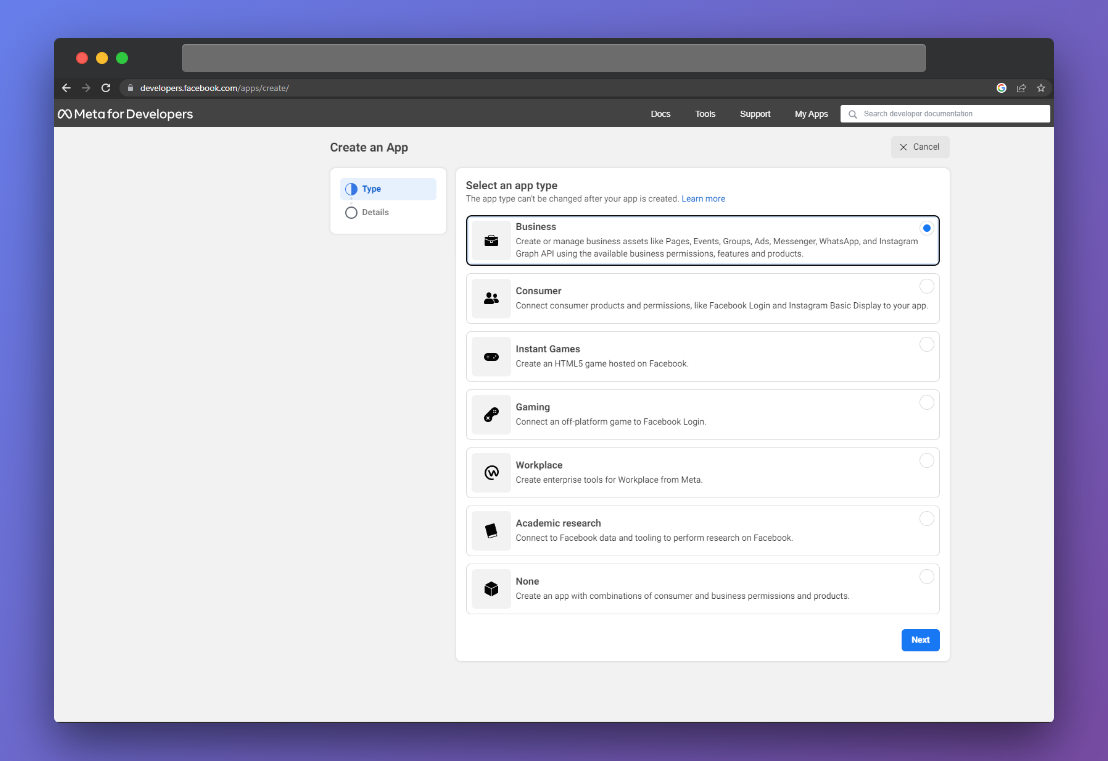
- Add all details as you like for App name, contact-email, etc...
- Once you are on Dashboard, you will see products, as I already have setup them, you have to click on setup for `Messenger` product.
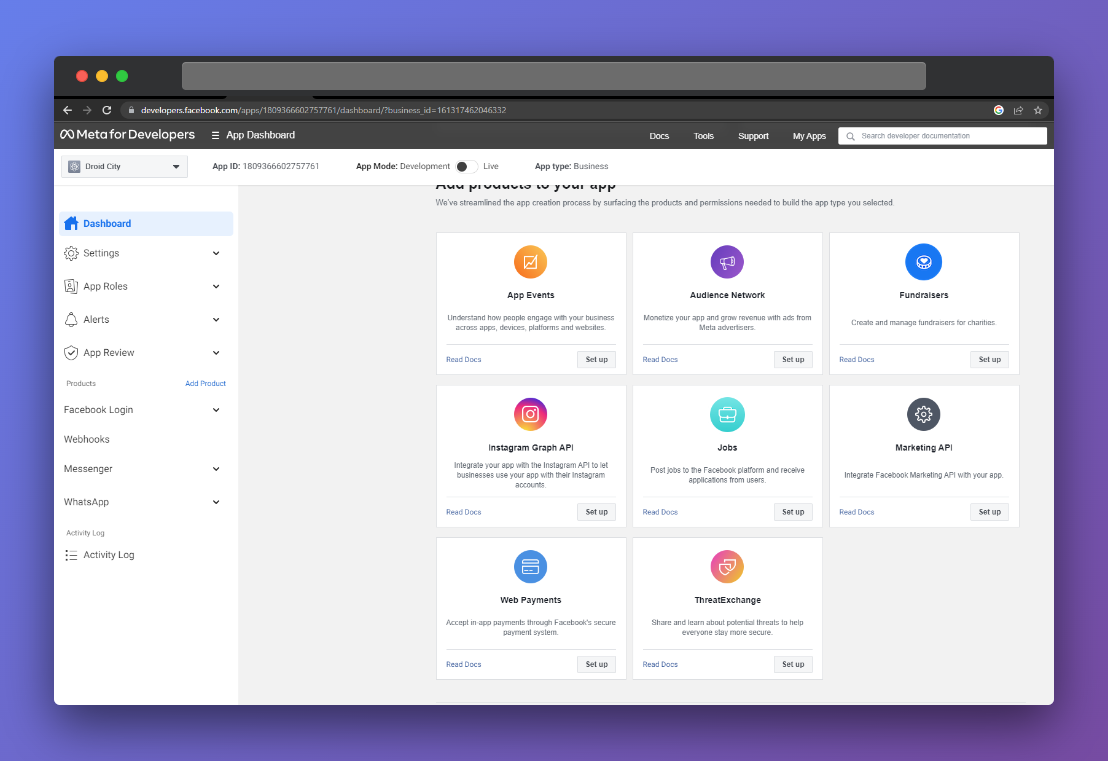
- On your left side, Messenger section will appear.
- Settings: Here, you can setup facebook messenger.
- Instagram settings: Here, you can setup instagram messenger by connecting to your instagram page.
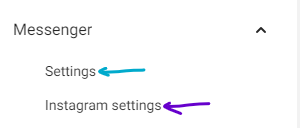
Note: Your page has to be connected with your Facebook account otherwise you won't see it.