https://github.com/houmain/spright-vscode
spright Visual Studio Code Extension
https://github.com/houmain/spright-vscode
spright spritesheet texturepacker vscode vscode-extension
Last synced: 11 months ago
JSON representation
spright Visual Studio Code Extension
- Host: GitHub
- URL: https://github.com/houmain/spright-vscode
- Owner: houmain
- License: gpl-3.0
- Created: 2023-03-23T18:25:59.000Z (over 3 years ago)
- Default Branch: main
- Last Pushed: 2025-01-04T14:41:16.000Z (over 1 year ago)
- Last Synced: 2025-01-04T15:29:11.263Z (over 1 year ago)
- Topics: spright, spritesheet, texturepacker, vscode, vscode-extension
- Language: TypeScript
- Homepage:
- Size: 587 KB
- Stars: 4
- Watchers: 1
- Forks: 1
- Open Issues: 2
-
Metadata Files:
- Readme: README.md
- License: LICENSE
Awesome Lists containing this project
README
# Spright Visual Studio Code Extension
This extension provides an advanced editor for [Spright](https://github.com/houmain/spright#spright) configuration files.
## Introduction
- Files named `spright.conf` are automatically detected as _Spright Configuration_, for others it can be selected using _Change Language Mode_ . Ctrl-K M
- A graphical visualization of the configuration can be opened using _Show Spright editor panel_. Ctrl-Shift-T
- Sheet building can be triggered using _Build Spright output_. Ctrl-Shift-B
- Auto-completion of the configuration file can be triggered by _Complete Spright configuration_. Ctrl-Shift-A
- Image file and directories can be dropped on the editor to insert _input_ and _glob_ definitions.
Please see the [Spright reference](https://github.com/houmain/spright#spright) for details on how to write configuration files.
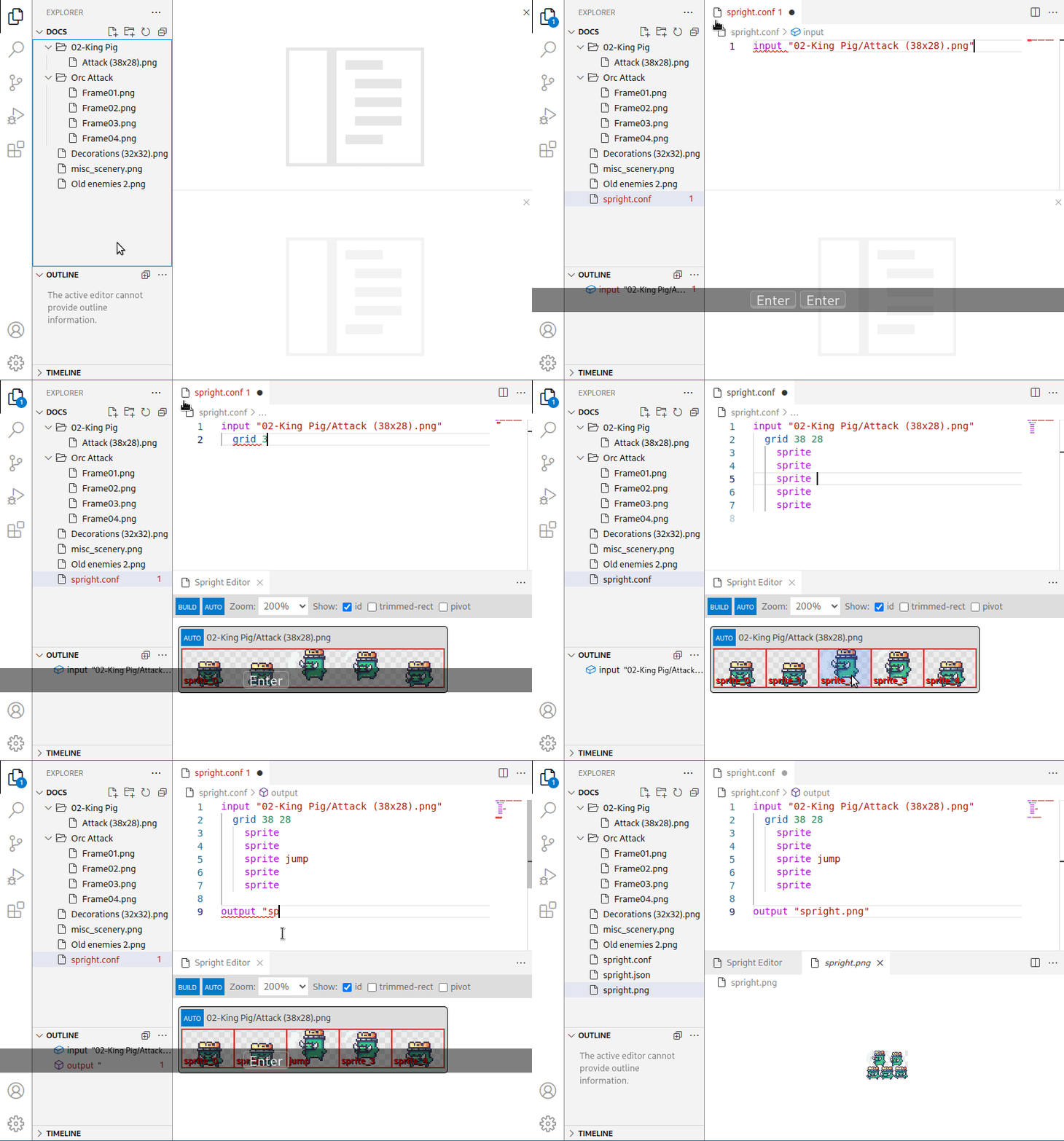
## Preview
This clip shows the extension in action:
## License
**spright-vscode** is released under the GNU GPLv3. It comes with absolutely no warranty. Please see `LICENSE` for license details.
All image files are derived from files released as [CC0](https://creativecommons.org/publicdomain/zero/1.0/) on [OpenGameArt](https://opengameart.org).