https://github.com/hpsaturn/espnowcam
ESPNowCam, a straightforward video streamer for popular ESP32Cam models, leveraging the ESPNow protocol. No need for IPs, routers, or credentials—keeping it simple! :D
https://github.com/hpsaturn/espnowcam
arduino camera esp32 esp32cam esp32s3 nanopb platformio protocol-buffers protos
Last synced: 4 months ago
JSON representation
ESPNowCam, a straightforward video streamer for popular ESP32Cam models, leveraging the ESPNow protocol. No need for IPs, routers, or credentials—keeping it simple! :D
- Host: GitHub
- URL: https://github.com/hpsaturn/espnowcam
- Owner: hpsaturn
- License: gpl-3.0
- Created: 2023-12-18T23:12:05.000Z (over 2 years ago)
- Default Branch: master
- Last Pushed: 2025-04-05T10:56:34.000Z (over 1 year ago)
- Last Synced: 2025-04-05T11:25:03.751Z (over 1 year ago)
- Topics: arduino, camera, esp32, esp32cam, esp32s3, nanopb, platformio, protocol-buffers, protos
- Language: C++
- Homepage:
- Size: 4.86 MB
- Stars: 157
- Watchers: 9
- Forks: 13
- Open Issues: 6
-
Metadata Files:
- Readme: README.md
- Funding: .github/FUNDING.yml
- License: LICENSE
Awesome Lists containing this project
README
# ESPNowCam - Data streamer
[](https://github.com/hpsaturn/esp32s3-cam/actions/) [](https://github.com/hpsaturn/esp32s3-cam/actions/) 
The ESPNowCam library is a simple and direct video or data streamer designed for popular ESP32 devices, utilizing the ESPNow protocol. No need for IPs, routers, or credentials—keeping it straightforward and hassle-free! :D
>[!TIP]
>**This library is for general purpose**, as it accepts pointers to various types of data, including buffers, strings, images, or any byte-formatted content. This flexibility enables transmission of larger packages across different scenarios, not limited to cameras alone. For instance, a buffer of 4000 bytes takes approximately 1/9 of a second to transmit, resulting in a frame rate of around 9FPS.
Don't forget to star ⭐ this repository
## Features
The latest version brings numerous enhancements and is currently highly stable. It offers support for various transmission modes including:
- One transmitter to multiple receivers using the internal ESPNow broadcasting feature (1:N mode).
- Peer-to-peer (P2P) connections utilizing MAC address targeting (1:1 mode).
- Multi-sender mode with one receiver (N:1 mode).
- **NEW:** [80211tx()](#wifi-raw-80211tx-mode-experimental) WiFi raw ESPNow alternative (Beta).
[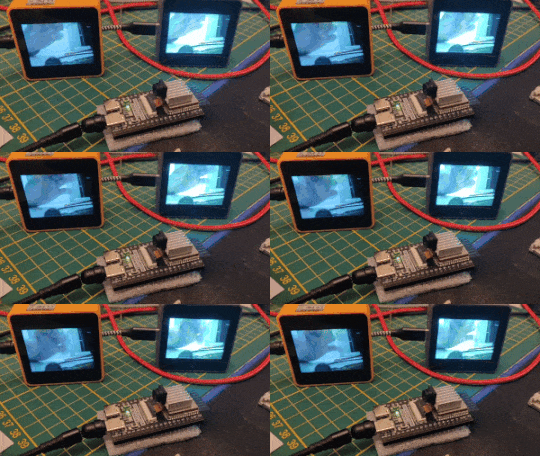](https://youtu.be/zXIzP1TGlpA) [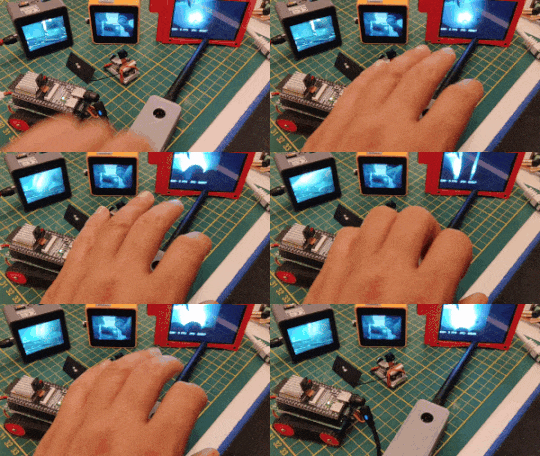](https://youtu.be/XDIiJ25AKr8) [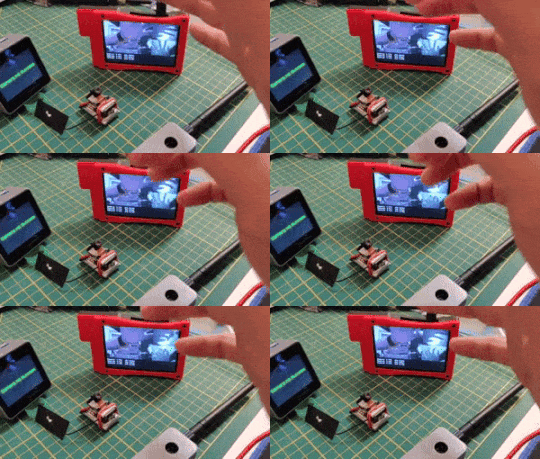](https://youtu.be/ip6RohVEg2s)
[[1:N mode video]](https://youtu.be/zXIzP1TGlpA) [[1:1 mode video]](https://youtu.be/XDIiJ25AKr8) [[N:1 mode video]](https://youtu.be/ip6RohVEg2s)
>[!TIP]
>It's important to note that the library is versatile and capable of transmitting various types of data, not limited to video.
## Performance
The current version was tested with the next cameras:
| Sender | Frame | PSRAM | JPGQ | FPS | Status |
|:---------|:-----:|:-----:|:------:|:-------:|:------:|
| Freenove [80211tx()](#wifi-raw-80211tx-mode-experimental) | QVGA | Yes | 12 | ~13 FPS | TESTING |
| TTGO TJournal | QVGA | No | 12 | ~11 FPS | STABLE |
| XIAO Sense S3 | QVGA | Yes | 12 | ~11 FPS | STABLE |
| Freenove S3 | QVGA | Yes | 12 | ~10 FPS | STABLE |
| Freenove S3 | HVGA | Yes | 12 | ~6 FPS | STABLE |
| M5CoreS3 | QVGA | Yes | 12 | ~11 FPS | STABLE |
| M5UnitCamS3 | QVGA | Yes | 12 | ~9 FPS | STABLE |
[Full list of senders and receivers that was tested](https://github.com/hpsaturn/ESPNowCam/wiki/Supported-Devices)
## Library installation
**PlatformIO**:
Add the following line to the lib_deps option of your [env:] section:
```python
hpsaturn/EspNowCam@^0.2.0
```
Or via command line:
```python
pio pkg install --library "hpsaturn/ESPNowCam@^0.2.0"
```
**Arduino IDE**:
>[!IMPORTANT]
>For `Arduino IDE` is a little bit more complicated because the Arduino IDE dependencies resolver is very bad, but you only need:
>
>1. Download and install the [Nanopb library](https://github.com/nanopb/nanopb/releases/tag/nanopb-0.4.9.1) using the `Include Library` section via zip file
>2. and then with the **Library Manager** find **ESPNowCam** and install it.
>[!TIP]
>Nanobp is not included as a dependency because, despite being 25 years after the invention of symbolic links, Arduino IDE does not support these types of files. Consider exploring PlatformIO for your future developments, as it offers a more versatile and modern development environment.
## Usage
**To send** any kind of data, you only need a buffer and the size to send:
```cpp
#include
ESPNowCam radio;
radio.init();
radio.sendData(data, data_len);
```
[full sender implementation example](https://github.com/hpsaturn/ESPNowCam/blob/master/examples/xiao-espnow-sender/xiao-espnow-sender.cpp)
**To receive** the data, you only need to define a buffer and callback:
```cpp
radio.setRecvBuffer(fb);
radio.setRecvCallback(onDataReady);
radio.init();
```
```cpp
void onDataReady(uint32_t lenght) {
tft.drawJpg(fb, lenght , 0, 0, dw, dh);
}
```
[full receiver implementation example](https://github.com/hpsaturn/ESPNowCam/blob/master/examples/m5core2-basic-receiver/m5core2-basic-receiver.ino)
>[!NOTE]
>If you don't define any specific target, the radio will work in broadcasting mode, that means **1:N mode**, for instance one camera sending video to multiple screen receivers.
### P2P mode (1:1)
It's also possible to define a specific target:
```cpp
const uint8_t macRecv[6] = {0xB8,0xF0,0x09,0xC6,0x0E,0xCC};
radio.setTarget(macRecv);
radio.init();
```
>[!TIP]
>This mode is very recommended to increase the performance, and also it reduces the noise and possible glitches.
### Multi camera mode (N:1)
Is possible too configure multiple cameras or senders to only one receiver, N:1 mode, configuring filters by MAC in the receiver:
```cpp
radio.setRecvFilter(fb_cam1, mac_cam1, onCam1DataReady);
radio.setRecvFilter(fb_cam2, mac_cam2, onCam2DataReady);
radio.setRecvFilter(fb_cam3, mac_cam3, onCam3DataReady);
```
and each camera should have configured the receiver MAC like a target. Fore more details, please follow the [multi-camera-one-receiver](https://github.com/hpsaturn/ESPNowCam/tree/master/examples/multi-camera-one-receiver/) directory example.
### WiFi Raw 802.11tx mode (experimental)
Now is possible use 80211tx() primitive or WiFi RAW mode without ESPNow internals. Using this raw mode it could be better performance. For that, only do that:
**sender**:
```cpp
WiFiRawComm wifiRaw;
ESPNowCam radio(&wifiRaw);
radio.setTarget(macRecv); // receiver mac address to improve quality
radio.setChannel(6); // improve quality (recommended)
radio.init(512); // you are able to change the chunk size
radio.sendData(out_data, out_data_len);
```
[full wifiraw-80211tx-sender example](https://github.com/hpsaturn/ESPNowCam/tree/master/examples/wifiraw-80211tx-sender)
**receiver**:
```cpp
WiFiRawComm wifiRaw;
ESPNowCam radio(&wifiRaw);
radio.setRecvBuffer(fb); // fixed buffer
radio.setRecvCallback(onDataReady); // similar callback to other modes
radio.setChannel(6); // improve quality
radio.init(512); // the same sender chunk size
```
[full wifiraw-80211tx-receiver example](https://github.com/hpsaturn/ESPNowCam/tree/master/examples/wifiraw-80211tx-receiver)
>[!TIP]
>Note: The N:1 mode is not full implemented on WiFi raw. It is recommended use channel and mac address target on the sender for improve quality. Please sse the examples for details.
### Predefined drivers
The library includes some pre-defined camera configs to have an easy implementation, for example:
```cpp
#include
#include
CamFreenove Camera;
```
>[!TIP]
>For now, it includes drivers for FreenoveS3, XIAOS3, M5UnitCamS3, Freenove WRover, ESP32Cam AI-Thinker and the TTGO T-Journal cameras, but you are able to define your custom camera like is shown in the [custom-camera-sender](https://github.com/hpsaturn/ESPNowCam/tree/master/examples/custom-camera-sender) example. If you can run it in a different camera, please notify me via a [GitHub issue](https://github.com/hpsaturn/ESPNowCam/issues/new) or please contribute with the project sending a pull request :D
### Channel
Is possible to configure the radio channel or the WiFi channel. You should put the same channel on all devices. This setting is optional, and it is not mandatory, but could improve the connection.
```cpp
radio.setChannel(2);
radio.init();
```
### PSRAM or DRAM?
Well, in my last tests with different cameras and using QVGA frame size, seems that is better using the DRAM and the internal JPG. DRAM is more faster than PSRAM, and the internal compressor has a better quality with the same JPGQ level, but it uses more bandwidth, on the other hand the result is so good on P2P mode.
For change to DRAM and the internal JPG, you are able to pre-configure it like this:
```cpp
Camera.config.pixel_format = PIXFORMAT_JPEG;
Camera.config.frame_size = FRAMESIZE_QVGA;
Camera.config.fb_count = 2;
Camera.config.fb_location = CAMERA_FB_IN_DRAM;
```
more details in the sample [xiao-internal-jpg-sender](https://github.com/hpsaturn/ESPNowCam/tree/master/examples/xiao-internal-jpg-sender).
## Examples
[](https://youtu.be/nhLr7XEUdfU) [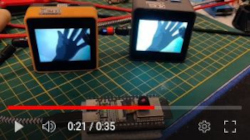](https://youtu.be/zXIzP1TGlpA) [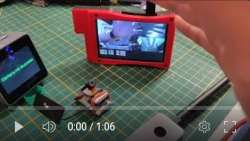](https://youtu.be/ip6RohVEg2s)
For install and run the [examples](https://github.com/hpsaturn/ESPNowCam/tree/master/examples), first install [PlatformIO](http://platformio.org/) open source ecosystem for IoT development compatible with **Arduino** IDE and its command line tools (Windows, MacOs and Linux). Also, you may need to install [git](http://git-scm.com/) in your system.
Then compile and install each sample, only choose one of them **ENV names** in [the table](https://github.com/hpsaturn/ESPNowCam/tree/master/examples/README.md), and run the next command in the root of this project, like this:
```bash
pio run -e m5cores3-espnow-receiver --target upload
```
Some examples are for Arduino users (*.ino samples), but is possible too compile and install it from PlatformIO, only needs run the next command into each directory:
```bash
pio run --target upload
```
### Camera CLI
Also I'm working in a complete Camera configurator and test suite for this library and also other features around the ESP Cameras. It is a project in progress, but you are able to configure and test all ESPNowCam features more easy using a [CLI and manager](https://github.com/hpsaturn/esp32-camera-cli) that runs into the Camera:
[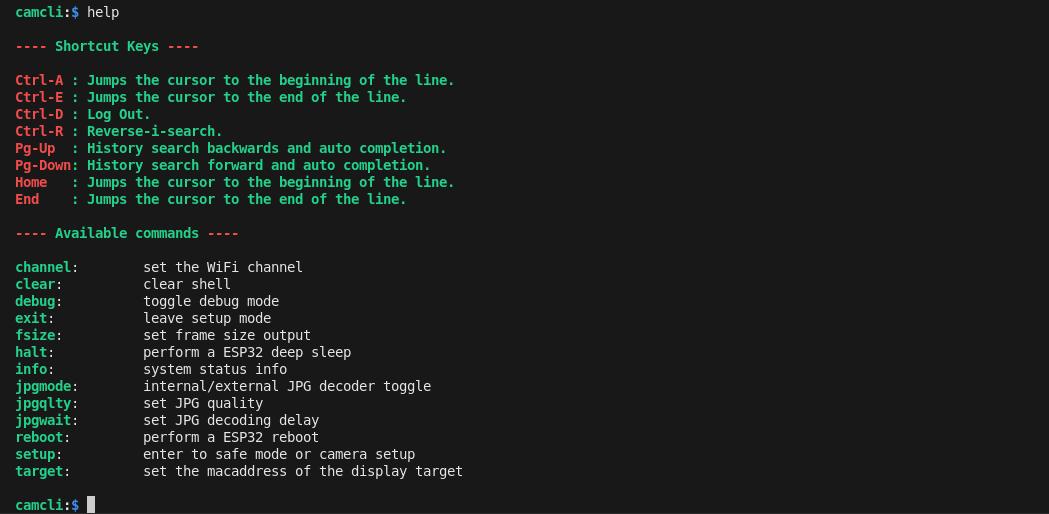](https://github.com/hpsaturn/esp32-camera-cli)
[](https://youtu.be/ibuKil7jjsg)
[video demo](https://youtu.be/ibuKil7jjsg)
## Troubleshooting
> [!NOTE]
>To increase the performance, **the recommended use is the 1:1 mode**, and also is a good practice to configure the other radio senders around of this device in this mode, because if you have other senders in broadcasting mode together, them could be generating interference.
>
>The **Freenove camera** sometimes needs good power cable and also takes some seconds to stabilization, that means, that not worries for initial video glitches.
>
>**pb_decode.h error**: For **Arduino IDE users**, if you have a compiler error, maybe you forget install **NanoPb library**. Please see above in [library installation](#library-installation) section.
> [!TIP]
> This project was developed and thoroughly tested on PlatformIO. While I did compile and execute it successfully on Arduino IDE using Espressif 2.0.11 and Arduino IDE 2.2.1, with PSRAM enabled, I generally avoid using Arduino IDE due to its tendency to mix everything and its buggy nature. Therefore, **I highly recommend using PlatformIO** for a smoother and more reliable development experience.
## TODO
- [x] NanoPb possible issue #1 (payload size)
- [x] Unified ESPNow in an one class for all transmitters and receivers
- [x] Isolate the ESPNow Receiver and Transmitter in a seperated library
- [x] Add sender callback to improve speed
- [x] Added internal drivers for some popular Cameras
- [x] Added multi-camera support with one only target
- [x] Migration to esp_wifi_80211_tx() to improve Payload and Quality
## Credits
I want to extend my gratitude to:
[@ElectroZeusTIC](https://github.com/electrozeustic) and [@AcoranTf](https://github.com/AcoranTf) for testing on Arduino IDE.
[@UtaAoya](https://x.com/UtaAoya) for findings related to the M5UnitCam device.
[@MeloCuentan](https://github.com/MeloCuentan) for fixing issues with the AI-Thinker Camera and the new ESP32S3 RGB receiver.
[@turmandreams](https://github.com/turmandreams) for tests on the AI-Thinker Camera and the M5Core receiver.
---