https://github.com/httptoolkit/android-ssl-pinning-demo
A tiny demo Android app using SSL pinning to block HTTPS MitM interception
https://github.com/httptoolkit/android-ssl-pinning-demo
Last synced: 10 months ago
JSON representation
A tiny demo Android app using SSL pinning to block HTTPS MitM interception
- Host: GitHub
- URL: https://github.com/httptoolkit/android-ssl-pinning-demo
- Owner: httptoolkit
- License: apache-2.0
- Created: 2021-06-29T09:53:14.000Z (about 5 years ago)
- Default Branch: main
- Last Pushed: 2024-04-09T12:31:59.000Z (over 2 years ago)
- Last Synced: 2025-01-15T04:48:50.657Z (over 1 year ago)
- Language: Kotlin
- Homepage:
- Size: 377 KB
- Stars: 137
- Watchers: 7
- Forks: 31
- Open Issues: 0
-
Metadata Files:
- Readme: README.md
- License: LICENSE
Awesome Lists containing this project
README
          # android-ssl-pinning-demo

> _Part of [HTTP Toolkit](https://httptoolkit.com/): powerful tools for building, testing & debugging HTTP(S)_

A tiny demo app using SSL pinning to block HTTPS MitM interception.

## Try it out

You can either clone this repo and build it yourself in Android Studio, or download the APK from the [releases page](https://github.com/httptoolkit/android-ssl-pinning-demo/releases) and install it with `adb install android-ssl-pinning-demo.apk`.

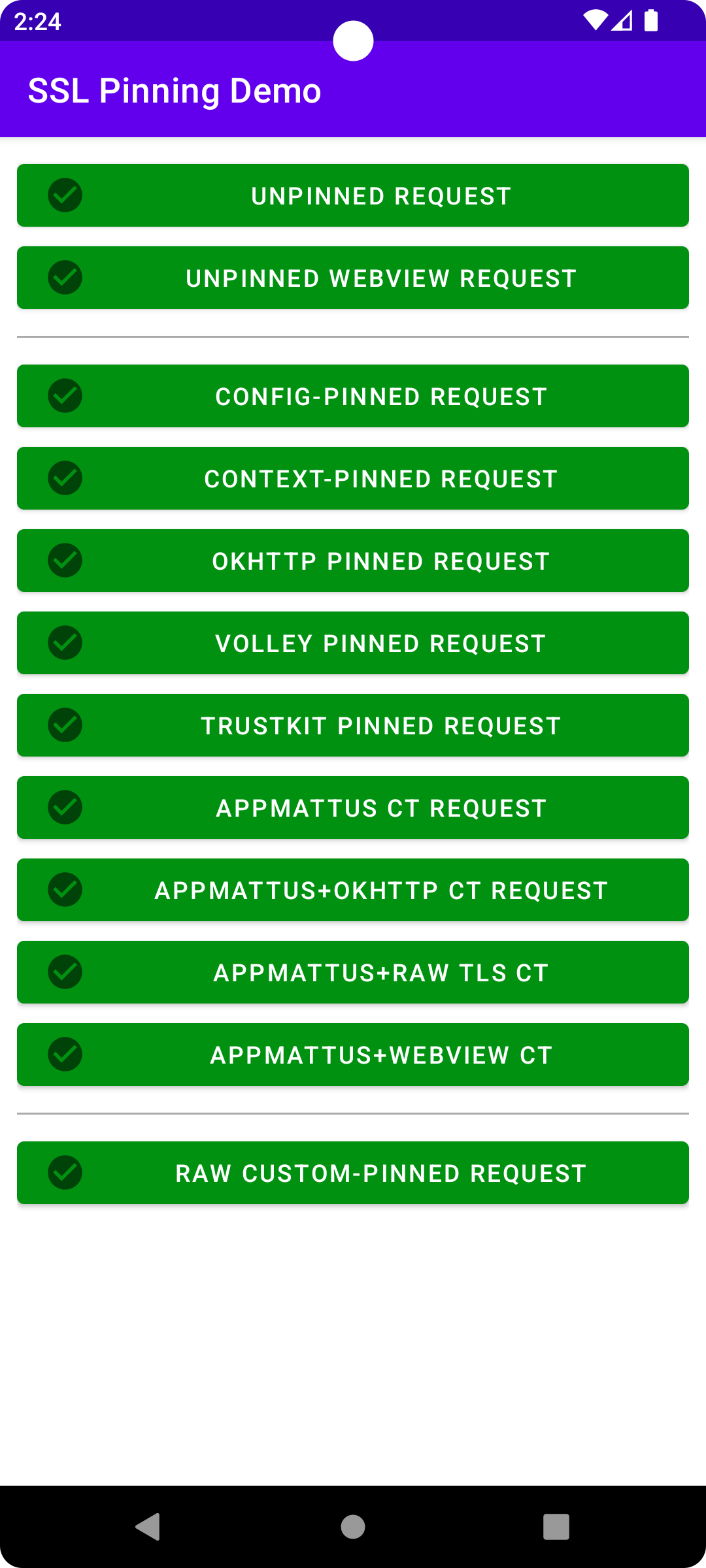
Pressing each button will send an HTTP request with the corresponding configuration. The buttons are purple initially or while a request is in flight, and then turn green or red (with corresponding icons and an error message popped up for failures) when the request succeeds/fails.

On a normal unintercepted device, every button should always immediately pass.

On a device whose HTTPS is being intercepted (e.g. with [HTTP Toolkit](https://httptoolkit.com/android/)), the unpinned buttons will pass, and then all other buttons the first 'unpinned' buttons will fail.

On an intercepted device using a standard Frida script (or similar) to automatically disable certificate pinning (e.g. https://github.com/httptoolkit/frida-interception-and-unpinning/) all buttons should pass _except_ the final "custom-pinned" button.

That final button uses low-level manual checks against the TLS connection, with no external libraries or config involved. It is still possible to make this pass too, but you'll need to do a little reverse engineering to disable that code specifically. See [this Android reverse engineering blog post](https://httptoolkit.com/blog/android-reverse-engineering/) for more details.