https://github.com/huuhuy227/hardcoded-subtitle-extraction
Leverage OCR for hardcoded subtitle extractor
https://github.com/huuhuy227/hardcoded-subtitle-extraction
deep-learning ocr-recognition paddleocr paddlepaddle streamlit subtitles tkinter-gui
Last synced: 2 months ago
JSON representation
Leverage OCR for hardcoded subtitle extractor
- Host: GitHub
- URL: https://github.com/huuhuy227/hardcoded-subtitle-extraction
- Owner: HuuHuy227
- Created: 2024-12-13T15:13:54.000Z (over 1 year ago)
- Default Branch: main
- Last Pushed: 2024-12-27T14:41:20.000Z (over 1 year ago)
- Last Synced: 2025-02-17T06:41:53.460Z (over 1 year ago)
- Topics: deep-learning, ocr-recognition, paddleocr, paddlepaddle, streamlit, subtitles, tkinter-gui
- Language: Python
- Homepage:
- Size: 59.5 MB
- Stars: 1
- Watchers: 1
- Forks: 0
- Open Issues: 0
-
Metadata Files:
- Readme: README.md
Awesome Lists containing this project
README
# Video Hardcoded Subtitle Extractor
[](https://www.python.org/downloads/)
Extract hardcoded/burned-in subtitles from videos using OCR technology. Available as both a desktop application and web interface.
This implementation using [PaddleOCR](https://github.com/PaddlePaddle/PaddleOCR) for backend OCR task.
## 🎯 Features
- GUI and web interface options
- Support for MP4, AVI, MOV video formats
- Adjustable frame rate and confidence threshold
- Multiple language support (English, Chinese, Japanese, Korean, Arabic)
- SRT export format. Also supported bilingual subtitles.
- **Note:** For long video process recommend install GPU version for efficient of speed process (about 1/5 the length of the video)
## ⚙️ Requirements
- Python 3.8+
- NVIDIA GPU (optional)
- CUDA Toolkit 11.8, 12.0+ (for GPU acceleration)
- 4GB RAM minimum (8GB recommended)
## 📥 Installation
### Option 1: Conda Environment
For GPU version you should install CUDA and cuDNN (version base on their [Install paddlepaddle](https://www.paddlepaddle.org.cn/en/install/quick?docurl=/documentation/docs/en/install/pip/windows-pip_en.html))
```bash
# Create conda environment
conda create -n subtitle-env python=3.10
conda activate subtitle-env
# For GPU support (optional)
pip install paddlepaddle # pip install paddlepaddle-gpu==2.6.1 for GPU version
# Install dependencies
pip install -r requirements.txt
```
### Option 2: Docker
```bash
# Install NVIDIA Container Toolkit first
# Then build and run with GPU support
docker-compose -f docker-compose.yml build
docker-compose -f docker-compose.yml up
```
### 🚀 Usage
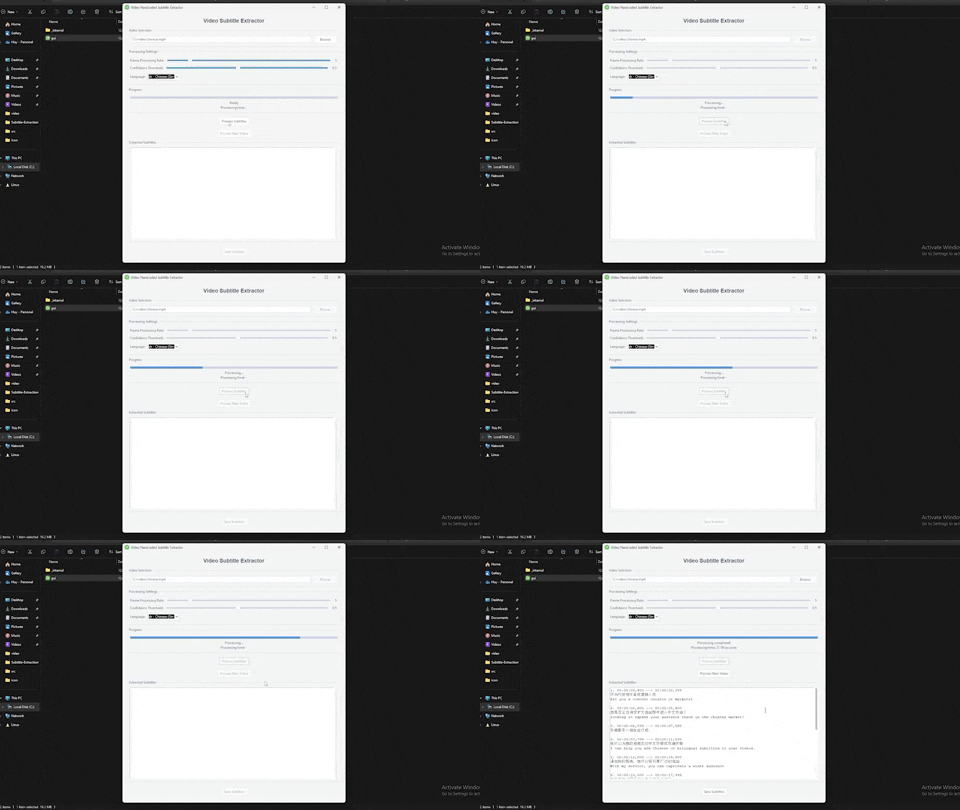
### Desktop Application
```bash
# Launch GUI
python gui.py
```
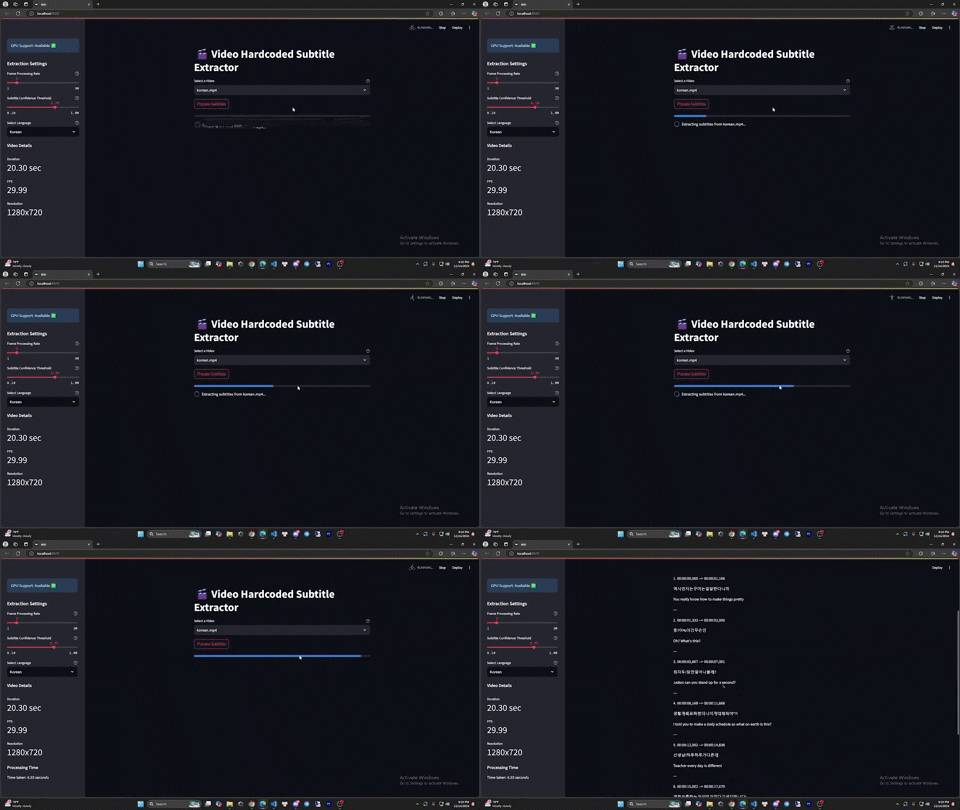
### Web Interface
```bash
# Launch web app
streamlit run app.py
```
[Link Demo](https://www.youtube.com/watch?v=2ZxI7lb3C2I)