https://github.com/hyochan/flat_list
Flutter's [FlatList] widget for React Native friendly developers
https://github.com/hyochan/flat_list
Last synced: 9 months ago
JSON representation
Flutter's [FlatList] widget for React Native friendly developers
- Host: GitHub
- URL: https://github.com/hyochan/flat_list
- Owner: hyochan
- License: mit
- Created: 2022-11-11T06:39:56.000Z (about 3 years ago)
- Default Branch: main
- Last Pushed: 2023-09-17T15:18:52.000Z (over 2 years ago)
- Last Synced: 2025-04-13T04:08:15.941Z (9 months ago)
- Language: Dart
- Size: 304 KB
- Stars: 11
- Watchers: 2
- Forks: 3
- Open Issues: 2
-
Metadata Files:
- Readme: README.md
- Changelog: CHANGELOG.md
- License: LICENSE
Awesome Lists containing this project
README
# [FlatList](https://reactnative.dev/docs/flatlist) for [Flutter](https://flutter.dev)
[](https://pub.dartlang.org/packages/flat_lst)
[](https://github.com/hyochan/flat_list/actions/workflows/ci.yml)
> [FlatList] widget in Flutter which will be familiar to React Native developers.
## Motivation
While there are opinionated ways to build listviews in React Native, there are many ways to build listviews in Flutter. In Flutter, we can use `ListView`, `ListView.builder()`, `SliverList` and also when you want to make list with more than one column, you need to use `GridView`, `SliverGrid` and so on.
By providing `FlatList` widget in `Flutter`, we can move faster on implementing the `ListView` we want.
## Installation
```
flutter pub add flat_list
```
## Usage
You'll easily understand by looking at below code.
```dart
FlatList(
onEndReached: () async {
loading.value = true;
await Future.delayed(const Duration(seconds: 2));
if (context.mounted) {
items.value += getMoreData();
loading.value = false;
}
},
onRefresh: () async {
await Future.delayed(const Duration(seconds: 2));
if (context.mounted) {
items.value = data;
}
},
loading: loading.value,
listHeaderWidget: const Header(),
listFooterWidget: const Footer(),
listEmptyWidget: Container(
alignment: Alignment.center,
padding: const EdgeInsets.all(12),
child: const Text('List is empty!'),
),
data: items.value,
buildItem: (item, index) {
var person = items.value[index];
return ListItemView(person: person);
},
)
```
More about the differences in `props` compared to React Native's FlatList are listed below.
| Flutter | React Native | Required |
|------------------------|:---------------------------:|:--------:|
| `data` | `data` | ✓ |
| `buildItem` | `renderItem` | ✓ |
| `listHeaderWidget` | `ListHeaderComponent` | |
| `listFooterWidget` | `ListFooterComponent` | |
| `listEmptyWidget` | `ListEmptyComponent` | |
| `onRefresh` | `onRefresh` | |
| `onEndReached` | `onEndReached` | |
| `` | `refreshing` | |
| `loading` | `loading` | |
| `numColumns` | `numColumns` | |
| `onEndReachedDelta` | `onEndReachedThreshold` | |
| `controller` | `` | |
| `inverted` | `inverted` | |
### Basic setup
The complete example is available here.
FlatList requires you to provide `data` and `buildItem`:
* `buildItem` method is identical to [renderItem in React Native](https://reactnative.dev/docs/flatlist#required-renderitem).
* `data` is a plain list.
```dart
FlatList(
data: items.value,
buildItem: (item, index) {
var person = items.value[index];
return ListItemView(person: person);
},
)
```
### Adding additional views
You can provide `header` and `footer` in [FlatList]. When providing `listEmptyWidget`, it will be rendered when the list of data is empty.
```dart
listHeaderWidget: const Header(), // Provider any header
listFooterWidget: const Footer(), // Provider any footer
listEmptyWidget: Container(
alignment: Alignment.center,
padding: const EdgeInsets.all(12),
child: const Text('List is empty!'),
),
```
### Refresh indicator
Providing `onRefresh` will add [RefreshIndicator]. Therefore you can refresh the data.
```dart
onRefresh: () async {
await Future.delayed(const Duration(seconds: 2));
if (context.mounted) {
items.value = data;
}
},
```
### Infinite scroll
Infinite scrolling is possible using `onEndReached`. You should also provide `loading` to use this feature correctly.
```dart
loading: loading.value,
onEndReached: () async {
loading.value = true;
await Future.delayed(const Duration(seconds: 2));
if (context.mounted) {
items.value += getMoreData();
loading.value = false;
}
},
```
### GridView
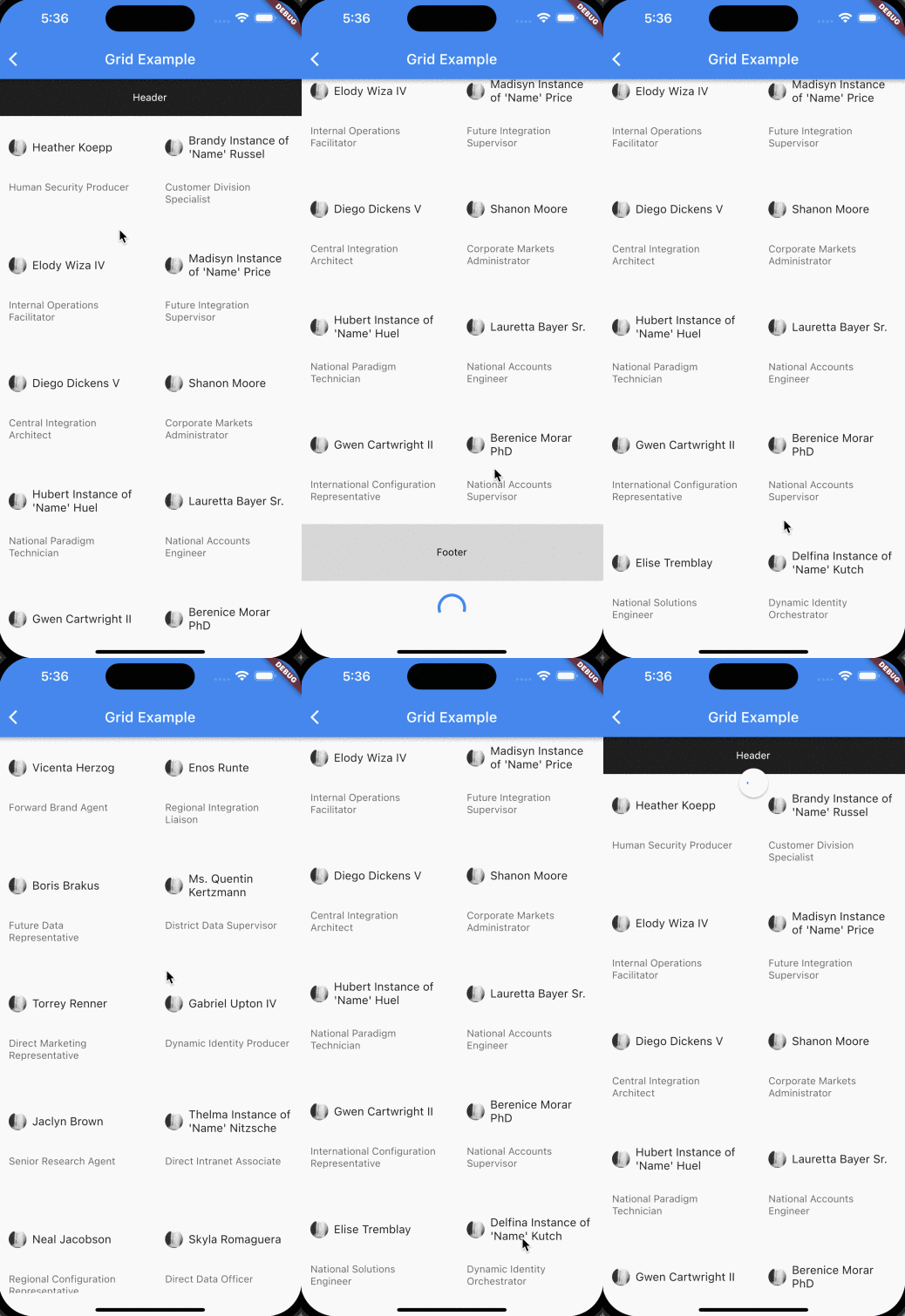
Just by giving `numColumns` value greater than 1, it will render [GridView].
```dart
numColums: 3, // Value greater than 1
```
### One column
| One column | Multiple Columns |
|------------------------|:---------------------------:|
| |
| |
|
## Demo
Examples are provided in `/example` folder.
## TODO
- [x] Support optional `horizontal` mode
- [x] Separator support in `ListView`
- [x] Expose scroll controller: Ability to control similar functionalities listed below.
- [scrollToEnd](https://reactnative.dev/docs/flatlist#scrolltoend)
- [scrollToIndex](https://reactnative.dev/docs/flatlist#scrolltoindex)
- [scrollToItem](https://reactnative.dev/docs/flatlist#scrolltoitem)
- [scrollToOffset](https://reactnative.dev/docs/flatlist#scrolltooffset)
- [x] Support [inverted](https://reactnative.dev/docs/flatlist#inverted)
- [ ] Enhance `onEndReachedDelta` with similar to `onEndReachedThreshold`
- [ ] Test coverage
## Additional information
[Read our blog](https://medium.com/dooboolab/introducing-flatlist-in-flutter-e1bd212b44f0)