https://github.com/hyp3rd/wiper
Shell script to securely wipe specific files or folders, or cover your tracks on UNIX systems. Designed for private people...
https://github.com/hyp3rd/wiper
Last synced: about 1 year ago
JSON representation
Shell script to securely wipe specific files or folders, or cover your tracks on UNIX systems. Designed for private people...
- Host: GitHub
- URL: https://github.com/hyp3rd/wiper
- Owner: hyp3rd
- License: mit
- Created: 2023-03-19T09:25:27.000Z (over 3 years ago)
- Default Branch: main
- Last Pushed: 2023-03-19T11:37:23.000Z (over 3 years ago)
- Last Synced: 2025-02-10T02:49:37.792Z (over 1 year ago)
- Language: Shell
- Size: 23.4 KB
- Stars: 1
- Watchers: 1
- Forks: 2
- Open Issues: 1
-
Metadata Files:
- Readme: README.md
- License: LICENSE
Awesome Lists containing this project
README
# WIPER
Shell script to securely wipe specific files or folders, or cover your tracks on UNIX systems.
Designed for private people...
This script is intended to be used solely for testing purposes.
**It might break your system if misused, so use it at your own risk.**
## Installation
`wiper.sh` works on UNIX-like systems (e.g., Linux distros, macOS). Install it as follows:
```bash
wget --quiet -O /usr/local/bin/wiper "https://raw.githubusercontent.com/hyp3rd/wiper/main/wiper.sh";
chmod +x /usr/local/bin/wiper
# or
curl -o /usr/local/bin/wiper "https://raw.githubusercontent.com/hyp3rd/wiper/main/wiper.sh"
chmod +x /usr/local/bin/wiper
```
## Usage
`wiper [command] [flags] /path|file/to/wipe`
**Available Commands:**
- **wipe** Wipe securely the content of a file or a folder, e.g., - `wiper wipe /your/path_or_file`
- **erase** Erase the content of a file or a folder, e.g., - `wiper erase /your/path_or_file`
- **remove** Remove the content of a file or a folder, e.g., - `wiper remove /your/path_or_file`
- **disable-logging** Disable logging on the system, e.g., - `wiper disable-logging`
- **private** Clear up your traces on the system, e.g., - `wiper private`
- **help** Help about any command
- **version** Print the version number of wiper
**Flags:**
- **-h**, **--help** Help for `wiper`
- **-i**, **--iterations** Number of iterations for the wipe command (default: 8); e.g., - `wiper wipe -i 64 /your/path_or_file`
- **-t**, **--timespan** Timespan in minutes to consider a log file recently modified (default 120); e.g., - `wiper private -t 240`
- **-s**, **--silent** Dry run, no questions asked; e.g., - `wiper wipe -s /your/path_or_file`
- **-r**, **--recursive** Enable the main commands {wipe, erase, remove} to run recursive against any sub-directory; e.g., - `wiper wipe /your/path_or_file --recursive`
Use `wiper [command] --help` for more information about a command (not yet implemented).
## Disclaimer
This software is provided as is, without any warranty. Use it at your own risk. The author is not responsible for any damage caused by this software.
## License
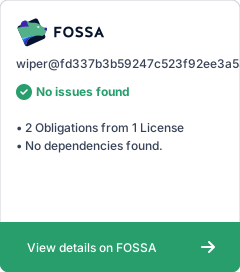
This project is licensed under the MIT License - see the [LICENSE](LICENSE) file for details
[](https://app.fossa.com/projects/git%2Bgithub.com%2Fhyp3rd%2Fwiper?ref=badge_large)
## Author
I'm a surfer, a crypto trader, and a software architect with 15 years of experience designing highly available distributed production environments and developing cloud-native apps in public and private clouds. Feel free to hook me up on [LinkedIn](https://www.linkedin.com/in/francesco-cosentino/).