https://github.com/iamcco/coc-actions
Actions menu for Neovim
https://github.com/iamcco/coc-actions
Last synced: 6 months ago
JSON representation
Actions menu for Neovim
- Host: GitHub
- URL: https://github.com/iamcco/coc-actions
- Owner: iamcco
- Archived: true
- Created: 2016-12-19T04:24:17.000Z (about 9 years ago)
- Default Branch: master
- Last Pushed: 2020-12-08T09:47:30.000Z (about 5 years ago)
- Last Synced: 2025-06-25T21:55:11.496Z (7 months ago)
- Language: TypeScript
- Homepage:
- Size: 272 KB
- Stars: 102
- Watchers: 6
- Forks: 2
- Open Issues: 3
-
Metadata Files:
- Readme: README.md
Awesome Lists containing this project
README
# coc-actions
**Note** coc.nvim already support floating actions window, use it instead.
Actions menu for coc.nvim (neovim >= v0.4.0 only)
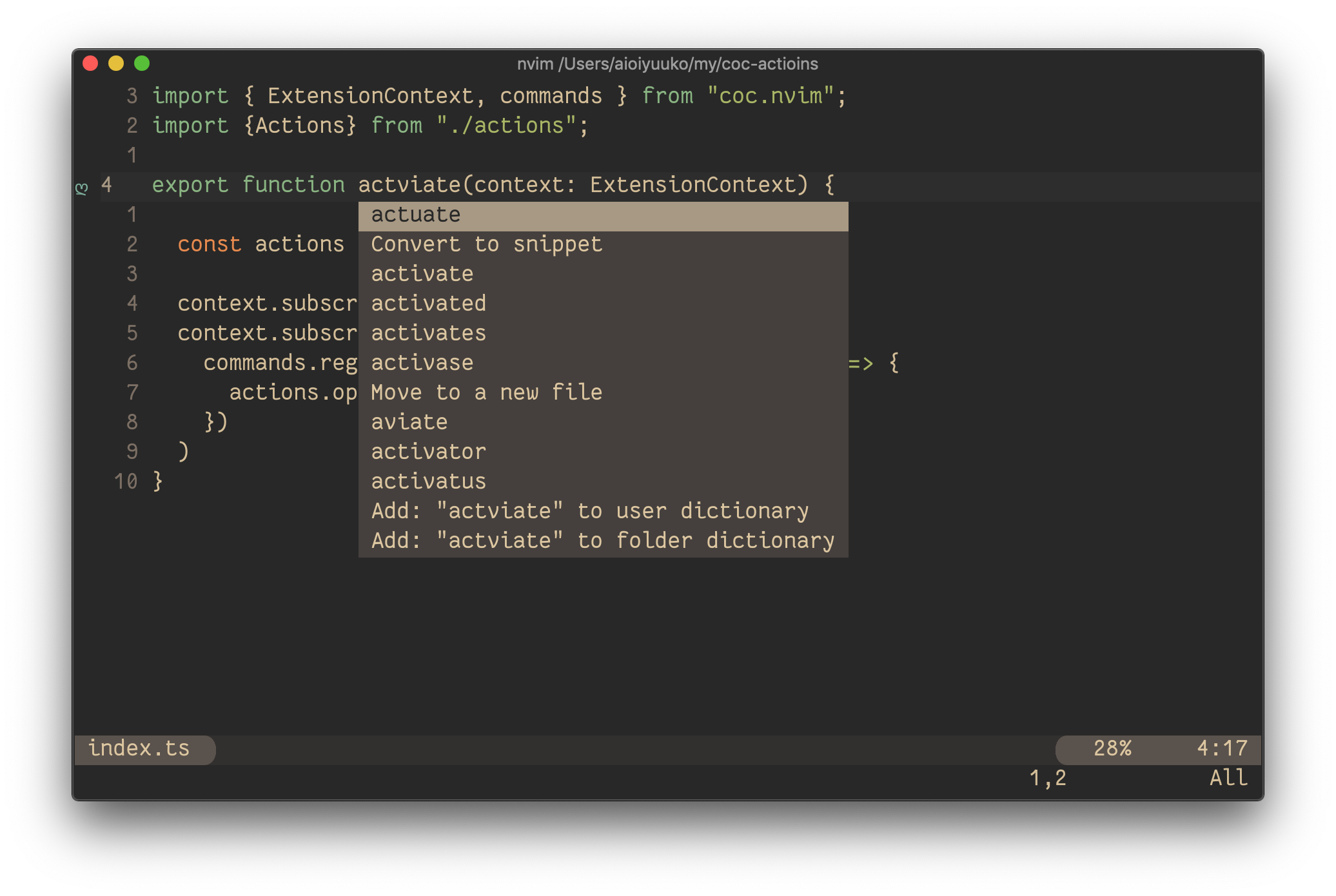
## Installation
`:CocInstall coc-actions`
**Commands**
- `:CocCommand actions.open` for current cursor position
**Mapping**
Config as coc.nvim README
``` vim
" Remap for do codeAction of selected region
function! s:cocActionsOpenFromSelected(type) abort
execute 'CocCommand actions.open ' . a:type
endfunction
xmap a :execute 'CocCommand actions.open ' . visualmode()
nmap a :set operatorfunc=cocActionsOpenFromSelectedg@
```
Then
- `a` for the current selected range
- `aw` for the current word
- `aas` for the current sentence
- `aap` for the current paragraph
> `:h text-objects` to see more detail
## Settings
- `coc-actions.hideCursor`: true
> Hide cursor when open actions menu
- `coc-actions.showActionKind`: true
> Show action kind
- `coc-actions.useCursorLine`: false
> Using cursorline for active line, this avoids tail whitespace
### Buy Me A Coffee ☕️

