https://github.com/iamgerwin/csharp-razor-docx-parser-poc
A proof of concept Blazor web application that accepts DOCX file uploads and provides intelligent parsing with multiple output formats. Built with .NET 9 and modern web technologies.
https://github.com/iamgerwin/csharp-razor-docx-parser-poc
csharp docx dotnet parser
Last synced: 5 months ago
JSON representation
A proof of concept Blazor web application that accepts DOCX file uploads and provides intelligent parsing with multiple output formats. Built with .NET 9 and modern web technologies.
- Host: GitHub
- URL: https://github.com/iamgerwin/csharp-razor-docx-parser-poc
- Owner: iamgerwin
- Created: 2025-10-04T00:52:57.000Z (9 months ago)
- Default Branch: main
- Last Pushed: 2025-10-04T02:07:14.000Z (9 months ago)
- Last Synced: 2025-10-22T09:52:20.805Z (9 months ago)
- Topics: csharp, docx, dotnet, parser
- Language: HTML
- Homepage:
- Size: 791 KB
- Stars: 0
- Watchers: 0
- Forks: 0
- Open Issues: 0
-
Metadata Files:
- Readme: README.md
Awesome Lists containing this project
README
# DocX Parser - Blazor Web Application
[](https://dotnet.microsoft.com/)
[](https://dotnet.microsoft.com/apps/aspnet/web-apps/blazor)
[](LICENSE)
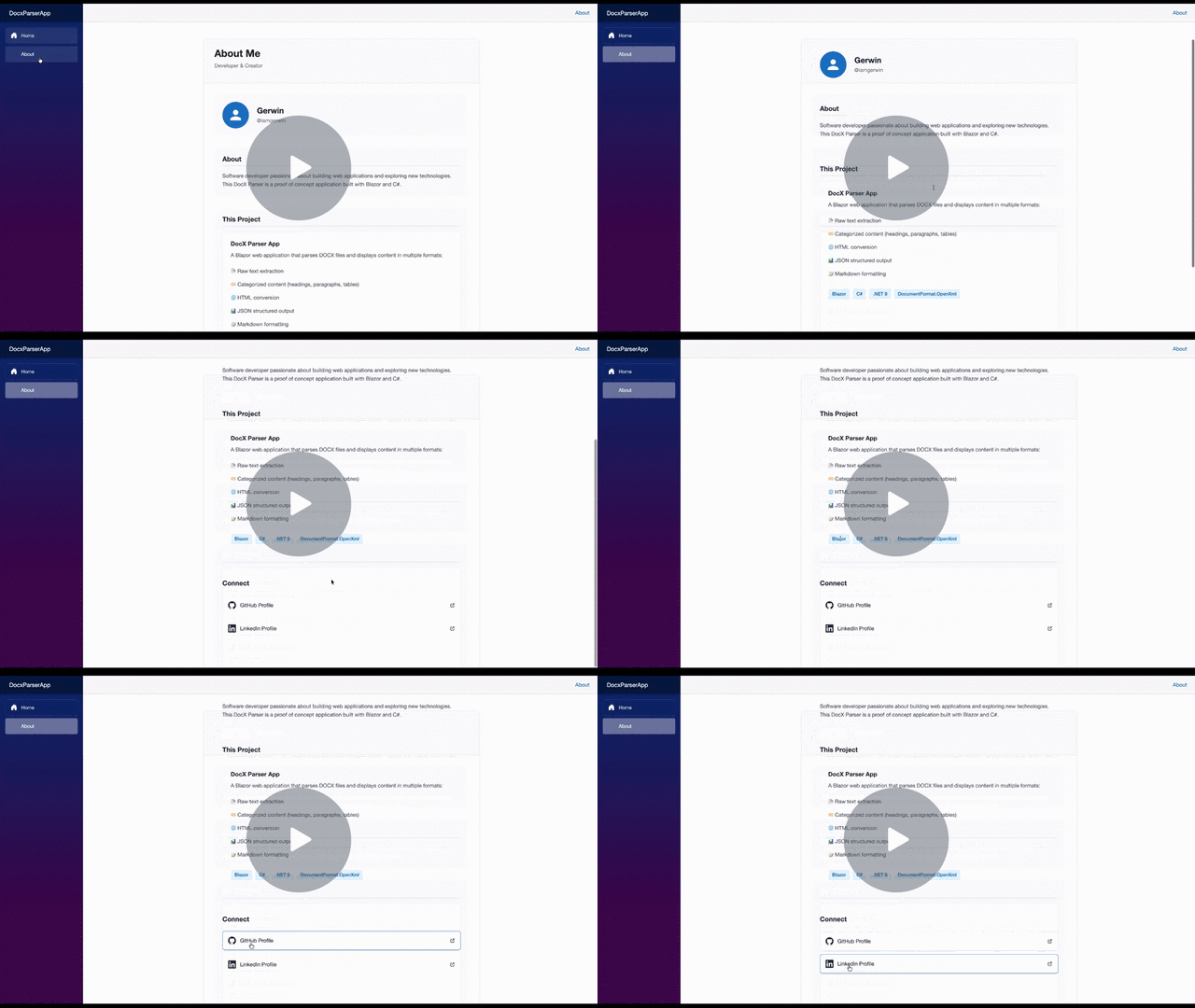
## 🎥 Demo
---
A proof of concept Blazor web application that accepts DOCX file uploads and provides intelligent parsing with multiple output formats. Built with .NET 9 and modern web technologies.
## ✨ Features
- **📄 DOCX File Upload** - Click to upload .docx files (up to 10MB)
- **🔍 Intelligent Parsing** - Extract and categorize document content using DocumentFormat.OpenXml
- **📊 Multiple Output Formats**:
- **Raw Text** - Simple plain text extraction
- **Categorized** - Organized view with headings, paragraphs, and tables
- **HTML** - Full HTML conversion with styling
- **JSON** - Structured JSON output for programmatic use
- **Markdown** - Formatted Markdown output with proper syntax
- **🎨 Modern UI** - shadcn-inspired design with clean, responsive interface
- **📋 Clipboard Support** - Copy HTML/JSON/Markdown output with visual feedback
- **⚡ Real-time Processing** - Fast client-side processing with loading states
- **🔒 Secure** - Temporary file handling with automatic cleanup
## 🚀 Quick Start
### Prerequisites
- [.NET 9 SDK](https://dotnet.microsoft.com/download/dotnet/9.0) installed
- A modern web browser (Chrome, Firefox, Safari, Edge)
### Installation
1. Clone the repository:
```bash
git clone https://github.com/iamgerwin/csharp-razor-docx-parser-poc.git
cd csharp-razor-docx-parser-poc
```
2. Restore dependencies:
```bash
dotnet restore
```
3. Run the application:
```bash
dotnet run
```
4. Open your browser and navigate to:
```
http://localhost:5000
```
## 🏗️ Project Structure
```
DocxParserApp/
├── Components/
│ ├── Layout/ # Layout components (Nav, Main)
│ └── Pages/ # Page components (Home, About)
├── Services/ # Business logic layer
│ └── DocxParserService.cs
├── wwwroot/ # Static assets
│ ├── app.css # Application styles
│ └── clipboard.js # Clipboard & toast functionality
├── DocxParserApp.Tests/ # Unit tests
└── Program.cs # Application entry point
```
## 🛠️ Technologies Used
### Backend
- **.NET 9** - Latest .NET framework
- **Blazor Server** - Interactive server-side rendering
- **DocumentFormat.OpenXml 3.3.0** - DOCX parsing and manipulation
- **System.IO.Packaging** - Document package handling
### Frontend
- **Blazor Components** - Reusable UI components
- **shadcn-inspired CSS** - Modern, accessible design system
- **JavaScript Interop** - Clipboard API integration
- **Responsive Design** - Mobile-friendly interface
## 📖 How to Use
1. **Upload a File**
- Click "Choose DOCX File" or drag & drop a .docx file
- Maximum file size: 10MB
- Supported format: .docx only
2. **Select Output Format**
- Choose from Raw Text, Categorized, HTML, or JSON
- Switch between formats instantly without re-uploading
3. **View Results**
- Categorized view shows headings, paragraphs, and tables separately
- HTML view provides ready-to-use HTML markup
- JSON view offers structured data for integration
4. **Copy to Clipboard**
- Click "Copy HTML" or "Copy JSON" to copy the output
- Toast notification confirms successful copy
## 🔧 Configuration
### Port Configuration
Edit `Properties/launchSettings.json` to change the default port:
```json
{
"profiles": {
"http": {
"commandName": "Project",
"dotnetRunMessages": true,
"launchBrowser": true,
"applicationUrl": "http://localhost:5000",
"environmentVariables": {
"ASPNETCORE_ENVIRONMENT": "Development"
}
}
}
}
```
### File Upload Limits
Modify the max file size in `Components/Pages/Home.razor`:
```csharp
await file.OpenReadStream(maxAllowedSize: 10 * 1024 * 1024) // 10MB
```
## 🧪 Testing
Unit tests are included in the `DocxParserApp.Tests` project:
```bash
dotnet test
```
Tests cover:
- HTML generation with various content types
- JSON serialization and formatting
- Special character escaping
- Data model initialization
- Edge cases and error handling
## 📝 API Reference
### DocxParserService
The core service for document parsing:
```csharp
public class DocxParserService
{
// Parse a DOCX file and extract structured content
public DocxParseResult ParseDocument(string filePath)
// Generate HTML from parsed result
public string GenerateHtml(DocxParseResult parseResult)
// Generate JSON from parsed result
public string GenerateJson(DocxParseResult parseResult)
}
```
### Data Models
```csharp
public class DocxParseResult
{
public string RawText { get; set; }
public List Headings { get; set; }
public List Paragraphs { get; set; }
public List Tables { get; set; }
}
public class HeadingElement
{
public int Level { get; set; } // 1-6
public string Text { get; set; }
}
public class ParagraphElement
{
public string Text { get; set; }
public bool IsBold { get; set; }
public bool IsItalic { get; set; }
}
public class TableElement
{
public List> Rows { get; set; }
}
```
## 🤝 Contributing
Contributions are welcome! Please feel free to submit a Pull Request.
## 📄 License
This project is licensed under the MIT License - see the [LICENSE](LICENSE) file for details.
## 👨💻 Author
**Gerwin**
- GitHub: [@iamgerwin](https://github.com/iamgerwin)
- LinkedIn: [iamgerwin](https://ph.linkedin.com/in/iamgerwin)
## 🙏 Acknowledgments
- [DocumentFormat.OpenXml](https://github.com/OfficeDev/Open-XML-SDK) - Microsoft's Open XML SDK
- [Blazor](https://dotnet.microsoft.com/apps/aspnet/web-apps/blazor) - Microsoft's Blazor framework
- [shadcn/ui](https://ui.shadcn.com/) - Design inspiration
## 🐛 Known Issues
- Tests require additional configuration due to project structure
- Large files (>10MB) may cause performance issues
- Complex DOCX formatting may not be fully preserved
- Drag-and-drop file upload not supported (Blazor limitation)
## 🗺️ Roadmap
- [ ] Add support for .doc files
- [ ] Implement batch file processing
- [ ] Add export to PDF functionality
- [ ] Improve table formatting preservation
- [ ] Add support for images and embedded objects
- [ ] Implement file size optimization
- [ ] Add progress indicators for large files
---
**Note**: This is a proof of concept application built for demonstration purposes. For production use, additional security hardening and performance optimization may be required.