https://github.com/iamvinit/fbmemebot
https://github.com/iamvinit/fbmemebot
chatbot hasura nodejs
Last synced: 3 months ago
JSON representation
- Host: GitHub
- URL: https://github.com/iamvinit/fbmemebot
- Owner: iamvinit
- Created: 2018-01-09T17:09:59.000Z (over 8 years ago)
- Default Branch: master
- Last Pushed: 2023-01-23T18:31:40.000Z (over 3 years ago)
- Last Synced: 2025-10-28T18:53:22.044Z (8 months ago)
- Topics: chatbot, hasura, nodejs
- Language: JavaScript
- Size: 9.85 MB
- Stars: 0
- Watchers: 0
- Forks: 0
- Open Issues: 4
-
Metadata Files:
- Readme: README.md
Awesome Lists containing this project
README
# Facebook Messenger Bot that creates memes on Hasura
**This is the facebook messenger bot you will have:**

This tutorial consists of a simple facebook messenger bot which helps to creates meme from a given image. The user first sends an image to the bot followed by upper text and lower text to be embedded on the image. The bot replies back with the image of the meme.
For the chat bot to function we'll need a server that will receive the messages sent by the Facebook users, process this message and respond back to the user. To send messages back to the server we will use the graph API provided by Facebook. For the Facebook servers to talk to our server, the endpoint URL of our server should be accessible to the Facebook server and should use a secure HTTPS URL. For this reason, running our server locally will not work and instead we need to host our server online. In this tutorial, we are going to deploy our server on Hasura which automatically provides SSL-enabled domains.
## Pre-requisites
* [NodeJS](https://nodejs.org)
* [hasura CLI](https://docs.hasura.io/0.15/manual/install-hasura-cli.html)
## Getting the bot running
### Create a facebook application
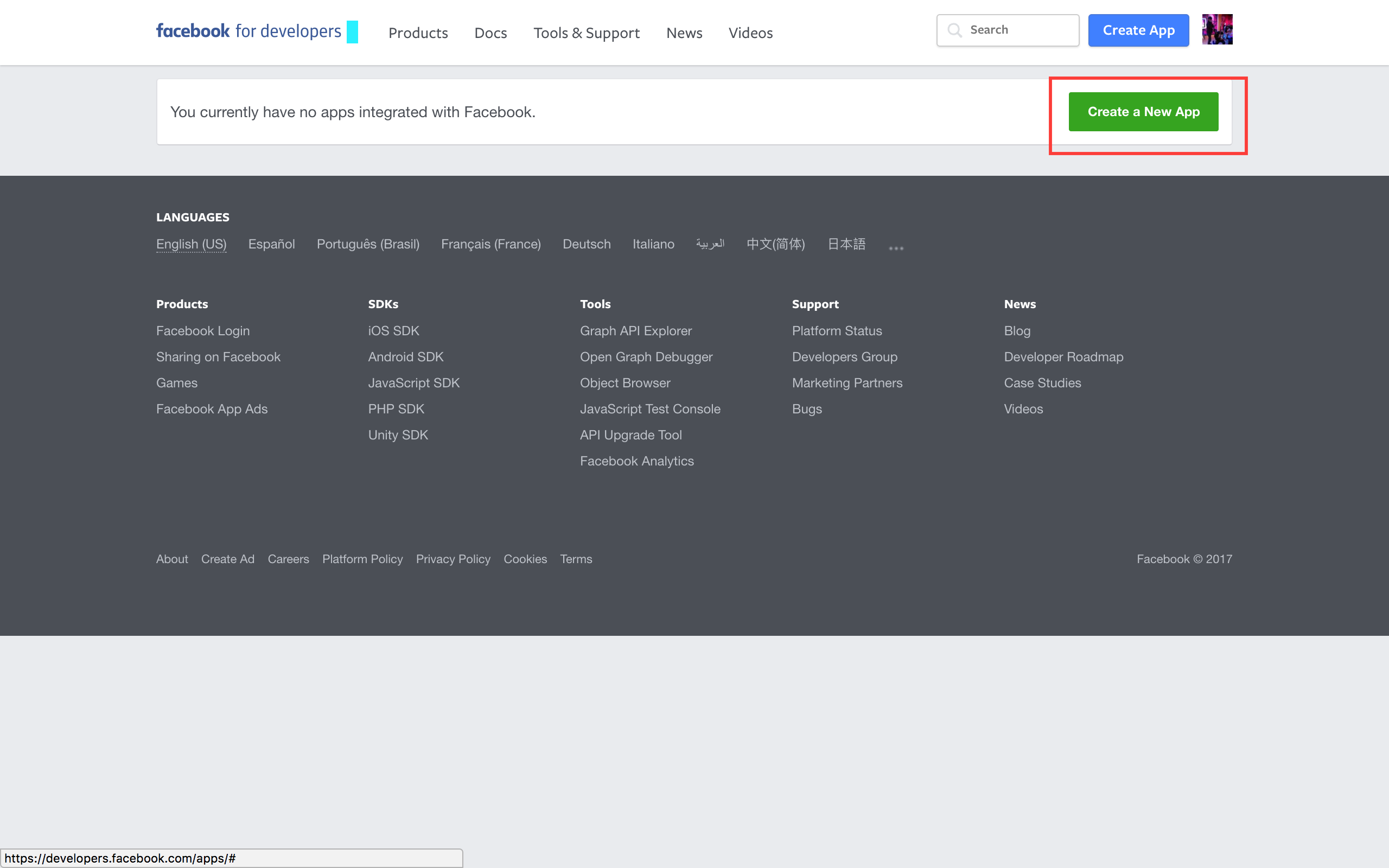
* Navigate to https://developers.facebook.com/apps/
* Click on **'+ Create a new app’**.
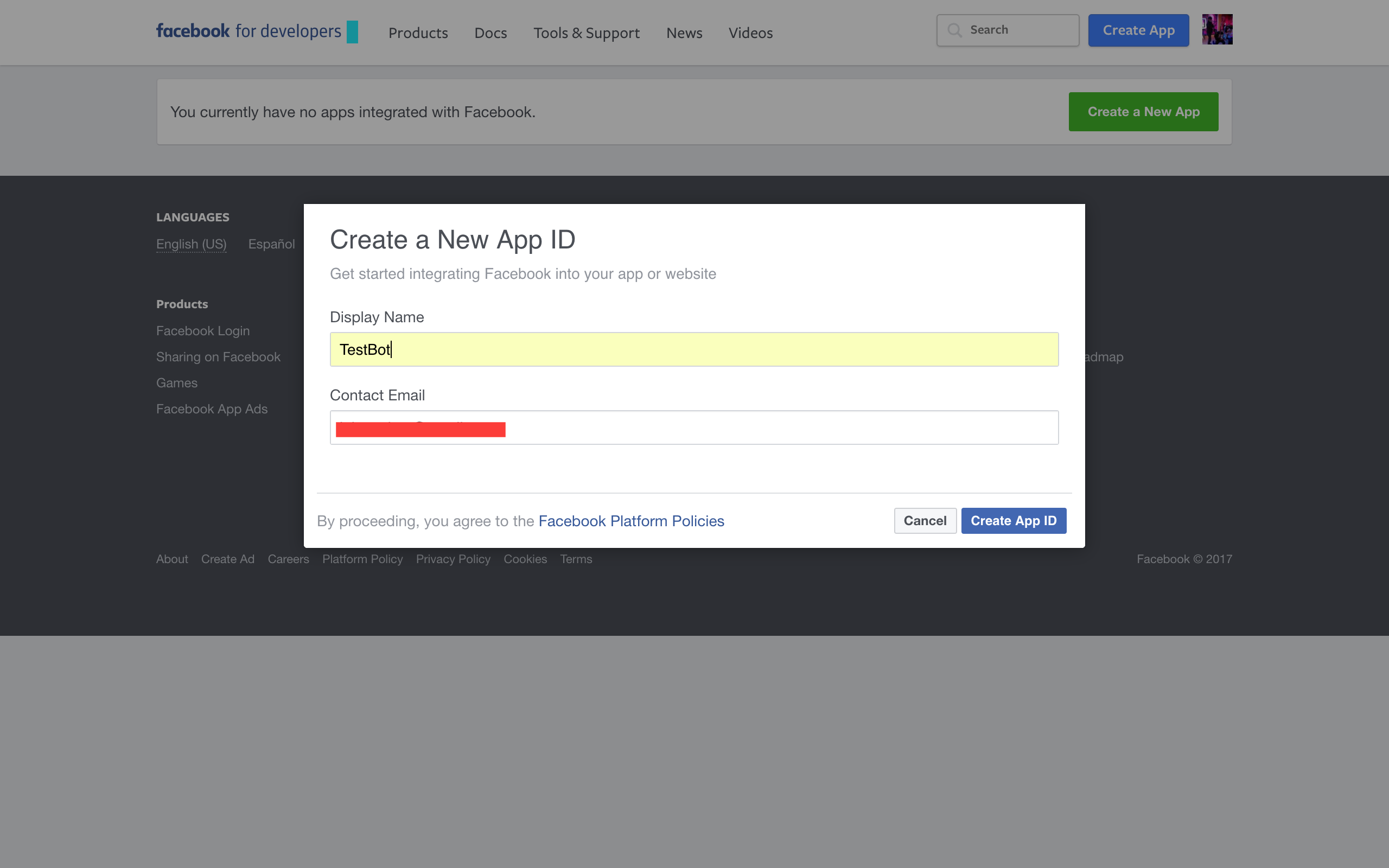
* Give a display name for your app and a contact email.
* In the select a product screen, hover over **Messenger** and click on **Set Up**

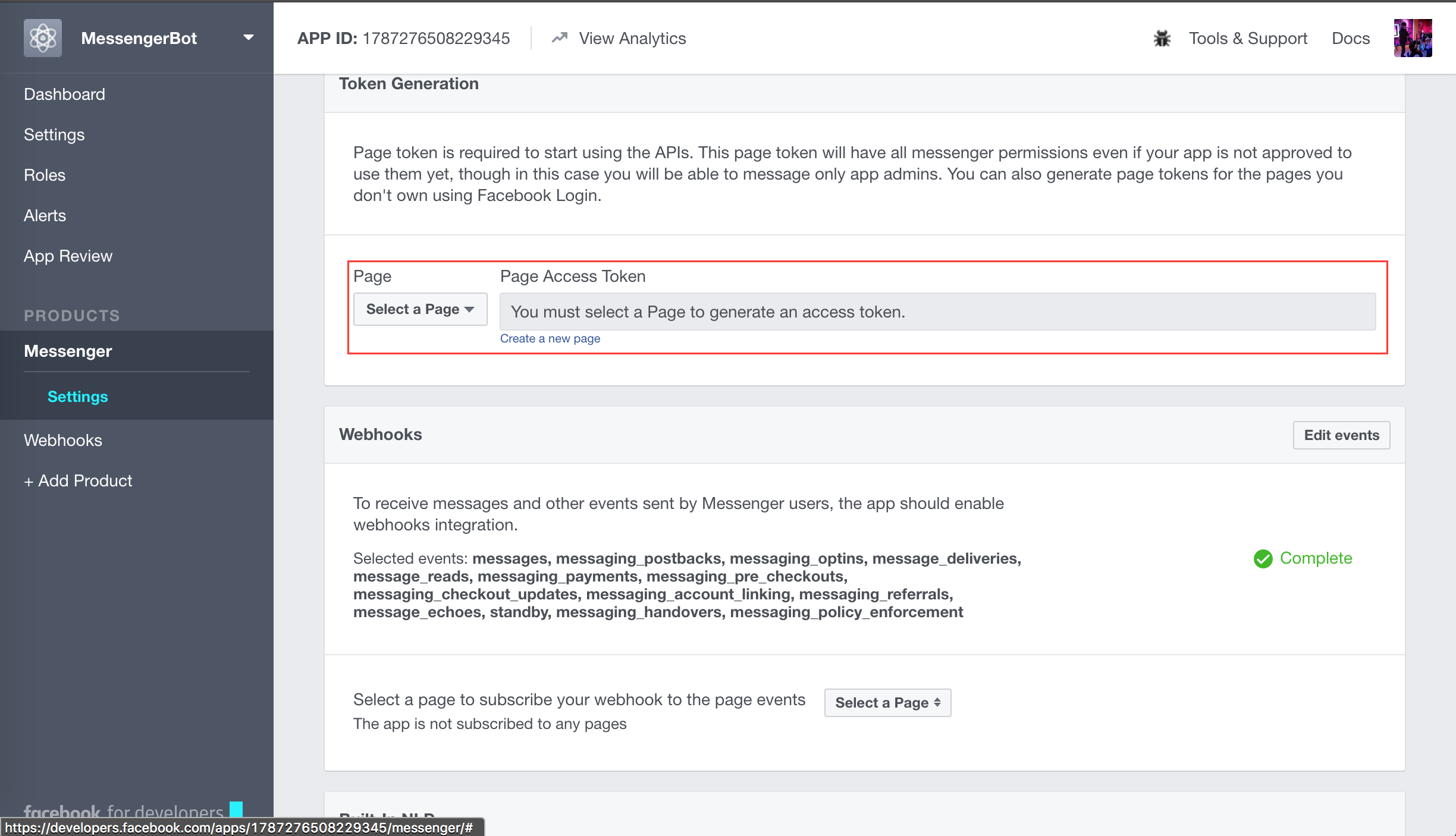
* To start using the bot, we need a facebook page to host our bot.
+ Scroll over to the **Token Generation** section
+ Choose a page from the dropdown (Incase you do not have a page, create one)
+ Once you have selected a page, a *Page Access Token* will be generated for you.
+ Save this token somewhere.
* Now, we need to trigger the facebook app to start sending us messages
- Switch back to the terminal
- Paste the following command:
```sh
# Replace with the page access token you just generated.
$ curl -X POST "https://graph.facebook.com/v2.6/me/subscribed_apps?access_token="
```
### Getting the Hasura project
```sh
$ hasura quickstart jaison/fb-bot
$ cd fb-bot
# Add FACEBOOK_VERIFY_TOKEN to secrets. This is any pass phrase that you decide on, keep a note on what you are choosing as your verify token, we will be using it later while setting things up for your bot on the facebook developer page.
$ hasura secrets update bot.fb_verify_token.key
# Add FACEBOOK_PAGE_ACCESS_TOKEN to secrets
$ hasura secrets update bot.fb_page_token.key
# Deploy
$ git add . && git commit -m "Deployment commit"
$ git push hasura master
```
After the `git push` completes:
```sh
$ hasura microservice list
```
You will get an output like so:
```sh
INFO Getting microservices...
INFO Custom microservices:
NAME STATUS INTERNAL-URL(tcp,http) EXTERNAL-URL
bot Running bot.default https://bot.apology69.hasura-app.io
INFO Hasura microservices:
NAME STATUS INTERNAL-URL(tcp,http) EXTERNAL-URL
auth Running auth.hasura https://auth.apology69.hasura-app.io
data Running data.hasura https://data.apology69.hasura-app.io
filestore Running filestore.hasura https://filestore.apology69.hasura-app.io
gateway Running gateway.hasura
le-agent Running le-agent.hasura
notify Running notify.hasura https://notify.apology69.hasura-app.io
platform-sync Running platform-sync.hasura
postgres Running postgres.hasura
session-redis Running session-redis.hasura
sshd Running sshd.hasura
vahana Running vahana.hasura
```
Find the EXTERNAL-URL for the service named `bot`(in this case -> https://bot.apology69.hasura-app.io).
### Enabling webhooks
In your fb app page, scroll down until you find a card name `Webhooks`. Click on the `setup webhooks` button.
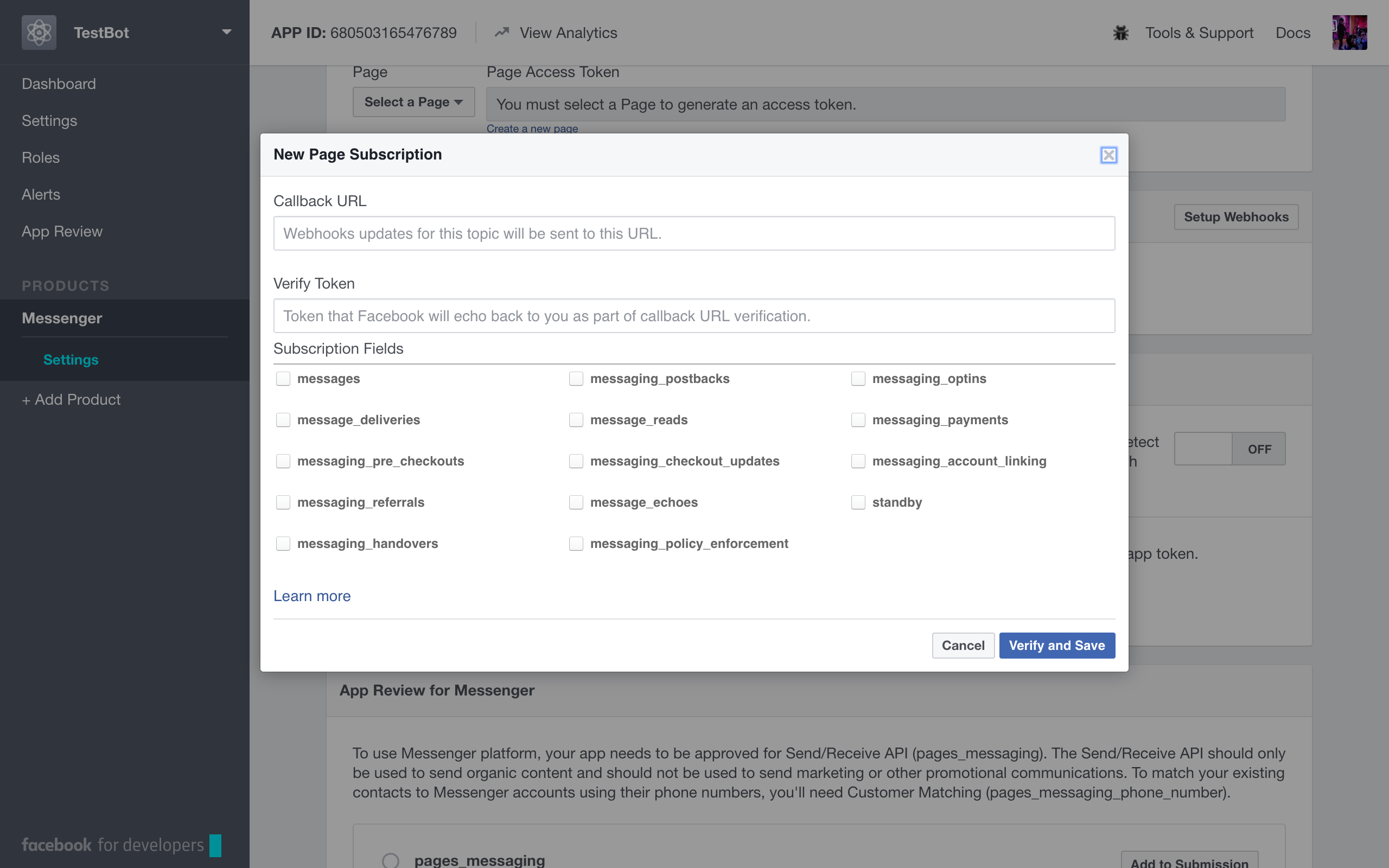
* The `callback URL` is the URL that the facebook servers will hit to verify as well as forward the messages sent to our bot. The nodejs app in this project uses the `/webhook` path as the `callback URL`. Making the `callback URL` https://bot.YOUR-CLUSTER-NAME.hasura-app.io/webhook (in this case -> https://bot.apology69.hasura-app.io/webhook/)
* The `verify token`is the verify token that you set in your secrets above (in the command $ hasura secrets update bot.fb_verify_token.key )
* After selecting all the `Subsciption Fields`. Submit and save.
* You will also see another section under `Webhooks` that says `Select a page to subscribe your webhook to the page events`, ensure that you select the respective facebook page here.
Next, open up your facebook page.
* Hover over the **Send Message** button and click on Test Button.
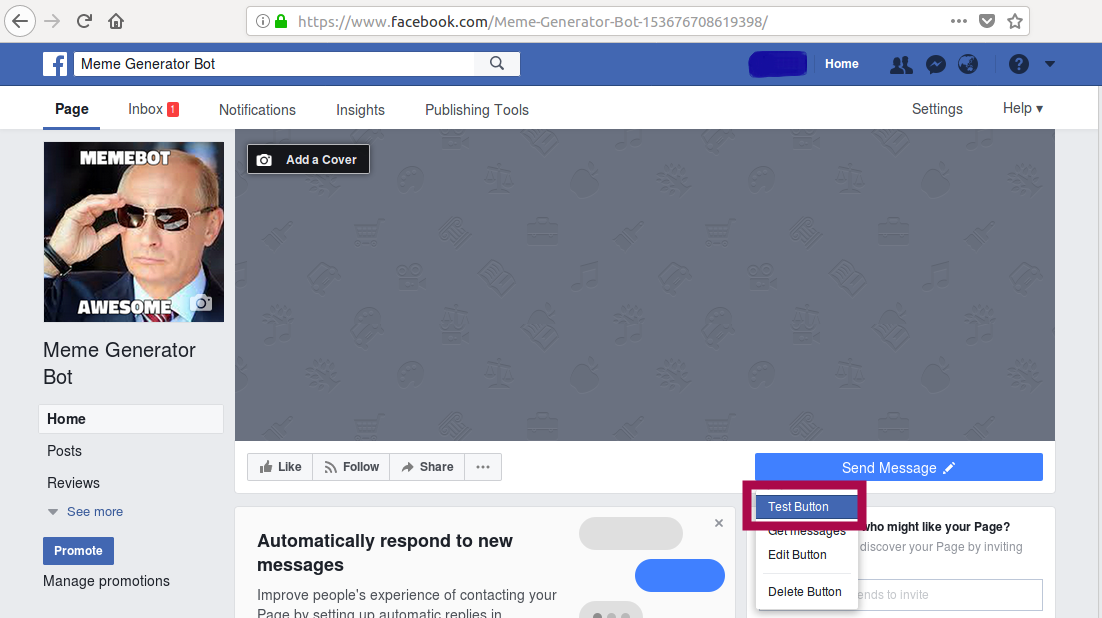
* Send a message to your bot.
Test out your bot, on receiving an image it should ask for upper text and lower text and respond with the image of the meme.
## Support
If you happen to get stuck anywhere, feel free to raise an issue [here](https://github.com/iamvinit/FBmemebot)