https://github.com/iansinnott/darkly-darker-theme
A dark Chrome theme
https://github.com/iansinnott/darkly-darker-theme
Last synced: 12 months ago
JSON representation
A dark Chrome theme
- Host: GitHub
- URL: https://github.com/iansinnott/darkly-darker-theme
- Owner: iansinnott
- Created: 2016-09-07T23:56:20.000Z (almost 10 years ago)
- Default Branch: master
- Last Pushed: 2020-10-23T12:54:17.000Z (over 5 years ago)
- Last Synced: 2025-04-11T20:38:36.949Z (about 1 year ago)
- Language: JavaScript
- Homepage:
- Size: 107 KB
- Stars: 7
- Watchers: 2
- Forks: 3
- Open Issues: 0
-
Metadata Files:
- Readme: README.md
Awesome Lists containing this project
README
# Darkly Darker
A dark Chrome theme

The initial inspiration for this theme was the Arc Theme: https://github.com/horst3180/arc-theme
## Installation
**Step 1:**
### [Download the theme](https://github.com/iansinnott/darkly-darker-theme/raw/master/darkly_darker_chrome_theme.crx)
**Step: 2:**
Open the Chrome Extensions panel by going to `chrome://extensions/`. Paste that into Chrome to get to your extensions.
**Step: 2:**
Drag and drop the `.crx` file you just downloaded here. The theme will now be applied.
## Screenshots
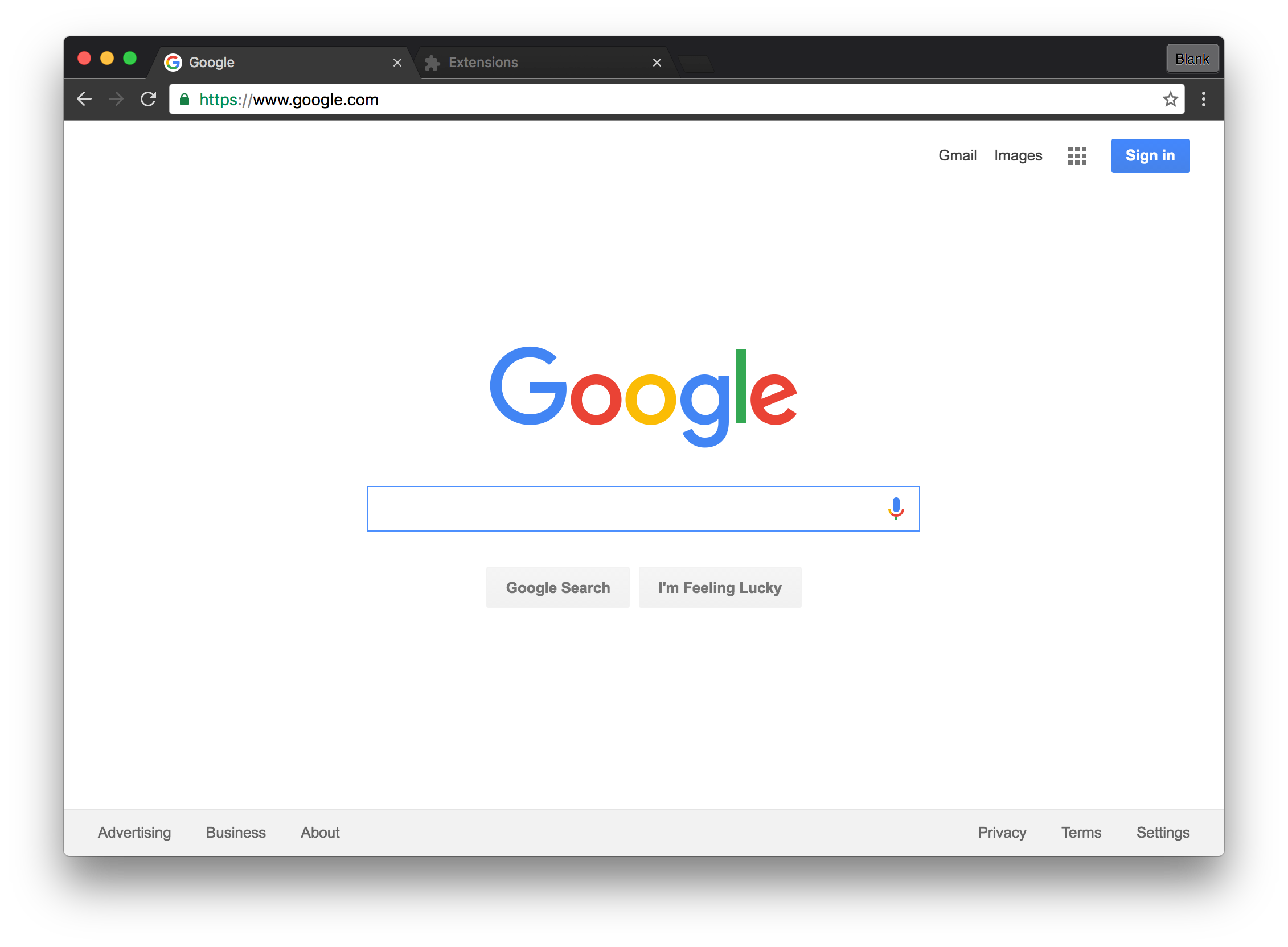
I find this theme especially pleasant when used with the Chrome Devtools dark theme:

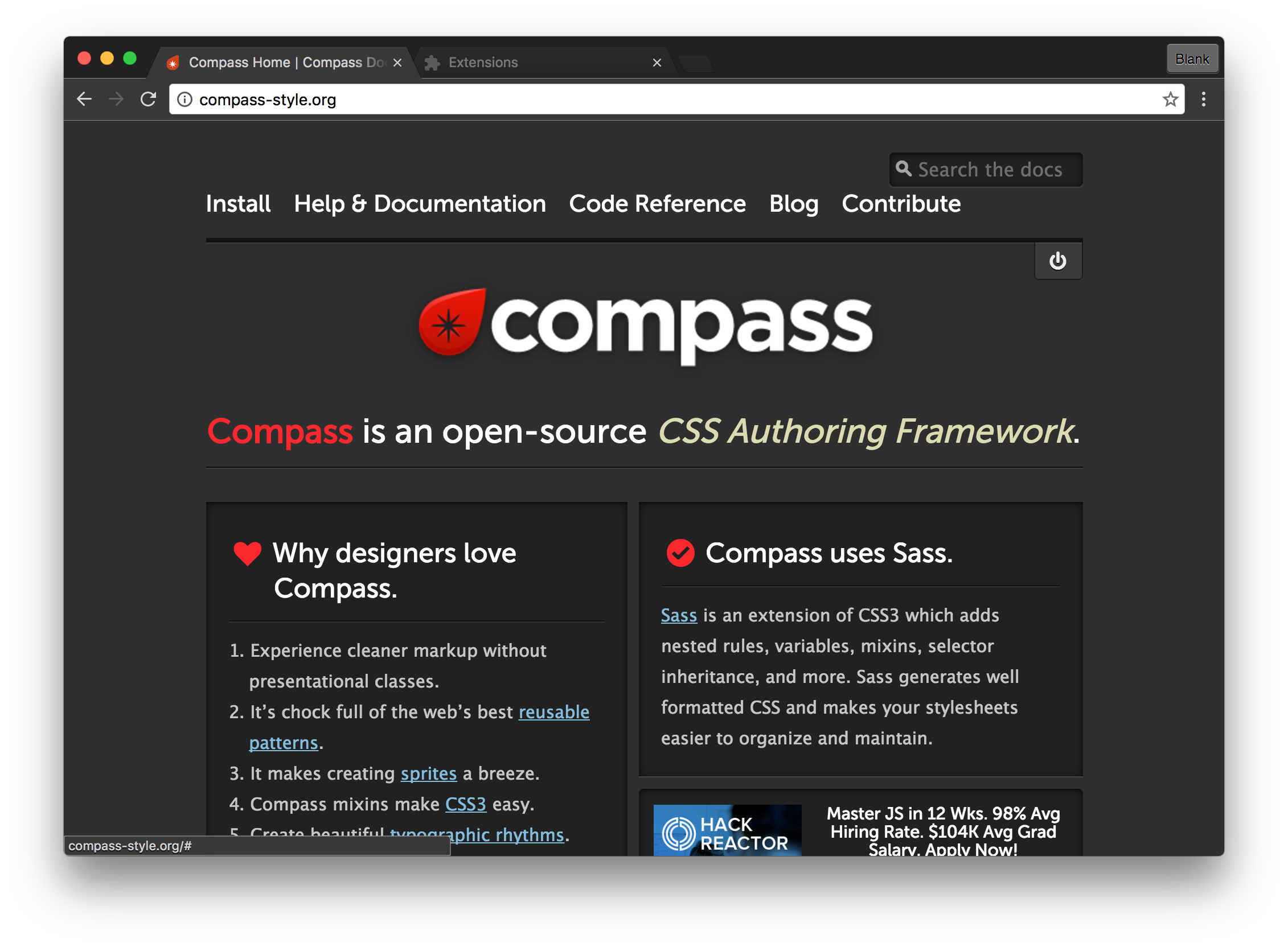
It also works quite nicely when viewing any site that already has a dark theme, like [compass-style.org](http://compass-style.org/):
The incognito styling is also purple to differentiate between normal and private browsing:

---
## Theme Docs
**Helpful Articles:**
* https://developer.chrome.com/extensions/themes
* https://www.quora.com/How-can-I-create-my-own-chrome-theme
* https://sites.google.com/site/gsugsa/google-apps/google-chrome/how-to-create-a-theme
The closest thing I could find to docs was the source that seems to control the theme:
**Terminology:**
* **ntp**: I think this stands for something like "no tab present"
**Constants:**
https://src.chromium.org/viewvc/chrome/trunk/src/chrome/browser/themes/theme_properties.h
**Logic:**
https://src.chromium.org/viewvc/chrome/trunk/src/chrome/browser/themes/theme_service.cc
**As JSON:**
```json
{
"theme": {
"colors": {
"frame",
"frame_inactive",
"frame_incognito",
"frame_incognito_inactive",
"toolbar",
"tab_text",
"background_tab_text",
"bookmark_text",
"ntp_background",
"ntp_text",
"ntp_link",
"ntp_link_underline",
"ntp_header",
"ntp_section",
"ntp_section_text",
"ntp_section_link",
"ntp_section_link_underline",
"button_background",
},
"tints": {
"buttons",
"frame",
"frame_inactive",
"frame_incognito",
"frame_incognito_inactive",
"background_tab",
},
"properties": {
"ntp_background_alignment",
"ntp_background_tiling",
"ntp_logo_alternate"
}
}
}
```