https://github.com/ibm-wm-transition/transform-json
Following instructions will get you a copy of the specific JSON transform in your webMethods.io Integration tenant.
https://github.com/ibm-wm-transition/transform-json
webmethods webmethods-io-integration
Last synced: 4 months ago
JSON representation
Following instructions will get you a copy of the specific JSON transform in your webMethods.io Integration tenant.
- Host: GitHub
- URL: https://github.com/ibm-wm-transition/transform-json
- Owner: ibm-wm-transition
- License: apache-2.0
- Created: 2020-07-30T12:09:59.000Z (almost 6 years ago)
- Default Branch: master
- Last Pushed: 2025-06-27T20:42:19.000Z (11 months ago)
- Last Synced: 2026-01-20T05:53:16.897Z (4 months ago)
- Topics: webmethods, webmethods-io-integration
- Homepage:
- Size: 56.6 KB
- Stars: 0
- Watchers: 1
- Forks: 0
- Open Issues: 0
-
Metadata Files:
- Readme: README.md
- License: LICENSE
Awesome Lists containing this project
README
# Transform-JSON
## Getting Started
Following instructions will get you a copy of the specific JSON transform in your webMethods.io Integration tanent.
List of JSON transform available in the webMethods.io Integration are:
1. Parse : This operation lets you parse the given object.
2. Stringify: This operation lets you stringify the given object.
### Prerequisites
1. An account in [webmethod.io](https://www.softwareag.cloud/site/product/webmethods-io-integration.html) with webMethods.io Integration access.
### Importing the recipie to your webMethods.io Integration tanent:
1. Download the zip file from this github page.
2. Log in to your webmethod.io account then go to `webMethods.io Integration`.
3. Select `Reciepes` the click on `Import`.

4. Then select the downloaded file and click on `open`.

5. After that you will be able the workflow in your recipie list.

6. Click on that workflow and then select the project name where you want to import the workflow and click on `Done`.

7. After that you will see a short description about that transform along with the workflow name. Click on `Import` here.

Yeee now you have succesfully imported the work flow.
### Run the workflow:
1. Go to that specific project where you have imported the workflow. Hover over the workflow that you have imported and click on `edit`.

2. Click on the `edit` icon present in the top left corner.
.
3. Now go to the workflow description and coppy the requested body. `only the JSON part`. And click `Done`.

4. Now `double click` on the start .
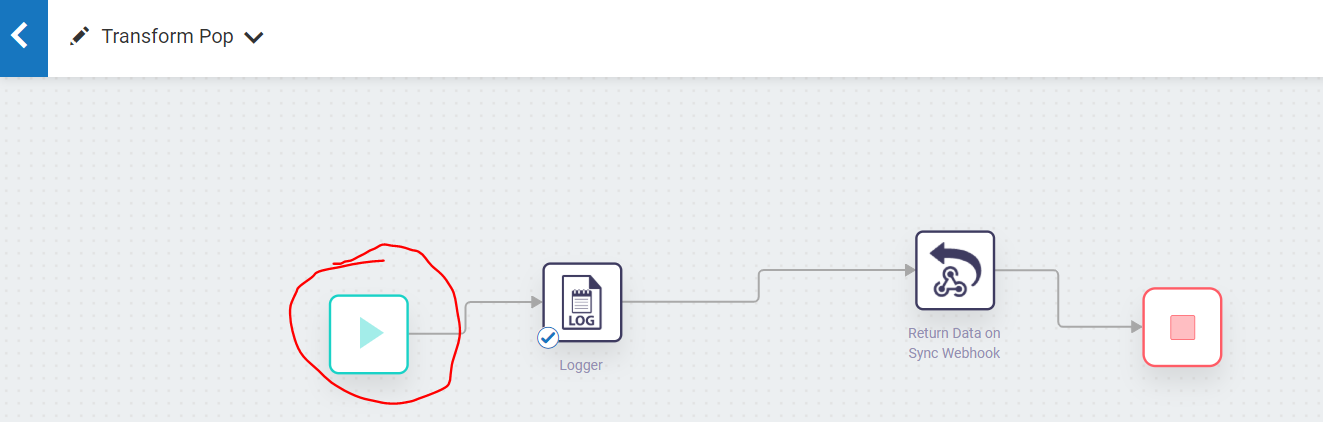.
5. From the list click on webhook.

6. Click `Next`.
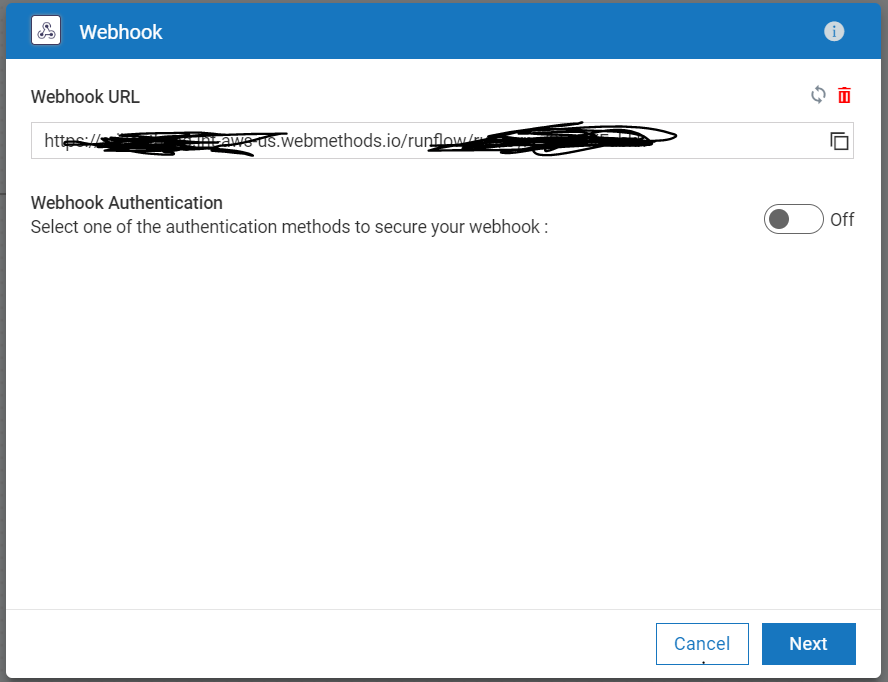
7. Now paste the coppied data in to the body and click `Next` and then `Done`.

8. Now run the workflow it will give you output in the logger.

### Test With other input:
1. Open the weebhook and change the data inside the body. Donot change the formte of the data. ie. "data1" is the formate of the data is JSON.

2. Now run the workflow it will give you output in the logger. Here you can see the new array after a pop.
--------
These tools are provided as-is and without warranty or support. They do not constitute part of the webMethods product suite. Users are free to use, fork and modify them, subject to the license agreement. While we welcome contributions, we cannot guarantee to include every contribution in the master project.