https://github.com/ic005k/knot
Record Everything.
https://github.com/ic005k/knot
cloud-sync cross-platform e-reader event-logger fitness-tracker note-taking productivity todo-app
Last synced: about 1 month ago
JSON representation
Record Everything.
- Host: GitHub
- URL: https://github.com/ic005k/knot
- Owner: ic005k
- License: mit
- Created: 2025-04-19T12:17:20.000Z (about 1 year ago)
- Default Branch: main
- Last Pushed: 2026-04-11T03:00:57.000Z (3 months ago)
- Last Synced: 2026-04-11T05:09:38.293Z (3 months ago)
- Topics: cloud-sync, cross-platform, e-reader, event-logger, fitness-tracker, note-taking, productivity, todo-app
- Language: C++
- Homepage:
- Size: 54.8 MB
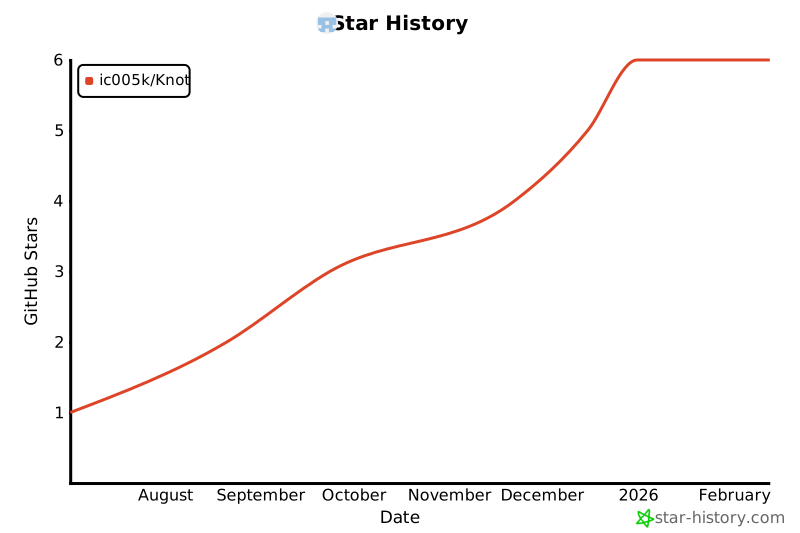
- Stars: 7
- Watchers: 1
- Forks: 1
- Open Issues: 0
-
Metadata Files:
- Readme: README.md
- License: LICENSE
- Security: SECURITY.md
Awesome Lists containing this project
README
# Knot - Minimalist Cross-Scenario Recording Tool


## 🌟 Project Overview
**Knot** is an intelligent multi-scenario recording tool inspired by the minimalist concept of ancient "knot-tying" memorization. By integrating core modules such as todo lists, smart notes, and document reading with multi-platform client support, we create a full-scenario productivity toolchain.
*Etymology*: Just as ancient civilizations recorded important events with physical knots, we continue this simple yet efficient concept through digital "knots".
[](https://github.com/ic005k/Knot/blob/main/stats.txt)
*Click to view code lines statistics (updated automatically)*
## 📱 Core Features
### Multi-modal Recording System
- **Smart Todo List**
Supports voice input (long-press add button), recurring reminders, and intelligent sorting
- **Markdown Notes**
Real-time preview + Syntax highlighting + Image/attachment embedding
- **Exercise Tracker**
Precision pedometer + GPS trajectory recording (cycling/running scenarios)
- **Data Dashboard**
Visualized statistics + Periodic report generation
### Multi-format Document Support
- E-book reader (EPUB/PDF/TXT)
- Document annotation system
- Cross-document content search
### Data Management System
- Local/cloud dual backup (WebDAV/OneDrive)
- Encrypted data synchronization (AES-256)
- Cross-platform data migration (Import/Export)
## 🖥️ Multi-Platform Support
| Platform | Core Features | Sync Solutions |
|-------------|------------------------------|-----------------------------|
| Android | Full feature experience | Native cloud sync + Local backup |
| Windows | Note/Todo editing | Syncthing/WebDAV |
| macOS | Note/Todo editing | Syncthing/WebDAV |
| Linux | Note/Todo editing | Syncthing/WebDAV |
## ⚙️ User Guide
### Cloud Sync Configuration
1. **WebDAV Sync**
`Main Menu > Cloud Sync` Configure server parameters and enable "Auto-Sync"
2. **Data Encryption**
`Settings > Preferences` Enable encryption for cloud data security
### Real-time Reminder Setup
1. Open Android System Settings
2. Navigate to "App Startup Management"
3. Allow Knot's background activities
### Permission Specifications
| Permission Type | Usage Scenario | Configuration Path |
|------------------|-------------------------------|-----------------------------|
| Storage | Local data storage | Auto-request on first launch|
| Microphone | Voice memo functionality | Long-press add button in Todo UI |
| Camera | Note photography | Attachment menu in note editor |
| GPS | Exercise trajectory recording| Activated in location services module |
| Notification | Todo reminder | Auto-request on first launch |
| Step Counter | Step counting | Activated in fitness module |
---
# Background Permissions Setup Guide
## 1. Why Enable These Permissions?
Enabling the following permissions ensures core app functionality works properly:
- **Instant Task Reminders**: Prevents the system from closing the app during sleep mode to avoid missing critical alerts
- **Continuous Activity Tracking**: Allows GPS to record workout routes in the background (e.g., running, cycling)
- **Feature Integration**: Enables interaction with other apps/services (e.g., adding tasks from calendar)
> ⚠️ Potential issues if disabled:
> • Delayed or missed reminders
> • Interrupted workout tracking
> • Some integration features unavailable
## 2. How to Configure? (Universal Steps)
Follow these steps (menu names may vary slightly across devices):
1. **Open System Settings**
`Settings` → `Apps` / `Application Manager`
2. **Locate This App**
Select the app from the list (use search bar if available)
3. **Enable Required Permissions**
Activate these options as needed:
✅ `Auto-start`
✅ `Associated startup`
✅ `Allow background activity`
✅ Disable `Battery optimization`/`Power saving restrictions`
4. **Brand-Specific Settings Paths**
| Brand | Additional Configuration Path |
|-------------|-----------------------------------------|
| Xiaomi | Security Center → Permissions |
| Huawei | Battery Optimization → All Apps List |
| OPPO | Battery → High Power Consumption Protection |
| vivo | Background Power Management → Allow Background |
| Samsung | Settings → Battery → Background Usage Limits |
| Google (Pixel) | Settings → Apps → [App Name] → Battery → Unrestricted |
---
## 📥 Download & Installation
**Latest Version Acquisition:**
- Scan QR code (Recommended for Android)

- [GitHub Releases](https://github.com/ic005k/Knot/releases)
- [API](https://api.github.com/repos/ic005k/Knot/releases/latest)
## Download Statistics
| Platform | Release File | Downloads |
|------------|-----------------------------------|--------------------------------------------------------------------------|
| Android | `android-build-release-signed.apk` |  |
| Linux | `Knot-Linux-x86_64.AppImage` |  |
| macOS | `Knot-Mac.dmg` |  |
| Windows | `Knot-Win64.zip` |  |
| **Total** | - |  |
## 🔒 Data Security Architecture
```mermaid
graph LR
A[Local Device] -->|AES-256 Encryption| B(WebDAV Server)
B --> D[Multi-device Decryption Sync]
```
---
## 📜 Complete Open Source Acknowledgments
All dependencies are preserved in original format for maintenance and upgrades:
### Document Processing Components
| Project Name | Functionality | Repository Link |
|--------------|---------------|-----------------|
| **cmark-gfm** | GitHub-flavored Markdown extension | [github/cmark-gfm](https://github.com/github/cmark-gfm) |
### Security & Utility Libraries
| Project Name | Functionality | Repository Link |
|--------------|---------------|-----------------|
| **Qt-AES** | Data encryption module | [bricke/Qt-AES](https://github.com/bricke/Qt-AES) |
| **quazip** | Compression/archive support | [stachenov/quazip](https://github.com/stachenov/quazip) |
| **ini4j** | Configuration file management | [ini4j](https://ini4j.sourceforge.net/) |
| **zlib** | Data compression algorithm | [zlib.net](https://zlib.net/) |
### UI & Auxiliary Tools
| Project Name | Functionality | Repository Link |
|--------------|---------------|-----------------|
| **QScintilla** | Desktop note editor | [QScintilla](https://riverbankcomputing.com/software/qscintilla/download) |
### Android-specific Components
| Project Name | Functionality | Repository Link |
|--------------|---------------|-----------------|
| **AndroidPdfViewerDemo** | Android PDF rendering | [DImuthuUpe/AndroidPdfViewer](https://github.com/DImuthuUpe/AndroidPdfViewer) |
| **Markwon** | Android Markdown rendering | [noties/Markwon](https://github.com/noties/Markwon) |
| **Prism4j** | Code highlighting support | [noties/Prism4j](https://github.com/noties/Prism4j) |
### Other Dependencies
| Project Name | Functionality | Repository Link |
|--------------|---------------|-----------------|
| **iconfinder** | Icon resources | [iconfinder](https://www.iconfinder.com/) |
| **cppjieba** | Chinese text segmentation | [yanyiwu/cppjieba](https://github.com/yanyiwu/cppjieba) |
---
## 🔗 Maintenance Reference
Recommended dependency update monitoring:
```bash
# Check repository status using GitHub CLI
gh repo view [REPO_NAME] --json name,url,updatedAt,pushedAt
```
All components follow their original open source licenses. Verify during upgrades:
1. License compatibility (GPL/LGPL/MIT)
2. API changelogs
3. Binary compatibility testing
---
> We welcome community contributions. Full technical documentation: [Technical Architecture](https://github.com/ic005k/Knot/wiki/Technical-Architecture)
> Complete dependency list: [build.gradle](https://github.com/ic005k/Knot/blob/main/android/build.gradle)
---
[](https://star-history.com/#ic005k/Knot&Date)