https://github.com/icapps/flutter-custom-image-crop
A flutter package to support a customizable image cropper.
https://github.com/icapps/flutter-custom-image-crop
crop customizable image-cropper
Last synced: about 1 year ago
JSON representation
A flutter package to support a customizable image cropper.
- Host: GitHub
- URL: https://github.com/icapps/flutter-custom-image-crop
- Owner: icapps
- License: mit
- Created: 2021-02-15T15:36:20.000Z (over 5 years ago)
- Default Branch: main
- Last Pushed: 2024-12-30T16:25:00.000Z (over 1 year ago)
- Last Synced: 2025-05-25T22:03:41.690Z (about 1 year ago)
- Topics: crop, customizable, image-cropper
- Language: Dart
- Homepage:
- Size: 7.11 MB
- Stars: 45
- Watchers: 9
- Forks: 41
- Open Issues: 9
-
Metadata Files:
- Readme: README.md
- Changelog: CHANGELOG.md
- License: LICENSE
Awesome Lists containing this project
README
# custom_image_crop
An Image cropper that is customizable
[](https://pub.dartlang.org/packages/custom_image_crop)
[](https://app.travis-ci.com/icapps/flutter-custom-image-crop)
[](https://coveralls.io/github/icapps/flutter-custom-image-crop?branch=main)
[](https://lbesson.mit-license.org/)
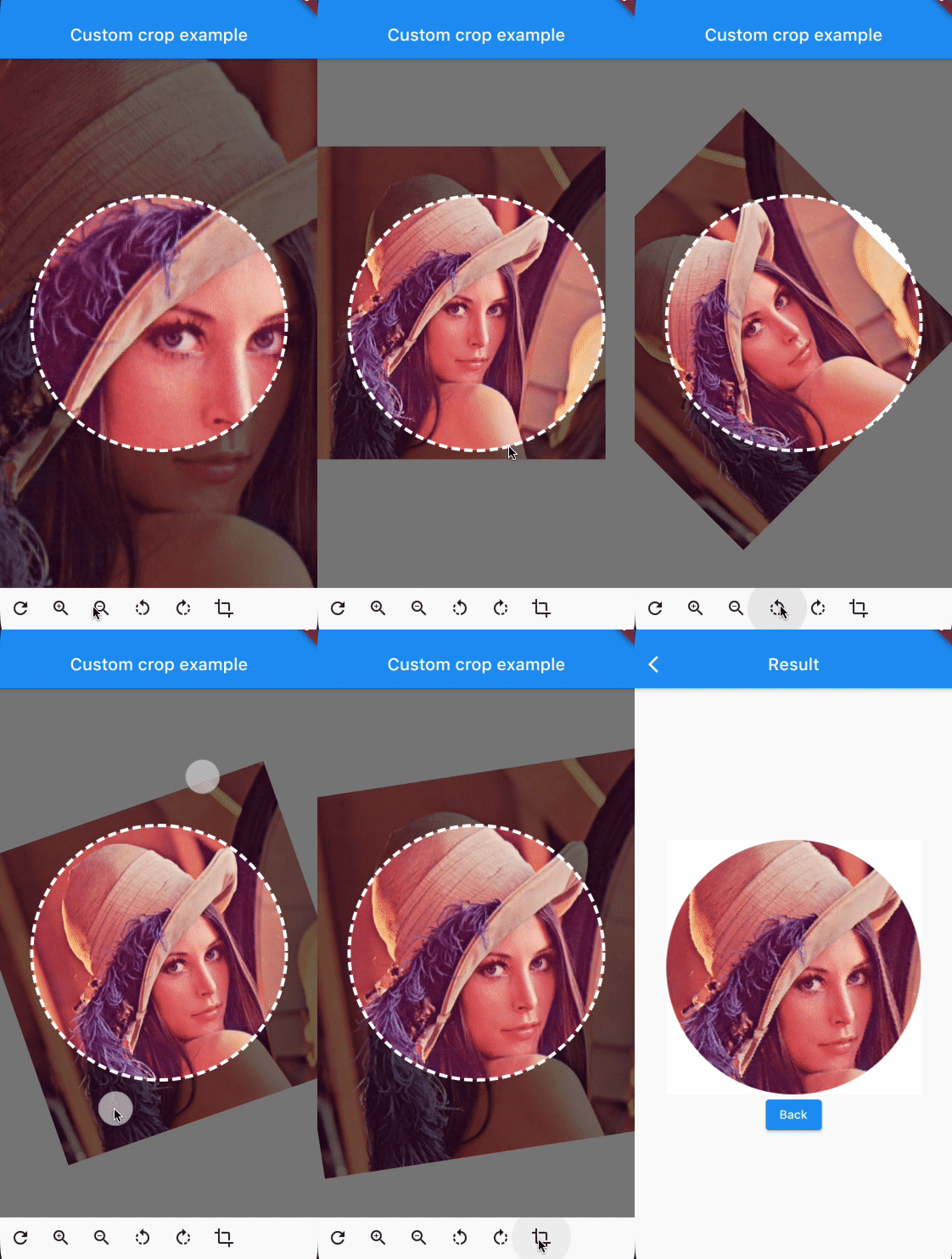

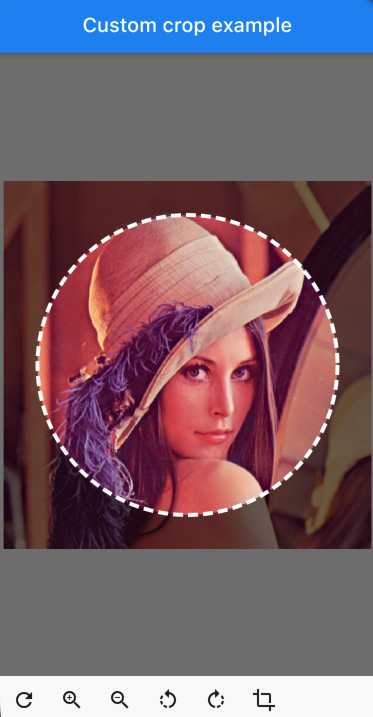
# CustomImageCrop
```dart
CustomImageCrop(
cropController: controller,
image: const AssetImage('assets/test.png'),
),
```
You can provide the image using any Imageprovider.
## Parameters
### required image
The image that needs to be cropped
### cropController
The controller used to adjust the image and crop it.
### overlayColor
The color above the image that will be cropped
### backgroundColor
The color behind the image. This color will also be used when there are gaps/empty space after the cropping
### shape
The shape of the cropping path.
### maskShape
The shape of the UI masking.
### cropPercentage
How big the crop should be in regards to the width and height available to the cropping widget.
### drawPath
How the border of the crop should be painted. default DottedCropPathPainter.drawPath and SolidCropPathPainter.drawPath are provided, but you can create/provide any CustomPaint.
### pathPaint
Custom painting for the crop area border style.
### canRotate
Whether to allow the image to be rotated.
### customProgressIndicator
Custom widget for progress indicator.
### ratio
Ratio of the cropping area.
If ` shape`` is set to `CustomCropShape.Ratio`, this property is required.
For example, to create a square crop area, use `[`Ratio(width: 1, height: 1)`.
To create a rectangular crop area with a 16:9 aspect ratio, use `[`Ratio(width: 16, height: 9)`.
### borderRadius
The radius for rounded corners of the cropping area.
### forceInsideCropArea
Whether image area must cover clip path.
# Controller Methods
## addTransition
`void addTransition(CropImageData transition)`
Add the position, angle and scale to the current state. This can be used to adjust the image with sliders, buttons, etc.
## setData
`void setData(CropImageData data)`
Set the position, angle and scale to the specified values. This can be used to center the image by pressing a button for example.
## reset
`void reset()`
Reset the image to its default state
## onCropImage
`Future onCropImage()`
Crops the image in its current state, this will return a MemoryImage that contains the cropped image
# Example
See example/lib
```dart
class MyHomePage extends StatefulWidget {
final String title;
MyHomePage({
required this.title,
Key? key,
}) : super(key: key);
@override
_MyHomePageState createState() => _MyHomePageState();
}
class _MyHomePageState extends State {
late CustomImageCropController controller;
@override
void initState() {
super.initState();
controller = CustomImageCropController();
}
@override
void dispose() {
controller.dispose();
super.dispose();
}
@override
Widget build(BuildContext context) {
return Scaffold(
appBar: AppBar(
title: Text(widget.title),
brightness: Brightness.dark,
),
body: Column(
children: [
Expanded(
child: CustomImageCrop(
cropController: controller,
image: const AssetImage('assets/test.png'), // Any Imageprovider will work, try with a NetworkImage for example...
),
),
Row(
children: [
IconButton(icon: const Icon(Icons.refresh), onPressed: controller.reset),
IconButton(icon: const Icon(Icons.zoom_in), onPressed: () => controller.addTransition(CropImageData(scale: 1.33))),
IconButton(icon: const Icon(Icons.zoom_out), onPressed: () => controller.addTransition(CropImageData(scale: 0.75))),
IconButton(icon: const Icon(Icons.rotate_left), onPressed: () => controller.addTransition(CropImageData(angle: -pi / 4))),
IconButton(icon: const Icon(Icons.rotate_right), onPressed: () => controller.addTransition(CropImageData(angle: pi / 4))),
IconButton(
icon: const Icon(Icons.crop),
onPressed: () async {
final image = await controller.onCropImage();
if (image != null) {
Navigator.of(context).push(MaterialPageRoute(builder: (BuildContext context) => ResultScreen(image: image)));
}
},
),
],
),
SizedBox(height: MediaQuery.of(context).padding.bottom),
],
),
);
}
}
```