https://github.com/icyphox/crap
🗑️ `rm` files without fear
https://github.com/icyphox/crap
cli crap files rm trash
Last synced: about 1 year ago
JSON representation
🗑️ `rm` files without fear
- Host: GitHub
- URL: https://github.com/icyphox/crap
- Owner: icyphox
- License: mit
- Created: 2018-11-06T11:10:50.000Z (over 7 years ago)
- Default Branch: master
- Last Pushed: 2020-06-06T11:19:05.000Z (about 6 years ago)
- Last Synced: 2025-04-17T13:03:33.384Z (over 1 year ago)
- Topics: cli, crap, files, rm, trash
- Language: Nim
- Homepage:
- Size: 22.5 KB
- Stars: 32
- Watchers: 2
- Forks: 2
- Open Issues: 0
-
Metadata Files:
- Readme: readme.md
- License: LICENSE
Awesome Lists containing this project
README

> `rm` files without fear
### Why?
Ever `rm`ed a file and instantly regretted it? Fear not, for `crap` is here.
### How?
`crap` follows the FreeDesktop.org Trash spec. So instead of perma-deleting your file, `crap` moves it to the `$XDG_DATA_HOME/Trash` folder. If this environment variable isn't set, it defaults to `~/.local/share/Trash`.
And obviously, ***this works only on Linux***.
## Installation
```console
$ nimble install crap
```
or download the binary from the [Releases](https://github.com/icyphox/crap/releases/) page.
### Tip
Alias `crap` to `rm` in your `.bashrc`/`.zshrc`. But that's kinda the point.
## Usage
```console
$ crap foo.png
$ crap *.png
$ crap a.pdf b.jpg c.mp4
```
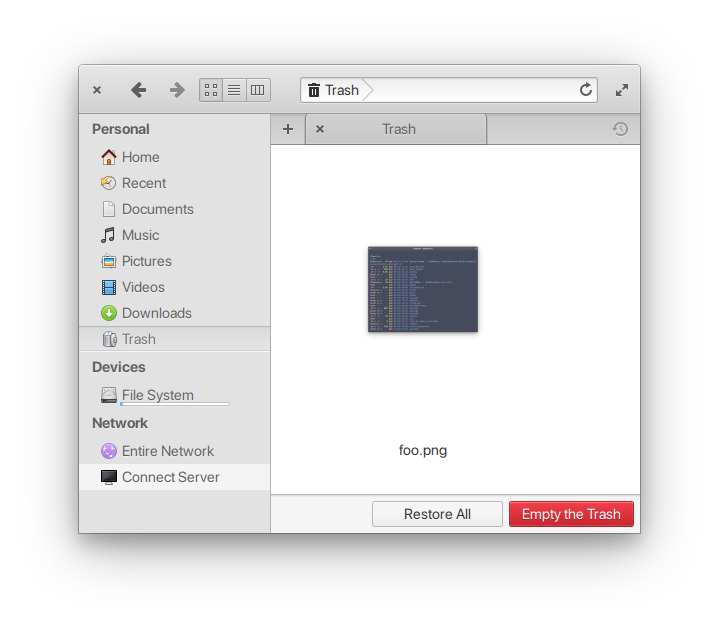
Aaannddd it'll show up in your file manager's Trash.
## API
This package exposes a single proc: `crap(path: var string)`
```nim
import crap
crap("~/Pictures/*")
```
## TODO
- [x] support multiple files
- [x] trashing dirs
- [ ] support for other OSs (idk maybe)
## Prior art
- [sindresorhus/trash-cli](https://github.com/sindresorhus/trash-cli)
## Contributing
Bad code? New feature in mind? Open an issue. Better still, learn [Nim](https://nim-lang.org/documentation.html) and shoot a PR :sparkles:
## License
MIT © [Anirudh Oppiliappan](https://icyphox.sh)