https://github.com/ideaspacevr/aframe-360-degree-photosphere
This theme is deprecated. Find the new one here:
https://github.com/ideaspacevr/aframe-360-degree-photosphere
Last synced: about 1 year ago
JSON representation
This theme is deprecated. Find the new one here:
- Host: GitHub
- URL: https://github.com/ideaspacevr/aframe-360-degree-photosphere
- Owner: IdeaSpaceVR
- License: mit
- Created: 2016-01-12T22:58:52.000Z (over 10 years ago)
- Default Branch: master
- Last Pushed: 2017-03-28T21:05:06.000Z (over 9 years ago)
- Last Synced: 2025-04-09T06:34:49.527Z (over 1 year ago)
- Language: JavaScript
- Homepage: https://github.com/IdeaSpaceVR/IdeaSpace-360
- Size: 55 MB
- Stars: 45
- Watchers: 6
- Forks: 17
- Open Issues: 1
-
Metadata Files:
- Readme: README.md
- License: LICENSE
Awesome Lists containing this project
README
# WebVR Photosphere Viewer with Navigation Menu (deprecated)
## This theme is deprecated. Find the new one here: https://github.com/IdeaSpaceVR/IdeaSpace-360
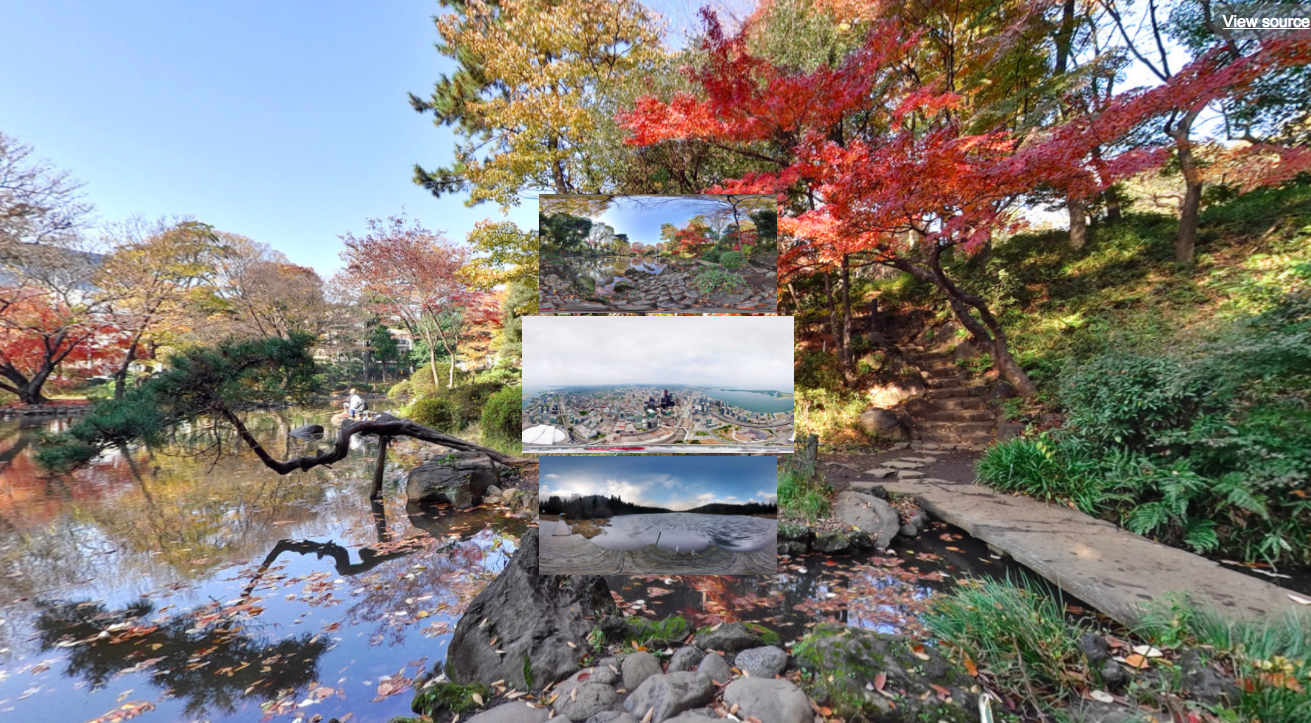
### Support:
- Smartphone: Works best with Google Cardboard v2 (with button) on iPhone and Android devices using a standard Chrome web browser.
- Desktop PC: Oculus Rift with Firefox Nightly web browser or Google Chrome web browser (special WebVR build).
- Desktop PC: HTC Vive? (sorry, untested).
### Instructions for Desktop PC (Oculus Rift / HTC Vive):
- Press SPACE bar on your keyboard to access the photo menu.
- Gaze at a photo and click your mouse button to select a photo.
### Instructions for Smartphone (Google Cardboard v2):
- Press the Cardboard button to access the photo menu.
- Gaze at a photo and press the Cardboard button to select a photo.
### Development:
- In order to dynamically load images, you need to set the url parameter of the isvr-photosphere-menu-navigation component to a JSON endpoint (paginated):
`isvr-photosphere-menu-navigation="url:https://www.ideaspacevr.org/webvr-photosphere-viewer-equirectangular-images/field-data?key=images_upload&chunk-size=3&page=2"`
### IdeaSpace Open Source Content Management System
- This photosphere viewer is a standard theme of the IdeaSpace CMS on Github.
### Credits:
- A-Frame: https://aframe.io
- Photo licenses: https://creativecommons.org/licenses/by/2.0/