https://github.com/ikluft/alertgizmo
monitor space-related alerts online
https://github.com/ikluft/alertgizmo
Last synced: over 1 year ago
JSON representation
monitor space-related alerts online
- Host: GitHub
- URL: https://github.com/ikluft/alertgizmo
- Owner: ikluft
- License: gpl-3.0
- Created: 2024-12-27T06:03:51.000Z (over 1 year ago)
- Default Branch: main
- Last Pushed: 2025-02-19T07:24:40.000Z (over 1 year ago)
- Last Synced: 2025-02-19T08:26:39.737Z (over 1 year ago)
- Language: Perl
- Size: 130 KB
- Stars: 0
- Watchers: 1
- Forks: 0
- Open Issues: 0
-
Metadata Files:
- Readme: README.md
- Changelog: Changes
- License: LICENSE
Awesome Lists containing this project
README
AlertGizmo
----------
AlertGizmo is a set of Perl modules which monitor for space-related events and generate summary pages. The Perl implementation may later be used as a prototype for other language implementations.
It originated as scripts I wrote to monitor space-related alerts online. The common code among the scripts was pulled together into the AlertGizmo module. These can be run manually or from crontabs. (see example below)
## Subclasses
The subclasses of AlertGizmo which handle the details of specific topics of space alert data are as follows:
* AlertGizmo::Apod: monitor for NASA Astronomy Picture of the Day (APOD) feed (work in progress)
* AlertGizmo::Neo: monitor for NASA JPL Near-Earth Object (NEO) close approach data
* AlertGizmo::Swpc: monitor for NOAA Space Weather Prediction Center (SWPC) alerts, including aurora
## Directory structure
- bin (script directory)
- *[pull-nasa-neo.pl](bin/pull-nasa-neo.pl)* reads NASA JPL data on Near Earth Object (NEO) asteroid close approaches to Earth, within 2 lunar distances (LD) and makes a table of upcoming events and recent ones within 15 days.
- language: Perl5🧅
- dependencies: AlertGizmo::Neo, [Template Toolkit](http://www.template-toolkit.org/)
- example template text: [close-approaches.tt](close-approaches.tt)
- *[pull-swpc-alerts.pl](bin/pull-swpc-alerts.pl)* reads NOAA Space Weather Prediction Center (SWPC) alerts for solar flares and aurora
- language: Perl5🧅
- dependencies: AlertGizmo::Swpc, [Template Toolkit](http://www.template-toolkit.org/)
- example template text: [noaa-swpc-alerts.tt](noaa-swpc-alerts.tt)
- *[pull-nasa-apod.pl](bin/pull-nasa-apod.pl)* reads NASA Astronomy Picture of the Day (APOD) feed (work in progress)
- language: Perl5🧅
- dependencies: AlertGizmo::Apod, [Template Toolkit](http://www.template-toolkit.org/)
- example template text: [nasa-apod-alerts.tt](nasa-apod-alerts.tt)
- lib (library directory)
- AlertGizmo.pm - base class for AlertGizmo feed monitors
- AlertGizmo/Config.pm - configuration data for AlertGizmo classes
- AlertGizmo/Apod.pm - AlertGizmo monitor for NASA Astronomy Picture of the Day (APOD) feed (work in progress)
- AlertGizmo/Neo.pm - AlertGizmo monitor for NASA JPL Near-Earth Object (NEO) close approach data
- AlertGizmo/Swpc.pm - AlertGizmo monitor for NOAA Space Weather Prediction Center (SWPC) alerts, including aurora
## Installation
### Installation from CPAN
This section will be filled in after AlertGizmo is uploaded to CPAN.
### Installation from source code
The source code repository is at [https://github.com/ikluft/AlertGizmo](https://github.com/ikluft/AlertGizmo).
For a development environment, make sure Perl is installed. Check first if binary packages are available for your OS & platform. More information can be found at [https://metacpan.org/dist/perl/view/INSTALL](https://metacpan.org/dist/perl/view/INSTALL).
Then install App::cpanminus (cpanm), Dist::Zilla (dzil) and Perl::Critic (perlcritic).
On Debian-based Linux systems they can be installed with this command as root:
apt update
apt install cpanminus libdist-zilla-perl libperl-critic-perl
On RPM-based Linux systems (Fedora, Red Hat and CentOS derivatives) as root:
dnf install --refresh perl-App-cpanminus perl-Dist-Zilla perl-Perl-Critic
On Alpine Linux systems and containers:
apk update && apk upgrade
apk add make git perl perl-utils perl-alien-build perl-class-tiny perl-config-tiny perl-date-manip perl-datetime perl-datetime-locale perl-datetime-timezone perl-dbd-csv perl-dbd-sqlite perl-dbi perl-http-date perl-ipc-run perl-list-moreutils perl-list-someutils perl-log-dispatch perl-log-log4perl perl-module-build perl-moose perl-moosex-types perl-namespace-autoclean perl-net-ssleay perl-params-validate perl-perlio-utf8_strict perl-pod-parser perl-readonly perl-term-readkey perl-test-leaktrace perl-test-pod perl-test-warn perl-text-template perl-type-tiny perl-xml-dom perl-yaml
cpan -T App::cpanminus Dist::Zilla Perl::Critic my-crontab
Otherwise create the 'my-crontab' file empty from scratch with a text editor.
Add these lines to the 'my-crontab' file, replacing "path/to/script" with your path where these scripts are installed and using your local time zone instead of US/Pacific (the author's local time zone).
CRON_TZ=UTC
# access NASA JPL NEO API 8 times per day and just after midnight UTC
1 0 * * * $HOME/path/to/script/pull-nasa-neo.pl --tz="US/Pacific"
31~44 */3 * * * $HOME/path/to/script/pull-nasa-neo.pl --tz="US/Pacific"
# access NOAA Space Weather Predition Center alerts every 2 hours
11~24 */2 * * * $HOME/path/to/script/pull-swpc-alerts.pl --tz="US/Pacific"
Then install the crontab by running:
crontab my-crontab
## Ongoing experimentation
The SWPC alert script is derived from the NEO script. So they had common code. Before making more similar scripts, it was considered a good idea to make modules to combine their common features. That became AlertGizmo. Now the door is open to add more modules on that foundation.
An outage in Tom Taylor's Mastodon "Low Flying Rocks" bot led me to the conclusion I should expand these to be able to post on Mastodon. I was already inspired by [XKCD comic #2979 "Sky Alarm"](https://xkcd.com/2979/) to go in that direction.
[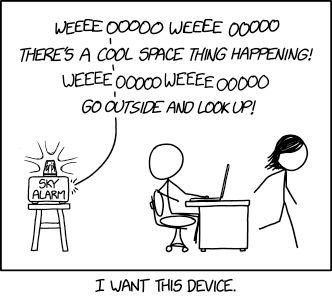](https://xkcd.com/2979/)
## Current development plans
Current plans include making a NASA APOD reader (in progress as Apod.pm), a table image generator as an alternative to HTML output, and a Mastodon client to post the images and summary text as periodic updates.