https://github.com/ilkutkutlar/terminal-scroll-area
Scroll area to display large text on terminal
https://github.com/ilkutkutlar/terminal-scroll-area
cli ruby-gem scroll-area terminal
Last synced: 3 months ago
JSON representation
Scroll area to display large text on terminal
- Host: GitHub
- URL: https://github.com/ilkutkutlar/terminal-scroll-area
- Owner: ilkutkutlar
- License: mit
- Created: 2020-06-03T22:44:20.000Z (about 6 years ago)
- Default Branch: main
- Last Pushed: 2020-09-17T21:00:20.000Z (almost 6 years ago)
- Last Synced: 2025-12-05T13:02:43.601Z (8 months ago)
- Topics: cli, ruby-gem, scroll-area, terminal
- Language: Ruby
- Homepage:
- Size: 482 KB
- Stars: 1
- Watchers: 1
- Forks: 0
- Open Issues: 1
-
Metadata Files:
- Readme: README.md
- License: LICENSE
Awesome Lists containing this project
README
# Terminal Scroll Area
[](https://badge.fury.io/rb/terminal-scroll-area)
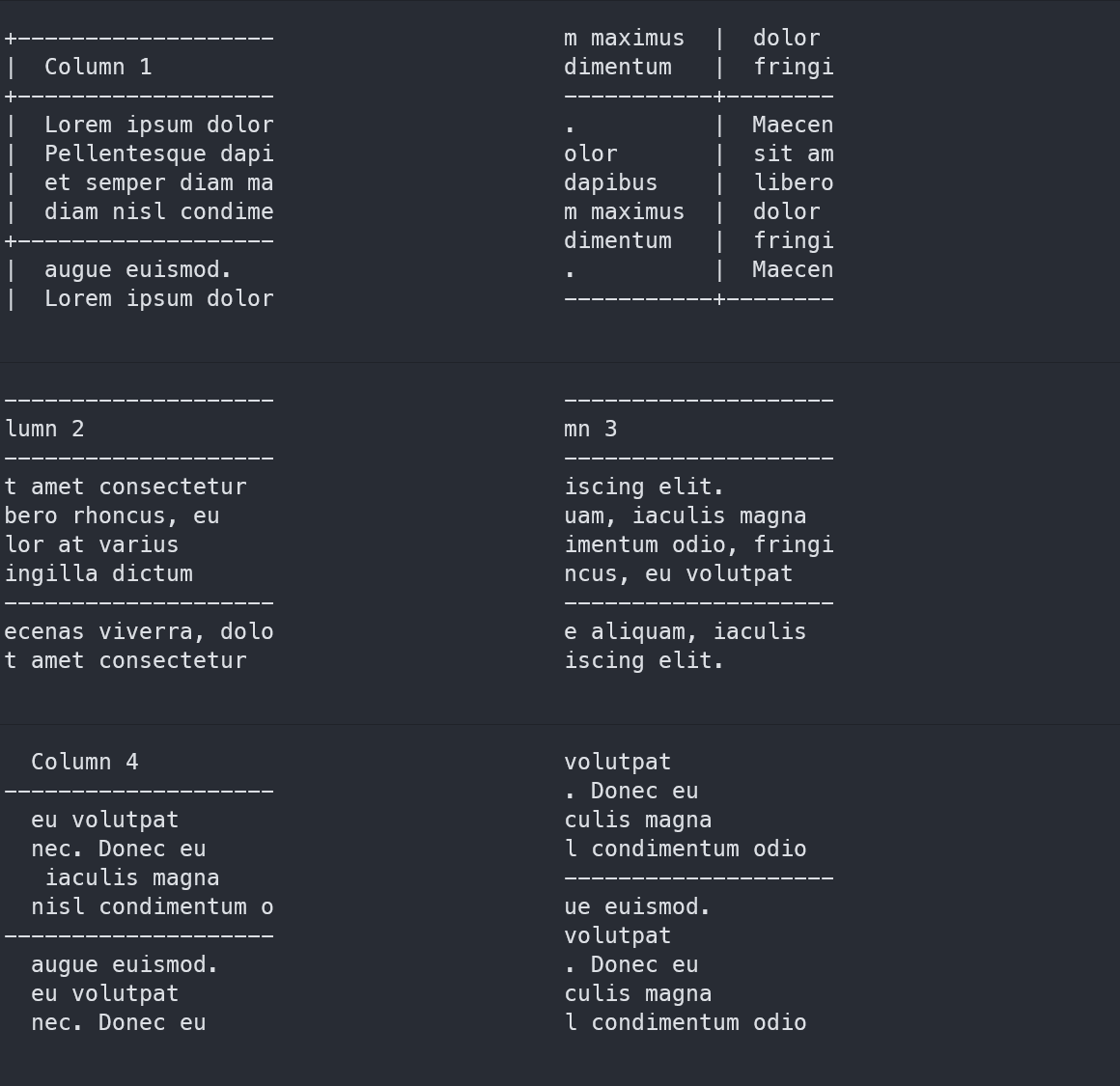
This gem lets the user display large text on terminal by creating a scroll area in which only a specified portion of the text is displayed at a time. This portion can be moved to reveal other parts of the text, analogous to a GUI scroll area, or a more general purpose pager. This gem is useful when your program needs to display a large amount of text that may not fit into the screen.
The `ScrollArea` class, which is not interactive, does not use Curses or a similar screen management library. The `InteractiveScrollArea` class does not rely on the Curses library and instead uses the [TTY toolkit](https://github.com/piotrmurach/tty), which has cross platform support and support for many types of terminals/terminal emulators. Therefore this gem should also have the same level of support.
## Installation
```rb
gem install 'terminal-scroll-area'
```
or add it to your project's `Gemfile`:
```rb
gem 'terminal-scroll-area'
```
## Usage
### `ScrollArea` class
- Simple scroll area which lets you programmatically scroll the content in all directions.
- Initialise:
```rb
require 'terminal-scroll-area'
# Only display 5 lines at a time with
# 5 characters in each line.
width = 5
height = 5
scroll = ScrollArea.new(width, height)
```
- Set the content that the scroll area will contain:
```rb
# Set content all at once:
scroll.content = "some text"
# Or use add_string/add_line:
scroll.add_string("some string")
# Same as add_string, but adds a newline
# after the string
scroll.add_line("some line")
```
- Render scroll area to get the portion of the entire content which is in view:
```rb
# Render and print the currently visible
# portion of the text.
print(scroll.render)
```
- Scroll in all directions to reveal other portions:
```rb
# also available:
# - scroll_down
# - scroll_left
# - scroll_right
scroll.scroll_up
```
- Scroll area lets you access some values you may find useful:
```rb
# The starting coordinates of the window which is displayed.
scroll.start_x
scroll.start_y
# The ending coordinates of the window which is displayed.
scroll.end_x
scroll.end_y
```
### `InteractiveScrollArea`
- Regular `ScrollArea` lets you scroll the content with `scroll_` methods. `InteractiveScrollArea` displays an interactive scroll area where the user can use arrow keys to control scrolling of the content (e.g. up arrow scrolls up, etc.).
- This class will automatically print a new rendering of the area after user has triggered a scroll event by pressing a key. The previously printed rendering is removed and the updated rendering is printed in the same area, thereby giving the feeling of interactivity.
```rb
width = 5
height = 5
interactive = InteractiveScrollArea(width, height)
# add_string and add_line are also available.
interactive.content = "some text"
# Starts a loop, allowing user to use arrow keys to
# scroll the content. Press Ctrl + C to exit.
interactive.scroll
```
## Development
- Officially, this gem supports Ruby versions >= 2.0.0 and such a Ruby version should be used during development as well.
- Tests are written with [Rspec](https://github.com/rspec/rspec), version ~3.9. Run the tests on terminal with `rspec` in the project directory (need to install rspec first).
- [Rubocop](https://github.com/rubocop-hq/rubocop) version ~0.8.2 is used to check for use of best practices and standard styling. Run Rubocop on the terminal with `rubocop` in the project directory (need to install Rubocop first). Currently, there are a couple of failing Rubocop checks which will be fixed soon.