https://github.com/imagekit-developer/sanity-plugin-imagekit
A Sanity Studio plugin that provides seamless integration with ImageKit.io, enabling you to browse, manage, and deliver optimized media directly from your Sanity Studio.
https://github.com/imagekit-developer/sanity-plugin-imagekit
imagekit plugin sanity-cms sanity-io
Last synced: 3 months ago
JSON representation
A Sanity Studio plugin that provides seamless integration with ImageKit.io, enabling you to browse, manage, and deliver optimized media directly from your Sanity Studio.
- Host: GitHub
- URL: https://github.com/imagekit-developer/sanity-plugin-imagekit
- Owner: imagekit-developer
- License: mit
- Created: 2025-08-26T12:26:54.000Z (10 months ago)
- Default Branch: main
- Last Pushed: 2026-02-23T12:06:20.000Z (4 months ago)
- Last Synced: 2026-03-08T10:30:55.252Z (3 months ago)
- Topics: imagekit, plugin, sanity-cms, sanity-io
- Language: TypeScript
- Homepage: https://www.npmjs.com/package/sanity-plugin-imagekit
- Size: 1.34 MB
- Stars: 0
- Watchers: 0
- Forks: 0
- Open Issues: 1
-
Metadata Files:
- Readme: README.md
- Contributing: CONTRIBUTING.md
- License: LICENSE
Awesome Lists containing this project
README
[ ](https://imagekit.io)
# Sanity Plugin for ImageKit.io
[](https://www.npmjs.com/package/sanity-plugin-imagekit)
[](https://opensource.org/licenses/MIT)
[](https://twitter.com/ImagekitIo)
A Sanity Studio plugin that provides seamless integration with [ImageKit.io](https://imagekit.io/), enabling you to browse, manage, and deliver optimized media directly from your Sanity Studio.
ImageKit is a complete media storage, optimization, and transformation solution with an image and video CDN. It integrates with your existing infrastructure (AWS S3, web servers, CDN, custom domains) to deliver optimized images in minutes with minimal code changes.
## Table of Contents
- [Sanity Plugin for ImageKit.io](#sanity-plugin-for-imagekitio)
- [Table of Contents](#table-of-contents)
- [Features](#features)
- [Prerequisites](#prerequisites)
- [Installation](#installation)
- [Usage](#usage)
- [ImageKit as an asset source](#imagekit-as-an-asset-source)
- [ImageKit as a custom schema type](#imagekit-as-a-custom-schema-type)
- [Asset Data Structure](#asset-data-structure)
- [Advanced Topics](#advanced-topics)
- [Working with Asset URLs](#working-with-asset-urls)
- [Accessing Asset Metadata in Your Frontend](#accessing-asset-metadata-in-your-frontend)
- [Custom Metadata](#custom-metadata)
- [Contributing](#contributing)
- [License](#license)
- [Support](#support)
## Features
- **Media Library Integration**: Browse and manage your ImageKit media library directly in Sanity Studio
- **Asset Source Integration**: Integrates seamlessly with Sanity's image fields
- **Custom Schema Support**: Provides `imagekit.asset` schema type for custom configurations
- **Rich Asset Data**: Access complete asset metadata including dimensions, file size, and more.
- **No Configuration Required**: Works out of the box without additional configuration
- **Video Support**: Browse and select both images and video content from ImageKit
- **Asset Preview**: View thumbnails and asset information before selection
## Prerequisites
Before you begin, you need:
- A Sanity Studio project (v3 or later)
- Node.js and npm/yarn installed
- An [ImageKit account](https://imagekit.io/registration/) (sign up if you don't have one)
You can refer to Sanity's [official documentation](https://www.sanity.io/docs) to understand the prerequisites for setting up your Sanity Studio instance.
## Installation
To install the ImageKit plugin in your Sanity Studio, run one of the following commands from your project's root directory:
```bash
# Using npm
npm install sanity-plugin-imagekit
# Using yarn
yarn add sanity-plugin-imagekit
# Using pnpm
pnpm install sanity-plugin-imagekit
```
## Usage
This package exports two plugins:
- `imagekitAssetSourcePlugin` - use this if you intend to use ImageKit as an asset source for image fields in your Sanity Studio.
- `imagekitSchemaPlugin` - use this if you intend to define a custom schema type that stores comprehensive asset metadata from ImageKit, allowing you to access detailed information about each asset in your content.
### ImageKit as an asset source
To start using this plugin, first import it from the package in your `sanity.config.ts`.
```typescript
// sanity.config.ts
import { defineConfig } from 'sanity'
import { imagekitAssetSourcePlugin } from 'sanity-plugin-imagekit'
export default defineConfig({
projectId: 'your-project-id',
dataset: 'production',
// ... other configuration
plugins: [
imagekitAssetSourcePlugin(),
],
})
```
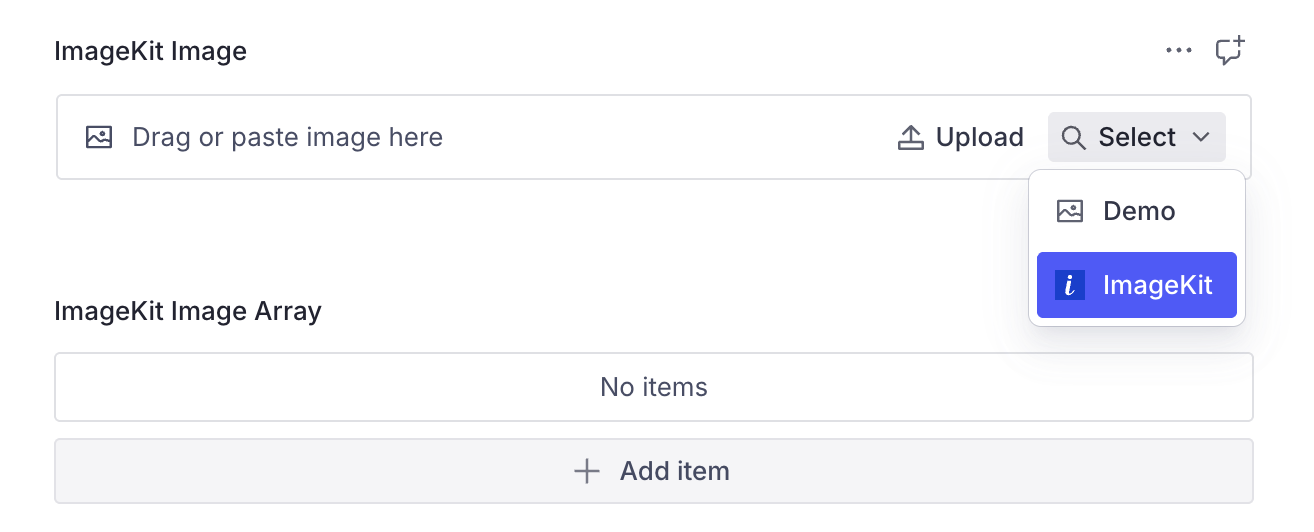
Once done, the plugin will now be available as an asset source for image fields in your Sanity Studio. When you add an image field to your schema, ImageKit will automatically appear as an option in the asset source dropdown.
For most use cases, you can simply use the standard Sanity image field like:
```typescript
{
type: "image",
name: "heroImage",
title: "Hero Image",
// ImageKit will appear as an option in the asset source dropdown
}
```
### ImageKit as a custom schema type
For more control, you can also use the custom `imagekit.asset` schema type.
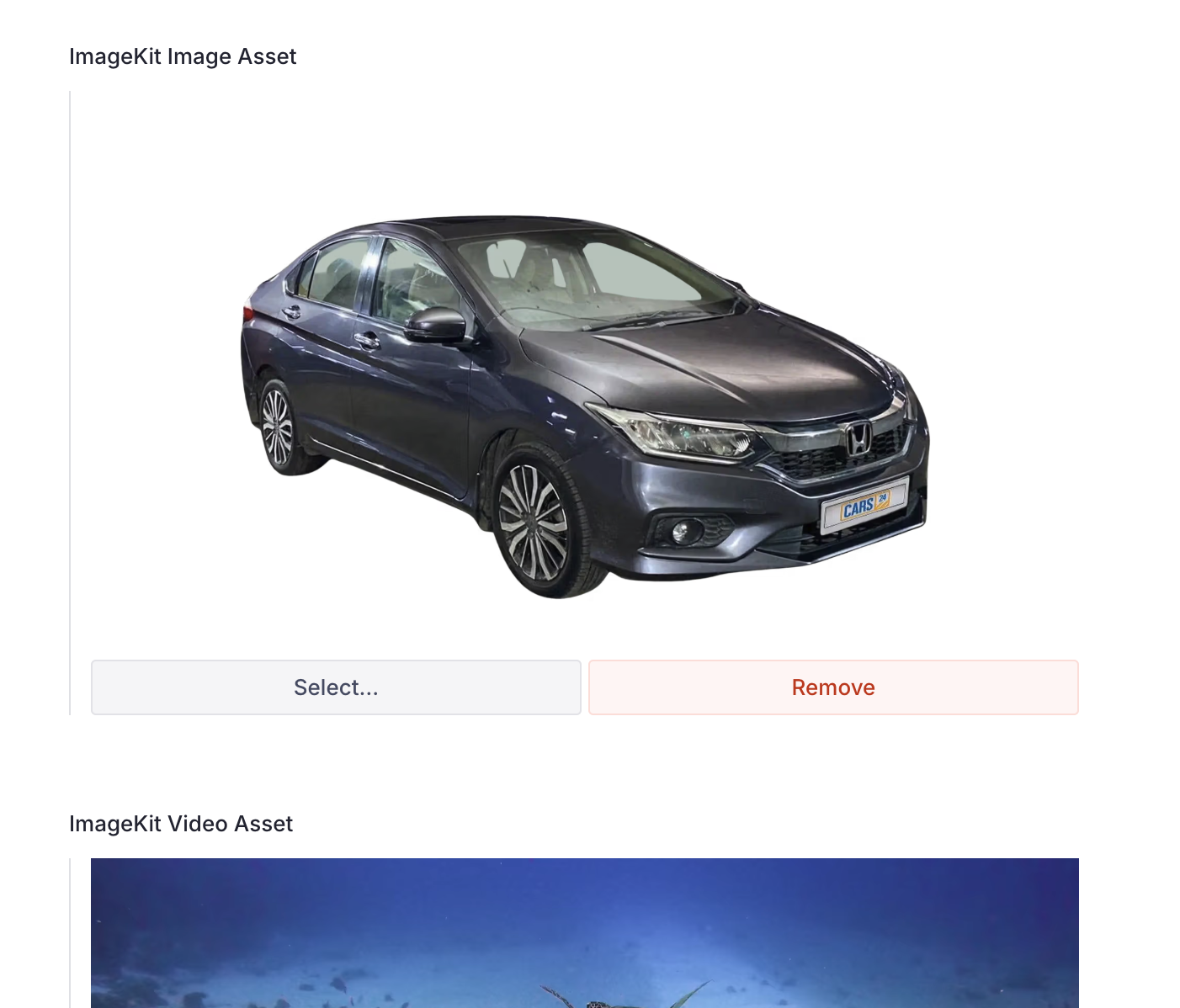
To do this, first import the `imagekitSchemaPlugin` from the package.
```typescript
import { imagekitSchemaPlugin } from 'sanity-plugin-imagekit'
// Add to plugins array
plugins: [imagekitSchemaPlugin()]
// Use in schema
{
type: "imagekit.asset",
name: "imagekitImage",
title: "ImageKit Image",
description: "Select an image from your ImageKit media library"
}
```
This custom type stores comprehensive asset metadata from ImageKit, allowing you to access detailed information about each asset in your content.
## Asset Data Structure
When you select an image from ImageKit, it's stored with the following comprehensive metadata:
```json
{
"_type": "imagekit.asset",
"fileId": "unique_file_id",
"name": "image_name.jpg",
"url": "https://ik.imagekit.io/your_account/image.jpg",
"width": 1920,
"height": 1080,
"fileType": "image",
"size": 245760,
"createdAt": "2024-01-01T00:00:00Z",
"mime": "image/jpeg",
// other fields
}
```
**NOTE**: Since Sanity Studio expects object keys to be matching the regex `/^\$?[a-zA-Z0-9_-]+$/` and ImageKit's Custom Metadata allows characters outside of this set, this plugin sanitizes the keys to replace non-supported characters with underscore i.e. `_`.
## Advanced Topics
### Working with Asset URLs
The stored `url` field provides a direct link to your asset on the ImageKit CDN. You can use this URL directly in your frontend, or apply ImageKit's real-time transformation URLs for optimization:
```typescript
// Direct URL
const directUrl = asset.url;
// With transformation (example: resize to 300px width)
const transformedUrl = `${asset.url}?tr=w-300`;
```
### Accessing Asset Metadata in Your Frontend
When querying your Sanity documents, the asset data is available for use:
```typescript
// Example query
const query = `*[_type == "article"][0] { heroImage { url, width, height } }`;
// Result
{
"heroImage": {
"url": "https://ik.imagekit.io/your_account/image.jpg",
"width": 1920,
"height": 1080
}
}
```
### Custom Metadata
ImageKit's custom metadata feature allows you to store additional information with your assets. This data is accessible through the plugin:
```json
{
"customMetadata": {
"alt": "Hero image for homepage",
"photographer": "John Doe",
"license": "CC0"
}
}
```
## Contributing
Contributions are welcome! Please read our [contributing guidelines](CONTRIBUTING.md) before submitting pull requests.
## License
MIT - see the [LICENSE](LICENSE) file for details.
## Support
For support, please:
- Open an issue in the [GitHub repository](https://github.com/imagekit-developer/sanity-plugin-imagekit)
- Contact [ImageKit Support](https://imagekit.io/dashboard/support/)
- Visit [ImageKit Documentation](https://imagekit.io/docs/)