https://github.com/imankarimi/django-log-reader
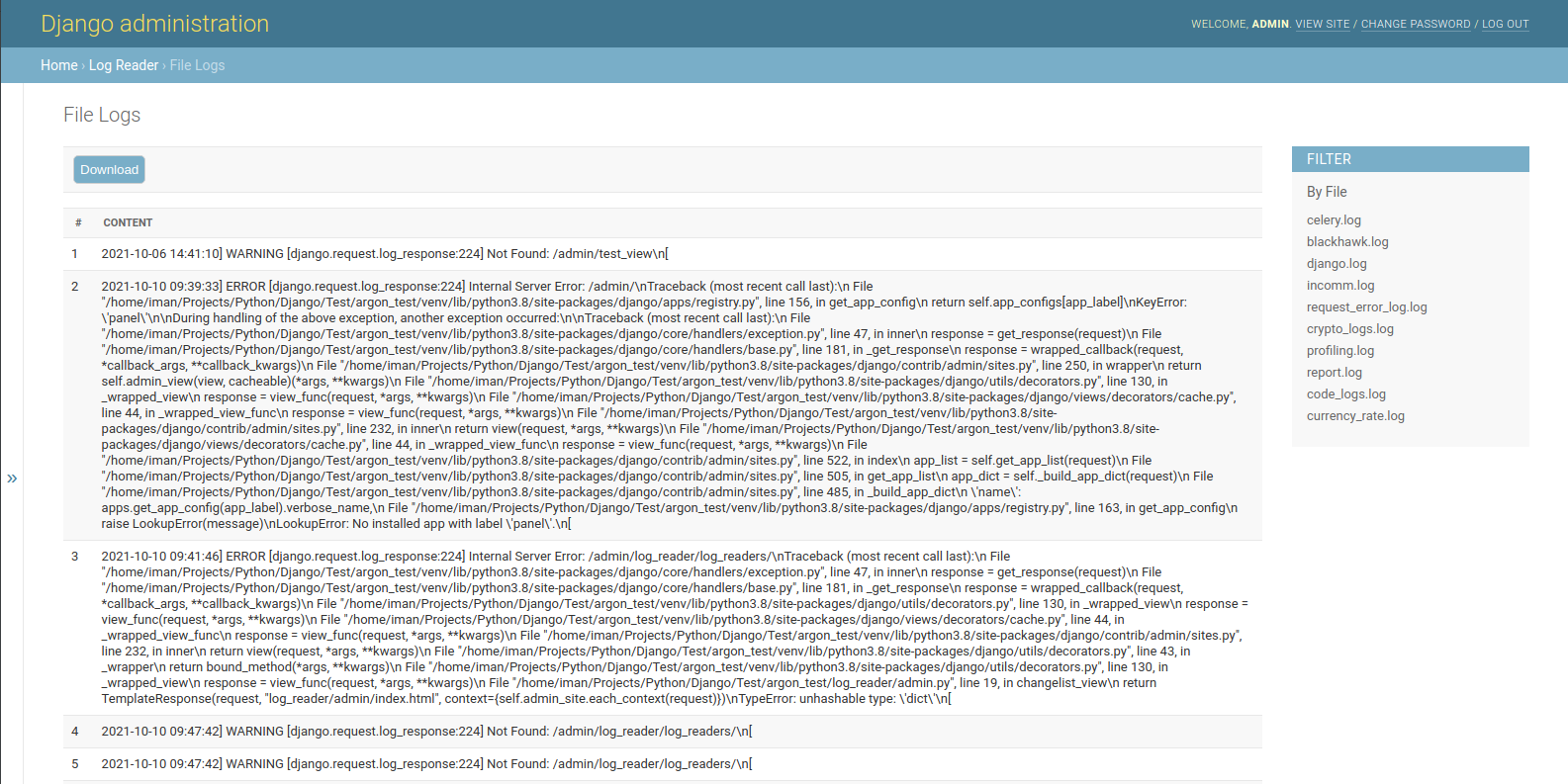
Django Log Reader allows you to read & download log files on the admin page.
https://github.com/imankarimi/django-log-reader
django log-reader package python
Last synced: 3 months ago
JSON representation
Django Log Reader allows you to read & download log files on the admin page.
- Host: GitHub
- URL: https://github.com/imankarimi/django-log-reader
- Owner: imankarimi
- License: mit
- Created: 2021-10-11T08:52:59.000Z (over 4 years ago)
- Default Branch: main
- Last Pushed: 2023-07-31T13:11:15.000Z (almost 3 years ago)
- Last Synced: 2025-12-17T03:31:13.434Z (6 months ago)
- Topics: django, log-reader, package, python
- Language: Python
- Homepage: https://github.com/imankarimi/django-log-reader
- Size: 322 KB
- Stars: 14
- Watchers: 1
- Forks: 0
- Open Issues: 0
-
Metadata Files:
- Readme: README.md
- License: LICENSE
Awesome Lists containing this project
README
# Django Log Reader
**Django Log Reader** allows you to read & download log files on the admin page.
> This version designed for the Linux operating system and uses Linux commands to read files faster.
## Why Django Log Reader?
- Reading files based on Linux commands speeds up the display of file content
- Search in files based on Linux commands
- Download the result of the content
- Display all files according to the pattern defined in the `settings.py`
- Simple interface
- Easy integration
## How to use it
* Download and install latest version of Django Log Reader:
```bash
$ pip install django-log-reader
# or
$ easy_install django-log-reader
```
* Add `log_reader` application to the `INSTALLED_APPS` setting of your Django project `settings.py` file:
```python
INSTALLED_APPS = (
# ...
"log_reader.apps.LogReaderConfig",
)
```
* You can Add the following value In your `settings.py` file:
```python
# This value specifies the folder for the files. The default value is 'logs'
LOG_READER_DIR_PATH = 'logs'
# This value specifies the file extensions. The default value is '*.log'
LOG_READER_FILES_PATTERN = '*.log'
# This value specifies the default file. If there is no filter, the system reads the default file.
LOG_READER_DEFAULT_FILE = 'django.log'
# The contents of the files are separated based on this pattern.
LOG_READER_SPLIT_PATTERN = "\\n"
# This value indicates the number of lines of content in the file. Set the number of lines you want to read to this value.
LOG_READER_MAX_READ_LINES = 1000
# You can exclude files with this value.
LOG_READER_EXCLUDE_FILES = []
```
* Collect static if you are in production environment:
```bash
$ python manage.py collectstatic
```
* Clear your browser cache
## Start the app
```bash
# Set up the database
$ python manage.py makemigrations
$ python manage.py migrate
# Create the superuser
$ python manage.py createsuperuser
# Start the application (development mode)
$ python manage.py runserver # default port 8000
```
* Access the `admin` section in the browser: `http://127.0.0.1:8000/`