https://github.com/imimofficial/2factorloginforwp
Secure OTP-based login & signup for WordPress using 2Factor.in. Modern, customizable, and production-ready plugin.
https://github.com/imimofficial/2factorloginforwp
login otp plugin wordpress
Last synced: 10 months ago
JSON representation
Secure OTP-based login & signup for WordPress using 2Factor.in. Modern, customizable, and production-ready plugin.
- Host: GitHub
- URL: https://github.com/imimofficial/2factorloginforwp
- Owner: iMiMofficial
- Created: 2025-07-14T12:23:40.000Z (12 months ago)
- Default Branch: main
- Last Pushed: 2025-07-15T18:29:47.000Z (12 months ago)
- Last Synced: 2025-08-06T19:04:33.959Z (11 months ago)
- Topics: login, otp, plugin, wordpress
- Language: PHP
- Homepage: https://wordpress.org/plugins/2factor-login-for-wp/
- Size: 606 KB
- Stars: 2
- Watchers: 0
- Forks: 1
- Open Issues: 0
-
Metadata Files:
- Readme: README.md
Awesome Lists containing this project
README

2Factor Login for WP
Modern, secure OTP-based login & signup for WordPress
WordPress.org • GitHub





---
## ✨ Features
- 🔐 **OTP-based Authentication**: Secure login/signup with phone and OTP (no passwords needed)
- 🔄 **WordPress Integration**: Seamless user creation, login, and onboarding
- 👤 **User Role Selection**: Assign any role (default: subscriber) to new users, with admin warning for privileged roles
- 📲 **2Factor API**: Uses your 2Factor.in API key for SMS OTP delivery
- 📝 **Dynamic Onboarding**: Collect email/name after OTP or both (admin configurable)
- 🌍 **Country Code Dropdown**: User can select country code (or use default)
- 🕵️♂️ **Privacy-Friendly Usernames**: Truncated phone + random code or full phone (admin option)
- ⚙️ **Admin Settings**: 15+ configurable options, all in a modern tabbed UI
- 🎨 **Custom Redirect & CSS**: Set redirect after login and inject custom styles
- 🗂 **User Profile Integration**: Onboarding data (phone, name, email) visible/editable in admin
- 💎 **Modern UI**: Responsive, accessible, and minimal design
- 🛡 **Security**: Rate limiting, brute force protection, OTP expiry, validation, and enumeration protection
- 🚫 **No test/debug code**: Production-ready, no sensitive data exposed
---
## ⚡ Quick Start
1. **Upload or clone** to `/wp-content/plugins/2factor-login-for-wp/`
2. **Activate** in your WordPress admin
3. **Configure** via Settings → 2Factor Login
4. **Add** `[twofactor_login]` shortcode to any page/post
---
## 🖼 Screenshots
| Screenshot | Preview |
|------------|---------|
| Login Form | 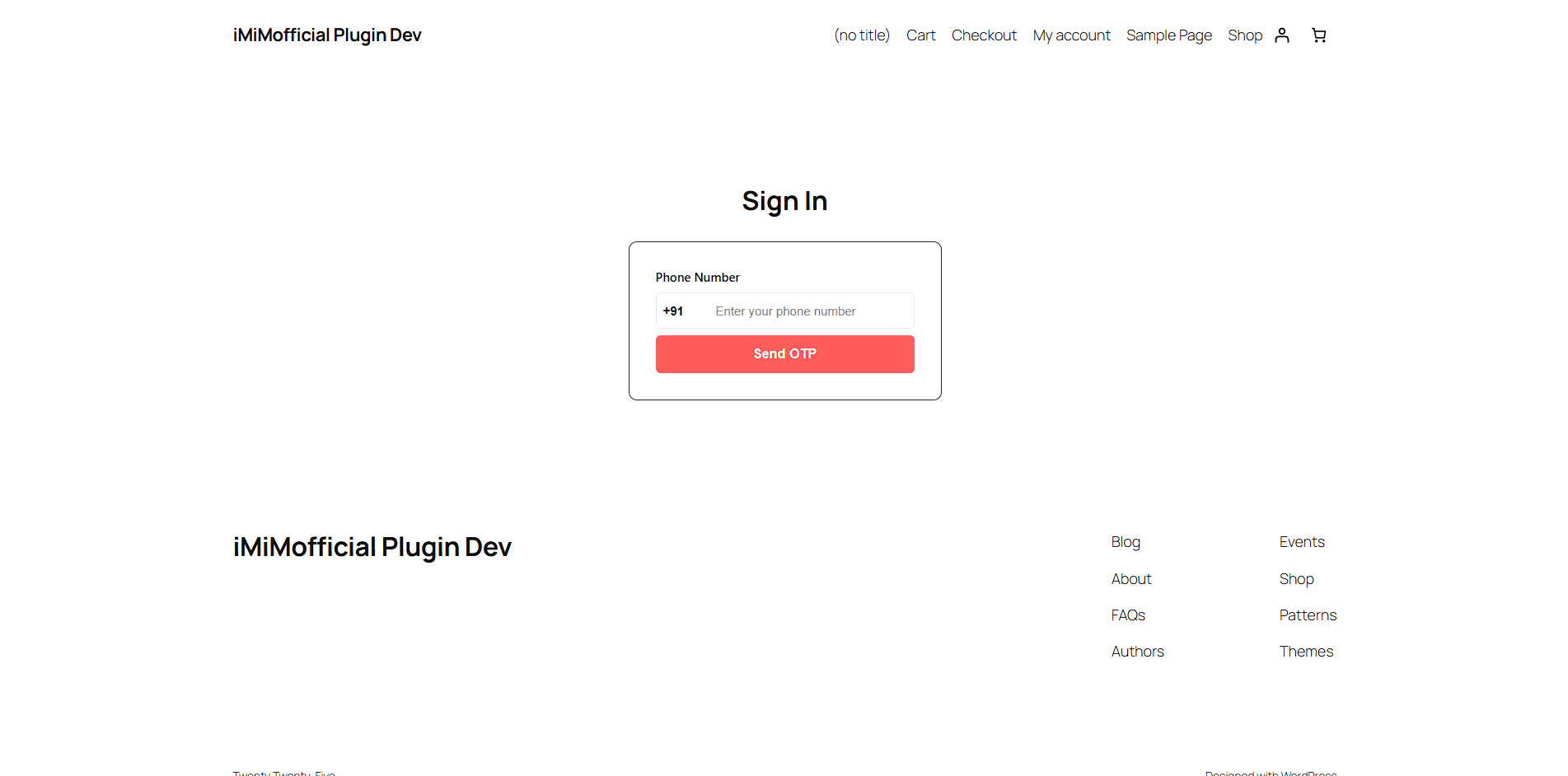 |
| Admin API Settings | 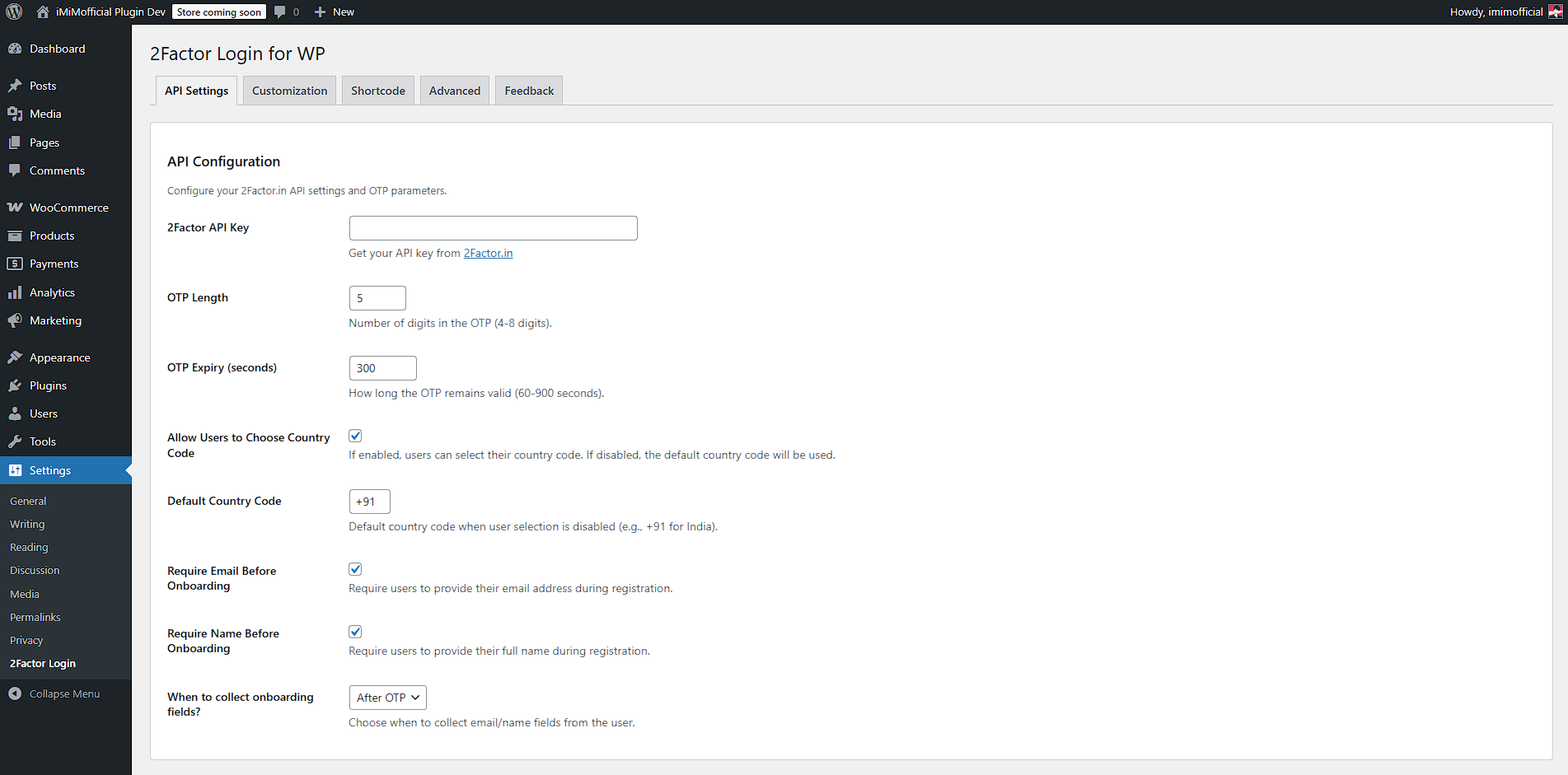 |
| Admin Customize | 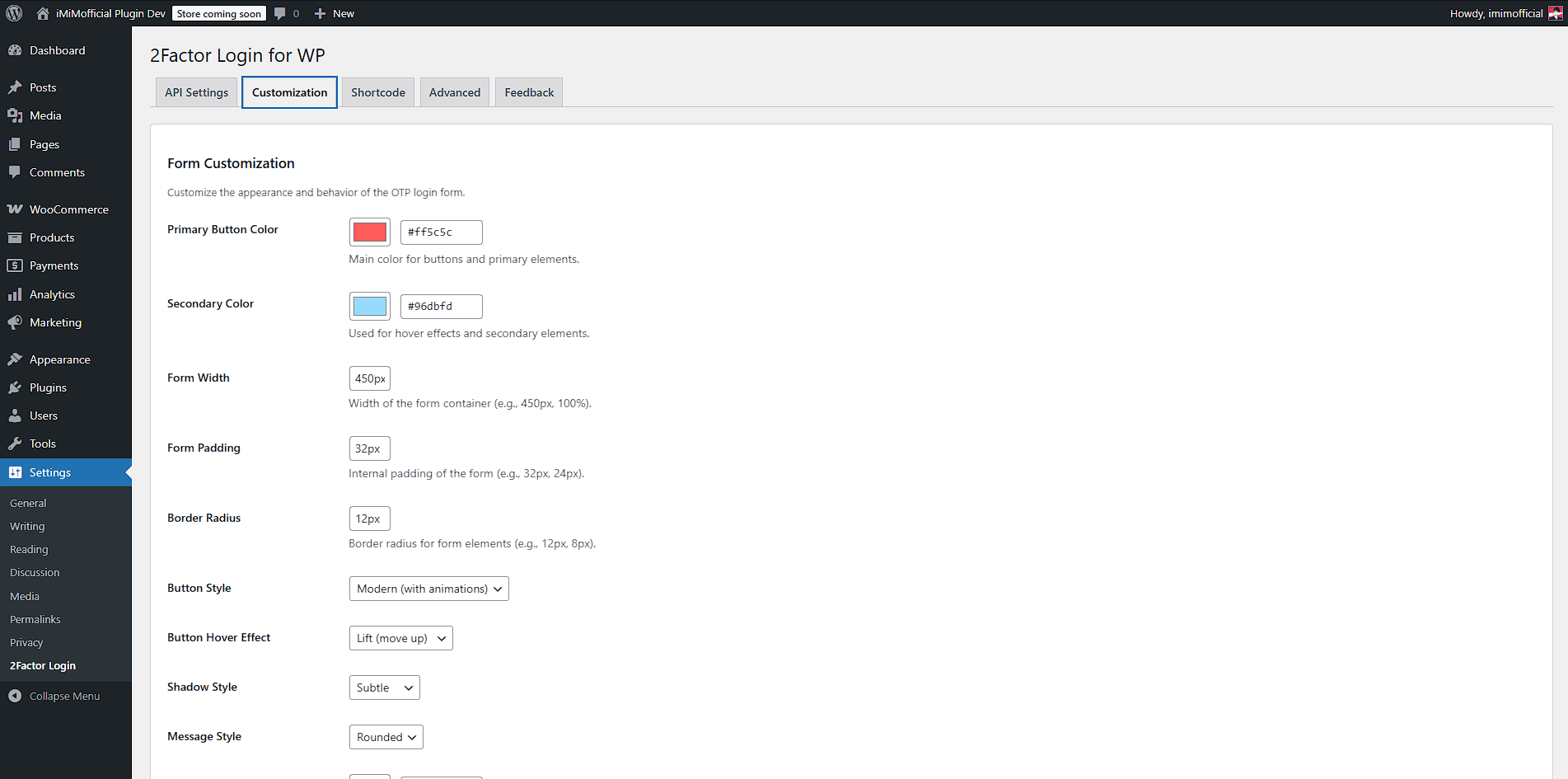 |
| Admin Shortcode | 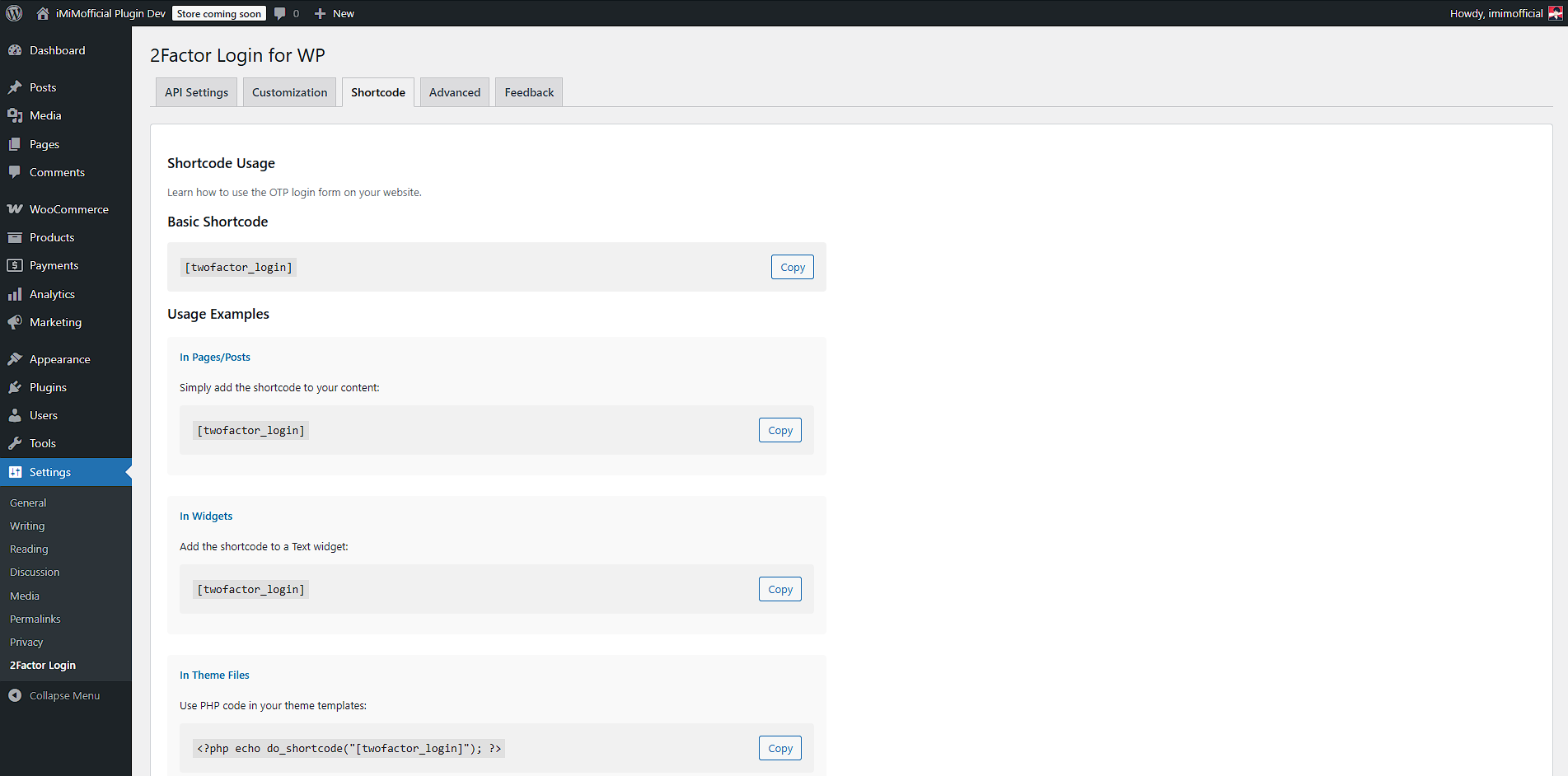 |
| Admin Advanced | 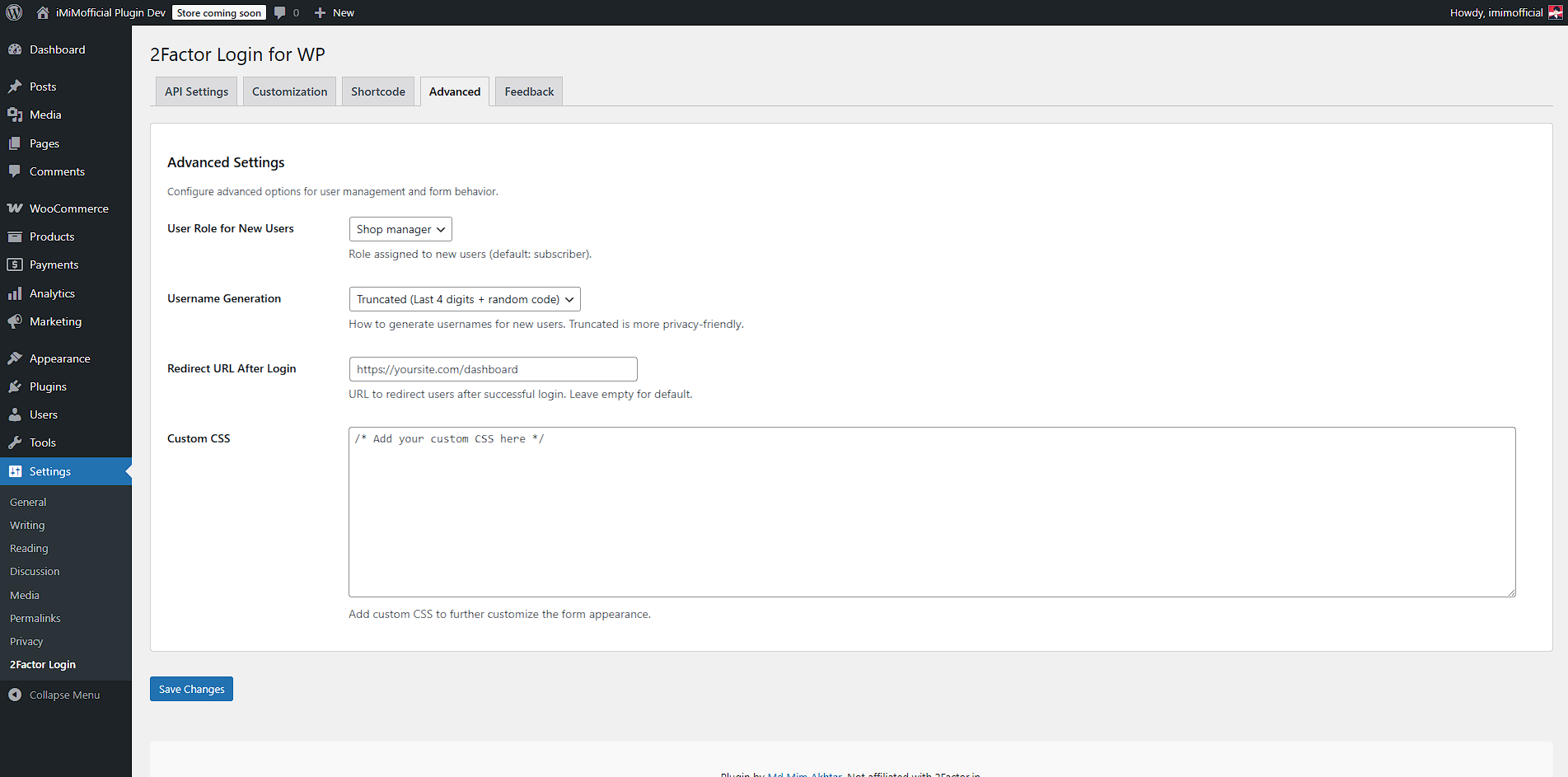 |
---
## ⚙️ Admin Settings
- **2Factor API Key**: Your API key from [2Factor.in](https://2factor.in)
- **OTP Length**: 4-8 digits
- **OTP Expiry**: 1-15 minutes
- **Allow Country Code Selection**: User can pick country (or use default)
- **Default Country Code**: e.g. +91
- **Require Email/Name**: Toggle onboarding fields
- **When to Collect Fields**: After OTP or Both (before/after)
- **Primary Button Color**: UI customization
- **User Role**: Any WordPress role (with warning for "Administrator")
- **Username Generation**: Truncated (privacy-friendly) or full phone number
- **Redirect URL**: Custom after login
- **Custom CSS**: Style injection
- **Dark Mode, Animations, Accessibility**: All UI is accessible and customizable
---
## 📝 Usage
- Add `[twofactor_login]` shortcode to any page/post for the OTP login/signup form
- The form will show phone (+91 pre-filled or country dropdown), and onboarding fields as per settings
- All actions are AJAX-based, no reloads
- New users are created and logged in automatically
- Existing users log in with OTP
---
## 👤 User Profile (Admin)
- Onboarding data (phone, name, email) is visible and editable in the user profile in admin
- Admins can update user phone, name, and email from the profile page
---
## 🔒 Security & Best Practices
- ⏱ **Rate Limiting**: 1 OTP per minute per phone
- 🚫 **Brute Force Protection**: 3 attempts per OTP, plus IP-based lockout (5 minutes after 3 failed attempts)
- ⏳ **OTP Expiry**: Configurable (default 5 min)
- 💾 **OTP Storage**: Transient with DB fallback for reliability
- 🧹 **Validation**: All fields validated and sanitized
- 🛡 **Nonce Verification**: All AJAX and form actions are nonce-protected
- 🧼 **Output Escaping**: All output is properly escaped
- 🛡 **SQL Injection Safe**: All queries use `$wpdb->prepare()` and `esc_sql()`
- 🕵️♂️ **User/Email Enumeration Protection**: Generic error messages for onboarding and user check
- 📁 **No direct file operations**: Uses WP_Filesystem
- 🚫 **No debug/test code in production**
- 🚫 **No direct access to plugin files**
- 🧹 **No unnecessary files in release**
---
## 💡 FAQ
Does it support both login and signup?
Yes! If the phone exists, user logs in. If not, a new user is created.
What if onboarding is disabled?
Username and email are auto-generated from the phone number.
What about passwords?
Passwords are randomly generated and not shown to the user. Users log in with OTP.
Can users set a password later?
Yes, via the default WordPress "Lost your password?" link or admin profile.
Can I use this for WooCommerce or membership sites?
Yes, it works with any plugin that uses standard WordPress user accounts.
Is it compatible with caching plugins?
Yes, OTPs are stored in transients with DB fallback for reliability.
Is it GDPR compliant?
No personal data is sent to 2Factor.in except the phone number for OTP delivery. All data is stored in your WordPress site.
---
## 🤝 Contributing
Pull requests, issues, and suggestions are welcome! For major changes, please open an issue first to discuss what you would like to change.
1. Fork the repo
2. Create your feature branch (`git checkout -b feature/AmazingFeature`)
3. Commit your changes (`git commit -m 'Add some AmazingFeature'`)
4. Push to the branch (`git push origin feature/AmazingFeature`)
5. Open a Pull Request
---
## 🙋♂️ Author & Support
Md Mim Akhtar
imimofficial.com
@iMiMofficial • GitHub
Patreon • BuyMeACoffee • PayPal
---
## 🏆 Credits
- **Plugin Author:** Md Mim Akhtar
- **Unofficial:** Not affiliated with 2Factor.in
---
## 📜 License
GPL v2 or later
This program is free software; you can redistribute it and/or modify it under the terms of the GNU General Public License as published by the Free Software Foundation; either version 2 of the License, or (at your option) any later version.
This program is distributed in the hope that it will be useful, but WITHOUT ANY WARRANTY; without even the implied warranty of MERCHANTABILITY or FITNESS FOR A PARTICULAR PURPOSE. See the GNU General Public License for more details.
You should have received a copy of the GNU General Public License along with this program; if not, see https://www.gnu.org/licenses/gpl-2.0.html
---
## 📅 Changelog
### 1.0.0
- Initial public release: production-ready, all-in-one plugin