https://github.com/imshakil/pcinoob
An open-source application to generate PC Hardware Information developed with GUI in C++
https://github.com/imshakil/pcinoob
computer-hardware-information cpp cpp11 fltk gui hardware-information linux open-source ubuntu
Last synced: 3 months ago
JSON representation
An open-source application to generate PC Hardware Information developed with GUI in C++
- Host: GitHub
- URL: https://github.com/imshakil/pcinoob
- Owner: imShakil
- Created: 2020-04-09T15:57:00.000Z (over 6 years ago)
- Default Branch: master
- Last Pushed: 2022-03-04T19:56:03.000Z (over 4 years ago)
- Last Synced: 2025-04-01T21:18:40.716Z (over 1 year ago)
- Topics: computer-hardware-information, cpp, cpp11, fltk, gui, hardware-information, linux, open-source, ubuntu
- Language: C++
- Homepage:
- Size: 403 KB
- Stars: 2
- Watchers: 1
- Forks: 0
- Open Issues: 0
-
Metadata Files:
- Readme: README.md
Awesome Lists containing this project
README
          # PCiNooB

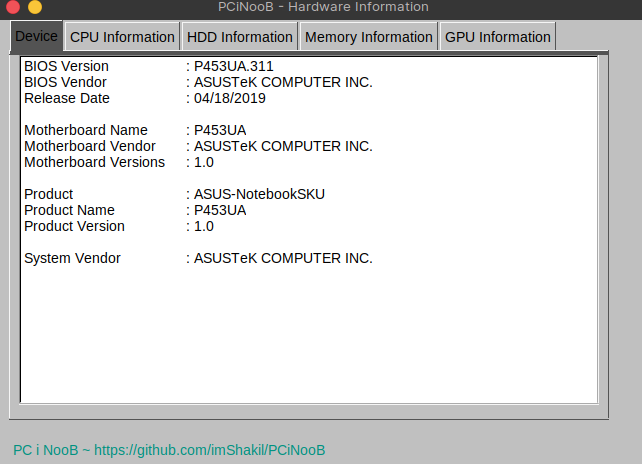
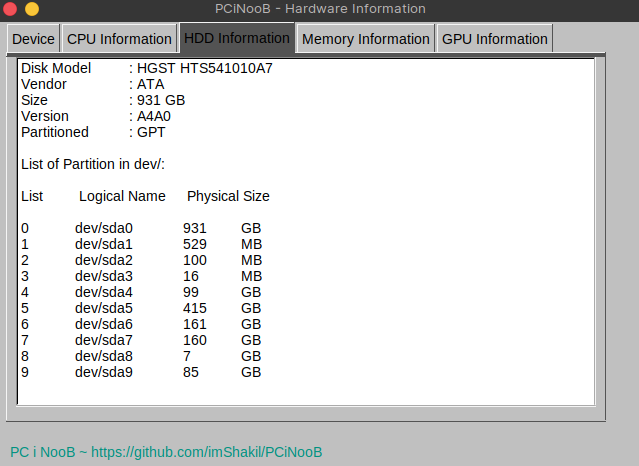
It's a linux(ubuntu) terminal based computer application to generate computer hardware information and save those information to a text file.

## Tools

- FLTK Version: 1.3

- UI Used: FLUID (Fast Light User Interface Design)

- Environment: Linux(Ubuntu)

- Programming Language used: C/C++

## How to Run?

As I already said it's a terminal based application, so you have to run it from linux terminal. Let's start-

1. First of all, let's download the binary application using the following command line:

```

wget https://github.com/imShakil/PCiNooB/releases/latest/download/PCiNooB

```

2. Give permission to run this file:

```

chmod +x PCiNooB

```

3. Finally, run the application as below:

```

./PCiNooB

```

That's all. It will run and save some hardware information to a external txt file.

## Overview