https://github.com/imxnoobx/vac-no-error
Simple c++ script to fix those annoying vac errors.
https://github.com/imxnoobx/vac-no-error
csgo vac vac-error
Last synced: about 1 year ago
JSON representation
Simple c++ script to fix those annoying vac errors.
- Host: GitHub
- URL: https://github.com/imxnoobx/vac-no-error
- Owner: IMXNOOBX
- License: gpl-3.0
- Created: 2023-08-04T19:08:03.000Z (almost 3 years ago)
- Default Branch: main
- Last Pushed: 2023-08-23T17:04:32.000Z (almost 3 years ago)
- Last Synced: 2025-02-17T13:13:45.908Z (over 1 year ago)
- Topics: csgo, vac, vac-error
- Language: C++
- Homepage:
- Size: 58.6 KB
- Stars: 0
- Watchers: 1
- Forks: 0
- Open Issues: 0
-
Metadata Files:
- Readme: README.md
- License: LICENSE
Awesome Lists containing this project
README
# VAC Error Fix Tool
## Introduction
VAC Error Fix Tool is a utility designed to resolve VAC (Valve Anti-Cheat) errors that may occur while playing Valve games, particularly Counter-Strike: Global Offensive (CS:GO). VAC is an automated system to detect and ban cheaters, but sometimes it can cause false positives for legitimate players. Normally by just restarting the computer or re-login into steam gets the problem fixed. if not i recommend you watching [**this video**](https://www.youtube.com/watch?v=u1UjgUi0TEw)
## Showcase
[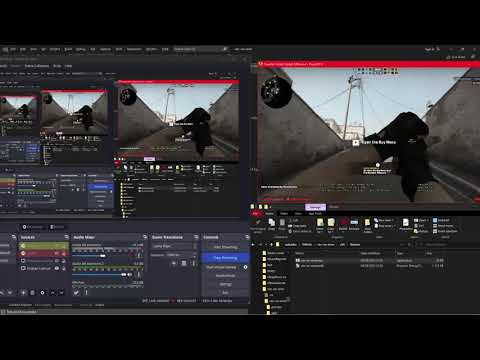](https://www.youtube.com/watch?v=nkHsjWlUsgI)
## How it Works
The VAC Error Fix Tool performs the following steps to resolve the VAC error:
1. **Checking CS:GO**: The tool checks if CS:GO (or any other Valve game) is open and closes it if necessary.
2. **Closing Steam**: The tool closes the Steam client to prepare for the fix process.
3. **Resetting Steam Credentials**: It clears current Steam login credentials from the registry.
4. **Reopening Steam**: The Steam client will prompt you to log in again.
5. **Waiting for Steam Login**: The tool waits for the Steam login prompt to appear.
6. **Closing Steam Again**: Steam is closed again after successful login.
7. **Restoring Steam Credentials**: Your original Steam login credentials are restored.
8. **Enabling Remember Password**: The "Remember Password" option is enabled for convenience.
9. **Reopening the Game**: The game is reopened if it was previously opened.
## How to Use
1. Download the VAC Error Fix Tool from the GitHub repository.
2. Run the VAC Error Fix Tool executable (`.exe`).
3. VAC errors should now be resolved, and you can play CS:GO or other Valve games without issues.
## Disclaimer
The VAC Error Fix Tool is provided as-is with no warranties or guarantees. Its effectiveness may vary depending on the specific cause of the error. Use responsibly and ensure compliance with terms of service.
## Contributing
Feel free to contribute or report issues on the GitHub repository.
## License
The VAC Error Fix Tool is open-source software licensed under the GNU License.