https://github.com/indrimuska/google-maps-api-typings
TypeScript typings for `@google/maps` Node.JS API project.
https://github.com/indrimuska/google-maps-api-typings
api google maps nodejs typescript
Last synced: about 1 year ago
JSON representation
TypeScript typings for `@google/maps` Node.JS API project.
- Host: GitHub
- URL: https://github.com/indrimuska/google-maps-api-typings
- Owner: indrimuska
- Created: 2018-07-09T17:01:19.000Z (about 8 years ago)
- Default Branch: master
- Last Pushed: 2019-12-13T19:37:04.000Z (over 6 years ago)
- Last Synced: 2025-04-28T16:12:08.589Z (about 1 year ago)
- Topics: api, google, maps, nodejs, typescript
- Size: 252 KB
- Stars: 21
- Watchers: 1
- Forks: 7
- Open Issues: 2
-
Metadata Files:
- Readme: README.md
Awesome Lists containing this project
README
> # This package is now available in DefinitelyTyped: [@google/maps](https://github.com/DefinitelyTyped/DefinitelyTyped/tree/master/types/google__maps)
# Google Maps API Typings
This project contains the TypeScript interface declaration of the [`@google/maps`](https://github.com/googlemaps/google-maps-services-js) Node.JS API project.
It also provides inline documentation from the official [Google Maps Documentation](https://developers.google.com/maps/documentation/) platform.
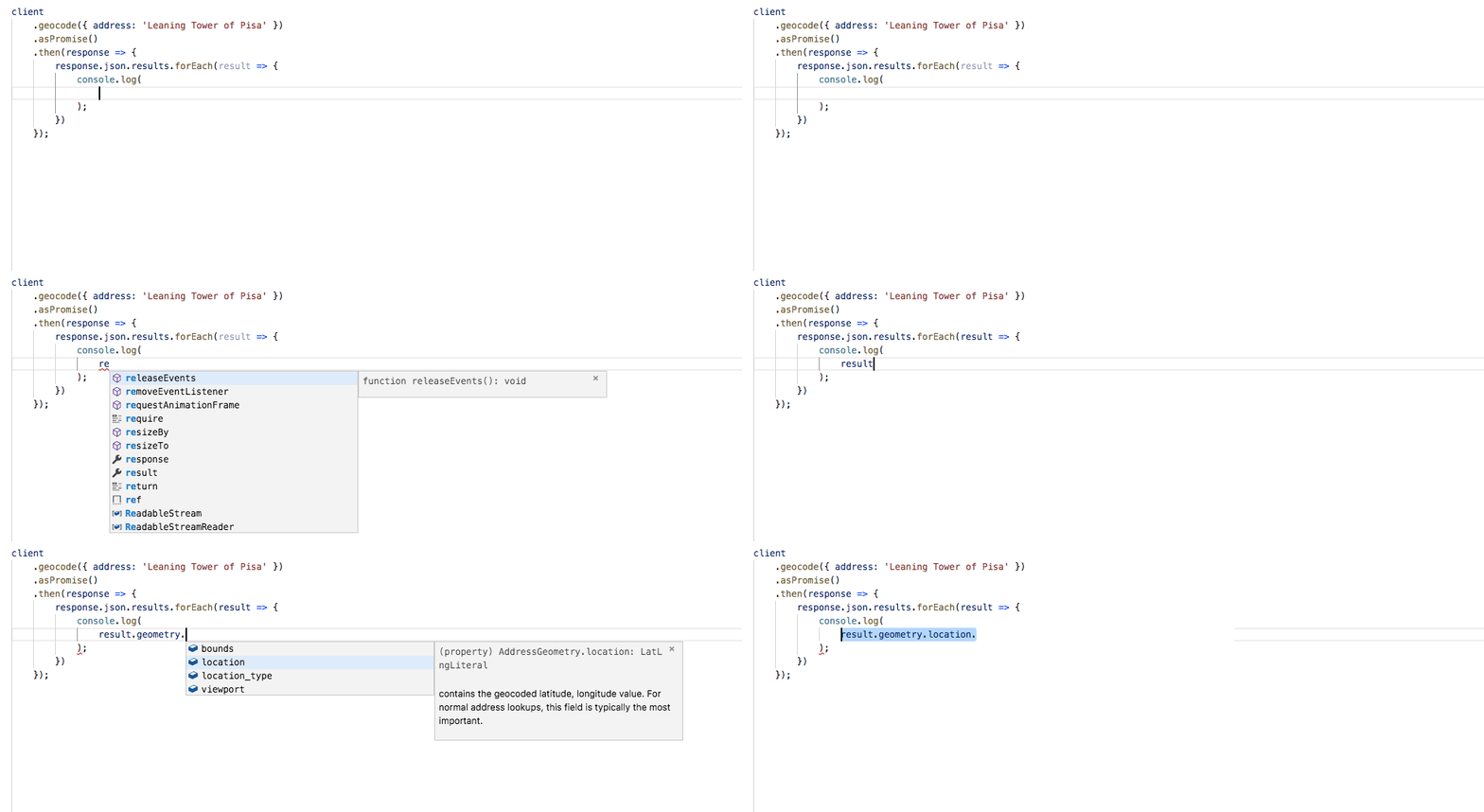
## Installation
Just install both the official Google Maps API package and the Google Maps API Typings using *npm*:
```
npm i @google/maps
npm i google-maps-api-typings --save-dev
```
## Usage
```
import 'google-maps-api-typings';
import { createClient } from "@google/maps";
const client = createClient({
key: 'my-google-maps-api-key',
language: 'jp',
Promise: Promise
});
client
.geocode({ address: 'Leaning Tower of Pisa' })
.asPromise()
.then(response => {
response.json.results.forEach(result => {
console.log(
result.geometry.location
);
})
});
```
This will output: `{ lat: 43.722952, lng: 10.396597 }`.
## Supported APIs
- [directions](https://developers.google.com/maps/documentation/directions/intro)
- [distanceMatrix](https://developers.google.com/maps/documentation/distance-matrix/intro)
- [elevation](https://developers.google.com/maps/documentation/elevation/intro)
- [elevationAlongPath](https://developers.google.com/maps/documentation/elevation/intro)
- [findPlace](https://developers.google.com/places/web-service/search#FindPlaceRequests)
- [geocode](https://developers.google.com/maps/documentation/geocoding/intro#GeocodingRequests)
- [geolocate](https://developers.google.com/maps/documentation/geolocation/intro)
- [nearestRoads](https://developers.google.com/maps/documentation/roads/nearest)
- [place](https://developers.google.com/places/web-service/details)
- [places](https://developers.google.com/places/web-service/search#TextSearchRequests)
- [placesAutoComplete](https://developers.google.com/places/web-service/autocomplete)
- [placesNearby](https://developers.google.com/places/web-service/search#PlaceSearchRequests)
- [placesPhoto](https://developers.google.com/places/web-service/photos)
- [placesQueryAutoComplete](https://developers.google.com/places/web-service/query)
- [placesRadar](https://developers.google.com/places/web-service/search#RadarSearchRequests)
- [reverseGeocode](https://developers.google.com/maps/documentation/geocoding/intro#ReverseGeocoding)
- [snappedSpeedLimits](https://developers.google.com/maps/documentation/roads/speed-limits)
- [snapToRoads](https://developers.google.com/maps/documentation/roads/snap)
- [speedLimits](https://developers.google.com/maps/documentation/roads/speed-limits)
- [timezone](https://developers.google.com/maps/documentation/timezone/intro)
### Note
Do not confuse the Google Maps Node.JS API with the [Google Maps Javascript API](https://developers.google.com/maps/documentation/javascript).