https://github.com/infinitered/promotion-menu
RubyMotion gem allowing you to easily setup a facebook or Path style hidden slide menu easily with the ProMotion gem.
https://github.com/infinitered/promotion-menu
menu navigation rubymotion
Last synced: 11 months ago
JSON representation
RubyMotion gem allowing you to easily setup a facebook or Path style hidden slide menu easily with the ProMotion gem.
- Host: GitHub
- URL: https://github.com/infinitered/promotion-menu
- Owner: infinitered
- Created: 2013-03-28T15:16:52.000Z (almost 13 years ago)
- Default Branch: master
- Last Pushed: 2023-08-03T23:01:15.000Z (over 2 years ago)
- Last Synced: 2024-04-24T14:29:49.656Z (over 1 year ago)
- Topics: menu, navigation, rubymotion
- Language: Ruby
- Size: 98.6 KB
- Stars: 74
- Watchers: 26
- Forks: 29
- Open Issues: 2
-
Metadata Files:
- Readme: README.md
Awesome Lists containing this project
README
# ProMotion-menu
[](http://badge.fury.io/rb/ProMotion-menu) [](https://travis-ci.org/clearsightstudio/ProMotion-menu) [](https://codeclimate.com/github/clearsightstudio/ProMotion-menu) [](https://codeclimate.com/github/clearsightstudio/ProMotion-menu)
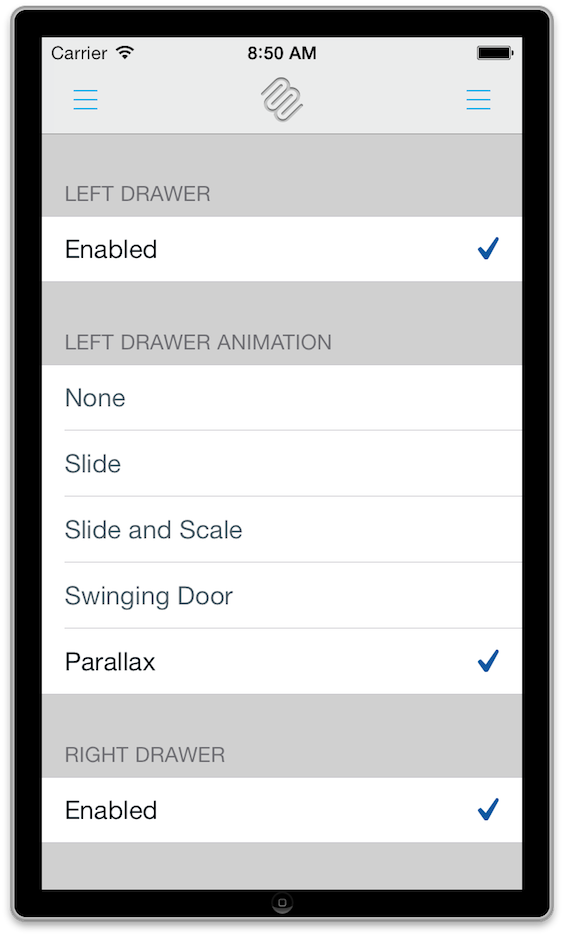
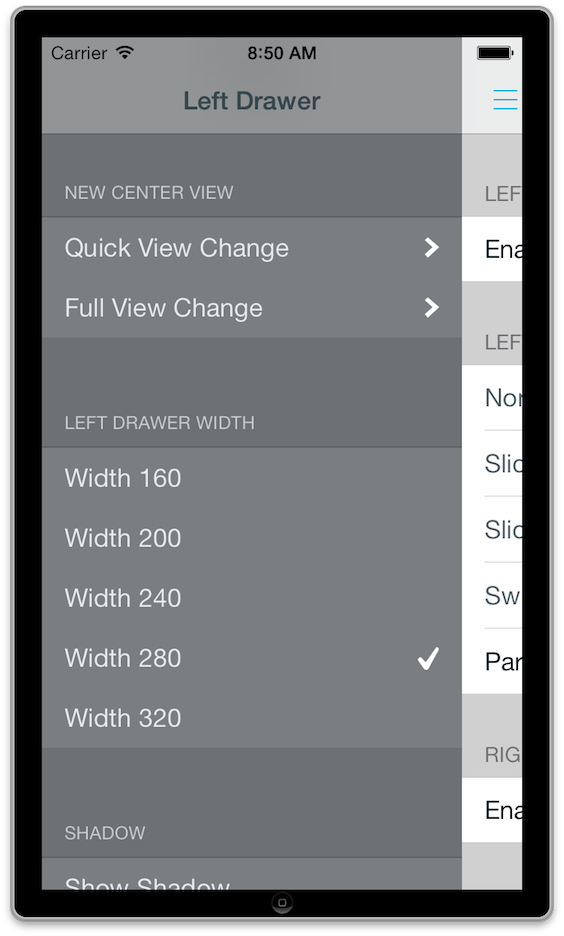
ProMotion-menu provides a menu component for the popular RubyMotion gem [ProMotion](https://github.com/clearsightstudio/ProMotion). Utilizing [MMDrawerController](https://github.com/mutualmobile/MMDrawerController) it allows you to easily have a cool Facebook or Path style slide navigation menu, complete with gestures.
The gem was originally named `pro_motion_slide_menu` authored by [Matt Brewer](https://github.com/macfanatic) and continuing development was done by [Infinite Red](http://infinite.red), a web and mobile development company based in Portland, OR and San Francisco, CA. While you're welcome to use it, please note that we rely on the community to maintain it. We are happy to merge pull requests and release new versions but are no longer driving primary development.
## Installation
### Bundler
Add the following to your project's `Gemfile` to work with bundler.
```ruby
gem 'ProMotion-menu'
```
Install with bundler:
```ruby
bundle install
```
Install pods:
```ruby
rake pod:install
```
If you're encountering errors, try cleaning before installing pods:
```ruby
rake clean:all
```
### Dependenices
This depends on motion-cocoapods and ProMotion.
### Rakefile
As of [motion-cocoapods](https://github.com/HipByte/motion-cocoapods/compare/1.3.6...1.3.7) v1.3.7, you no longer have to include a pods setup block in your project Rakefile, we can do that for you in the gem.
## Creating and Configuring a Menu
To create a menu in your application, you need to start in your AppDelegate:
```ruby
class AppDelegate < PM::Delegate
def on_load(app, options)
# Open the menu with your center view (initially shown) and navigation view(s) (initially hidden)
open_menu MyGreatAppScreen.new(nav_bar: true), left: NavigationScreen
# You can get to the instance of the menu at any time if you need to
self.menu.controller(:left).class.name
# => NavigationScreen
end
end
```
### Alternate Approach
If you prefer to keep your menu encapsulated you can create a menu drawer and do your setup there.
```ruby
class MenuDrawer < PM::Menu::Drawer
def setup
self.center = MyGreatAppScreen.new(nav_bar: true)
self.left = NavigationScreen
self.to_show = [:pan_bezel, :pan_nav_bar]
self.transition_animation = :swinging_door
self.max_left_width = 250
self.shadow = false
end
end
class AppDelegate < PM::Delegate
def on_load(app, options)
@menu = open MenuDrawer
end
def show_menu
@menu.show :left
end
end
```
## Gesture Recognition
By default you can show the menu by panning within 20 pts of the bezel and hide it by panning or tapping
the center view. It's possible to override the default behavior:
```ruby
# In AppDelegate
open_menu BodyScreen, right: MenuScreen, to_show: :pan_nav_bar, to_hide: [:pan_nav_bar, :tap_nav_bar]
# From elsewhere in your app
app_delegate.menu.to_show = :pan_center
# The following gestures are provided:
# For to_show:
:pan_nav_bar # Pan anywhere on the navigation bar
:pan_content # Pan anywhere on the center view
:pan_center # Alias of above
:pan_bezel # Pan anywhere within 20 pts of the bezel
:all # All of the above
:none # No gesture recognition
# For to_hide:
:pan_nav_bar # Pan anywhere on the navigation bar
:pan_content # Pan anywhere on the center view
:pan_center # Alias of above
:pan_bezel # Pan anywhere within the bezel of the center view
:tap_nav_bar # Tap the navigation bar
:tap_content # Tap the center view
:tap_center # Alias of above
:pan_menu # Pan anywhere on the drawer view
:all # All of the above
:none # No gesture recognition
```
## Transition Animation
Changing the transition animation is easy:
```ruby
app_delegate.menu.transition_animation = :swinging_door
# The following transition animation options are available:
:slide # Default. Equivalent to :parallax_1 and similar to the menu
# in Spotify's app.
:slide_and_scale # A slide and scale visual effect similar to Mailbox.app.
# Scales from 90% to 100%, translates x 50px, and sets alpha
# from 0.0 to 1.0.
:swinging_door # A swinging door effect
:parallax_n # A parallax effect where n is a parallax factor.
:parallax # Equiavlent of :parallax_3
:parallax_1 # Equivalent of :slide
:"parallax_#{Float::MAX}" # Equivalent of no animation at all.
```
## Toggling the Menu Drawer Current Screen
To make the menu drawer present the menu from anywhere in your app:
```ruby
# Show the menu
app_delegate.menu.show(:left)
# Equivalent to
app_delegate.menu.openDrawerSide MMDrawerSideLeft, animated: true, completion: ->(c) { true }
# Hide the menu
app_delegate.menu.hide
# Equivalent to
app_delegate.menu.closeDrawerAnimated animated: true, completion: ->(c) { true }
# Actually toggle the menu between open/closed states
app_delegate.menu.toggle(:left)
app_delegate.menu.toggle_left
# Equivalent to
app_delegate.menu.toggleDrawerSide MMDrawerSideLeft, animated: true, completion: ->(c) { true }
# You can also adjust the Menu Drawer width
app_delegate.menu.max_left_width = 250
```
## Setting up the Menu
You can use any `UIViewController` subclass you want as the menu controller, but the easiest way to provide this would be to subclass `ProMotion::TableScreen` like below:
```ruby
class NavigationScreen < ProMotion::TableScreen
def table_data
[{
title: nil,
cells: [{
title: 'OVERWRITE THIS METHOD',
action: :swap_center_controller,
arguments: HomeScreen
}]
}]
end
def swap_center_controller(screen_class)
# Just use screen_class if you don't need a navigation bar
app_delegate.menu.center_controller = screen_class
end
end
```
## More Information
Be sure to check out more documenation from the [cocoapod itself](http://cocoadocs.org/docsets/MMDrawerController/0.5.6/), for fun things such as gesture support for showing or dismissing drawers, custom UIBarButtonItems and more.
### Help
ProMotion is not only an easy DSL to get started. The community is very helpful and
welcoming to new RubyMotion developers. We don't mind newbie questions.
If you need help, feel free to open an issue on GitHub. If we don't respond within a day, tweet us a link to the issue -- sometimes we get busy.
A [very minimal ProMotion-menu sample](https://github.com/ryanlntn/pm-menu-issue-44) is available for reference.
### Contributing
See [CONTRIBUTING.md](https://github.com/clearsightstudio/ProMotion/blob/master/CONTRIBUTING.md).
### Primary Contributors
* Matt Brewer: [@macfanatic](https://github.com/macfanatic)
* Ryan Linton: [@ryanlntn](https://twitter.com/ryanlntn)
* Jason Stirk: [@jstirk](https://github.com/jstirk)
* Mark Rickert: [@markrickert](https://twitter.com/markrickert)
* Jamon Holmgren: [@jamonholmgren](https://twitter.com/jamonholmgren)
* [Many others](https://github.com/clearsightstudio/ProMotion-menu/graphs/contributors)