https://github.com/inforkgodara/sql-injection
It is a SQL injection vulnerable project with demonstration. It is developed using PHP and MySQL technologies. It also contains a youtube link where fully demonstrated SQL Injection.
https://github.com/inforkgodara/sql-injection
attack bypass-login bypass-login-php-website login-form-hacking mysql-database php php-login-form php-small-project php-sql-injection php-web-injection sql-database sql-injection sql-injection-attacks sql-injection-exploitation
Last synced: about 1 year ago
JSON representation
It is a SQL injection vulnerable project with demonstration. It is developed using PHP and MySQL technologies. It also contains a youtube link where fully demonstrated SQL Injection.
- Host: GitHub
- URL: https://github.com/inforkgodara/sql-injection
- Owner: inforkgodara
- Created: 2020-09-19T20:44:48.000Z (almost 6 years ago)
- Default Branch: master
- Last Pushed: 2021-05-24T00:04:16.000Z (about 5 years ago)
- Last Synced: 2025-04-08T10:11:42.202Z (over 1 year ago)
- Topics: attack, bypass-login, bypass-login-php-website, login-form-hacking, mysql-database, php, php-login-form, php-small-project, php-sql-injection, php-web-injection, sql-database, sql-injection, sql-injection-attacks, sql-injection-exploitation
- Language: PHP
- Homepage:
- Size: 220 KB
- Stars: 18
- Watchers: 1
- Forks: 17
- Open Issues: 0
-
Metadata Files:
- Readme: README.md
Awesome Lists containing this project
README
# SQL Injection
SQL injection is a code injection technique, used to attack data-driven applications, in which malicious SQL statements are inserted into an entry field for execution (e.g. to dump the database contents to the attacker). SQL injection must exploit a security vulnerability in an application's software, for example, when user input is either incorrectly filtered for string literal escape characters embedded in SQL statements or user input is not strongly typed and unexpectedly executed. SQL injection is mostly known as an attack vector for websites but can be used to attack any type of SQL database. (wikipedia). It is used in database database technologies. There have been create basic. We will be using php web application to demonstrate sql injection.
## Demo
* Video clip on demonstration: https://youtu.be/KH_4s2WVDK0
## Prerequisites
You must have following programs/packages in order to run this project.
* Apache: 2.4.46
* PHP: 7.2.33
* MariaDB: 10.4.14
* phpMyAdmin: 5.0.2
Note: the XAMPP server include all above mentioned technologies. https://www.apachefriends.org/download.html
## Simple Login Development Approach
A simple php and MySQL based web application is developed which has registration, login, dashboard and logout. The authentication is very common in modern web application. It is a security mechanism that is used to restrict unauthorized access to member-only areas and tools on a site.
In this section we'll build a registration system that allows users to create a new account by filling out a web form. But, first we need to create a table that will hold all the user data.
### Step 1: Creating the database table
```
CREATE TABLE users (
id INT NOT NULL PRIMARY KEY AUTO_INCREMENT,
username VARCHAR(50) NOT NULL UNIQUE,
password VARCHAR(255) NOT NULL,
created_at DATETIME DEFAULT CURRENT_TIMESTAMP
);
```
### Step 2: Creating the config script
After creating the table, we need create a PHP script in order to connect to the MySQL database server. Let's create a file named "config.php" and put the following code inside it.
```
```
Note: Replace the credentials according to your MySQL server setting before testing this code, for example, replace the database name 'sql_injection' with your own database name, replace username 'root' with your own database username, specify database password if there's any.
### Step 3: Creating the registration module
Let's create another PHP file "register.php" and put the following example code in it. This example code will create a web form that allows user to register themselves.
This script will also generate errors if a user tries to submit the form without entering any value, or if username entered by the user is already taken by another user.
```
Sign Up
body{ font: 14px sans-serif; }
.wrapper{ width: 350px; padding: 20px; }
Sign Up
Please fill this form to create an account.
" method="post">
Username
Password
Confirm Password
Already have an account? Login here.
```
### Step 4: Creating the login module
In this section we'll create a login form where user can enter their username and password. When user submit the form these inputs will be verified against the credentials stored in the database, if the username and password match, the user is authorized and granted access to the site, otherwise the login attempt will be rejected.
Let's create a file named "login.php" and place the following code inside it.
```
0)
{
session_start();
/* Store data in session variables */
$_SESSION["loggedin"] = true;
$_SESSION["id"] = $id;
$_SESSION["username"] = $username;
/* Redirect user to welcome page */
header("location: welcome.php");
}
else
{
/* Display an error message if there is no row selected. */
$password_err = "The password you entered was not valid.";
}
/* Close statement */
mysqli_close($link);
}
}
?>
Login
body{ font: 14px sans-serif; }
.wrapper{ width: 350px; padding: 20px; }
Login
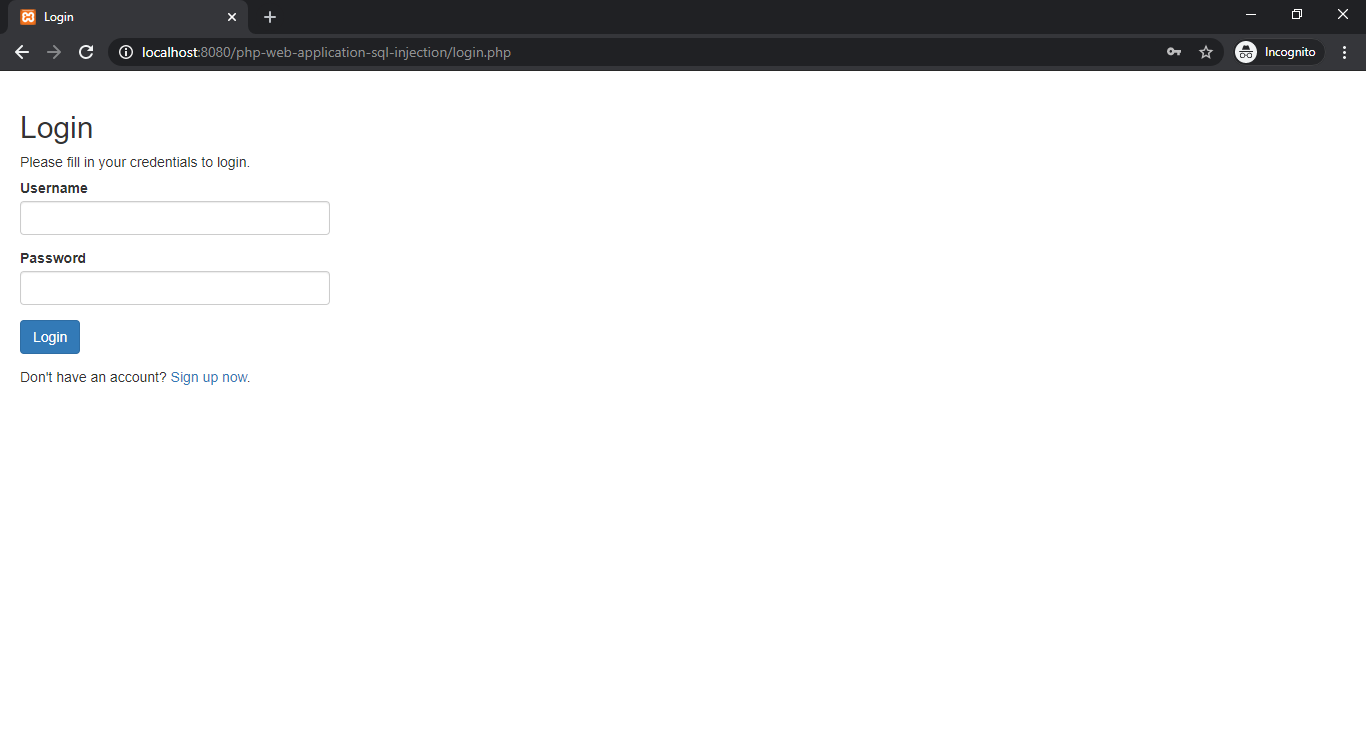
Please fill in your credentials to login.
" method="post">
Username
Password
Don't have an account? Sign up now.
```
### Step 5: Creating the welcome module
Here's the code of our "welcome.php" file, where user is redirected after successful login.
```
Welcome
body{ font: 14px sans-serif; text-align: center; }
Hi, . Welcome
```
### Step 6: Creating the logout script
Now, let's create a "logout.php" file. When the user clicks on the log out or sign out link, the script inside this file destroys the session and redirect the user back to the login page.
```
```
## Sql Injection Execution Approach
SQL injections are one of the most common vulnerabilities found in web applications nowadays.
I will explain what a SQL injection attack is and take a look at an example of a simple vulnerable PHP web
application accessing a MySQL database. After that, we will look at several methods to prevent this attack,
fixing the problem.
As we have already set up our php simple web application now we will try to attach on the developed web application.
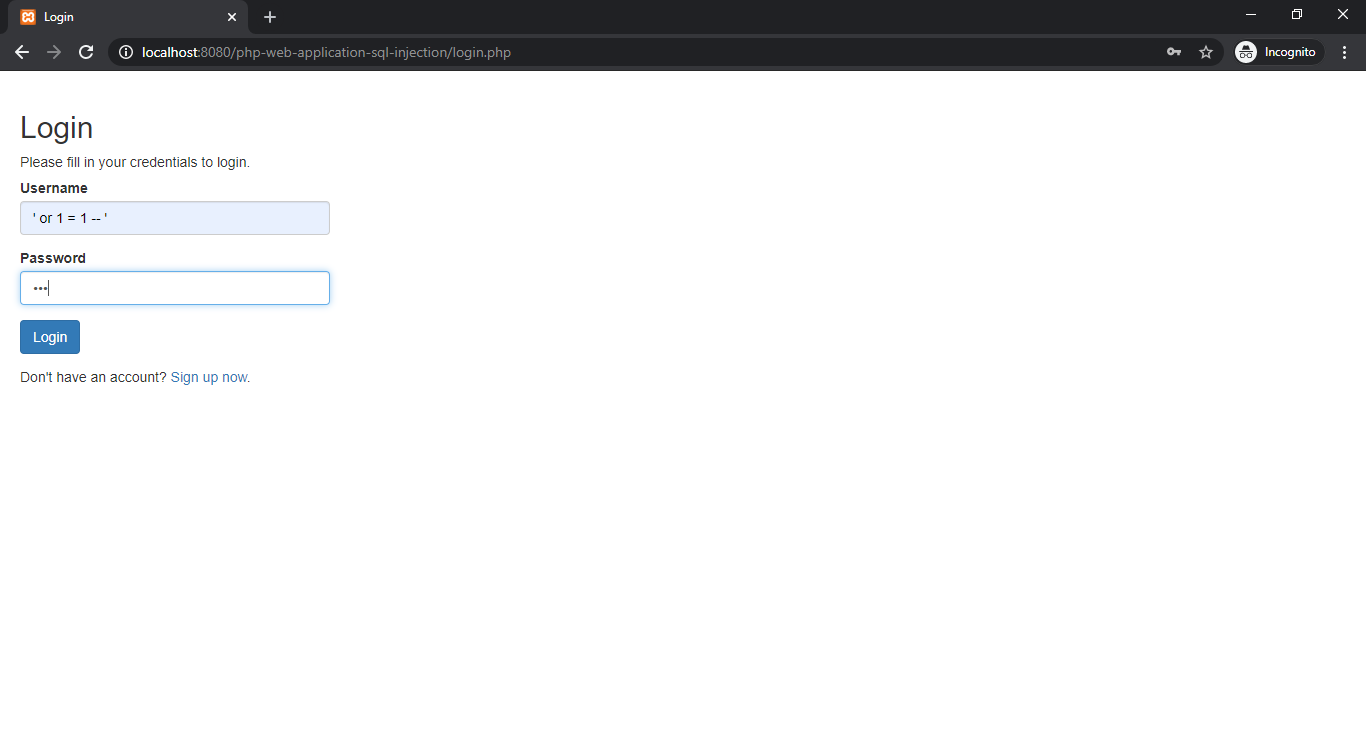
Usually username and password is required to access dashboard (welcome.php) but we will enter following code in username text field and
any password you can enter which will not validated while login.
```
' or 1 = 1 -- '
```
In backend php code will create sql query in the following way.
```
SELECT id, username, password FROM users WHERE username = '' or 1 = 1 -- '' and password = md5('123')
```
In where clause username field has null value but after that there is or condition which says 1 = 1 that is always true.
After or condition there is (--) comment symbols which ignore the rest of the sql where clause.
SQL Injection code may change as per the php writen code for sql query in single quotation or double quotation.
## Screenshots
### Registration

### Login
### Sql where clause code in username field
### Dashboard

### MySQL Database Query

## How to avoid sql injection
* Use prepared statements and parameterized queries
* Use PHP frameworks (Symfony, Laravel, Codeigniter, CakePhp and etc.) in which already used prepared statements.
## Detailed Video
* Video clip on demonstration: https://youtu.be/KH_4s2WVDK0