https://github.com/innei/wakatime-sync-action
https://github.com/innei/wakatime-sync-action
Last synced: about 1 year ago
JSON representation
- Host: GitHub
- URL: https://github.com/innei/wakatime-sync-action
- Owner: Innei
- Created: 2020-03-08T11:45:45.000Z (over 6 years ago)
- Default Branch: master
- Last Pushed: 2025-04-28T00:15:42.000Z (about 1 year ago)
- Last Synced: 2025-04-28T11:23:14.836Z (about 1 year ago)
- Language: JavaScript
- Size: 374 KB
- Stars: 3
- Watchers: 1
- Forks: 0
- Open Issues: 7
-
Metadata Files:
- Readme: README.md
Awesome Lists containing this project
README
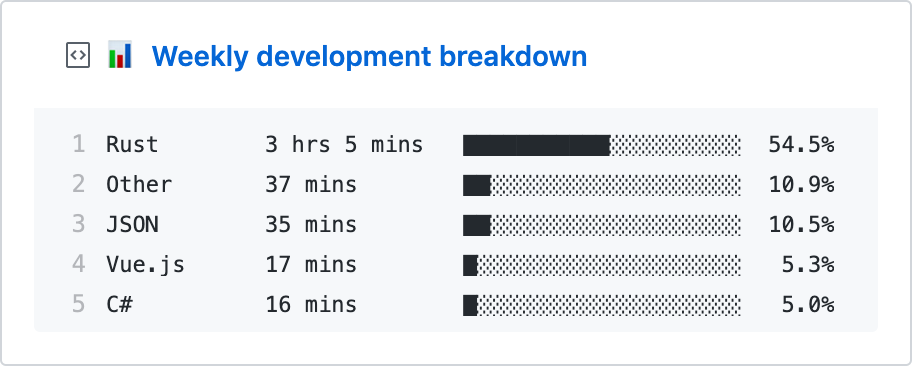
  waka-box

  Update a pinned gist to contain your weekly WakaTime stats

---

> 📌✨ For more pinned-gist projects like this one, check out: https://github.com/matchai/awesome-pinned-gists

## Setup

### Prep work

1. Create a new public GitHub Gist (https://gist.github.com/)

1. Create a token with the `gist` scope and copy it. (https://github.com/settings/tokens/new)

1. Create a WakaTime account (https://wakatime.com/signup)

1. In your WakaTime profile settings (https://wakatime.com/settings/profile) ensure `Display coding activity publicly` and `Display languages, editors, operating systems publicly` are checked.

1. In your account settings, copy the existing WakaTime API Key (https://wakatime.com/settings/api-key)

### Project setup

1. Fork this repo

1. Edit the [environment variable](https://github.com/matchai/waka-box/blob/master/.github/workflows/schedule.yml#L13-L15) in `.github/workflows/schedule.yml`:

   - **GIST_ID:** The ID portion from your gist url: `https://gist.github.com/matchai/`**`6d5f84419863089a167387da62dd7081`**.

1. Go to the repo **Settings > Secrets**

1. Add the following environment variables:

   - **GH_TOKEN:** The GitHub token generated above.

   - **WAKATIME_API_KEY:** The API key for your WakaTime account.