https://github.com/inseefrlab/devoxx-2023
https://github.com/inseefrlab/devoxx-2023
Last synced: 11 months ago
JSON representation
- Host: GitHub
- URL: https://github.com/inseefrlab/devoxx-2023
- Owner: InseeFrLab
- Created: 2023-04-02T13:23:49.000Z (over 3 years ago)
- Default Branch: main
- Last Pushed: 2023-12-15T05:08:04.000Z (over 2 years ago)
- Last Synced: 2025-01-21T22:24:17.013Z (over 1 year ago)
- Language: HCL
- Size: 364 KB
- Stars: 10
- Watchers: 14
- Forks: 1
- Open Issues: 1
-
Metadata Files:
- Readme: README.md
Awesome Lists containing this project
README
# Construisons ensemble de A à Z un cloud opensource pour le datascientist
Pour poser des questions pendant la conférence : https://hebdo.framapad.org/p/devoxx-2023-conf-datalab-a0cu?lang=fr
## Contexte et objectif
https://minio.lab.sspcloud.fr/projet-onyxia/diffusion/Presentation/devoxx-intro.pdf
Plan de jeu :
1. [Provisionner un cluster Kubernetes](#provisionner-un-cluster-kubernetes)
2. [Prise en main "admin" du cluster](#prise-en-main-admin-du-cluster)
3. [Datascience 101: déploiement d'un service](#datascience-101--déploiement-dun-service)
4. [Packaging, reproductibilité et configuration: Helm](#packaging-reproductibilité-et-configuration--helm)
5. [Exposition des services vers l'extérieur](#exposition-des-services-vers-lextérieur)
6. [Bilan d'étape](#bilan-détape)
7. [Onyxia, notre sauveur](#onyxia-notre-sauveur)
8. [Installation d'Onyxia](#installation-donyxia)
9. [Multi utilisateurs: authentification](#multi-users--authentification)
10. [Stockage S3](#stockage-s3)
11. [Catalogue de services](#catalogue-de-services)
12. [Gestion des secrets](#gestion-des-secrets)
13. [Customisation](#customisation)
14. [Bonus](#bonus)
## Provisionner un cluster Kubernetes
### `Théorie`
- Un prérequis : un cluster Kubernetes
- "Agnostique de la distribution / cloud provider"
- Aujourd'hui : cluster managé chez OVH
### `Pratique`
- Création d'un cluster Kubernetes sur OVH
## Prise en main "admin" du cluster
### `Théorie`

- Interaction avec l'API Server
### `Pratique`
- Installation de `kubectl` (https://kubernetes.io/docs/tasks/tools/), attention au [Version skew policy](https://kubernetes.io/releases/version-skew-policy/) : respecter `+/- 1` par rapport au cluster pour éviter les problèmes. Le mettre dans le `PATH`.
- Téléchargement du `kubeconfig` depuis l'interface du provider (ou récupération en fonction de la distribution), le placer dans `~/.kube/config`
- Confirmer avec `kubectl get nodes` la présence des noeuds
## Datascience 101 : déploiement d'un service
### `Théorie`
- On a un cluster, on déploie et c'est fini, non ?
### `Pratique`
- Déploiement d'un jupyter notebook basique. `kubectl apply -f manifests/jupyter-basique`
- `kubectl get pods` pour suivre la création du pod
- `kubectl logs podname` une fois `Running` pour consulter les logs et récupérer le token d'accès (on ne l'a pas précisé donc il est généré dynamiquement à chaque lancement)
- `kubectl port-forward podname 8888:8888` pour ouvrir un tunnel entre `localhost:8888` et le port 8888 du Jupyter
- Accès et utilisation du Jupyter via `localhost:8888`
Superbe infra datascience :thumbsup:
## Packaging, reproductibilité et configuration : Helm
### `Théorie`
Intérêt du packaging, principes de [Helm](https://helm.sh/)
### `Pratique`
Désinstallation et réinstallation du service précédent
- `kubectl delete -f manifests/jupyter-basique` pour nettoyer le service précédent
- Recherche d'un `chart` Helm pour jupyterlab ...
- https://github.com/inseefrlab/helm-charts-interactive-services
```
helm repo add helm-charts-interactive-services https://inseefrlab.github.io/helm-charts-interactive-services
helm repo update
helm install jupyter helm-charts-interactive-services/jupyter-python
```
- Pratique : faire un `chart` "coquille" avec une dépendance vers le `chart` réel (cf `manifests/jupyter-helm`)
- Bonne pratique : Utiliser `helm template` AVANT d'installer pour contrôler ce qui va être installé. (à défaut, `helm get manifest ` pour voir les manifests après installation)
- Bonne pratique : Externaliser les values dans un `values.yaml` (`helm install -f values.yaml`)
- Bonne pratique : `helm uninstall jupyter`
## Exposition des services vers l'extérieur
### `Théorie`

### `Pratique`
- `cd manifests/ingress-nginx`, `helm dependencies build` pour télécharger les dépendances (`helm dependencies update` pour les mettre à jour)
- `kubectl create namespace ingress-nginx`
- `helm template ingress-nginx . -f values.yaml -n ingress-nginx` pour prévisualisation
- `helm install ingress-nginx . -f values.yaml -n ingress-nginx` pour l'installation
- `kubectl get pods -n ingress-nginx` pour suivre l'avancée des pods, `kubectl get service -n ingress-nginx` pour suivre l'affectation de l'IP loadbalancer
- Récupérer l'IP externe (après affectation par le cloud provider)
### `Théorie`
Une adresse IP c'est bien, un nom de domaine c'est mieux
### `Pratique`
- Configuration d'un champ DNS `A` `*.devoxx.insee.io` => `ipexterne`
- Modifier le jupyter pour utiliser le reverse proxy (`helm upgrade jupyter helm-charts-interactive-services/jupyter-python --set ingress.enabled=true --set ingress.hostname=devoxx.insee.io`)
### `Théorie`
- `HTTP` brut en 2023 :vomiting_face:
- 2 approches : `cert-manager` et `wildcard`
### `Pratique`
- Wildcard (via [let's encrypt](https://letsencrypt.org/)) : `certbot certonly --manual --preferred-challenges dns`
- `kubectl create secret tls wildcard --key privkey.pem --cert fullchain.pem -n ingress-nginx`
- Ou cert-manager : https://cert-manager.io/docs/installation/helm/
## Bilan d'étape
On a un cluster, accessible aux admins avec possibilité de déployer des services de façon technique.
**Nécessité d'industrialisation et de proposer une UX**
## Onyxia, notre sauveur 🙏🏻
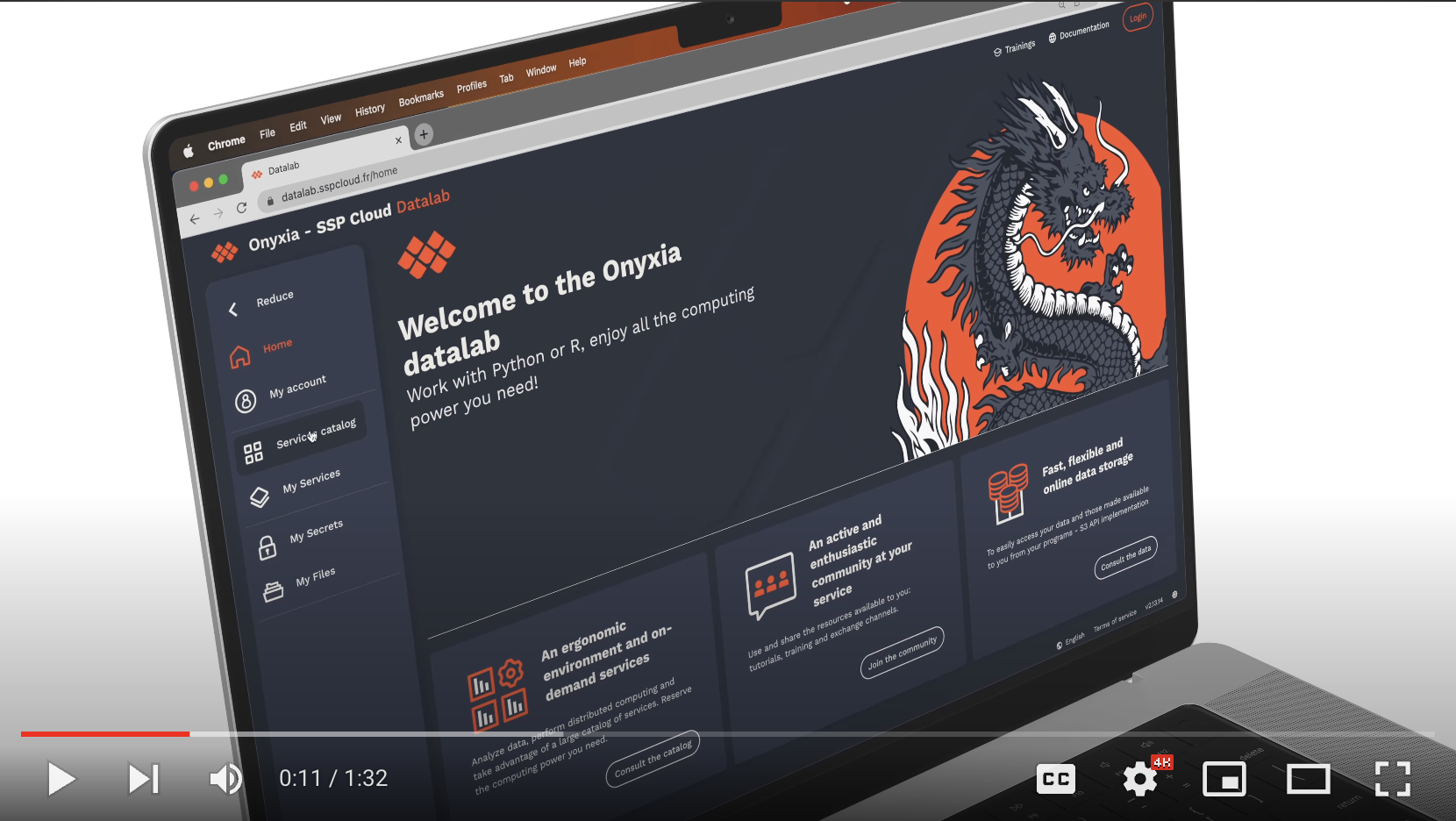
Vidéo + présentation de l'appli + démo sspcloud (J)
## Installation d'Onyxia
### `Théorie`
- https://www.onyxia.sh/
- Pattern "namespace as a service"
### `Pratique`
- `cd manifests/onyxia-brut`, `helm dependencies build`, `helm install onyxia . -f values.yaml -n onyxia --create-namespace`
- ...
- `https://datalab.devoxx.insee.io`
## Multi utilisateurs : authentification
### `Théorie`

### `Pratique`
Installation d'un [Keycloak](https://github.com/keycloak/keycloak)
- `cd manifests/keycloak`, `helm dependencies build`, `helm install keycloak . -f values.yaml -n keycloak --create-namespace`
* Interface d'admin : https://auth.devoxx.insee.io/auth
* Création d'un realm `datalab`, onglet `login` activation de `User registration`
* Création d'un client `onyxia` avec `Root URL` : `https://datalab.devoxx.insee.io`, `Valid redirect URIs` : `https://datalab.devoxx.insee.io/*` et `Web origins` : `+`
Configuration d'onyxia :
- `cd manifests/onyxia-oidc`, `helm dependencies build`, `helm upgrade onyxia . -f values.yaml -n onyxia`
## Stockage S3
### `Théorie`
Intérêt du stockage S3 (F)
### `Pratique`
Installation d'un [minIO](https://github.com/minio/minio)
- `cd manifests/minio`, `helm dependencies build`, `helm install minio . -f values.yaml -n minio --create-namespace`
- Utilisation de [mc](https://min.io/download#/linux)
- `mc alias set devoxx https://minio.devoxx.insee.io admin changeme`
- `mc admin info devoxx`
- `mc ls devoxx`
Authentification OpenIDConnect :
- Création d'un client `minio`, `Root URL` : `https://minio.devoxx.insee.io`, `Valid redirect URIs` : `https://minio.devoxx.insee.io/*` et `https://minio-console.devoxx.insee.io/*`, `Web origins` : `+`
- Ajout d'un mapper pour ce client : `clients` => `minio` => `client scopes` => `minio-dedicated` => `configure a new mapper` => `hardcoded claim` :
_ Name: `stsonly`
_ Token claim name: `policy` \* Claim value : `stsonly`
Console disponible sur [https://minio-console.devoxx.insee.io](https://minio-console.devoxx.insee.io)
Intégration avec Onyxia :
- Création d'un client `onyxia-minio`, `Root URL` : `https://datalab.devoxx.insee.io`, `Valid redirect URIs` : `https://datalab.devoxx.insee.io/*`, `Web origins` : `+`
- Ajout d'un mapper pour ce client : `clients` => `onyxia-minio` => `client scopes` => `minio-dedicated` => `configure a new mapper` => `hardcoded claim` :
- Name: `stsonly`
- Token claim name: `policy`
- Claim value : `stsonly`
- Ajout d'une audience spécifique pour ce client : `clients` => `onyxia-minio` => `client scopes` => `onyxia-minio-dedicated` => `add mapper by configuration` => `audience` :
- Name: `audience-minio`
- Included Custom Audience : `minio`
- Add to ID token: `true`
- `cd manifests/onyxia-s3-minio`, `helm dependencies build`, `helm upgrade onyxia . -f values.yaml -n onyxia`
Minio intégré dans Onyxia :)
## Catalogue de services
### `Théorie`
Fonctionnement du catalogue (J)
## Gestion des secrets
### `Théorie`
La gestion des secrets avec Vault (F)
### `Pratique`
https://github.com/InseeFrLab/onyxia/tree/main/step-by-step#configuring-keycloak-for-vault
## Customisation
### `Théorie`
Design, cohérence de l'expérience utilisateur ... (J)
### `Pratique`
https://www.keycloakify.dev/
## Bonus
- [Catalogue de formations](https://www.sspcloud.fr/formation)
- [Gitops avec argocd](https://argo-cd.readthedocs.io/en/stable/)
- [Monitoring / billing](https://github.com/opencost/opencost)