https://github.com/int128/oauth2cli
Go package of OAuth 2.0 authorization for command line tools, which allows simple authorization flow for better UX
https://github.com/int128/oauth2cli
cli golang oauth2
Last synced: 8 months ago
JSON representation
Go package of OAuth 2.0 authorization for command line tools, which allows simple authorization flow for better UX
- Host: GitHub
- URL: https://github.com/int128/oauth2cli
- Owner: int128
- License: apache-2.0
- Created: 2018-10-03T00:54:24.000Z (almost 8 years ago)
- Default Branch: master
- Last Pushed: 2025-03-19T12:14:26.000Z (over 1 year ago)
- Last Synced: 2025-03-28T20:07:27.474Z (over 1 year ago)
- Topics: cli, golang, oauth2
- Language: Go
- Homepage:
- Size: 464 KB
- Stars: 55
- Watchers: 1
- Forks: 20
- Open Issues: 8
-
Metadata Files:
- Readme: README.md
- License: LICENSE
Awesome Lists containing this project
README
# oauth2cli  [](https://godoc.org/github.com/int128/oauth2cli)
This is a Go package for OAuth 2.0 authorization in a command line interface (CLI) tool.
You can create a CLI tool with the simple authorization flow for better UX.
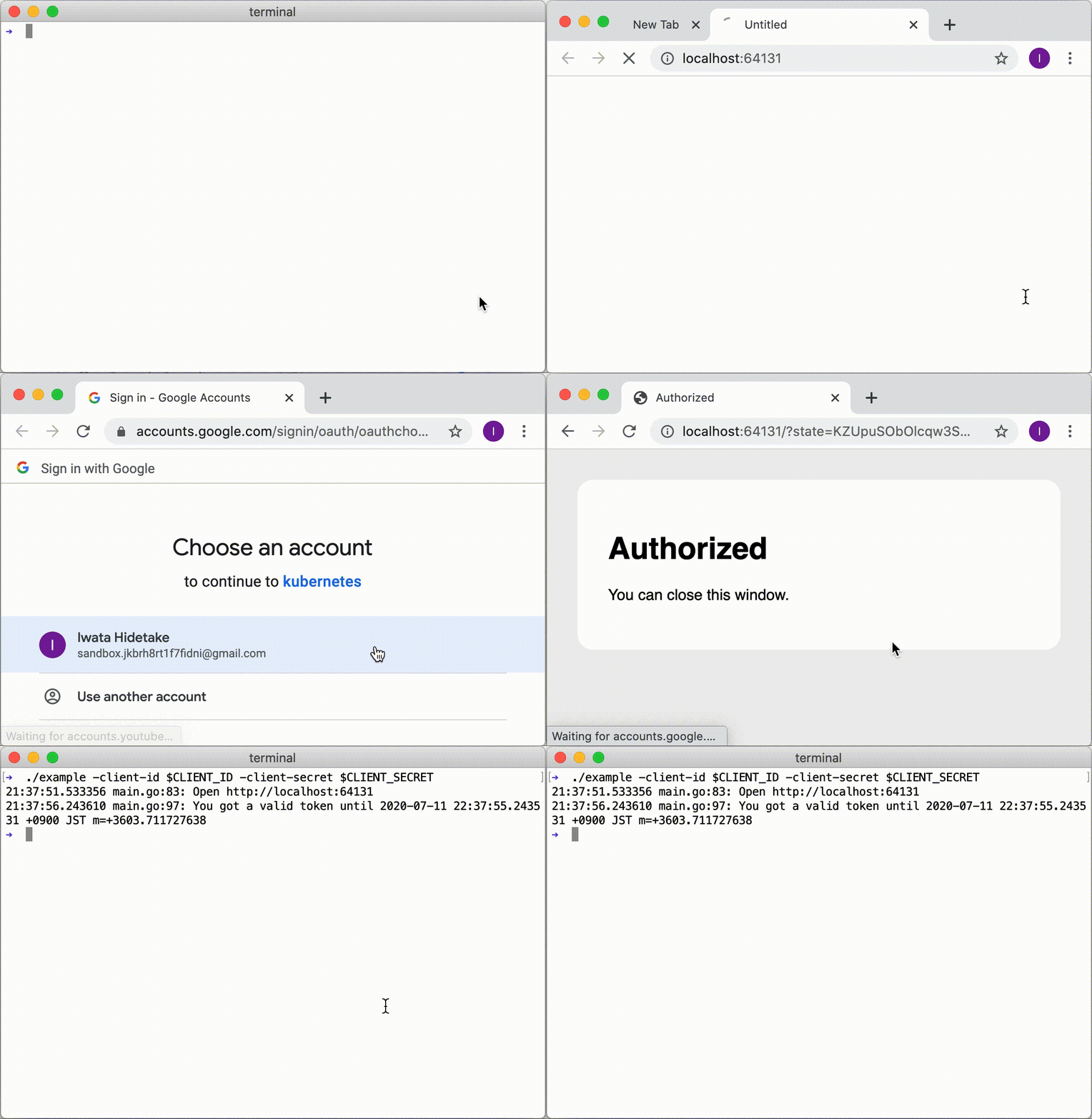
Take a look at the screencast of [the example application](example/).
## Purpose
When we create a CLI tool which accesses an API with OAuth, it needs the complicated flow such as copy/paste of a URL and code, as follows:
1. User runs the command.
1. Command shows the URL for authorization.
1. User opens the browser, logs in to the server and approves the authorization.
1. Server shows an authorization code.
1. User copies the code and pastes into the command.
1. Command accesses the API with the token.
You can make it simple by using oauth2cli as follows:
1. User runs the command.
1. Command opens the browser.
1. User logs in to the server and approves the authorization.
1. Command gets a token and access the API with the token.
## How it works
oauth2cli starts the local server and initiates the flow of [OAuth 2.0 Authorization Code Grant](https://tools.ietf.org/html/rfc6749#section-4.1).
### Testing OAuth 2.0 Auth Code Flow using oauth2cli
```mermaid
sequenceDiagram
autonumber
participant RO as Resource Owner (User)
participant CLI as oauth2cli
participant UA as User Agent (Browser)
participant Client as Local Server
(client)
participant AS as Auth Server
Note over Client,RO: (Prereq) Client registered with Authorization Server and has client_id
RO->>CLI: Command
CLI->>UA: Open
UA->>AS: Authorization Request
AS-->>UA: Login / Consent
RO->>UA: AuthN/AuthZ
UA->>AS: AuthN/AuthZ
AS-->>UA: AuthZ Response (redirect)
UA->>Client: Follow redirect
Client-->>UA: Success Response
UA-->>CLI: Close
CLI->>AS: Token Request
AS->>CLI: Token Response
CLI-->>RO: Exit
```
## Contributions
This is an open source software licensed under Apache 2.0.
Feel free to open issues and pull requests.