https://github.com/intrip/laravel-import-export
This project consist in a laravel package to import/export data from csv and other formats (JSON) file to sql database.
https://github.com/intrip/laravel-import-export
Last synced: over 1 year ago
JSON representation
This project consist in a laravel package to import/export data from csv and other formats (JSON) file to sql database.
- Host: GitHub
- URL: https://github.com/intrip/laravel-import-export
- Owner: intrip
- License: bsd-3-clause
- Created: 2013-09-11T19:53:23.000Z (almost 13 years ago)
- Default Branch: master
- Last Pushed: 2023-07-02T11:51:57.000Z (almost 3 years ago)
- Last Synced: 2025-03-19T01:45:27.517Z (over 1 year ago)
- Language: PHP
- Homepage:
- Size: 866 KB
- Stars: 39
- Watchers: 6
- Forks: 12
- Open Issues: 3
-
Metadata Files:
- Readme: README.md
- License: LICENSE
Awesome Lists containing this project
README
#Laravel-Import-Export
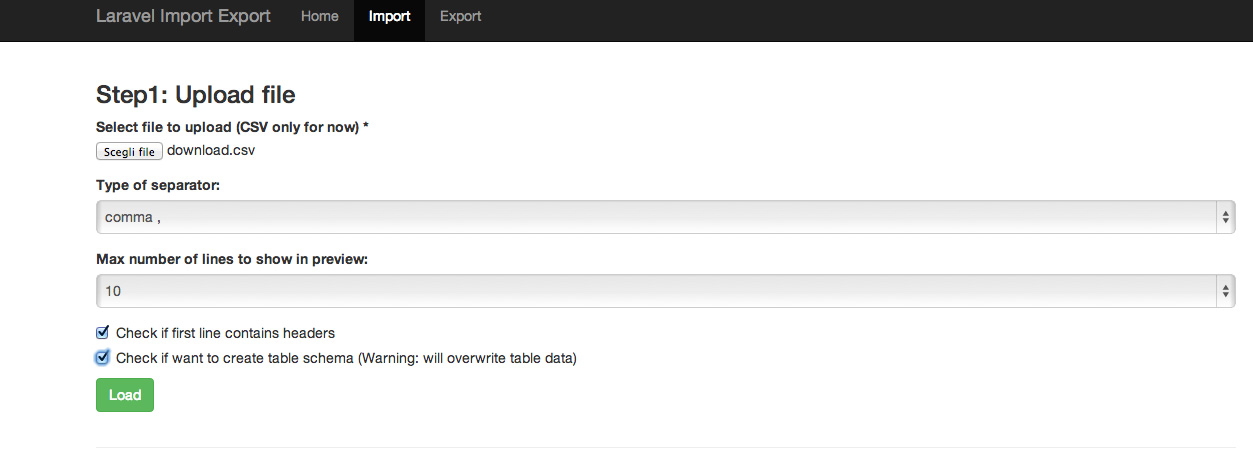
Import-Export is a package to import and export data from various format into a database.
- **Author**: Jacopo Beschi
- **Version**: 0.1.0
[](https://travis-ci.org/intrip/laravel-import-export)
## This package is no longer supported: either any bugfix or any new feature will be added. Install at your own risk!
##Features
- Import and export data from Csv file into database
- Multi DBMS: works with all DBMS supported by Laravel ORM
- Create database schema: allow you to create database schema when importing data
##Under the box: features incoming in 0.2.0
- Import and export an arbitrary number of lines
- Import and export JSON and XML
- Database access configurabile with a GUI
## Requirements
- PHP >= 5.3.7
- Composer
- Laravel framework 4+
- DBMS that support transactions and supported by Laravel ORM
##Installation with Composer
To install Import-Export with Composer, add this line to your composer.json file in the `require field:
```json
"jacopo/laravel-import-export": "dev-master"
```
Also remember to set the minimum-stability to "dev" in your composer.json file
Then open `app/config/app.php` and add the following line in the `providers` array:
```php
'providers' => array(
'Jacopo\LaravelImportExport\LaravelImportExportServiceProvider',
)
```
After you need to execute the following commands:
```php
php artisan config:publish jacopo/laravel-import-export
php artisan asset:publish jacopo/laravel-import-export
```
Now you have under `app/config/packages/jacopo/laravel-import-export` the package configuration files. At this point you need to configure the database access. Open the file `app/config/packages/jacopo/laravel-import-export/database.php` and update it with the database access information. When done run the following command to initialize ImportExport database.
```php
php artisan migrate --package="jacopo/laravel-import-export" --database="import"
```
This command will create a `_import_export_temporary_table` in the db, you can change the name of the table editing the the key: `table_prefix` under the file `app/config/packages/jacopo/laravel-import-export/baseconf.php`.
Congratulations! Now you can view the application at the url: `http://url-of-your-baseapp/importer`. If needed you can change the base route editing the the key: `base_application_route` under the file `app/config/packages/jacopo/laravel-import-export/baseconf.php`.