https://github.com/inverse/cert-host-scraper
Query the certificate transparency log
https://github.com/inverse/cert-host-scraper
certificate scraper security
Last synced: 6 months ago
JSON representation
Query the certificate transparency log
- Host: GitHub
- URL: https://github.com/inverse/cert-host-scraper
- Owner: inverse
- License: mit
- Created: 2022-01-14T19:54:57.000Z (over 4 years ago)
- Default Branch: master
- Last Pushed: 2025-03-04T00:46:46.000Z (over 1 year ago)
- Last Synced: 2025-03-14T12:48:03.213Z (over 1 year ago)
- Topics: certificate, scraper, security
- Language: Python
- Homepage:
- Size: 410 KB
- Stars: 6
- Watchers: 3
- Forks: 0
- Open Issues: 0
-
Metadata Files:
- Readme: README.md
- Changelog: CHANGELOG.md
- License: LICENSE
Awesome Lists containing this project
README
# Cert Host Scraper
[](https://github.com/inverse/cert-host-scraper/actions/workflows/ci.yml)
[](https://badge.fury.io/py/cert-host-scraper)

[](https://codecov.io/github/inverse/cert-host-scraper)
[](https://github.com/astral-sh/ruff)

[](LICENSE)
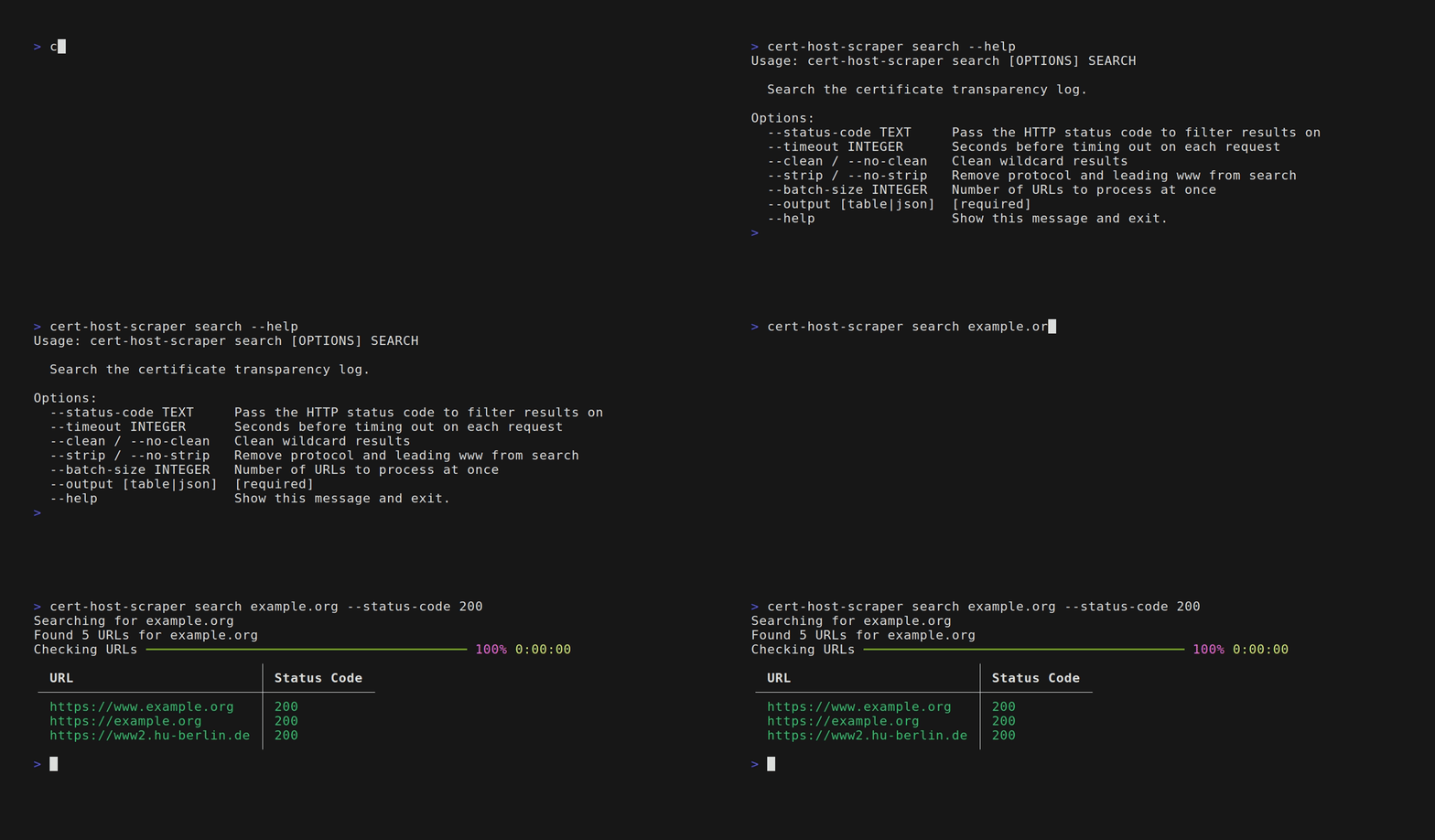
Query the certificate transparency log from [crt.sh](https://crt.sh) by a given a keyword and returns the status code of the matched results. Optionally, filtering the results by status code.
## Installation
With [pipx]:
```bash
pipx install cert-host-scraper
```
With pip:
```bash
pip install cert-host-scraper
```
## Usage
Once installed you can look up information about a domain using the `search` command:
```bash
cert-host-scraper search your-domain.com
```
There are additional options that can be provided to change this behaviour and result filtering.
Pass `--help` to this command for a full list of options.
## Development
Requires [uv][0] and Python 3.10+.
```bash
uv sync
uv run python -m cert_host_scraper.cli
```
All dev tooling is managed [mise][1] as defined in the provided `mise.toml` and `.python-version` files.
## License
MIT
[0]: https://github.com/astral-sh/uv
[1]: https://github.com/jdx/mise
[2]: https://pipx.pypa.io