https://github.com/ionicthemes/ionic-google-login
Ionic 4 starter app to show you how to add Google Log In to an Ionic App using Google Sign-In Cordova Plugin.
https://github.com/ionicthemes/ionic-google-login
google-authentication google-login google-plus-login ionic ionic-4 ionic-apps ionic-framework ionic3 ionic4 ionic4-example tutorial
Last synced: about 1 year ago
JSON representation
Ionic 4 starter app to show you how to add Google Log In to an Ionic App using Google Sign-In Cordova Plugin.
- Host: GitHub
- URL: https://github.com/ionicthemes/ionic-google-login
- Owner: ionicthemes
- Created: 2016-11-08T17:49:52.000Z (over 9 years ago)
- Default Branch: master
- Last Pushed: 2021-09-08T18:40:29.000Z (almost 5 years ago)
- Last Synced: 2025-04-24T10:42:54.292Z (over 1 year ago)
- Topics: google-authentication, google-login, google-plus-login, ionic, ionic-4, ionic-apps, ionic-framework, ionic3, ionic4, ionic4-example, tutorial
- Language: TypeScript
- Homepage: https://ionicthemes.com/tutorials/about/ionic-google-login
- Size: 34.8 MB
- Stars: 58
- Watchers: 7
- Forks: 46
- Open Issues: 1
-
Metadata Files:
- Readme: README.md
Awesome Lists containing this project
- Awesome-Ionic - Ionic 4 Google Login
README
# Google Authentication in Ionic 4 Apps
This repo is an Ionic v4 starter app to show you how to add Google Plus Log In to an Ionic App. There is also a [detailed tutorial](https://ionicthemes.com/tutorials/ionic-google-login) to help you with the Google Account setup and with the step by step of building this Ionic Framework app.
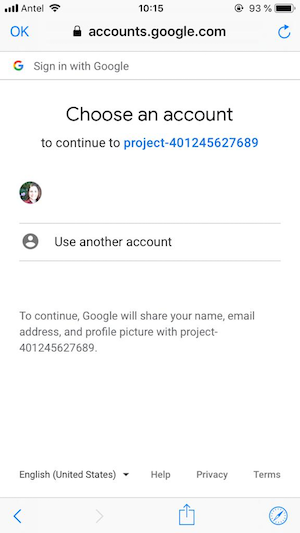
For this Ionic example app we are going to build a simple Ionic app that allows users to log in using their Google account. Once they log in, they will see a home page with their basic profile info.


**Note:** This code is for Ionic v4.
- If you are working with Ionic v3 go to [ionic-v3 branch](https://github.com/ionicthemes/ionic-google-login/tree/master/ionic-v3).
- If you are working with Ionic v1 go to [Google Plus Authentication in Ionic v1 Apps](https://ionicthemes.com/tutorials/about/google-plus-login-with-ionic-framework).
## Installation of this app
### Install node dependencies
`$ npm install`
## Running the app
### To run the app on your browser
`$ ionic serve`
### To run the app on iOS
Follow the steps from https://ionicframework.com/docs/developing/ios
`$ ionic cordova prepare ios`
### To run the app on Android
Follow the steps from https://ionicframework.com/docs/developing/android
`$ ionic cordova prepare android`
`$ ionic cordova run android`
### Get a professional Ionic Starter App
Did you know that we recently released [Ionic 5 Full Starter App](https://ionicthemes.com/templates/ionic5-full-starter-app)? It's an ionic template that you can use to jump start your Ionic app development and save yourself hundreds of hours of design and development.
It is also a PWA and has a score of 100 in lighthouse.
It also has lots of forms and validations examples.
