https://github.com/iotaledger/wallet.rs
Build wallets and other applications involving IOTA value transfer.
https://github.com/iotaledger/wallet.rs
Last synced: over 1 year ago
JSON representation
Build wallets and other applications involving IOTA value transfer.
- Host: GitHub
- URL: https://github.com/iotaledger/wallet.rs
- Owner: iotaledger
- License: apache-2.0
- Created: 2020-06-24T14:05:59.000Z (about 6 years ago)
- Default Branch: develop
- Last Pushed: 2023-08-23T07:37:32.000Z (almost 3 years ago)
- Last Synced: 2024-11-07T23:52:44.195Z (over 1 year ago)
- Language: Rust
- Homepage:
- Size: 35.8 MB
- Stars: 157
- Watchers: 19
- Forks: 61
- Open Issues: 4
-
Metadata Files:
- Readme: README.md
- License: LICENSE
Awesome Lists containing this project
README
> **Warning**
> Deprecated - The wallet has been moved to https://github.com/iotaledger/iota-sdk
# IOTA Wallet Library
[](https://github.com/iotaledger/wallet.rs)
[](https://app.fossa.com/projects/git%2Bgithub.com%2Fiotaledger%2Fwallet.rs?ref=badge_shield)
[](https://coveralls.io/github/iotaledger/wallet.rs?branch=develop)
## Introduction
The wallet library is a stateful package with a standardised interface for developers to build applications involving IOTA value transactions.
It offers abstractions to handle IOTA payments and can optionally interact with [IOTA Stronghold](https://github.com/iotaledger/stronghold.rs/) for seed handling, seed storage and state backup. It uses RocksDB as a database.
## Branching structure for development
This library follows the following branching strategy:
|Branch|Description|
|------|-----------|
|`develop`|Ongoing development for future releases of the networks. This branch gets merged into `staging` on releases.|
|`production`|The latest releases for the IOTA networks.|
|`staging`|The latest releases for the Shimmer networks.|
| other |Other branches that may reflect current projects. Similar to `develop`, they will find their way into `staging` once they are ready.|
## Documentation
You can find the latest version of the documentation in the [official Wallet.rs documentation site](https://wiki.iota.org/wallet.rs/welcome/). Alternatively, you can run the documentation site locally following the instructions in the [documentation/README.md](documentation/README.md) file.
## Prerequisites
`Rust` and `Cargo` are required. Install them [here](https://doc.rust-lang.org/cargo/getting-started/installation.html).
We recommend you update Rust to the latest stable version [`rustup update stable`](https://github.com/rust-lang/rustup.rs#keeping-rust-up-to-date). Nightly should be fine but there's a chance some changes are not compatible.
### Dependencies
`cmake`, `clang` and `openssl` are required. In order to run the build process successfully using Cargo you might need install additional build tools on your system.
### Windows
`cmake` can be downloaded on the [official website](https://cmake.org/download/) and `openssl` can be installed with [vcpkg](https://github.com/microsoft/vcpkg) or [chocolatey](https://chocolatey.org/).
- Installing `openssl` with `vcpkg`:
```
./vcpkg.exe install openssl:x64-windows
./vcpkg.exe integrate install
# you may want to add this to the system environment variables since you'll need it to compile the crate
set VCPKGRS_DYNAMIC=1
```
- Installing `openssl` with `chocolatey`:
```
choco install openssl
# you may need to set the OPENSSL_DIR environment variable
set OPENSSL_DIR="C:\Program Files\OpenSSL-Win64"
```
### macOS
`cmake` and `openssl` can be installed with `Homebrew`:
```
brew install cmake openssl@1.1
```
### Linux
Install `cmake`, `clang` and `openssl` with your distro's package manager or download from their websites. On Debian and Ubuntu you will also need `build-essential` and `libudev-dev` .
## Usage
To use the library, add this to your `Cargo.toml`:
```
[dependencies]
iota-wallet = { git = "https://github.com/iotaledger/wallet.rs", branch = "develop" }
```
### Initialisation
In order to use the library you first need to create an `AccountManager`:
```rust
use std::path::PathBuf;
use iota_wallet::{
account_manager::AccountManager,
secret::{stronghold::StrongholdSecretManager, SecretManager},
ClientOptions, Result,
};
#[tokio::main]
async fn main() -> Result<()> {
// Shouldn't be hardcoded in production
// mnemonic can be generated with `manager.generate_mnemonic()?` and will be the only way to recover your funds if
// you loose the stronghold file/password, so be sure to save it securely
let nonsecure_use_of_development_mnemonic = "endorse answer radar about source reunion marriage tag sausage weekend frost daring base attack because joke dream slender leisure group reason prepare broken river".to_string();
let stronghold_password = "some_hopefully_secure_password";
// Setup Stronghold secret_manager
let mut secret_manager = StrongholdSecretManager::builder()
.password(&stronghold_password)
.snapshot_path(PathBuf::from("wallet.stronghold"))
.build();
// The mnemonic only needs to be stored the first time
secret_manager
.store_mnemonic(nonsecure_use_of_development_mnemonic)
.await?;
// Create the account manager with the secret_manager and client options
let client_options = ClientOptions::new().with_node("http://localhost:14265")?;
let manager = AccountManager::builder()
.with_secret_manager(SecretManager::Stronghold(secret_manager))
.with_client_options(client_options)
.with_coin_type(SHIMMER_COIN_TYPE)
.finish()
.await?;
// Create a new account, this will automatically generate an address
let account = manager
.create_account()
.with_alias("Alice".to_string())
.finish()
.await?;
println!(
"Generated a new account with addresses {:?}",
account.addresses().await?
);
Ok(())
}
```
## API reference
If you'd like to explore the implementation in more depth, the following command generates docs for the whole crate:
```
RUSTDOCFLAGS="--cfg docsrs" cargo +nightly doc --all-features --document-private-items --no-deps --open
```
## Other Examples
You can see the examples in the [examples](examples/) directory and try them with:
```
cargo run --example # lists the available examples
cargo run --example 01_create_wallet # execute the `01_create_wallet` example
```
## Joining the discussion
If you want to get involved in discussions about this library, or you're looking for support, go to the #wallet-library channel on [Discord](https://discord.iota.org).
## License
[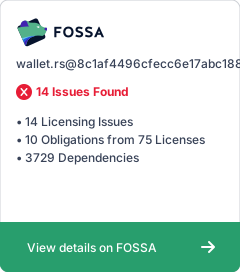](https://app.fossa.com/projects/git%2Bgithub.com%2Fiotaledger%2Fwallet.rs?ref=badge_large)