https://github.com/ismamz/sticky.framerfx
A Framer X package to use Sticky elements within scroll components.
https://github.com/ismamz/sticky.framerfx
design framer prototype sticky
Last synced: 8 months ago
JSON representation
A Framer X package to use Sticky elements within scroll components.
- Host: GitHub
- URL: https://github.com/ismamz/sticky.framerfx
- Owner: ismamz
- Created: 2019-05-05T18:15:09.000Z (about 7 years ago)
- Default Branch: master
- Last Pushed: 2020-10-30T20:33:28.000Z (over 5 years ago)
- Last Synced: 2025-01-31T13:11:24.876Z (over 1 year ago)
- Topics: design, framer, prototype, sticky
- Language: TypeScript
- Homepage:
- Size: 63.5 KB
- Stars: 5
- Watchers: 2
- Forks: 0
- Open Issues: 2
-
Metadata Files:
- Readme: README.md
Awesome Lists containing this project
README
### Usage
After install this package you will get two components: `Sticky` and `StickyElement`.
* `Sticky` component works exactly as a Scroll interactive component.
* `StickyElement` must be connected to any frame that you want to be sticky.
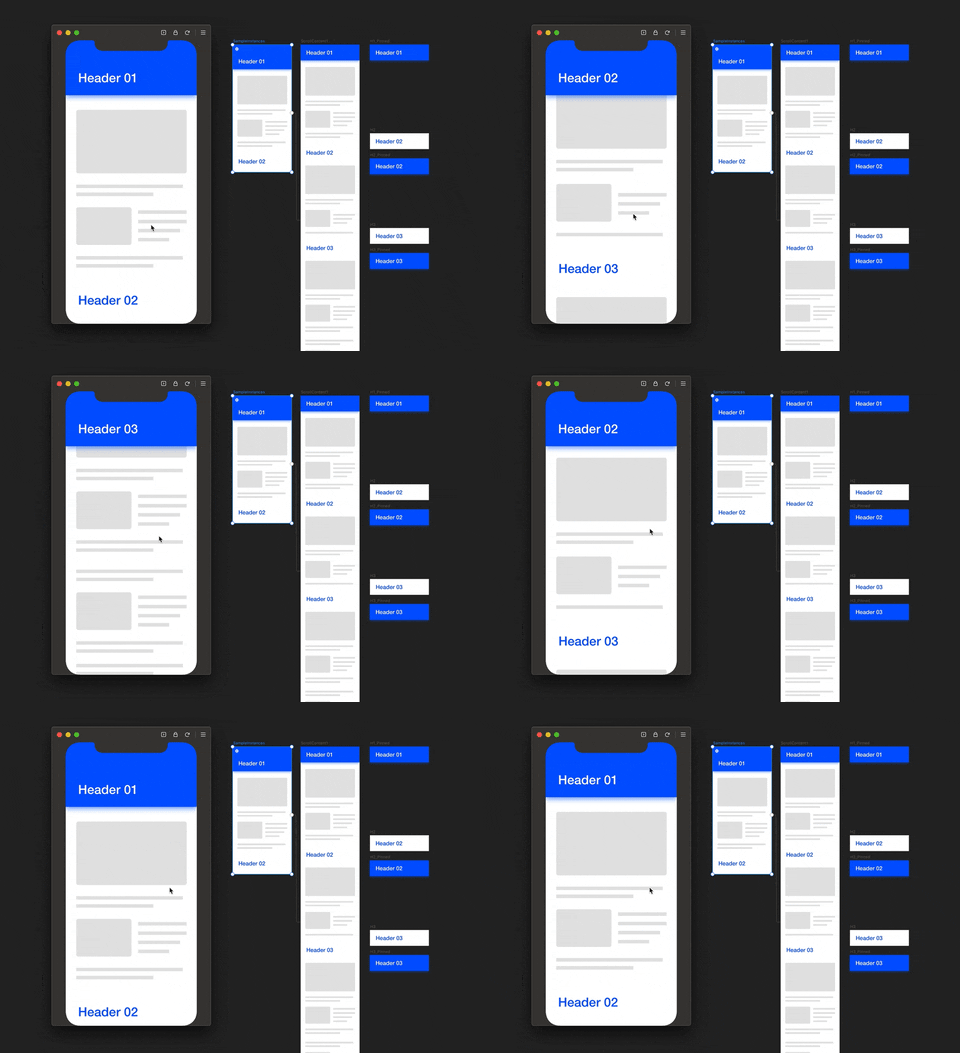
Example based on [30 days of Framer X](https://github.com/hermy0211/framer30-code/tree/master/Day%2007%20Sticky%20Headers) by Anne Lee.
### Handle status
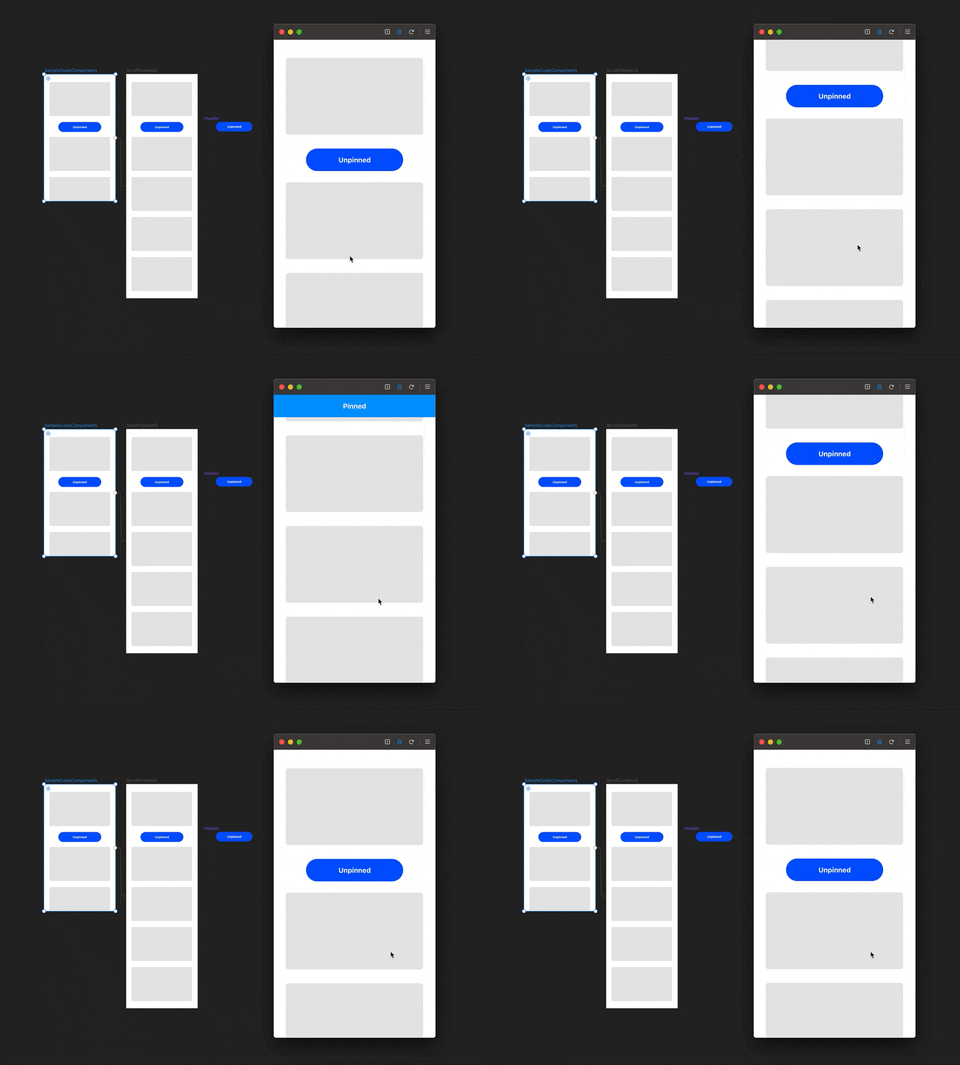
`StickyElement` accepts two component instances:
* `Default`: the default element that will show when is pinned or not.
* `Pinned` (optional): a component to render when the element is fixed positioned.
In other complex scenarios, if you connect a `StickyElement` to a code component,
when its position is fixed, your code component will receive a boolean `stuck` property.
You can create a `Header` code component that works with `stuck` state like this:
```jsx
export function Header(props) {
return (
{props.stuck ? "Pinned" : "Unpinned"}
)
}
```
This is useful, for example, if you want to perform an animation between the two states.
### Notes
* You can use code overrides to apply effects based on scroll position.
* You can set a `offset` parameter to each sticky element.
* You can set multiple `StickyElement` within scroll content frame.
* It works with `StickyElement` nested on other elements.
* It only works for vertical scroll.
#### ⚠️ Important
Frames in Framer X sometimes doesn't has a top value, this happen because the element has
**Pin bottom** alignment on canvas. In that case, the component will calculate the top
position based on his height and bottom position and also from parents layout values.
It's recomendable to change `StickyElement` and parents frames alignment to **Pin top**,
it's more efficient and will work correctly.
#### ⚡️ Performance
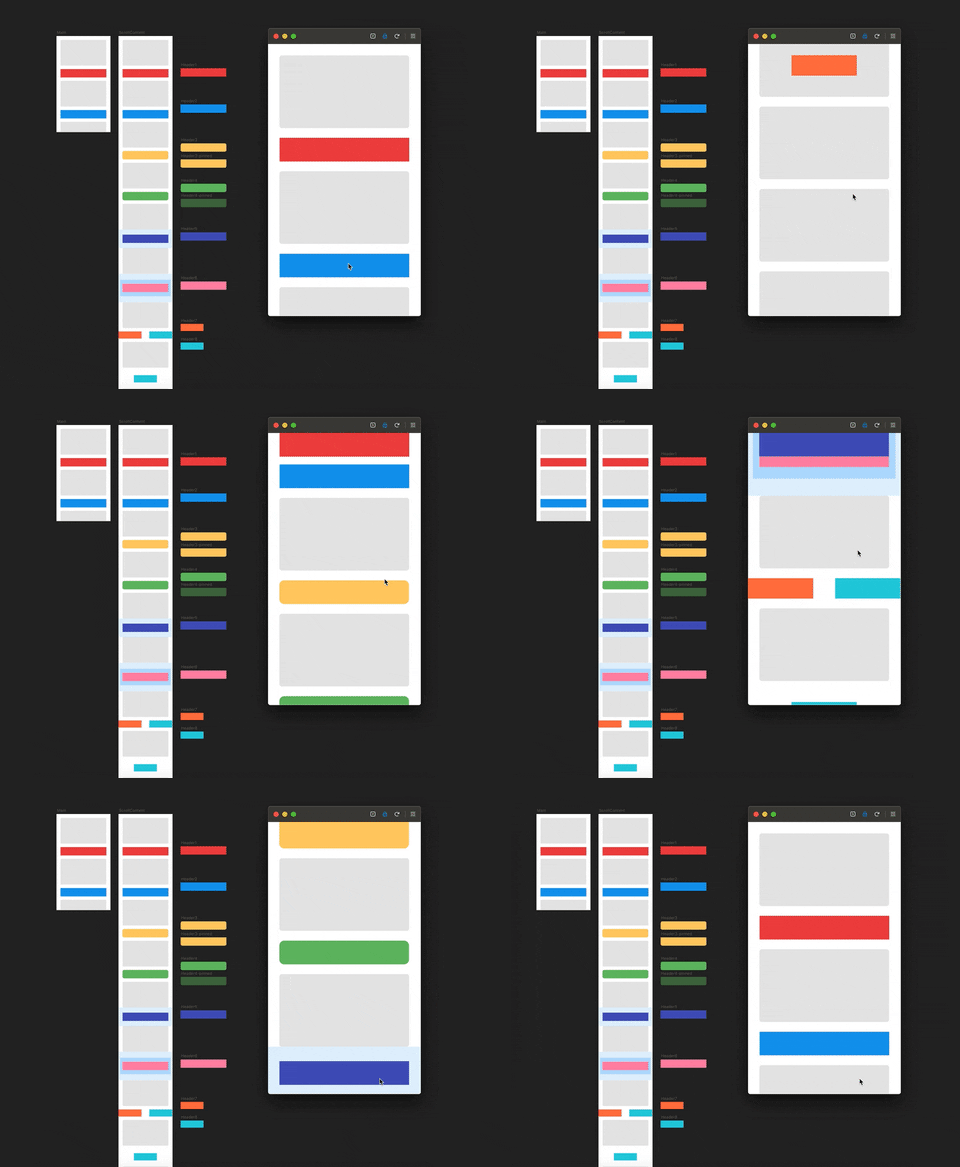
The following is a 1x speed animation showing how it works efficiently with multiple cases.
### Changelog
##### v2.4.0
- Fix bug 🐛
##### v2.3.0
- Add Responsive mode to `StickyElement`
##### v2.2.0
- Add support for code overrides
##### v2.1.0
- Fix bug with X position of Sticky elements
- Fix bug when looking Sticky elements within frames
##### v2.0.0
- Complete refactoring using the new Framer API
- Add pinned state to `StickyElement` using component instances
- Add support to work with code components based on pinned status
##### v1.1.0
- Rebuild with two componentes and remove Overrides
##### v1.0.0
- First release
### Bugs & Help
* GitHub: [Sticky.framerfx](https://github.com/ismamz/Sticky.framerfx)
* Twitter: [@ismamz](https://twitter.com/ismamz)
### See also
* [Google Maps](https://store.framer.com/package/ismael/google-maps)
* [Photo Filters](https://store.framer.com/package/ismael/photo-filters)
* [Get Color from Images](https://store.framer.com/package/ismael/get-colors-from-images)