https://github.com/isomorphic-git/git-http-mock-server
Clone and push to git repository test fixtures over HTTP.
https://github.com/isomorphic-git/git-http-mock-server
Last synced: about 1 year ago
JSON representation
Clone and push to git repository test fixtures over HTTP.
- Host: GitHub
- URL: https://github.com/isomorphic-git/git-http-mock-server
- Owner: isomorphic-git
- License: mit
- Created: 2018-09-06T02:13:49.000Z (almost 8 years ago)
- Default Branch: main
- Last Pushed: 2023-12-08T09:20:36.000Z (over 2 years ago)
- Last Synced: 2024-04-24T19:33:35.957Z (about 2 years ago)
- Language: JavaScript
- Size: 247 KB
- Stars: 16
- Watchers: 4
- Forks: 4
- Open Issues: 6
-
Metadata Files:
- Readme: README.md
- License: LICENSE.md
Awesome Lists containing this project
README
# git-http-mock-server / git-ssh-mock-server
[](https://app.fossa.io/projects/git%2Bgithub.com%2Fisomorphic-git%2Fgit-http-mock-server?ref=badge_shield)
Clone and push to git repository test fixtures over HTTP or SSH.
## What it does
It is similar to [`git-http-server`](https://npm.im/git-http-server) but designed for test cases only.
It uses copy-on-write so that pushing to the repo doesn't actually alter the repo.
Run in a directory full of bare git repositories, `git-http-mock-server` will serve those repos using the
native `git-http-backend` process built into `git` (which needs to be installed on the machine).
You can then:
- run tests that clone or push to those git repositories (regardless of whether Github is down :wink:).
- run those tests in parallel without them interfering with each other.
Git hooks such as `hooks/update` and `hooks/post-receive` are automatically supported.
It also supports HTTP Basic Auth password protection of repos so you can test how your code handles 401 errors.
Using `isomorphic-git` and testing things from browsers? Fear not, `git-http-mock-server` includes appropriate CORS headers.
`git-ssh-mock-server` is similar, but because authentication happens before the client can say which repo
they are interested in, the authentication can't be customized per repository.
By default it allows anonymous SSH access. You can disable anonymous access and activate password authentication by setting the `GIT_SSH_MOCK_SERVER_PASSWORD` evironment variable.
(When password auth is activated, any username will work as long as the password matches the environment variable.)
Alternatively, you can set the `GIT_SSH_MOCK_SERVER_PUBKEY` environment variable to true to disable anonymous access and activate Public Key authentication. What key to use is explained in detail later in this document.
## How to use
```sh
npm install --save-dev git-http-mock-server
```
Now `cd` to a directory in which you have some bare git repos and run this server:
```sh
> cd __fixtures__
> ls
test-repo1.git test-repo2.git imaginatively-named-repo.git
> git-http-mock-server
```
Now in another shell, clone and push away...
```sh
> git clone http://localhost:8174/test-repo1.git
> git clone http://localhost:8174/test-repo2.git
> git clone http://localhost:8174/imaginatively-named-repo.git
```
To do the same thing but with SSH
```sh
> cd __fixtures__
> ls
test-repo1.git test-repo2.git imaginatively-named-repo.git
> git-ssh-mock-server
```
Now in another shell,
```sh
> git clone ssh://localhost:2222/imaginatively-named-repo.git
```
## Run in the background
If you want to reuse the same shell (as part of a shell script, for example)
you can run the server as a daemon in the background:
```sh
> git-http-mock-server start
> # do stuff
> git-http-mock-server stop
```
Just be sure to run `start` and `stop` from the same working directory.
(The `start` command writes the PID of the server to `./git-http-mock-server.pid` so that the `stop` command knows what process to kill.)
Same thing for SSH:
```sh
> git-ssh-mock-server start
> # do stuff
> git-ssh-mock-server stop
```
### Environment Variables
- `GIT_HTTP_MOCK_SERVER_PORT` default is 8174 (to be compatible with [git-http-server](https://github.com/bahamas10/node-git-http-server))
- `GIT_HTTP_MOCK_SERVER_ROUTE` default is `/`
- `GIT_HTTP_MOCK_SERVER_ROOT` default is `process.cwd()`
- `GIT_HTTP_MOCK_SERVER_ALLOW_ORIGIN` default is `*` (used for CORS)
- `GIT_SSH_MOCK_SERVER_PORT` default is 2222
- `GIT_SSH_MOCK_SERVER_ROUTE` default is `/`
- `GIT_SSH_MOCK_SERVER_ROOT` default is `process.cwd()`
- `GIT_SSH_MOCK_SERVER_PASSWORD` activate Password Authentication and use this password (leave blank to allow anonymous SSH access.)
- `GIT_SSH_MOCK_SERVER_PUBKEY` activate PubKey Authentication using the self-generated keypair (leave blank to allow anonymous SSH access.)
### .htpasswd support (http-only)
You can place an Apache-style `.htpasswd` file in a bare repo to protect it with Basic Authentication.
```sh
> cd __fixtures__/test-repo1.git
> htpasswd -cb .htpasswd testuser testpassword
Adding password for user testuser.
> cat .htpasswd
testuser:$apr1$BRdvH4Mu$3HrpeyBrWiS88GcSPidgq/
```
If you don't have `htpasswd` on your machine, you can use [htpasswd](https://npm.im/htpasswd) which is
a cross-platform Node implementation of `htpasswd`.
### Public Key Auth support (ssh-only)
`git-ssh-mock-server` generates its own keypair using the system's native `ssh-keygen` the first time it's run,
in order to create encrypted SSH connections.
This key can be used to authenticate with the server as well!
1. Run `GIT_SSH_MOCK_SERVER_PUBKEY=true git-ssh-mock-server`
2. Try cloning (e.g. `git clone ssh://localhost:2222/imaginatively-named-repo.git`). It shouldn't work.
2. Run `git-ssh-mock-server exportKeys` which will copy the key files to `./id_rsa` and `./id_rsa.pub` in the working directory with the correct file permissions (`600`).
3. Run `ssh-add ./id_rsa`
4. Now try cloning. It works!
5. To clear the key from the ssh-agent, use `ssh-add -d ./id_rsa`
You can use `GIT_SSH_MOCK_SERVER_PUBKEY` and `GIT_SSH_MOCK_SERVER_PASSWORD` together, but using either one disables anonymous SSH access.
## Dependencies
- [basic-auth](https://ghub.io/basic-auth): node.js basic auth parser
- [buffer-equal-constant-time](https://ghub.io/buffer-equal-constant-time): Constant-time comparison of Buffers
- [chalk](https://ghub.io/chalk): Terminal string styling done right
- [fixturez](https://ghub.io/fixturez): Easily create and maintain test fixtures in the file system
- [git-http-backend](https://ghub.io/git-http-backend): serve a git repository over http
- [htpasswd-js](https://ghub.io/htpasswd-js): Pure JS htpasswd authentication
- [ssh2](https://ghub.io/ssh2): SSH2 client and server modules written in pure JavaScript for node.js
originally inspired by '[git-http-server](https://github.com/bahamas10/node-git-http-server)'
## License
MIT
[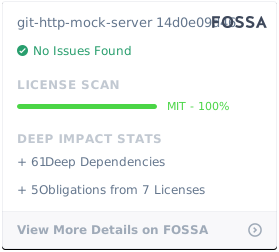](https://app.fossa.io/projects/git%2Bgithub.com%2Fisomorphic-git%2Fgit-http-mock-server?ref=badge_large)
## Changelog
1.2.0 - add SSH server
1.1.0 - support running in background and CORS headers
1.0.0 - Initial release