https://github.com/itchio/itch
🎮 The best way to play your itch.io games
https://github.com/itchio/itch
electron game-development itchio typescript
Last synced: 5 months ago
JSON representation
🎮 The best way to play your itch.io games
- Host: GitHub
- URL: https://github.com/itchio/itch
- Owner: itchio
- License: mit
- Created: 2015-05-07T23:58:36.000Z (about 11 years ago)
- Default Branch: master
- Last Pushed: 2024-10-19T15:05:20.000Z (over 1 year ago)
- Last Synced: 2025-04-10T00:10:53.951Z (about 1 year ago)
- Topics: electron, game-development, itchio, typescript
- Language: TypeScript
- Homepage: https://itch.io/app
- Size: 34.1 MB
- Stars: 2,479
- Watchers: 69
- Forks: 222
- Open Issues: 804
-
Metadata Files:
- Readme: README.md
- Contributing: CONTRIBUTING.md
- License: LICENSE
- Code of conduct: CODE_OF_CONDUCT.md
Awesome Lists containing this project
- fucking-Awesome-Linux-Software - 

[](https://github.com/itchio/itch/actions/workflows/build.yml)
[](https://weblate.itch.zone/engage/itchio/?utm_source=widget)
The goal of this project is to give you a desktop application that you can
download and run games from [itch.io](http://itch.io) with. Additionally you
should be able to update games and get notified when games are updated. The
goal is not to replace the itch.io website.
## Screenshots
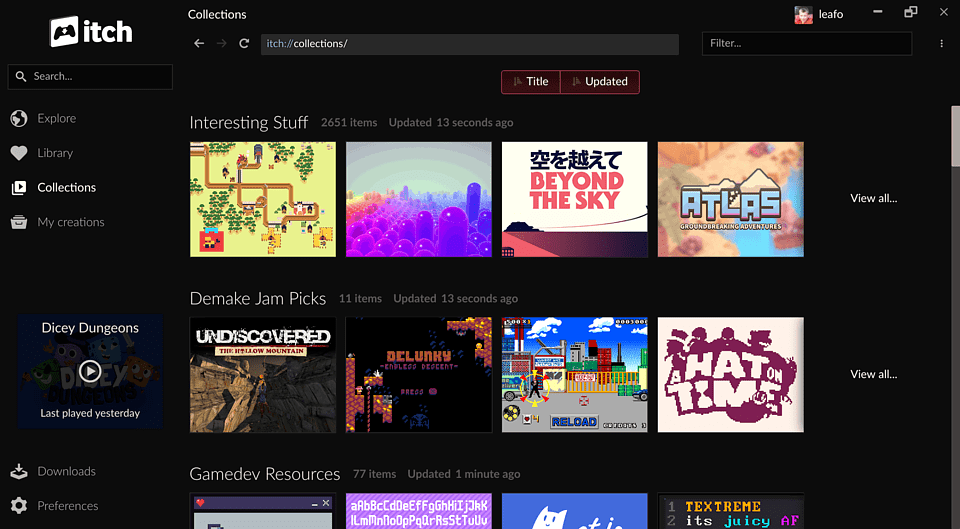
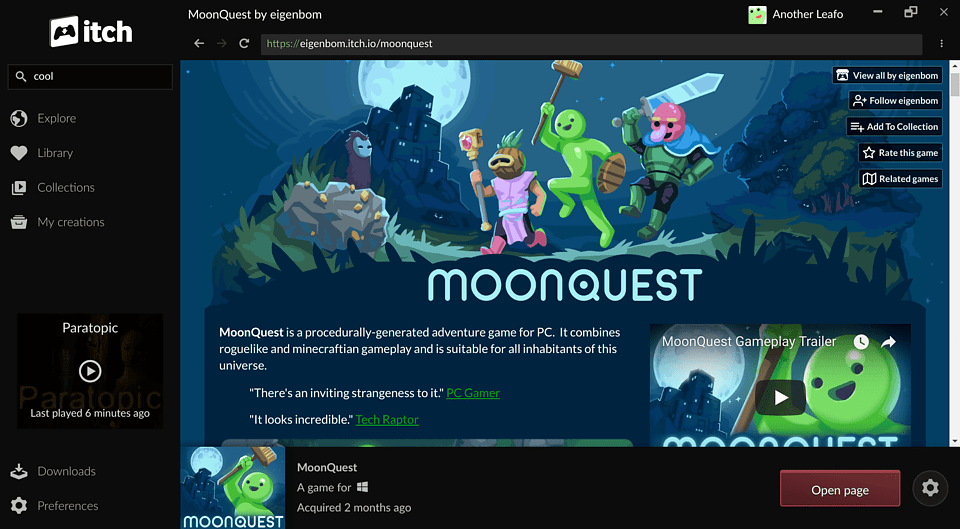
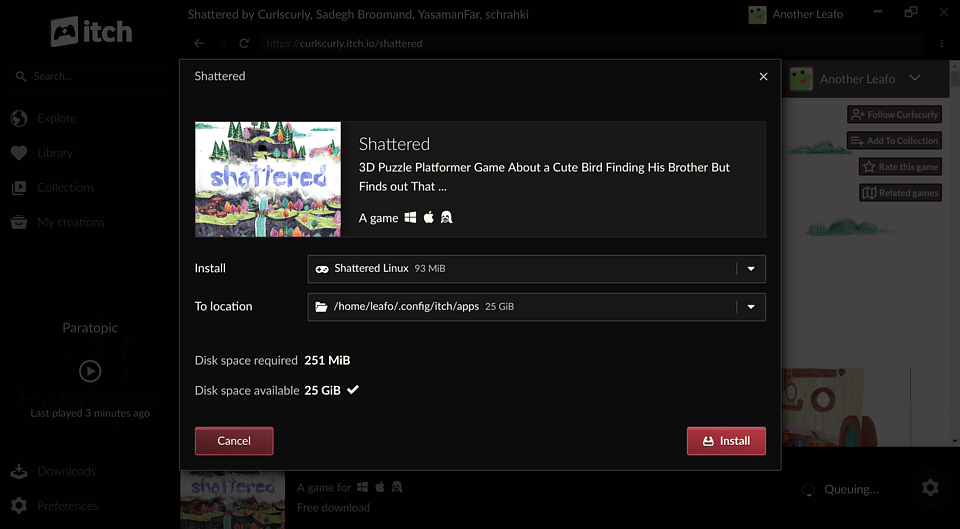
## Downloads
You can download it from , see [Installing the app](https://itch.io/docs/itch/installing/) for
detailed instructions.
If you'd like to develop the app instead, read the [Getting Started][developing] page of the developer guide.
[developing]: https://itch.io/docs/itch/developing/getting-started.html
## Development Quick Start
```bash
# Install dependencies
npm install
# Start the app in development mode (watches for changes and rebuilds)
npm start
# Type check the project
npm run ts-check
# Build assets
npm run compile
# Use a local/development version of butler instead of the bundled one
BROTH_USE_LOCAL=butler npm start
```
## App Architecture
The itch desktop app consists of three components working together:
```
┌─────────────────────────────────────────────────────────────┐
│ itch (Electron App) │
│ ┌─────────────────────┐ ┌────────────────────────────┐ │
│ │ Main Process │ │ Renderer Process │ │
│ │ (Node.js) │◄──►│ (React) │ │
│ │ │ │ │ │
│ │ • State (Redux) │ │ • UI components │ │
│ │ • Reactors │ │ • User interactions │ │
│ │ • Process mgmt │ │ • State display │ │
│ └──────────┬──────────┘ └────────────────────────────┘ │
└─────────────┼───────────────────────────────────────────────┘
│ TCP/RPC
▼
┌─────────────────────────────┐ ┌───────────────────────────┐
│ butler │ │ itch-setup │
│ (Go daemon) │ │ (Go executable) │
│ │ │ │
│ • Game downloads/installs │ │ • App installation │
│ • Launch management │ │ • Self-updates │
│ • SQLite database │ │ │
└─────────────────────────────┘ └───────────────────────────┘
▲ ▲
└──────── broth.itch.zone ─────┘
(binary distribution)
```
### itch (This Repository)
An Electron app with a multi-process architecture:
- **Main Process**: Handles state management (Redux), business logic, and coordination with butler/itch-setup. Uses a "reactor" pattern to handle side effects from Redux actions.
- **Renderer Process**: React-based UI with state synchronized from the main process via electron-redux.
### butler
A Go daemon ([itchio/butler](https://github.com/itchio/butler)) that handles all game operations:
- Downloads, installs, updates, and launches games
- Maintains a SQLite database for installation data
- Communicates with itch via TCP-based RPC
- Spawned as a child process, tied to itch's lifecycle
### itch-setup
A Go executable ([itchio/itch-setup](https://github.com/itchio/itch-setup)) for installation and updates:
- Handles initial app installation on all platforms
- Manages self-update checks and restarts
### Version Management (broth)
The itch app automatically manages butler and itch-setup versions through the
"broth" system. Broth is a service we run that proxies over the itch.io API to
provide fixed download URLs for binaries & assets related to the itch app.
**Remote Distribution:**
- Binaries are hosted at `https://broth.itch.zone/{package}/{platform}/{version}`
- Platform format: `{os}-{arch}` (e.g., `linux-amd64`, `darwin-arm64`, `windows-386`)
**Local Storage** (eg. `~/.config/itch/broth/` on Linux):
```
broth/
├── butler/
│ ├── versions/{version-hash}/butler # Extracted binary
│ ├── downloads/ # Temporary during download
│ └── .chosen-version # Currently active version
└── itch-setup/
└── [same structure]
```
**Version Selection:**
- Uses semver constraints defined in `src/main/broth/formulas.ts`:
- butler: `^15.20.0`
- itch-setup: `^1.8.0`
- Fetches `/versions` endpoint and picks the newest version satisfying the constraint
- Canary builds use `-head` channels with no constraints (always latest)
**Upgrade Flow:**
1. On startup, validates `.chosen-version` against installed marker
2. If app version changed since last run, checks for new component versions
3. Downloads zip, extracts with CRC32 verification, runs sanity check
4. Updates `.chosen-version` and cleans up old versions
**Development Override:**
```bash
# Use locally-built butler instead of managed version
BROTH_USE_LOCAL=butler npm start
```
Key source files: `src/main/broth/package.ts`, `src/main/broth/formulas.ts`, `src/main/broth/manager.ts`
### butlerd Bindings
The itch app communicates with butler via a JSON-RPC 2.0 protocol called **butlerd**. The TypeScript type definitions for all RPC requests, notifications, and data types live in `src/common/butlerd/messages.ts`. This file is autogenerated from Go type definitions in the butler repository using a tool called **generous**.
The generated code depends on the [`@itchio/butlerd`](https://github.com/itchio/node-butlerd) npm package, which provides the runtime for communicating with the butler daemon (launching it, connecting over TCP, and sending/receiving JSON-RPC messages). The generated `messages.ts` imports `createRequest` and `createNotification` helpers from this package.
To regenerate the bindings after changes to butler's API:
```bash
# Requires the butler repo checked out as a sibling directory (../butler)
npm run sync-butler
```
This runs the **generous** tool (`butler/butlerd/generous/`) in `ts` mode, which parses Go structs and their comment annotations (e.g. `@name`, `@category`, `@caller`) to produce TypeScript interfaces, enums, and request/notification helpers. The generated `messages.ts` should be committed to this repo. See the butler repo's README for more on the generous tool and regenerating butler-side generated files.
See for the butlerd API documentation.
## kitch vs. itch
The codebase supports two app variants: **itch** (stable) and **kitch** (canary). They can be installed side-by-side and are distinguished by the git tag used at build time — a tag ending in `-canary` (e.g. `v0.1.2-canary`) produces kitch, anything else produces itch. The development version of the app (started with `npm start`) will run in kitch mode.
### How the variant is determined
- **At build time**: `release/common.js` inspects the git tag. A `-canary` suffix selects kitch; otherwise itch. The `name` field in `package.json` is `"kitch"` by default, so **local development always runs as kitch**. During production packaging, the name is overwritten to `"itch"` for non-canary builds.
- **At runtime**: `src/main/env.ts` calls `app.getName()` (which returns the `name` from `package.json`) to set `env.isCanary`, `env.appName`, and `env.channel`.
### Key differences
| Area | itch (stable) | kitch (canary) |
|------|--------------|----------------|
| URL protocols | `itchio://`, `itch://` (production only) | `kitchio://`, `kitch://` |
| Broth channels | Regular (e.g. `darwin-amd64`) | `-head` suffix (e.g. `darwin-amd64-head`) |
| Semver constraints | butler `^15.20.0`, itch-setup `^1.8.0` | None (always latest) |
| macOS bundle ID | `io.itch.mac` | `io.kitch.mac` |
| Tray/window icons | `src/static/images/tray/itch.png`, `src/static/images/window/itch/` | `src/static/images/tray/kitch.png`, `src/static/images/window/kitch/` |
| Binary/artifact name | `itch` | `kitch` |
## Integration Tests
The project includes integration tests that use ChromeDriver to control the Electron app and test user flows like logging in, installing games, and navigating the UI.
### Requirements
- **Go**: The test runner is written in Go and must be compiled before running
- **Desktop environment**: Tests require a display (on Linux CI, `xvfb` is used)
- **itch.io API key**: Tests authenticate using an API key from a specific test account
### ChromeDriver Version
The integration tests download a specific ChromeDriver version that must match the Electron version used by the app. If you update the Electron version in `package.json`, you must also update `integration-tests/versions.go` to match:
```go
const electronVersion = "33.4.11" // Must match package.json electron version
const chromeDriverVersionString = "ChromeDriver 130.0.6723.191" // Chrome version for that Electron
```
To find the correct Chrome version for an Electron release, check the [Electron Releases](https://releases.electronjs.org/) page.
### Running the Tests
```bash
# Set the API key for the test account (itch-test-account)
export ITCH_TEST_ACCOUNT_API_KEY="your-api-key"
# Run integration tests against a packaged build
npm run integration-tests
# Run against the development version (faster iteration, no packaging step)
node release/test.js --test-dev
# Run fresh (clear cached chromedriver and test artifacts)
rm -rf integration-tests/.chromedriver integration-tests/tmp integration-tests/screenshots
node release/test.js --test-dev
```
The `--test-dev` flag runs tests against the development version of the app instead of requiring a packaged production build. This is useful for faster iteration during development.
## License
itch is released under the MIT License, see the [LICENSE][] file for details.
[LICENSE]: LICENSE
## Other relevant projects
Here are some other apps people have started:
### Android
* [Mitch](https://gardenapple.itch.io/mitch)