https://github.com/itcig/git-sandbox
For playing with Git
https://github.com/itcig/git-sandbox
development git test
Last synced: about 2 months ago
JSON representation
For playing with Git
- Host: GitHub
- URL: https://github.com/itcig/git-sandbox
- Owner: itcig
- License: mit
- Created: 2020-08-07T15:39:04.000Z (almost 6 years ago)
- Default Branch: main
- Last Pushed: 2023-01-07T20:47:25.000Z (over 3 years ago)
- Last Synced: 2024-04-24T03:13:53.507Z (about 2 years ago)
- Topics: development, git, test
- Language: PHP
- Size: 3.27 MB
- Stars: 2
- Watchers: 4
- Forks: 0
- Open Issues: 6
-
Metadata Files:
- Readme: README.md
- Changelog: CHANGELOG.md
- License: LICENSE
Awesome Lists containing this project
README
# Git and CI/CD Sandbox
This repo is for practicing git best practices as well as CI/CD changes made during the of summer 2020.
## Repo Setup :computer:
- Clone the [git-sandbox repo](https://github.com/itcig/git-sandbox) to your local machine `git clone https://github.com/itcig/git-sandbox.git`
- Once the repo has been cloned open the git-sandbox directory and run `yarn` to install the npm packages
- Next run `cd src && composer install` to install the php dependencies
- Create a [Personal access token](https://github.com/settings/tokens) for release-it
- Then add the following to your ~/.bash_profile `export GITHUB_TOKEN="[github personal access token]"`
## Git Worksheet :writing_hand:
Review the [Git Best Practices](#git-best-practices) below.
### Step One - The new process
1. Decided what feature you would like to add to the sandbox (this can be as complex or simple as you'd like)
1. Create a feature branch using the format outlined in the [Branches section](#branches)
1. Make some changes
1. Use `git add [file name]` to stage the changes
- Commit the change(s) grouping them into commits using the standards outline in the [Commits section](#commits)
1. When ready to commit type `git commit` and press return
1. Write the commit message (title and body) utilizing the [Commit Messages Section](#commit-messages)
1. Repeat the prior three steps until all changes for your branch have been committed
1. Push the changes to the remote repo `git push origin [your branch name]`
1. Create a Pull Request on [Github](https://github.com/itcig/git-sandbox/compare) from `[your branch name]` into the `main` branch
1. Use the format outline in the [Pull Requests section](#pull-requests) to create a name and body for the PR's message
1. Scroll down and click `Squash and merge` (if this is not an option the Merge button will have a dropdown that can be clicked to select Squash and Merge)
1. Using the format listed in the [Merge section](#merge) create the commit message for the merge (this will be the only commit that will be seen on the `main` branch)
1. After the merge is completed see the [commit log for the main branch](https://github.com/itcig/git-sandbox/commits/main), you should only see the merge commit listed
1. Create a new release for your merged changes (this will be automated later on) see the [Releases section](#releases)
1. [View the release on Github](https://github.com/itcig/git-sandbox/releases)
### Step Two - Correcting commit messages
1. Again, create a branch off of the _main_ branch for a bug or feature `git checkout main` then `git checkout -b [my step two branch]`
1. As before make some changes
1. Commit the changes, but include some typos, bad information, or incorrect fromatting in the commit message(s)
- Make sure there are **multiple** commits
1. Push the changes to Github
1. Now from your branch create a new branch `git checkout -b [my step three branch]`, this will be used in [Step Three](#step-three)
1. Push this duplicate branch to the remote/Github `git push origin [my step three branch]`
1. Switch back to the branch you made in step one `git checkout [my step two branch]`
1. Now that we've got some incorrect commit messages we can fix them using `git rebase`
1. Make sure you've got the most recent changes `git pull origin [your branch]` (you should, but this is generally a good idea to make sure another developer hasn't added changes)
1. Now lets find the last good commit type `git log` to display all the commits on the branch from most recent to oldest
1. Count how many commits from the begining of the list you'd like to change
1. Press `q` to quit out of the git log
1. To correct the git log (essentially the branch's history) run `git rebase -i HEAD~[number of commits from the begining you need to go back]`
- If you made 3 commits and all 3 need to be adjusted the command would be `git rebase -i HEAD~3`
- Vim will open and you'll see a list of commits and information on how to use rebase as seen below:
```vim
pick 3888316 chore!: Gitignore, Composer, and index Setup
pick 4340aef feat(js): Add alert for thing
pick 2e3ef06 feat(js): Add alert for thing (#5)
pick 72d4605 refactor: Add empty line to EOF
# Rebase 7d65997..72d4605 onto 72d4605 (4 commands)
#
# Commands:
# p, pick = use commit
# r, reword = use commit, but edit the commit message
# e, edit = use commit, but stop for amending
# s, squash = use commit, but meld into previous commit
# f, fixup = like "squash", but discard this commit's log message
# x, exec = run command (the rest of the line) using shell
# b, break = stop here (continue rebase later with 'git rebase --continue')
# d, drop = remove commit
# l, label = label current HEAD with a name
# t, reset = reset HEAD to a label
# m, merge [-C | -c ] [# ]
# . create a merge commit using the original merge commit's
# . message (or the oneline, if no original merge commit was
# . specified). Use -c to reword the commit message.
#
# These lines can be re-ordered; they are executed from top to bottom.
#
# If you remove a line here THAT COMMIT WILL BE LOST.
```
1. Each commit will be prefaced with `pick` by default meaning the changes and message will be uneffected, you can adjust what will happen next by pressing `i` to enter Vim's insert mode
1. Now you can change the preface from `pick` to `reword` on the commit(s) you would like to change the message(s) on
1. Once you've updated the prefaces press the escape key to exit Vim's insert mode then type `:wq` to save and exit Vim
1. The rebasing will start and when it gets to the commit(s) set to reword Vim will appear, you can press `i` to enter Vim's insert mode and then edit the message
1. Once the messages have been adjusted press the escape key and enter `:wq` to save and exit Vim
- If you get an error try running `git rebase --continue` to keep the rebase moving forward
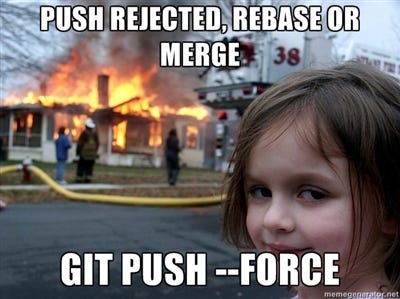
1. Once the rebase is completed you will need to force push the branch to the remote, you can do this with the following command `git push origin [your branch] --force`
- This **WILL** overwrite your previous commits, so only do this part if you're absolutly certain the local changes are correct
1. After this completes you can check Github and you should see the new commit messages
### Step Three - Removing Commits
1. Checkout the duplicate branch you created in [Step Two](#step-two) `git checkout [my step three branch]`
1. This time we'll remove all the commits you had previously made
1. Run the following to start the rebase `git rebase -i [the number of commits to be removed]`
1. Just like before each commit will be prefaced with `pick` to change that press `i` to enter Vim's insert mode
1. Now you can change the preface from `pick` to `drop` on each of the commits you had made in [Step Two](#step-two)
1. Once you've updated the prefaces press the escape key to exit Vim's insert mode then type `:wq` to save and exit Vim
1. The rebasing will start, this time as no messages are being updated Vim should not open, instead once it's completed you should see a message similar to: `Successfully rebased and updated refs/heads/[my step three branch].`
1. You will once again need to force push the branch to the remote, you can do this with the following command `git push origin [your branch] --force`
1. After this completes you can check Github and you should see all the commits have been removed from the history/git log

### Step Four - Removing commits from the _main_ branch
1. Again, create a branch. This time for bug that doesn't exist
1. As before make some changes
1. Commit the changes using the new format
1. Push the changes to Github, then create a pull request once again using the new format
1. Merge the PR from your bug branch into the _main_ branch using the squash and merge format outlined below
1. Now that we've got an incorrect PR on the _main_ branch we can fix it using `git rebase`
1. Locally checkout the _main_ branch `git checkout main`
1. Make sure you've got the most recent changes `git pull origin main`
1. Now lets find the commit we'd like to roll back to `git log` will display all the commits on the branch from most recent to oldest
1. Find the commit you'd like to roll back to and count how many commits came after it
- Assuming the PR commit you made is the only commit we'd like to remove, the number of commits above the last good commit should be 1
1. Press `q` to quit out of the log
1. To roll back the _main_ branch X commit(s) and leave the git log (essentially the branch's history) clean and readable run `git rebase -i HEAD~[number of commits to remove]`
## Git Best Practices :thumbsup:
- Create new branches off of master prefacing them with your initials followed by a hyphen
- Then add the name of the feature or bug ie. `hr-my-feature` or `hr-publication-nav-bug`
- Make the smallest changes possible for each commit
- A commit should revolve around a single fix or task
- Only commit when a block of work is complete
- Separate subject from body with a blank line
- Limit the subject line to around 50 characters
- If you're having a difficult time fitting everything into 50 characters the commit may be too large
- Use the imperative mood in the subject line
- Spoken/written as if giving a command/instruction
- ie. Clean your room, Close the door, Take out the trash
- If applied, this commit will _[commit subject line here]_
**Format**
```bash
[type][(optional scope)]: [description]
[optional body]
[optional footer]
```
- `feat` | A new feature
- Correlates with [**MINOR**](#minor) in semantic versioning
- `fix` | A bug fix
- Correlates with [**PATCH**](#patch) in semantic versioning
- `docs` | Documentation only changes
- `style` | Changes that do not affect the meaning of the code (white-space, formatting, missing semi-colons, etc)
- `refactor` | A code change that neither fixes a bug nor adds a feature
- `perf` | A code change that improves performance
- `test` | Adding missing tests or correcting existing tests
- `build` | Changes that affect the build system or external dependencies (example scopes: gulp, broccoli, npm)
- `ci` | Changes to our CI configuration files and scripts (example scopes: Travis, Circle, BrowserStack, SauceLabs)
- `chore` | Other changes that don't modify src or test files
- `revert` | Reverts a previous commit
**Scope**
- Additional contextual information contained within parenthesis
- A noun describing a section of the codebase
**Description**
- Short summary of the code changes
**Body**
- Additional contextual information about the code changes
- Separated by an empty line from the description
- Wrap the body at 72 characters
- Not all commits require a body, especially when the change is simple
- MUST be provided after `BREAKING CHANGE:`
- Use the body to explain what and why vs. how
- The code explains how
- Explain the problem that the commit solves
- Are there side effects the commit causes?
**Footer**
- May be one or more lines
- Contains meta-information about the commit
- Related pull-requests, reviewers, breaking changes, with one piece of meta-information per-line
**Breaking Change:**
- `BREAKING CHANGE:` | at the beginning of its optional body or footer section introduces a breaking API change
- Correlates with [**MAJOR**](#major) in semantic versioning
- May be part of commits of any type
- Optionally a `!` may be added following the type to draw attention to a breaking change ie. chore!: something breaking
- BREAKING CHANGE: is still required in the body or footer
- Indicated at the very beginning of the body section, or at the beginning of a line in the footer section
- All capital letters required
- The message should summarize the group of commits with a brief description of the bug or feature
- The body should contain bullet points to summarize the commits within
- This doesn't need to be 1 to 1 if you add some logic, update the docs, and update styles those could all be contained in a single bullet
- May also exclude minor dependency updates as well
- Always choose to `Squash and merge` on github
- Use the same commit title structure as a standard commit see above [Commit Messages section](#commit-messages)
- The PR commit's title should have a link back to the PR itself appened to the end
- This should happen automatically when you click `Squash and merge` and Github should autolink the PR if you enter `#[PR number]`
- Alternativly you may append the following to the title `[#](https://github.com/itcig//pull/)`
- The end result should look like this :point_right: ([#1](https://github.com/itcig/git-sandbox/pull/1))
- The body will be auto generated and should contain bullets for every commit within using the commit's title as the text following the bullet, the commit's body if it has one will be listed beneath the bullet
- A release should be created after a PR has been merged
- Determine whether the changes in the PR are considered a patch, minor, or major change see the below [Semantic Versioning section](#semantic-versioning) or use look at the [Git Commit Types](#commit-type) listed above
- Run the corresponding command to create the release
- For [PATCH](#patch) run `yarn release:patch`
- For [MINOR](#minor) run `yarn release:minor`
- For [MAJOR](#major) run `yarn release:major`
## [Semantic Versioning](https://semver.org/)
v0.0.0 translates to major.minor.patch
**MAJOR** - when the changes are incompatible with the API
- All Breaking Changes will be classified as a major change
**MINOR** - when the changes add functionality in a backwards compatible manner
- This will include new features
**PATCH** - when the changes fix a bug in a backwards compatible manner
- This will include bug fixes
## Google Cloud Build