https://github.com/iteria-app/material-ui-starter
We are testing Iteria Lowcode using Material-UI components
https://github.com/iteria-app/material-ui-starter
api hasura lowcode materia-ui react react-intl
Last synced: about 1 year ago
JSON representation
We are testing Iteria Lowcode using Material-UI components
- Host: GitHub
- URL: https://github.com/iteria-app/material-ui-starter
- Owner: iteria-app
- License: mit
- Created: 2021-02-21T21:32:21.000Z (over 5 years ago)
- Default Branch: main
- Last Pushed: 2023-05-05T09:43:30.000Z (about 3 years ago)
- Last Synced: 2025-03-30T22:32:07.587Z (about 1 year ago)
- Topics: api, hasura, lowcode, materia-ui, react, react-intl
- Language: TypeScript
- Homepage: https://demo.iteria.tech
- Size: 22.7 MB
- Stars: 1
- Watchers: 3
- Forks: 18
- Open Issues: 22
-
Metadata Files:
- Readme: README.md
- Changelog: CHANGELOG.md
- License: LICENSE
Awesome Lists containing this project
README
Demonstrates [Iteria React Lowcode](https://docs.iteria.app/) features for [Jamstack](https://jamstack.org/) site connected via GraphQL to [Hasura](https://hasura.io/):
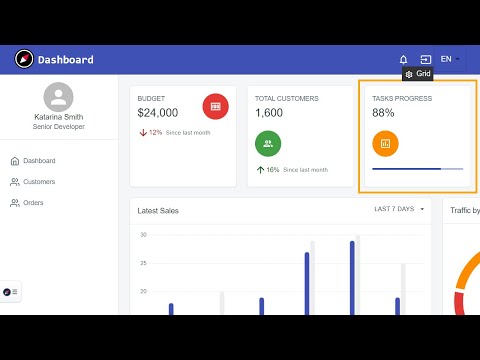
* [Generate Page](https://www.youtube.com/watch?v=5-U2vfgHkMA&t=206s) from GraphQL scheme
* [Add Field](https://www.youtube.com/watch?v=5-U2vfgHkMA&t=130s) to existing page / [graphql query](https://www.youtube.com/watch?v=5-U2vfgHkMA&t=314s)
* [Intline edit](https://www.youtube.com/watch?v=5-U2vfgHkMA&t=230s) localized texts
* [Translation sheet](https://www.youtube.com/watch?v=5-U2vfgHkMA&t=396s) - spreadsheet with all messages and their translations
[](https://www.youtube.com/watch?v=5-U2vfgHkMA&t=206s)
## Getting started on Netlify
[](https://app.netlify.com/start/deploy?repository=https://github.com/iteria-app/example-material-ui&stack=cms) to get your own copy of the repository. This button will do the following:
- Connect to your GitHub account and create a new repository with the name you specify
- Deploy your copy of the repository and setup continuous deployment
Next steps:
1. Customization: Now you're all set and you can start customizing your site (see [docs](https://docs.iteria.app/docs/category/features)).
2. Consider connecting to your own GraphQL/Hasura endpoint (see [docs](https://docs.iteria.app/docs/getting-started/change-graphql-endpoint)).
3. Even non technical users can collaborate once deployed to netlify! (see [docs](https://docs.iteria.app/docs/category/extras))
## Getting started on localhost
You can run this demo locally using https://vitejs.dev/ with all you development tools.
## Getting started on Gitpod
[](https://gitpod.io/#https://github.com/iteria-app/example-material-ui) to develop using vscode in cloud. Every Lowcode release is tested also in Gitpod.
## Getting started on Stackblitz, Codespace
In future [#72](https://github.com/iteria-app/example-material-ui/issues/72) we might support [StackBlitz](https://stackblitz.com/github/iteria-app/example-material-ui) or codespaces.