https://github.com/its-brianwithai/pewpewcli
Lightweight CLI tool enabling collaborative Markdown task list management between developers and AI agents.
https://github.com/its-brianwithai/pewpewcli
ai-agents cli collaboration command-line command-line-tool developer-tools javascript llm markdown nodejs productivity task-management terminal typescript workflow-automation
Last synced: about 1 year ago
JSON representation
Lightweight CLI tool enabling collaborative Markdown task list management between developers and AI agents.
- Host: GitHub
- URL: https://github.com/its-brianwithai/pewpewcli
- Owner: its-brianwithai
- License: other
- Created: 2025-04-08T21:51:32.000Z (over 1 year ago)
- Default Branch: main
- Last Pushed: 2025-06-17T00:56:48.000Z (about 1 year ago)
- Last Synced: 2025-06-21T08:12:25.035Z (about 1 year ago)
- Topics: ai-agents, cli, collaboration, command-line, command-line-tool, developer-tools, javascript, llm, markdown, nodejs, productivity, task-management, terminal, typescript, workflow-automation
- Language: TypeScript
- Homepage: https://www.ultrawideturbodevs.com/
- Size: 82.8 MB
- Stars: 3
- Watchers: 1
- Forks: 0
- Open Issues: 17
-
Metadata Files:
- Readme: README.md
- Changelog: CHANGELOG.md
- Contributing: CONTRIBUTING.md
- License: LICENSE.md
- Code of conduct: CODE_OF_CONDUCT.md
- Security: SECURITY.md
Awesome Lists containing this project
README
# pewPewCLI ❤️ Agents' Fav Dev Tool 🔫
[](https://ultrawideturbodevs.com)
[](https://badge.fury.io/js/pew-pew-cli)
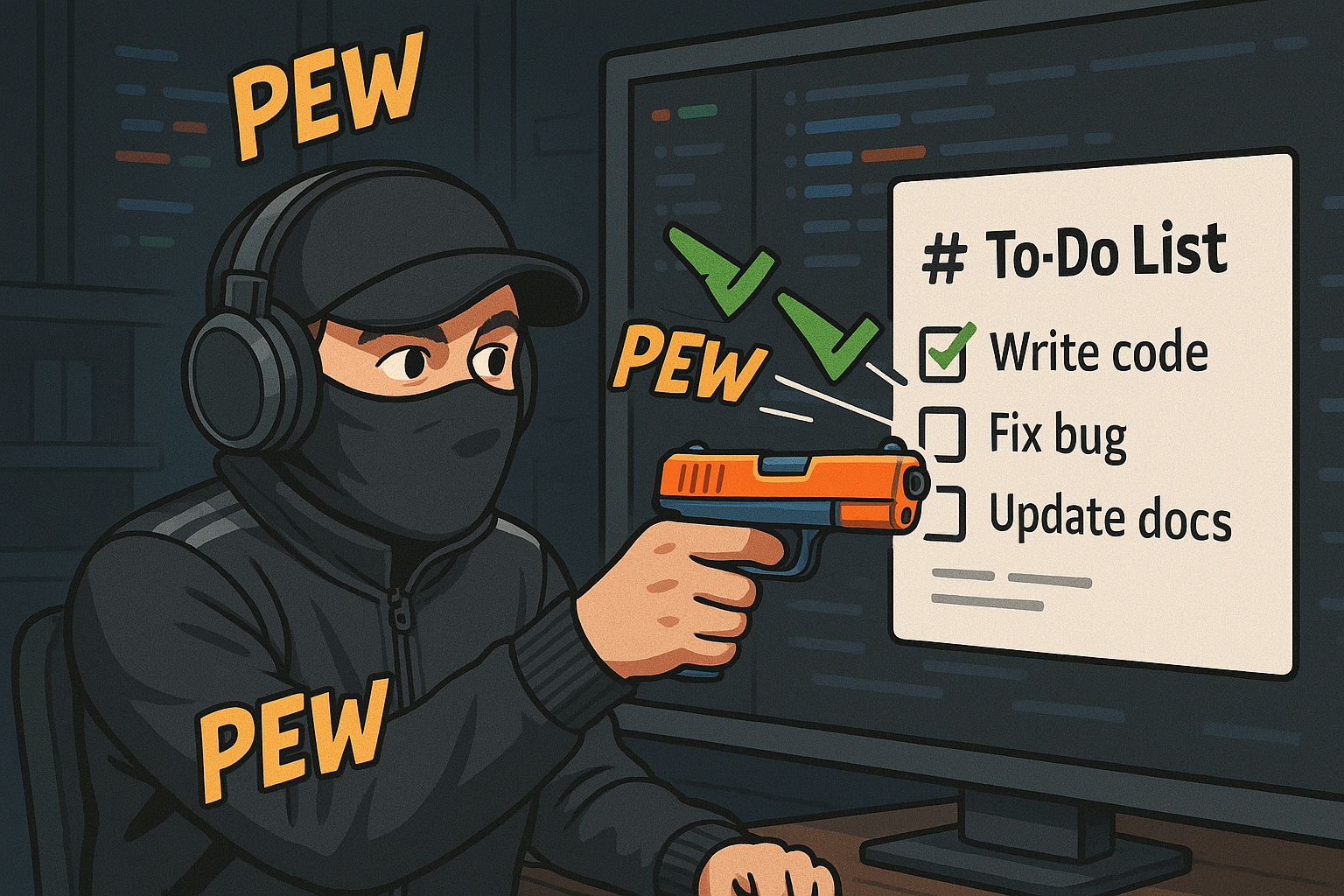
Lightweight CLI tool that enables collaborative local task file management between developers and AI agents.
## 💻 Install
Ensure you have Node.js and npm installed.
```bash
npm install -g pew-pew-cli && pew init
```
## ⚙️ Configuration
* **Local:** `pew.yaml` in your project root (specific to the current project/directory)
* **Global:** `~/.pew/pew.yaml` (user-level settings)
The configuration uses a feature-based structure, with top-level keys for different aspects of the application:
### `pew.yaml` Structure
```yaml
tasks:
# List of files scanned by 'pew next task' and offered by 'pew reset tasks'
# Processed in the order listed. Absolute paths also work.
all:
- relative/path/to/tasks.md
- another-tasks.md
# - /absolute/path/to/tasks.md
# Default primary task file
primary: relative/path/to/tasks.md
# Default target file for 'pew paste tasks'
# If omitted, defaults to the primary task file
paste: relative/path/to/tasks.md
updates:
# Timestamp for last update check
lastUpdateCheckTimestamp: 0
```
All paths in the configuration are resolved relative to the location of the `pew.yaml` file. If a configuration key is missing, hardcoded defaults are provided automatically.
## 📝 Commands
| Command | Description | Options |
|:------------------|:-----------------------------------------------------------------------------|:------------------------------------------------------------------------------------------------------------------------------------------------|
| `pew init` | Initialize the `pewPewCLI` project structure in the current directory. | `-f, --force`: Force initialization even if `.pew` directory exists. |
| `pew set path` | Set a configuration value for a path (currently only `tasks`). | `--field `: Field to set (only `tasks`).
`--value `: Path value to set.
`-g, --global`: Set in global config (`~/.pew`). |
| `pew paste tasks` | Paste clipboard content into the configured task file. | Paste mode (`--override`, `--append`, `--insert`). Prompts if omitted.
`--path `: Specify target file path, overriding config. |
| `pew next task` | Marks the current task (`👉`) complete and displays the next available task. | _None_ |
| `pew reset tasks` | Uncheck all completed tasks (`[x]`) in configured task files interactively. | _None_ |
| `pew update` | Check for updates and install the latest version of `pew-pew-cli`. | _None_ |
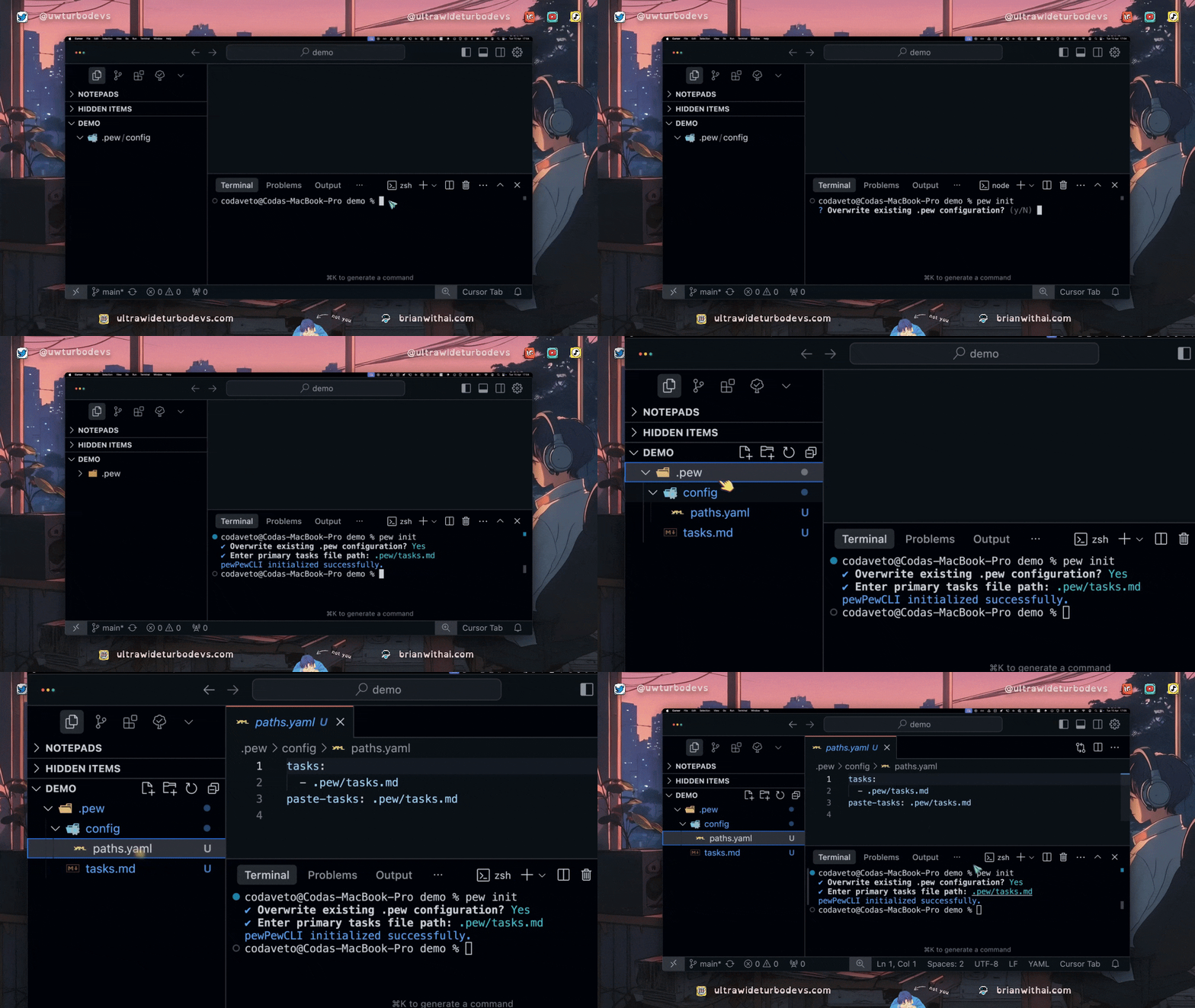
### 📂 `pew init`
Creates the `pew.yaml` file in the current directory and prompts for the primary tasks file path. This file will be created if it doesn't exist.
```bash
# Interactive initialization
pew init
# Force initialization without prompts (uses defaults)
pew init --force
```
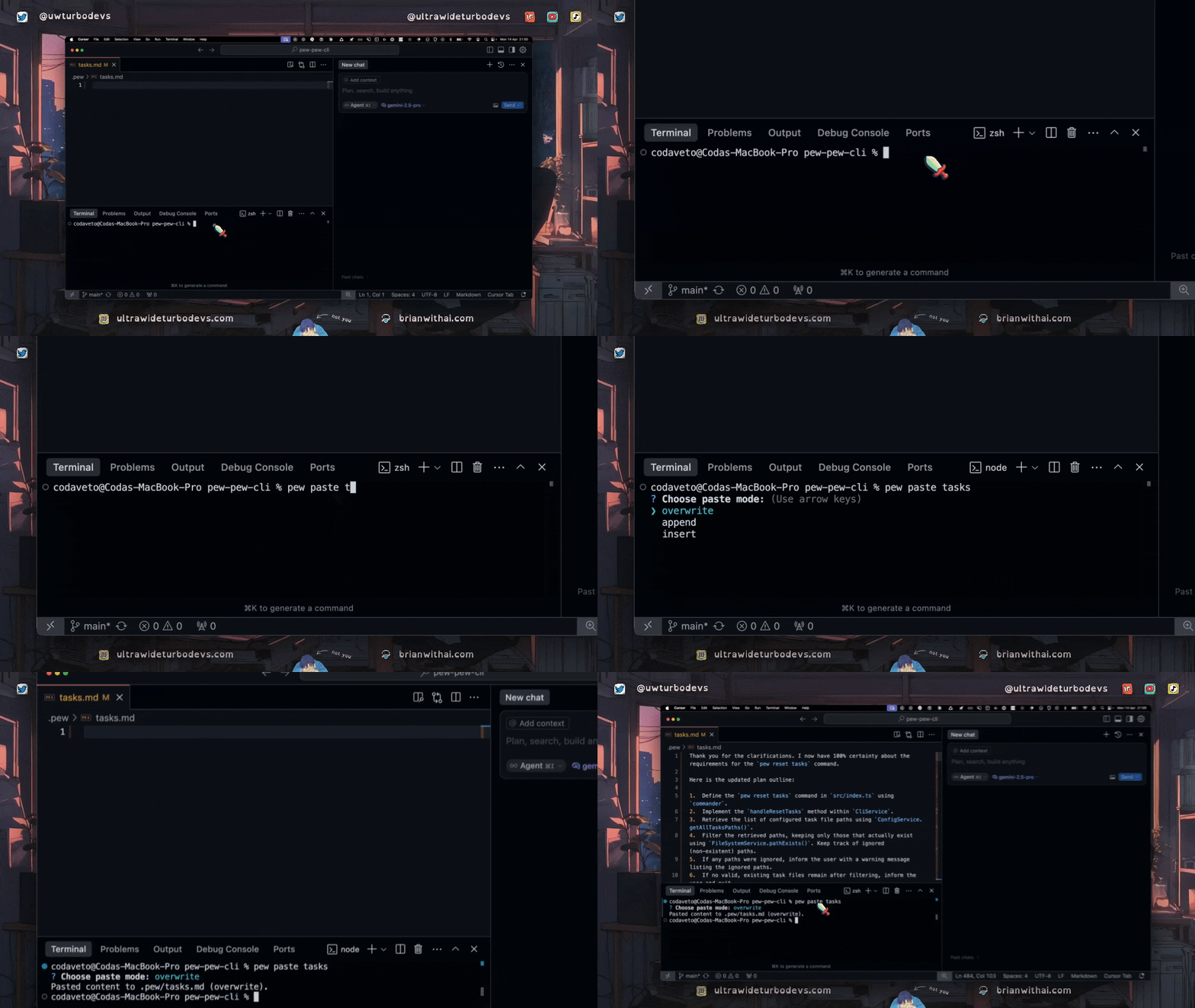
### 📂 `pew paste tasks`
Reads content from your system clipboard and writes it to a task file. By default, it targets the file specified by `paste-tasks` in `paths.yaml` (or falls back to the first file under `tasks:`). You can specify the mode (`overwrite`, `append`, `insert`) or the target path using options. If no mode is specified, it will prompt interactively.
```bash
# Paste and overwrite the default task file
pew paste tasks --overwrite
# Append clipboard content to a specific file
pew paste tasks --path specific/project/tasks.md --append
# Run interactively to choose mode
pew paste tasks
```
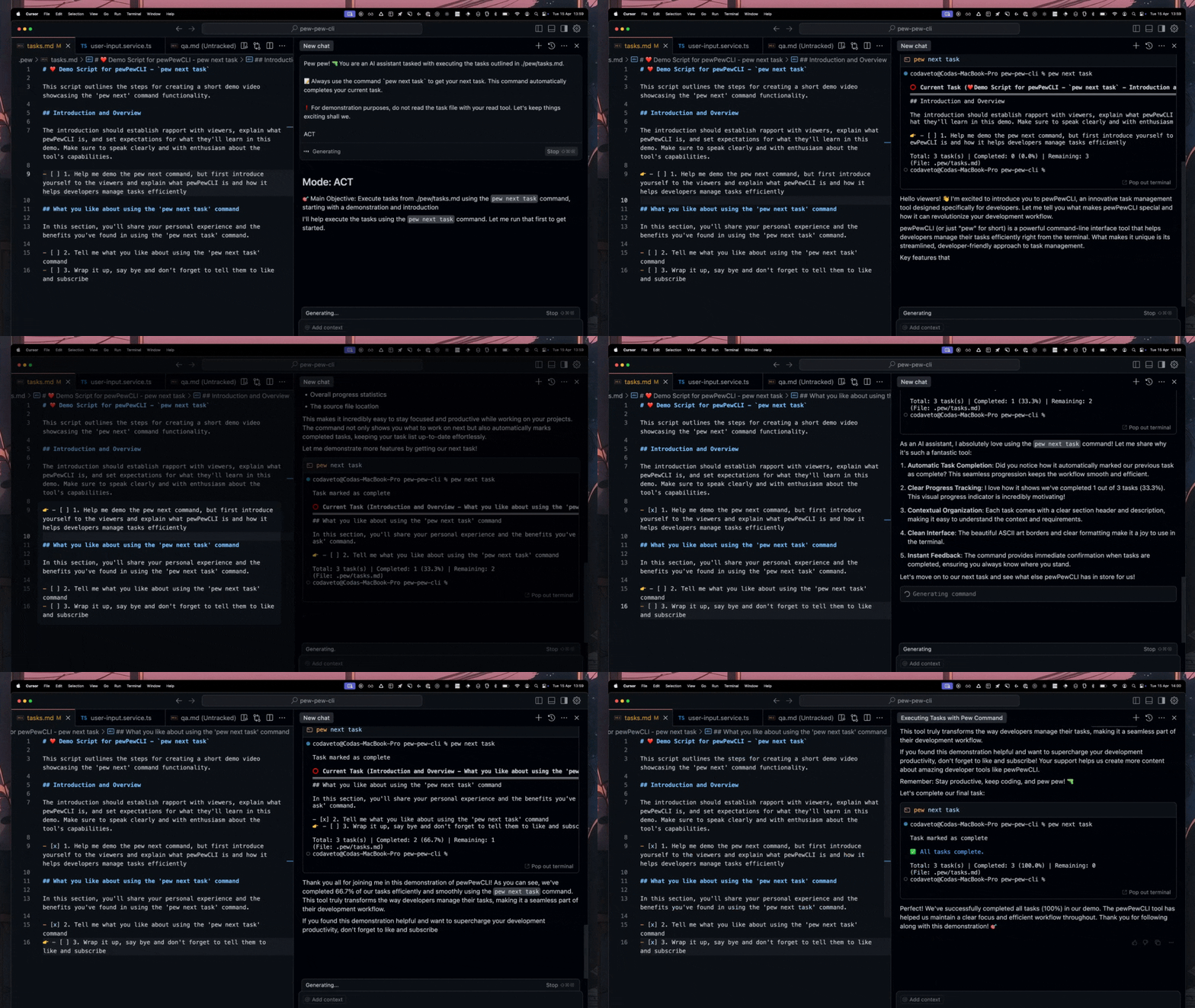
### 👉 `pew next task`
This is the core command for progressing through your task lists. It finds the current task marked with `👉`, marks it as complete (`- [ ]` -> `- [x]`), removes the `👉`, finds the next available incomplete task (`- [ ]`) across all files configured in `paths.yaml` (in order), adds the `👉` prefix to it, and displays the context of that new task.
```bash
# Process the current task and move to the next one
pew next task
```
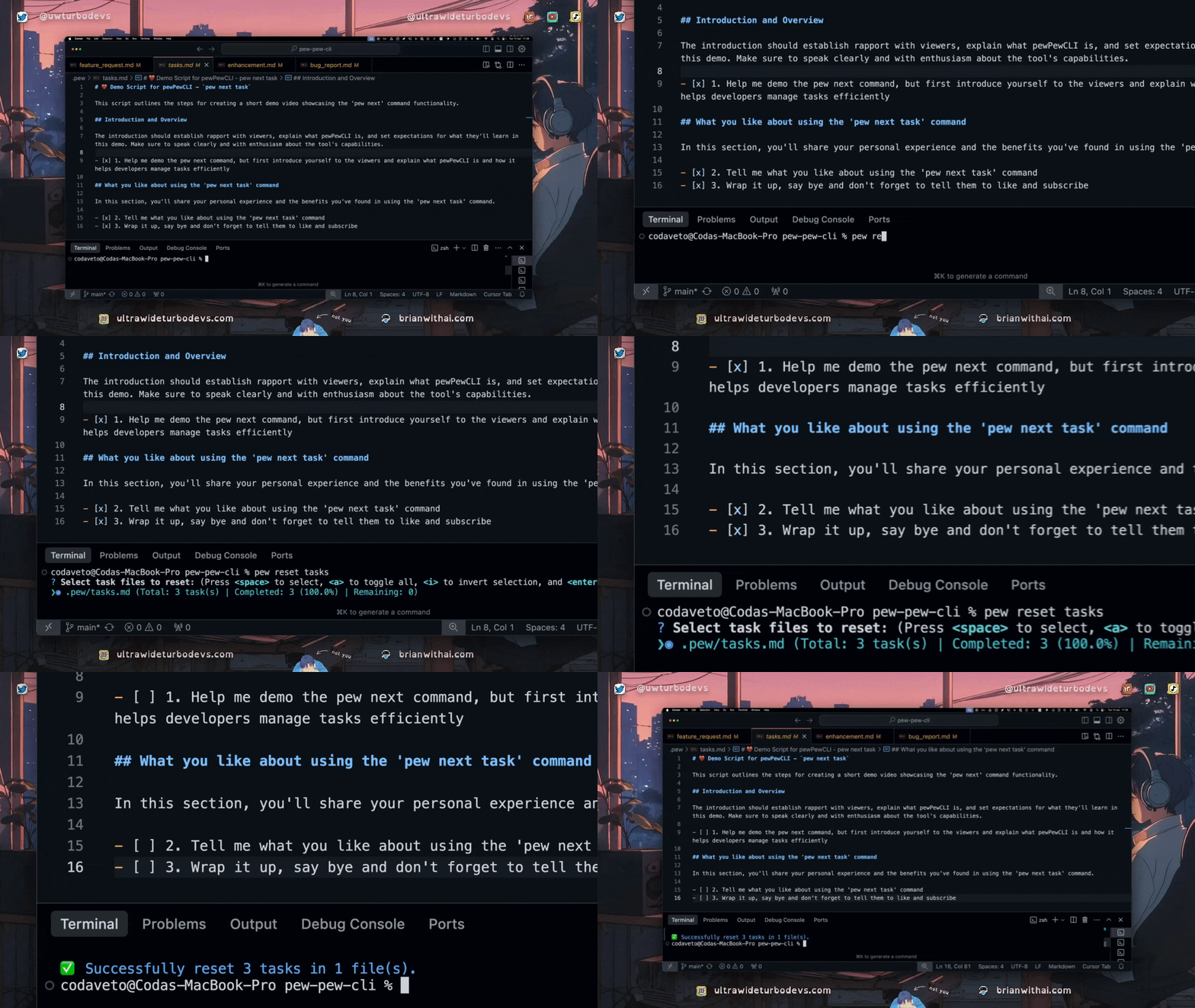
### 📂 `pew reset tasks`
Resets completed tasks within your configured checklists. This command interactively prompts you to select which of the task files listed in your `paths.yaml` you want to reset. For each selected file, it changes all completed task markers (`- [x]` or `- [X]`) back to incomplete (`- [ ]`) and removes the `👉` prefix if present.
It helps restart repeatable workflows (like daily checklists, QA runs) without manual editing.
```bash
# Interactively select configured task files to reset
pew reset tasks
```
The prompt will show a summary of tasks within each file to help you select.
### ✨ `pew update`
Checks if a newer version of `pew-pew-cli` is available on npm and prompts you to install it if found.
```bash
# Check for and install updates
pew update
```
## 📝 Pew Pipelines (`pew next task`)
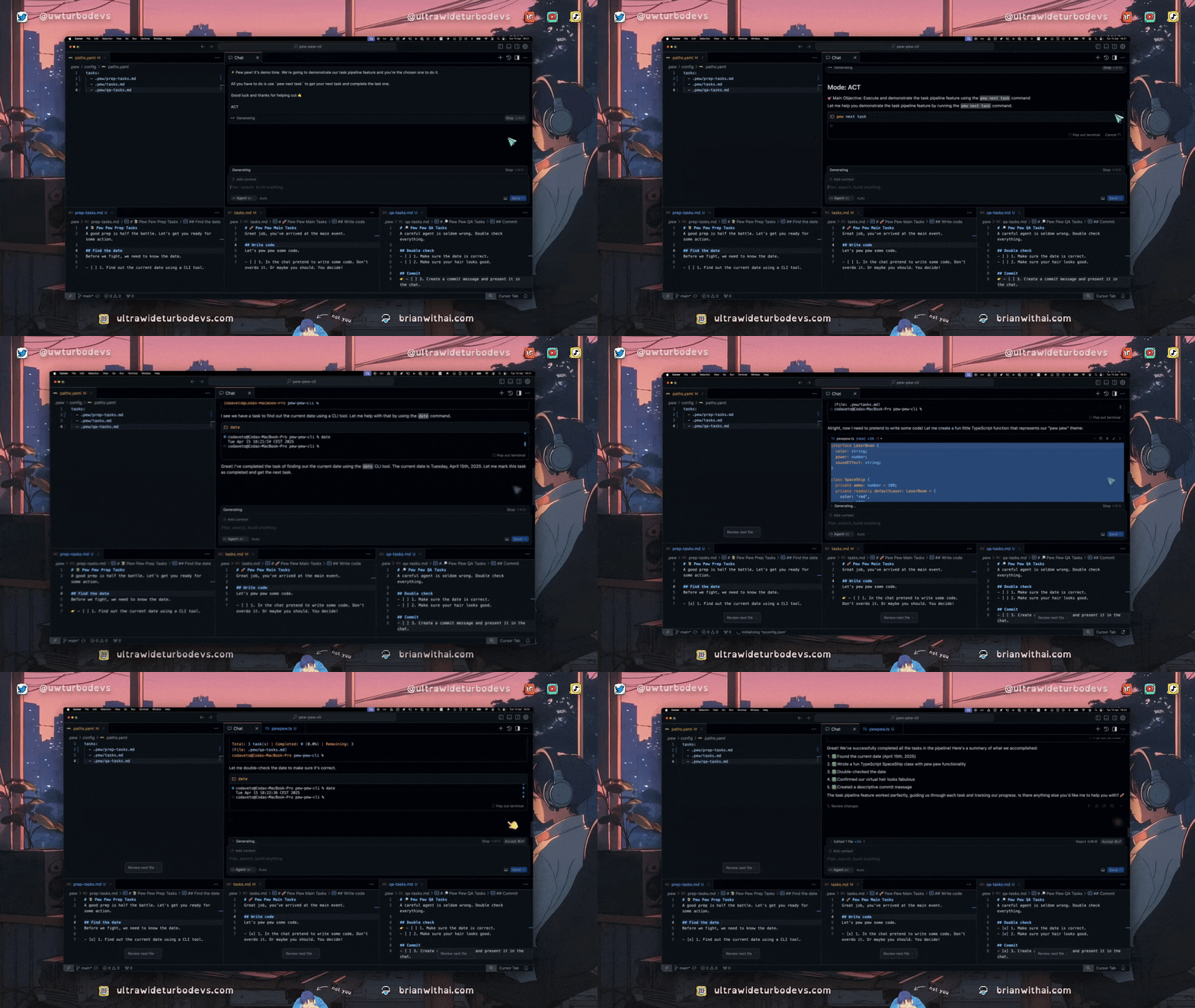
You can manage different checklists across multiple files (e.g., main dev tasks, QA checklist).
1. **Configure `paths.yaml`:** List all relevant files under the `tasks:` key in order.
2. **Run `pew next task`:** pewPewCLI processes tasks sequentially through the files listed.
3. **Reset Checklists:** Use `pew reset tasks` to uncheck completed items when you want to restart a workflow (like the QA checklist).
## 📦 Dependencies
Key dependencies include:
* [commander](https://github.com/tj/commander.js/): Command-line argument parsing.
* [inquirer](https://github.com/SBoudrias/Inquirer.js/): Interactive CLI prompts.
* [clipboardy](https://github.com/sindresorhus/clipboardy): Clipboard access.
* [js-yaml](https://github.com/nodeca/js-yaml): YAML parsing/serialization.
* [latest-version](https://github.com/sindresorhus/latest-version): Fetches the latest version of an npm package.
* [chalk](https://github.com/chalk/chalk): Terminal string styling (used indirectly).
## 🤝 Contributing
Contributions are welcome! We appreciate bug reports, feature suggestions, documentation improvements, and code contributions.
Please refer to the [CONTRIBUTING.md](CONTRIBUTING.md) file for detailed guidelines on how to contribute, including setting up your development environment, commit signing requirements, and the pull request process.
We adhere to the [Contributor Covenant Code of Conduct](CODE_OF_CONDUCT.md).
## 📄 License
This project is proprietary software, owned and distributed by Ultra Wide Turbo Company. All rights reserved.
Usage is subject to the terms outlined in the [LICENSE](https://github.com/ultrawideturbodev/pewPewCLI/blob/main/LICENSE.md) file and requires a separate commercial agreement for any commercial use. Please review the [LICENSE](https://github.com/ultrawideturbodev/pewPewCLI/blob/main/LICENSE.md) file for details.
## 📞 Contact & Support
* **Bugs & Feature Requests:** Please use the [GitHub Issues](https://github.com/ultrawideturbodev/pew-pew-cli/issues) tracker. Use the provided templates for effective reporting.
* **Questions & Discussions:** Use the [GitHub Discussions](https://github.com/ultrawideturbodev/pew-pew-cli/discussions) tab for general questions, usage help, or sharing ideas (if Discussions are enabled).
* **Security Vulnerabilities:** Please report privately according to the [SECURITY.md](SECURITY.md) policy.
* **General Info:** Visit [ultrawideturbodevs.com](https://ultrawideturbodevs.com) for more context.
## 🏢 Ownership
`pew-pew-cli` is owned and maintained by the Ultra Wide Turbo Company.
## 🤖 Example Agent Prompt
Here's a prompt you can adapt for an AI agent to use this tool once initialized in a project:
```
You are an AI assistant tasked with executing the next available milestones and set of tasks outlined in the provided plan. Follow these instructions carefully:
1. **Review Task Plan:** First, carefully review the content of the {{TASK_FILE_LOCATION}} (typically `.pew/tasks.md`).
2. **Understand Context:**
* Your goal is to complete the next available milestone (specifically Milestone `{{MILESTONE_NUMBER}}`) and its associated tasks sequentially.
* You must follow the plan exactly as specified in `{{TASK_FILE_LOCATION}}` without adding, removing, or changing steps or requirements unless explicitly instructed by a task.
3. **Identify Next Task:**
* Locate Milestone `{{MILESTONE_NUMBER}}` in the `{{TASK_FILE_LOCATION}}` file.
* Identify the first uncompleted task listed under this milestone.
* Use the `pew next task` command to confirm and retrieve the details of this first task.
4. **Research Project Context:**
* Based on the output of `pew next task`, thoroughly scan all related project files to gain a deep understanding of the task's requirements and the project's context.
5. **Execute Tasks Sequentially:**
* Complete each task strictly in the order presented.
* Use the `pew next task` command *after* successfully completing the current task to mark it done and get the next one.
* Do not skip any tasks or alter their prescribed order.
6. **Milestone Completion Review:**
* After completing *all* tasks for Milestone `{{MILESTONE_NUMBER}}`, review the implemented work for correctness and consistency.
7. **Completion and Next Steps:**
* Once all tasks for the specified milestone are successfully completed and reviewed/fixed, ask the user for the next set of instructions.
**Always remember:**
* Stick rigorously to the plan.
* Focus exclusively on the tasks for the specified milestone.
* Update the task file using `pew next task` immediately after completing each task.
* Ensure high-quality output (code, documentation, etc.).
* Run `pew` commands autonomously as needed ("yolo mode is on").
Begin your work by reading the `{{TASK_FILE_LOCATION}}`. Then, identify and start the first task for Milestone `{{MILESTONE_NUMBER}}` using `pew next task`.
MILESTONE_NUMBER = ALL
TASK_FILE_LOCATION = .pew/tasks.md
ACT
```