https://github.com/its-kunal/chatterbox
Realtime image, audio, and text messages communication, using socket.io.
https://github.com/its-kunal/chatterbox
buildwithgemini chat-application chatbot firebase gemini langchain nodejs redis socket-io typescript web-notifications
Last synced: 3 months ago
JSON representation
Realtime image, audio, and text messages communication, using socket.io.
- Host: GitHub
- URL: https://github.com/its-kunal/chatterbox
- Owner: its-kunal
- Created: 2024-08-11T15:33:04.000Z (almost 2 years ago)
- Default Branch: main
- Last Pushed: 2025-02-10T07:12:21.000Z (over 1 year ago)
- Last Synced: 2025-02-10T07:29:28.716Z (over 1 year ago)
- Topics: buildwithgemini, chat-application, chatbot, firebase, gemini, langchain, nodejs, redis, socket-io, typescript, web-notifications
- Language: TypeScript
- Homepage: https://chatterbox-kunal.web.app/
- Size: 1.03 MB
- Stars: 0
- Watchers: 1
- Forks: 0
- Open Issues: 6
-
Metadata Files:
- Readme: Readme.md
Awesome Lists containing this project
README
# Realtime Communication and AI Chatbot - Chatterbot
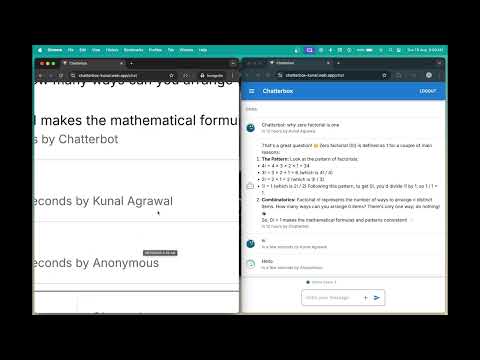
This project implements a real-time communication platform that supports image, audio, and text messages, along with an AI-assisted chatbot named **Chatterbot**. The chatbot is powered by Gemini Flash, an advanced language model, to deliver intelligent and context-aware responses. The project optimizes image quality and format using Sharp.js, ensures efficient module bundling with Rollup and Vite, and manages user authentication and web notifications through Firebase-admin.
Check the application live here - https://chatterbox-kunal.web.app/
## Demo Video
[](https://www.youtube.com/watch?v=uIM5_hsWooI)
## Features
- **Real-time Communication**:
- Supports image, audio, and text messaging using `socket.io`.
- Ensures fast and reliable data transmission in real-time.
- **AI-Assisted Chatbot - Chatterbot**:
- Powered by **Gemini Flash**, offering cutting-edge language understanding and response generation.
- Built using Langchain and VertexAI.
- Provides intelligent responses and contextual assistance.
- **Image Optimization**:
- Utilizes `Sharp.js` to optimize image quality.
- Converts images to the WEBP format to enhance performance.
- **Efficient Code Bundling**:
- Managed by `Rollup` and `Vite`.
- Achieves a production size of just 64MB, optimizing for speed and storage.
- **User Authentication and Notifications**:
- Managed by `Firebase-admin` to handle secure user authentication.
- Sends real-time web notifications to users.
## Installation
1. **Clone the repository**:
```bash
git clone https://github.com/its-kunal/chatterbox
cd chatterbox
```
2. **Install dependencies**:
```bash
cd server && npm install
cd ../client && npm install
```
3. **Configure environment variables**:
- Ensure that all necessary API keys, Firebase credentials, and other environment variables are properly set in a `.env`, `.env.local` file.
4. **Run the development server**:
```bash
cd server && npm run dev
```
5. **Build for production**:
```bash
npm run build
```
## Technologies Used
- **Gemini Flash** - The core LLM powering the AI-assisted chatbot, enabling advanced language processing and contextually intelligent interactions.
- **Socket.io**: For real-time, bidirectional communication.
- **Langchain & VertexAI**: Powering the AI-assisted chatbot.
- **Sharp.js**: Image processing and optimization.
- **Rollup & Vite**: Module bundlers for efficient builds.
- **Firebase-admin**: Managing user authentication and notifications.
## Contributing
Contributions are welcome! Please follow these steps:
1. **Fork the repository.**
2. **Create a new branch.**
```bash
git checkout -b feature/YourFeature
```
3. **Commit your changes.**
```bash
git commit -m "Add your feature"
```
4. **Push to the branch.**
```bash
git push origin feature/YourFeature
```
5. **Open a Pull Request.**