https://github.com/itsgitz/gh-push-vars
Push secrets and variables from your .env file to your GitHub repository using the GitHub REST API — without the need for GitHub CLI.
https://github.com/itsgitz/gh-push-vars
bun environment environment-variables github github-actions node nodejs secrets variables
Last synced: 6 months ago
JSON representation
Push secrets and variables from your .env file to your GitHub repository using the GitHub REST API — without the need for GitHub CLI.
- Host: GitHub
- URL: https://github.com/itsgitz/gh-push-vars
- Owner: itsgitz
- License: mit
- Created: 2025-06-30T04:57:02.000Z (about 1 year ago)
- Default Branch: master
- Last Pushed: 2025-07-15T08:17:44.000Z (about 1 year ago)
- Last Synced: 2025-07-15T17:38:03.001Z (about 1 year ago)
- Topics: bun, environment, environment-variables, github, github-actions, node, nodejs, secrets, variables
- Language: TypeScript
- Homepage: http://github.com/itsgitz/gh-push-vars
- Size: 125 KB
- Stars: 0
- Watchers: 0
- Forks: 0
- Open Issues: 0
-
Metadata Files:
- Readme: README.md
- License: LICENSE
Awesome Lists containing this project
README
# gh-push-vars
[](https://www.npmjs.com/package/gh-push-vars)
[](https://opensource.org/licenses/MIT)
[](https://bun.sh)
Push secrets and variables from your `.env` file to your **GitHub repository** using the GitHub REST API — without the need for GitHub CLI.
> I was tired of manually adding GitHub Actions secrets and variables, so I built this tool to automate the process for personal use. 😞
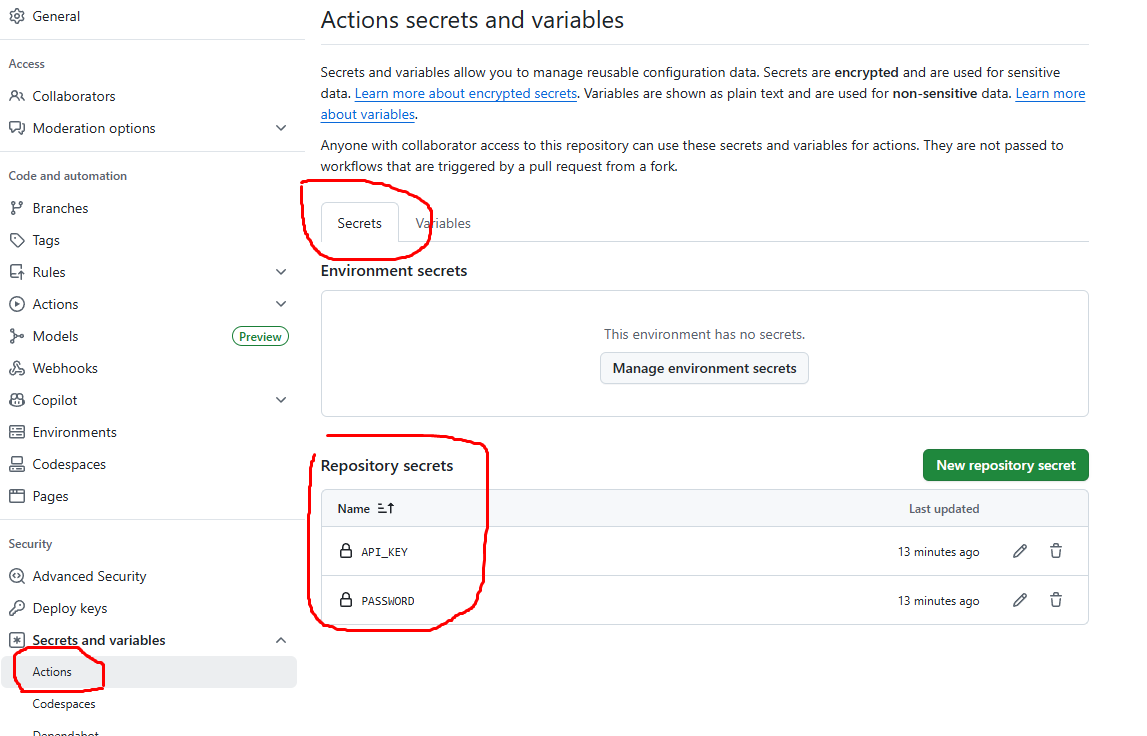
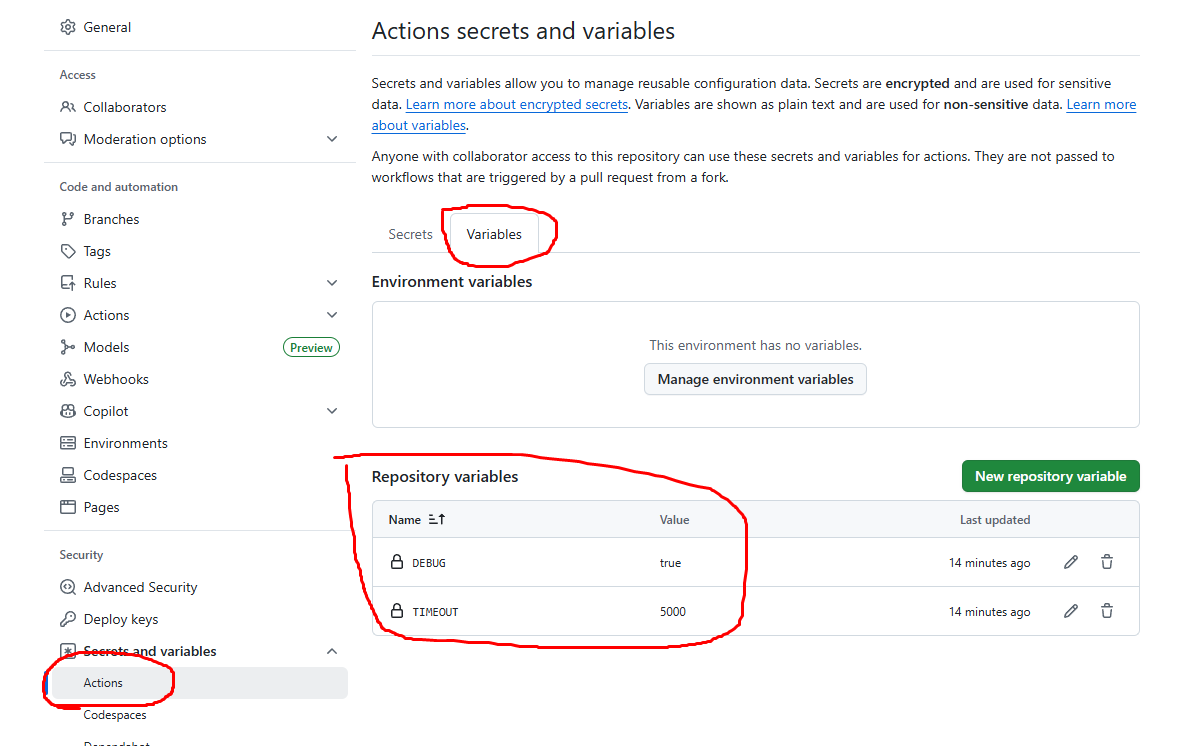
---
## Features
- Push **repository secrets** via `GH_SECRET_`
- Push **repository variables** via `GH_VAR_`
- Automatically normalizes variable names to lowercase
- Built with Octokit and Bun
> GitHub Actions environments (e.g. staging, production) are **not supported yet** — coming in the next phase!
---
## Install
```bash
npx gh-push-vars # Recommended
bunx gh-push-vars # If using Bun
npm install -g gh-push-vars # Optional global install
```
---
## Usage
```bash
gh-push-vars
# With custom env file path
gh-push-vars --env-file=.env.local
gh-push-vars -e .env.local
```
The script will:
- Automatically detects all keys starting with `GH_SECRET_` or `GH_VAR_`
- Converts the names to lowercase
- Uploads them to your GitHub repository
---
## .env Format
```bash
# Required
GITHUB_TOKEN="ghp_..."
GITHUB_OWNER="your-org"
GITHUB_REPO="your-repo"
# Repository-level secrets
GH_SECRET_API_KEY="abcd1234"
GH_SECRET_PASSWORD="supersecret"
# Repository-level variables
GH_VAR_DEBUG=true
GH_VAR_TIMEOUT=5000
```
---
## Prefix Guide
| .env Key Prefix | Type | Target | Resulting GitHub Name |
| ------------------ | ------------------- | ----------- | --------------------- |
| `GH_SECRET_` | Repository Secret | Repo Secret | `name` in lowercase |
| `GH_VAR_` | Repository Variable | Repo Var | `name` in lowercase |
> Example: `GH_SECRET_API_KEY` becomes GitHub secret `api_key` > `GH_VAR_DEBUG_MODE` becomes variable `debug_mode`
## Required GitHub Token Scopes
Your `GITHUB_TOKEN` must have the following scopes:
- `repo`
- `actions`
These are required to manage repository-level secrets and variables via GitHub’s REST API.
## Development
```bash
bun install
bun run src/index.ts
```
### Build CLI
```bash
bun build src/index.ts --outdir dist --target bun
chmod +x dist/index.js
```
## Pre-publish to npm
```json
"files": ["dist"],
"bin": {
"gh-push-vars": "dist/index.js"
},
"scripts": {
"build": "bun build src/index.ts --outdir dist --target bun",
"prepublishOnly": "bun run build"
}
```
## Roadmap
- [x] Repo secrets support
- [x] Repo variables support
- [x] Name normalization to lowercase
- [x] Add support for custom `env` file option
- [ ] Publish the package to NPM
- [ ] Environment-level secrets/variables (`GH_ENV_SECRET_` / `GH_ENV_VAR_`)
- [ ] `--dry-run` preview mode
- [ ] Support for `.env.[mode]`
- [ ] Config file (`gh-push-vars.json`)
- [ ] Interactive mode
## License
MIT © 2025 Anggit M Ginanjar